

macOS Catalina — Mac download
Ticked
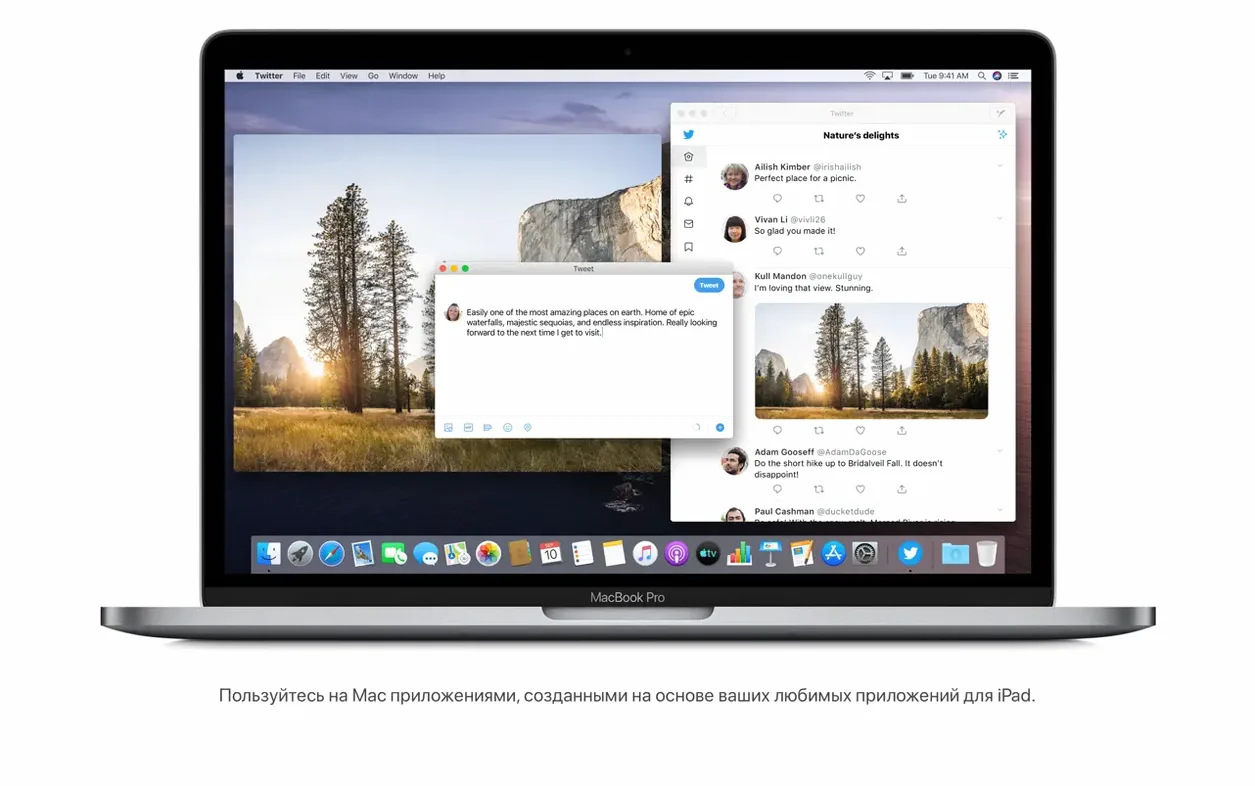
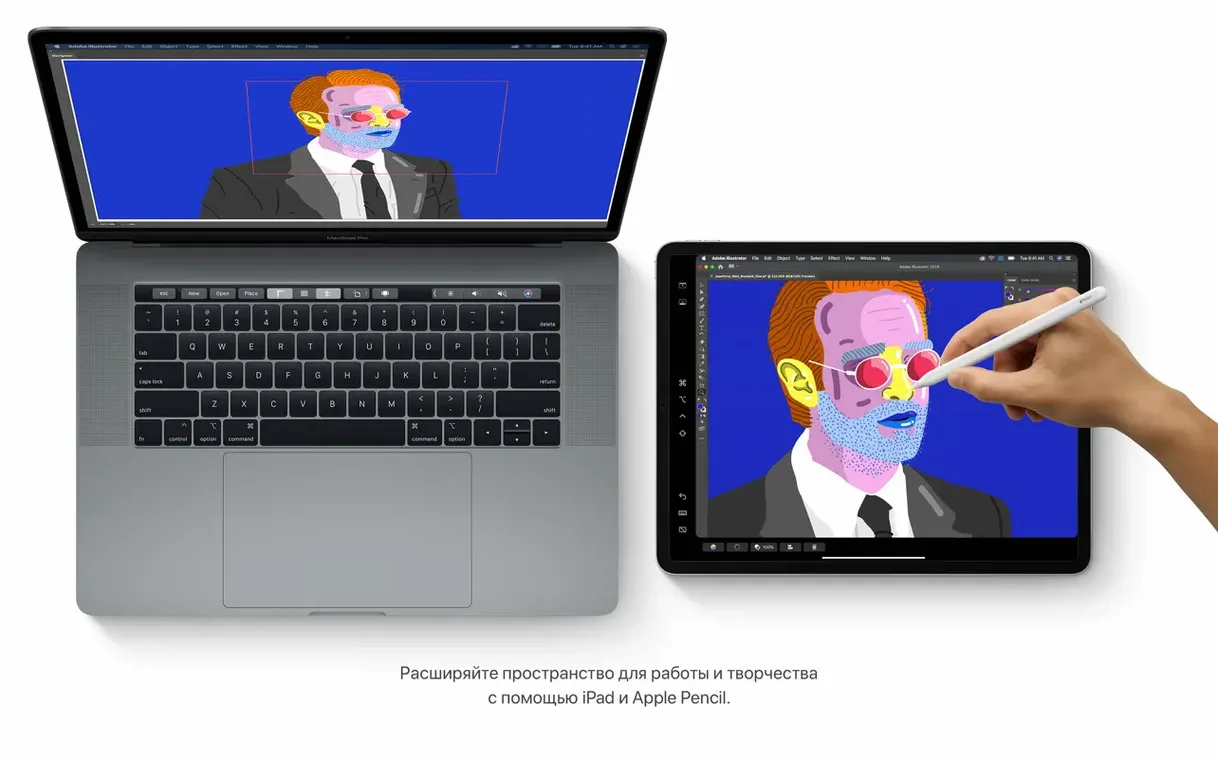
Developers who keep older Intel hardware around, QA testers, and anyone maintaining a specific toolchain still reach for macOS Catalina. It is the bridge release that split iTunes into dedicated media apps and brought iPad software to the desktop.
Run iPad apps and control your Mac with your voice
- Running iPad apps natively on an Intel Mac.
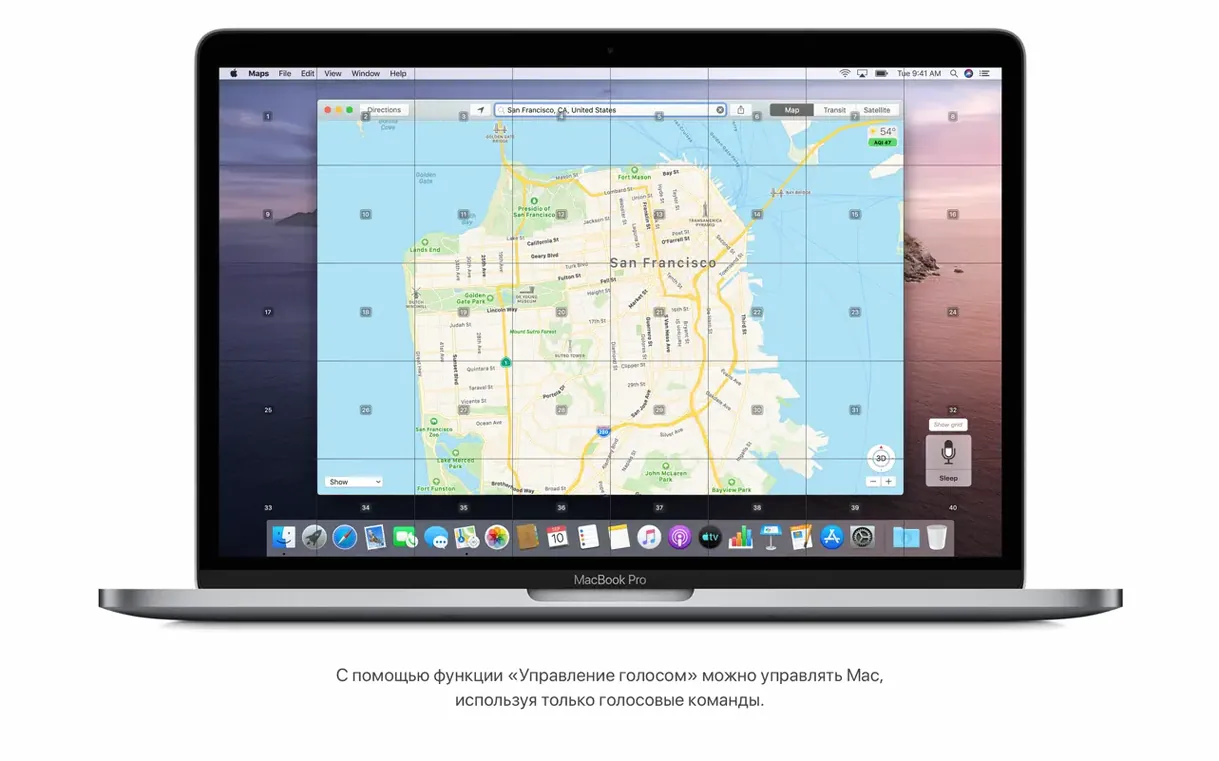
- Voice Control for hands-free navigation and dictation.
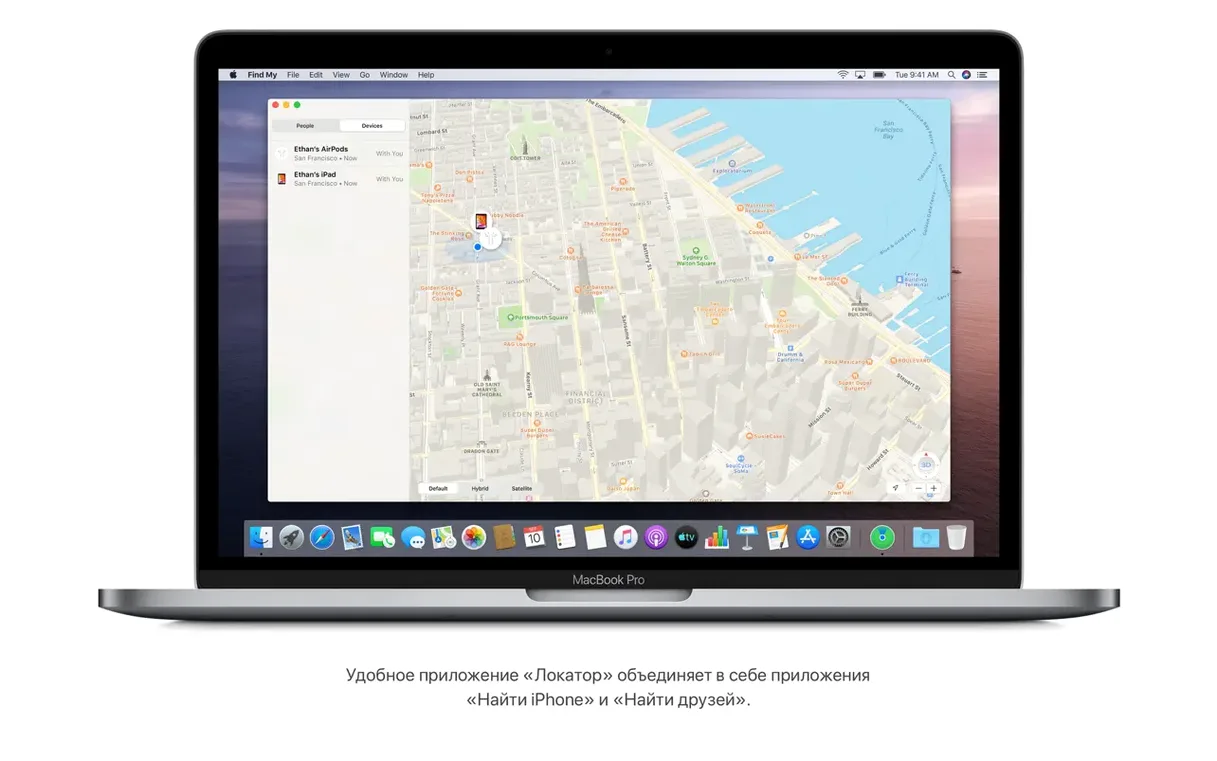
- The Find My app for locating a missing Mac.
- Finder-based iPhone and iPad sync, backup and restore — no iTunes required.
- Notes search that recognises text in scanned documents and objects in photos.
Only for Intel Macs from mid-2012 or later
- Compatible only with Intel Macs from mid-2012 or later.
- Needs 4 GB of memory and 12.5 GB of available storage for an upgrade from El Capitan.
- A broadband internet connection is needed for some features.
- The media experience is now split across Apple Music, Apple TV and Apple Podcasts.
A support desk morning
A developer at a small studio tests a build on a Late 2013 Mac Pro. The QA checklist includes Sidecar, Voice Control, and Finder sync with an iPhone. Catalina stays on that machine because two internal tools rely on 32-bit helper apps that never got updates. The Mac runs offline most of the day, then picks up the Wi-Fi fix from 10.15.7 when it reconnects.
Developers and testers keeping older Macs in service
- Developers with older Intel hardware. Catalina is the last macOS for many Macs from 2012 and 2013, so it stays in rotation for builds and device testing.
- QA teams. App testers can run iPad builds on the Mac and check layout, text input and gestures without a separate device.
- Anyone who wants Voice Control. Speech-based navigation, dictation and text editing suit users who work hands-free or with limited mobility.
- Repair and refurbishment work. A clean Catalina install is a useful baseline for checking an older Intel Mac before it goes back into service.
Competing Mac apps that offer similar features
macOS Mojave
Mojave runs on the same Intel hardware and keeps iTunes as a single app. Catalina drops 32-bit app support, so it is not a straightforward swap for everyone. The main reasons to move forward are Sidecar, Voice Control and the Finder-based iPhone backup workflow.
macOS Big Sur
Big Sur is the next Intel release and the first to leave iTunes media functions behind in the same way Catalina does. The interface changes are larger, and some older Macs that run Catalina smoothly struggle with Big Sur. Catalina is the lighter option when the app list is fixed and the hardware is unchanged.
Parallels Desktop with an older macOS VM
For a newer Mac, a Catalina virtual machine can stand in for a real Intel Mac. It is slower than a native install, but useful for a quick compatibility check. A native Catalina setup is still the better choice when Sidecar, Wi-Fi behaviour or graphics performance matter.
Install checklist
- Open the downloaded disk image.
- Copy the installer app to the Applications folder.
- Set aside 12.5 GB of storage if upgrading from El Capitan.
10.15.7, Intel-only, 4 GB RAM, 29 languages
- Version: 10.15.7 (19H15)
- Developer: Apple
- Architecture: Intel 64-bit
- Memory: 4 GB minimum
- Languages: Russian, English, German, Arabic, Hungarian, Vietnamese, Greek, Danish, Hebrew, Indonesian, Spanish, Italian, Catalan, Traditional Chinese, Simplified Chinese, Korean, Malay, Dutch, Norwegian, Polish, Portuguese, Romanian, Slovak, Thai, Turkish, Ukrainian, Finnish, French, Hindi, Croatian, Czech, Swedish, Japanese
- Security updates and bug fixes applied.
- Resolved an issue where macOS would not automatically connect to Wi-Fi networks.
- Fixed a bug that could prevent files syncing through iCloud Drive.
- Addressed a graphics issue on iMac (Retina 5K, 27-inch, 2020) with Radeon Pro 5700 XT.
- macOS 10.9 or later for the download.
- Intel architecture.
- 4 GB memory.
- 12.5 GB available storage for an upgrade from OS X El Capitan 10.11.5 or later.
Questions the team asks
Supported Intel models include MacBook (Early 2015 or newer), MacBook Air and MacBook Pro (Mid 2012 or newer), Mac mini and iMac (Late 2012 or newer), iMac Pro (2017), and Mac Pro (Late 2013 or newer).



Comments 0
Sign in or create an account to add a comment.
No comments yet. They go up after moderation.