
macOS High Sierra — Mac download
Ticked
macOS High Sierra is the desktop operating system that sharpens the tools you already use daily, version 10.13.
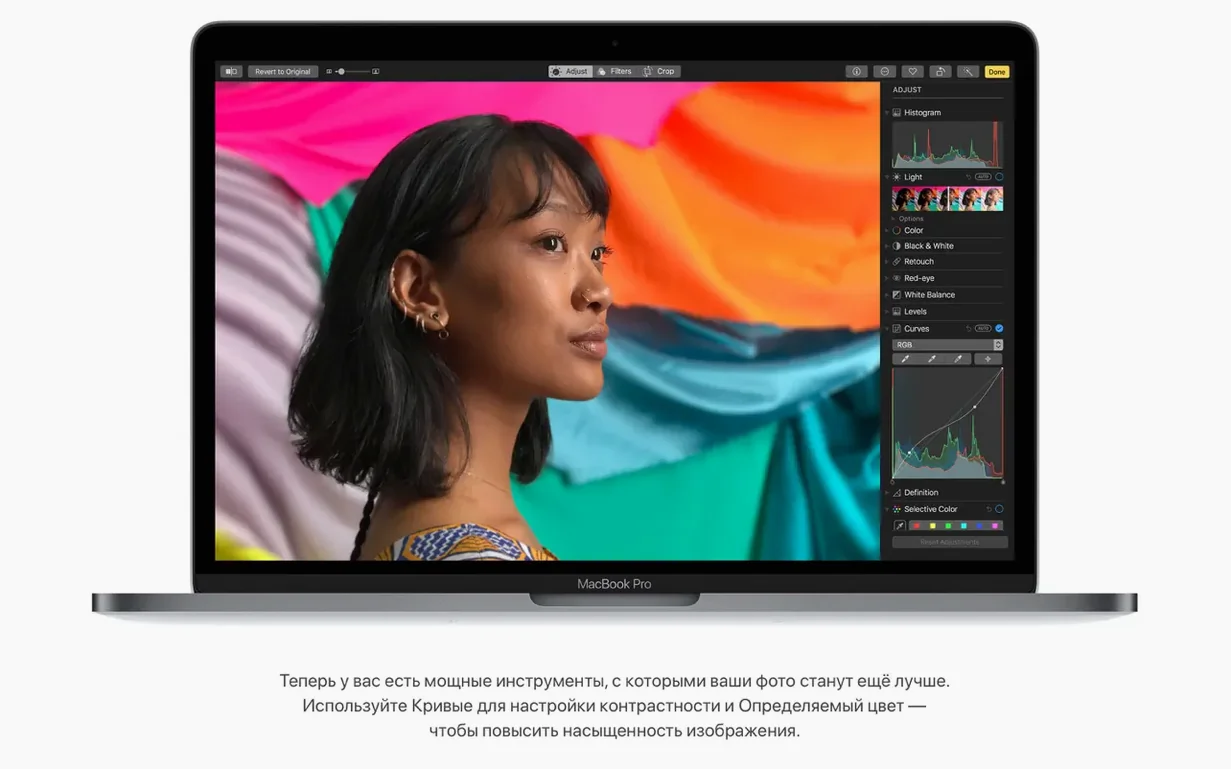
Curves and Selective Color arrive in Photos
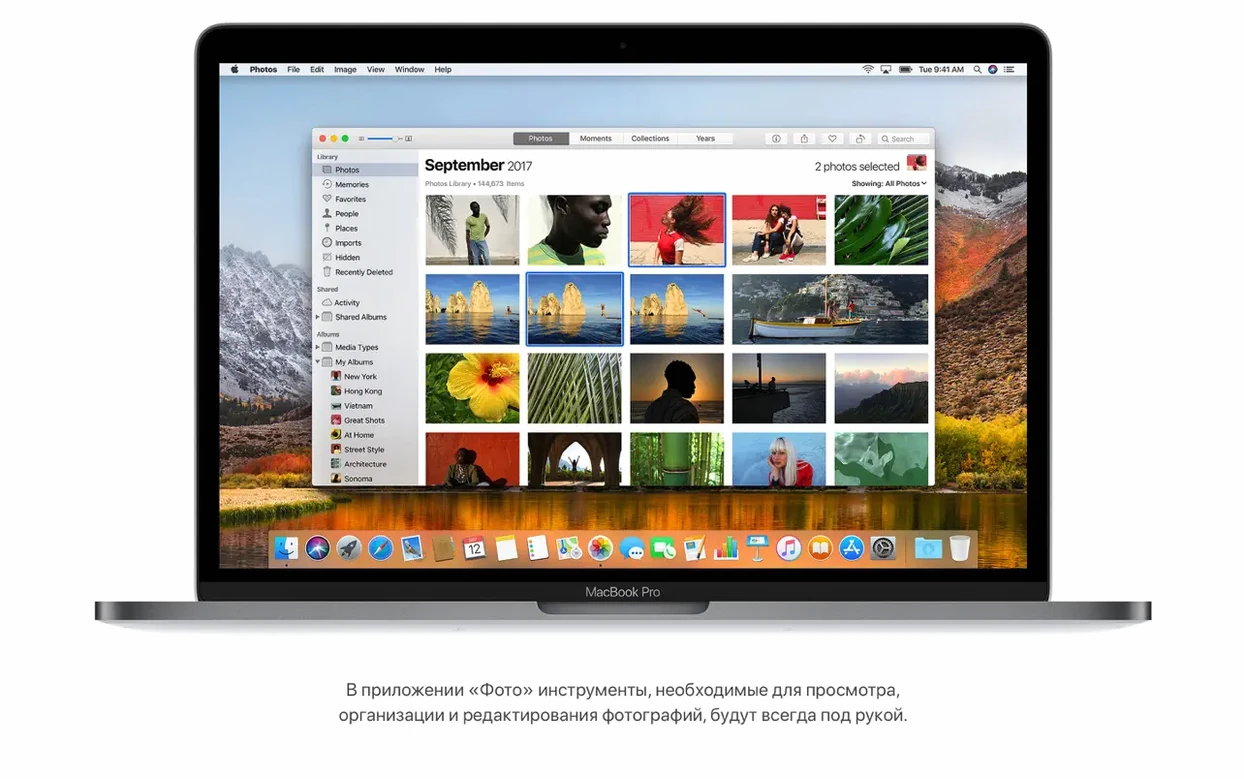
- Photo editing straight in Photos. Curves and Selective Color arrive where you browse, so Photoshop-level adjustments start without launching another app.
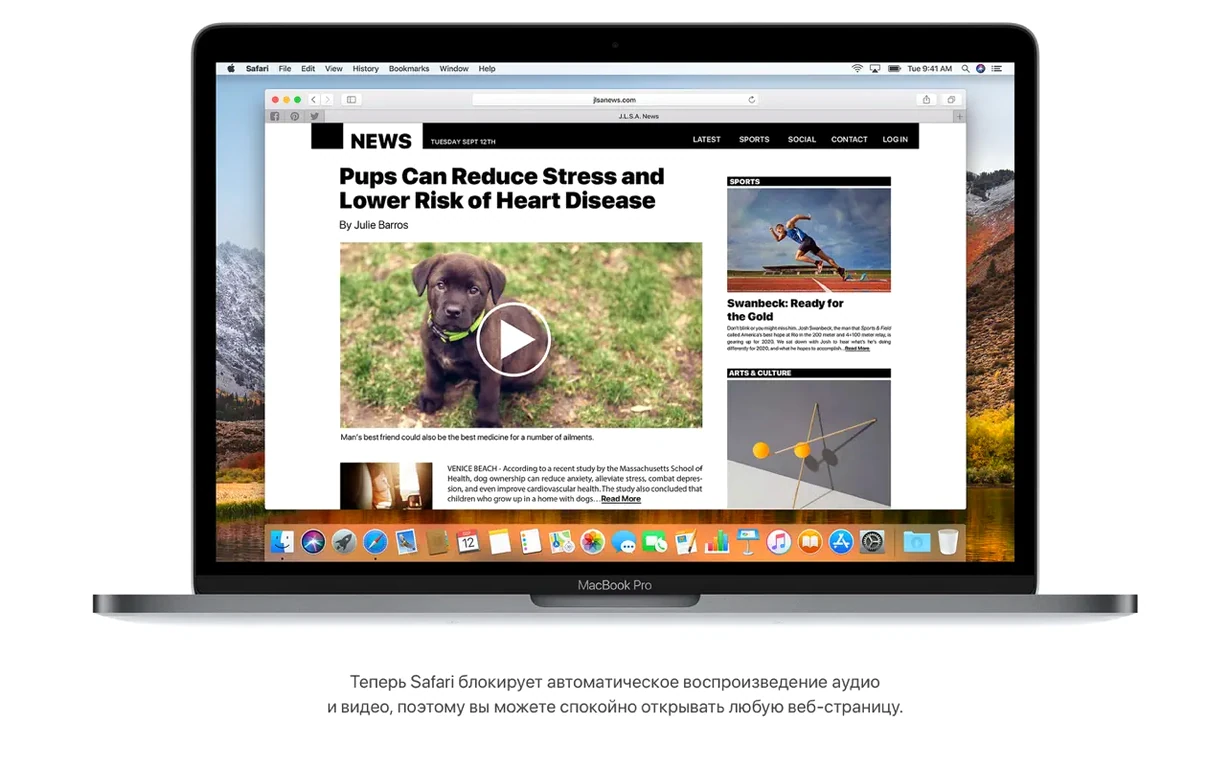
- Quiet browsing. Safari blocks autoplay sound media by default. No surprise audio when you open a tab.
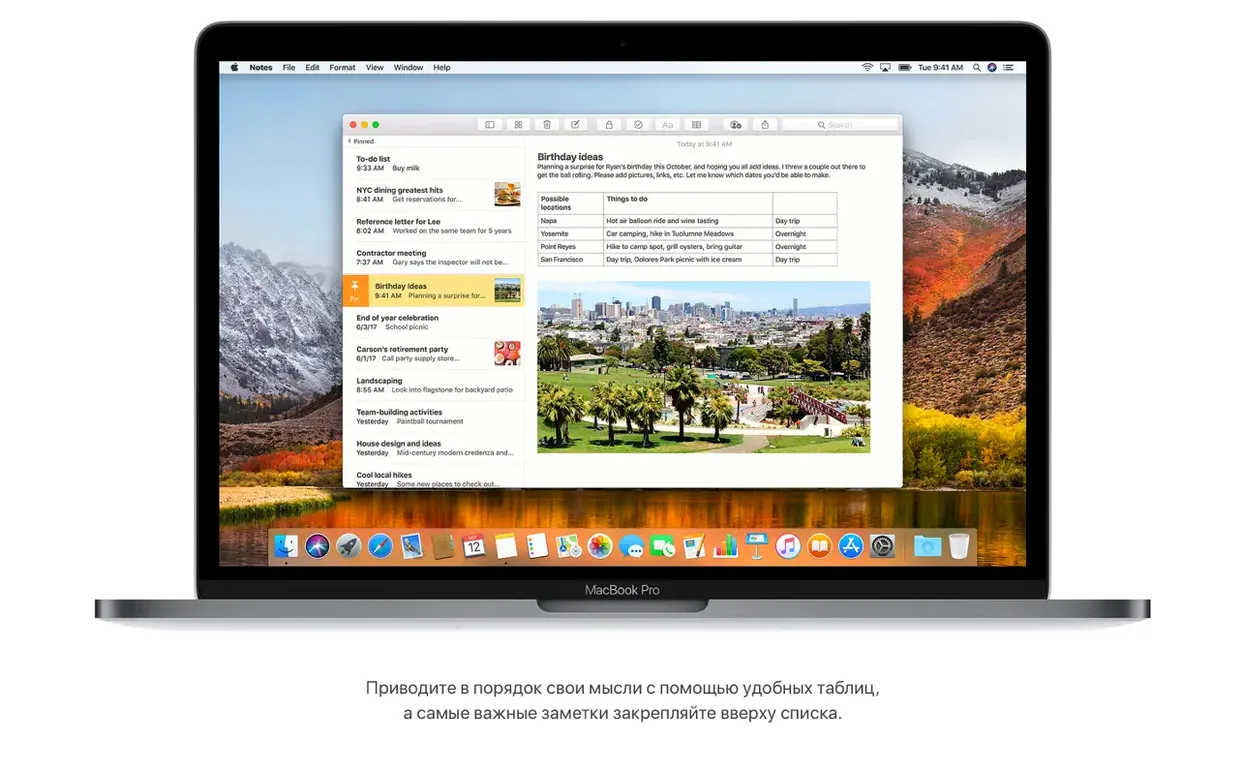
- Quick tables in Notes. A simple grid inside your note keeps small datasets readable without a spreadsheet.
- Travel planning. Spotlight shows flight info — arrival, departure, delays, terminal, gate, and a map.
Demands a 64-bit Intel processor and 14.3 GB free
- Intel only. High Sierra needs a 64-bit Intel processor. M-series Macs are not supported.
- Storage check. The upgrade requires 14.3 GB free. Clear space before you start.
- Machine age. Supported Macs go back to late 2009, but older hardware may feel the load with newer apps.
Fits with the rest of your setup
High Sierra plays well with other Mac software because it keeps the filesystem conversation simple. APFS handles cloning and snapshots at the volume level, so utilities like Carbon Copy Cloner or SuperDuper work with the filesystem rather than against it. You get faster local copies and less waiting when you duplicate large folders.
If you work in design, photoshop for high sierra runs on this build without the compatibility headaches of newer macOS versions. Older plugin suites that broke on Catalina or Big Sur still launch here. The same applies to audio tools and print drivers that rely on 32-bit helpers. High Sierra is the last macOS that keeps those doors open without Rosetta or virtualization.
For file sharing, iCloud Drive syncs cleanly with iOS 11 devices. Drop a file in your Mac's Documents folder, and it appears on an iPhone running the same Apple ID. AirDrop between High Sierra and older Macs also stays reliable on the same local network.
Questions before install
Most people ask whether High Sierra slows down an older Mac. The answer depends on the drive. On a Mac with a spinning hard drive, the APFS conversion during setup can feel slow for the first day while Spotlight reindexes. After that, the system settles. On an SSD, the difference is barely noticeable.
Another common question is about file compatibility. Word documents, Excel sheets, and Adobe Creative Suite files created on newer macOS versions may not open if they use features introduced after High Sierra. For everyday files — PDFs, images, plain text, older project files — there are no surprises.
Some users ask whether the install wipes personal data. It does not. The upgrade preserves user accounts, apps, and files. A clean install is optional, not required.
Sorting a fresh camera import without leaving Photos
This is a typical path for sorting and lightly editing a camera import without opening a separate editor.
- Connect the camera or SD card and open Photos. Wait for the import screen to appear.
- Select the shots you want to keep. Use the fixed sidebar to jump between Albums and All Photos.
- For any image that needs contrast work, open the Edit view and apply a Curves adjustment. Pull the midpoint up slightly to lift shadows.
- For colour casts, switch to Selective Color. Reduce the green channel in skin tones if the lighting feels cold.
- Drag the finished batch into a new album. Name it by date and location.
- Turn on iCloud Photo Library if you want the same set on an iPhone or iPad. Let sync finish before ejecting the SD card.
Notes gets the leftovers. If you shot a product set, create a note with a simple table listing file names and what each shot was for. The table keeps the list aligned without opening Numbers.
High Sierra download notes
Some people look for a macos high sierra torrent or a high sierra dmg torrent when Apple's servers are slow. The full installer is also distributed as a mac os high sierra torrent in several communities. Whichever way you get the disk image, check the build number after mounting. The final release is 17G66, and the installer app inside the image should match that build before you run it.
- AirPlay 2 multi-room audio support added for iTunes.
- Fix: Photos now recognises AVCHD media from some cameras properly.
- Fix: Mail users can move a Gmail message to another account without issues.
- General stability and security improvements for the Mac.
- macOS 10.13.5 or later
- Intel 64-bit processor
- 2 GB memory
- 14.3 GB available storage for the upgrade
Questions the team asks
MacBook (late 2009 or later), MacBook Pro (mid 2010 or later), MacBook Air (late 2010 or later), Mac mini (mid 2010 or later), iMac (late 2009 or later), and Mac Pro (mid 2010 or later).
Photos adds Curves and Selective Color editing tools, plus a fixed sidebar with albums and sorting options.


Comments 0
Sign in or create an account to add a comment.
No comments yet. They go up after moderation.