

Muse Dash — Mac download
Ticked


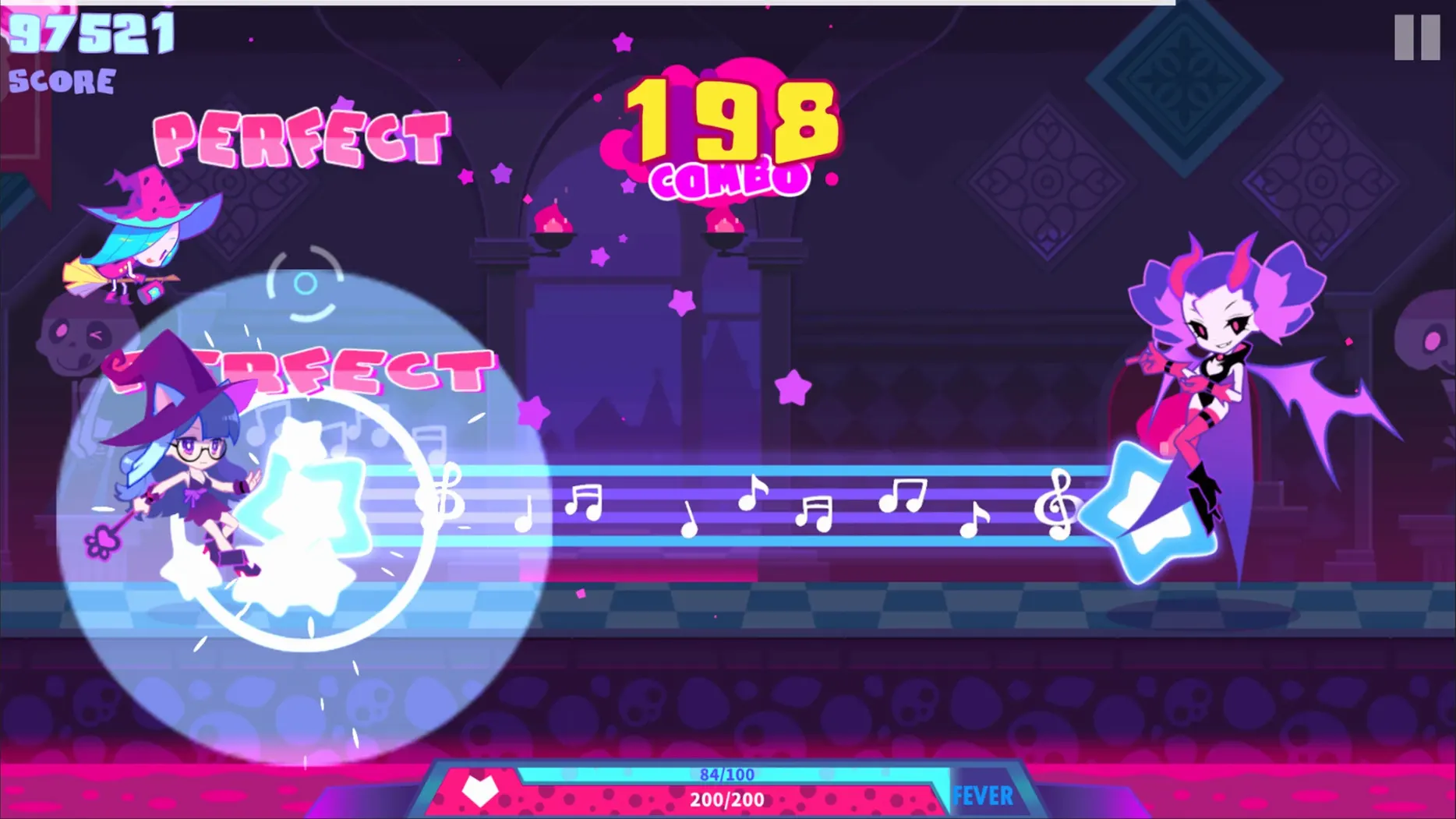
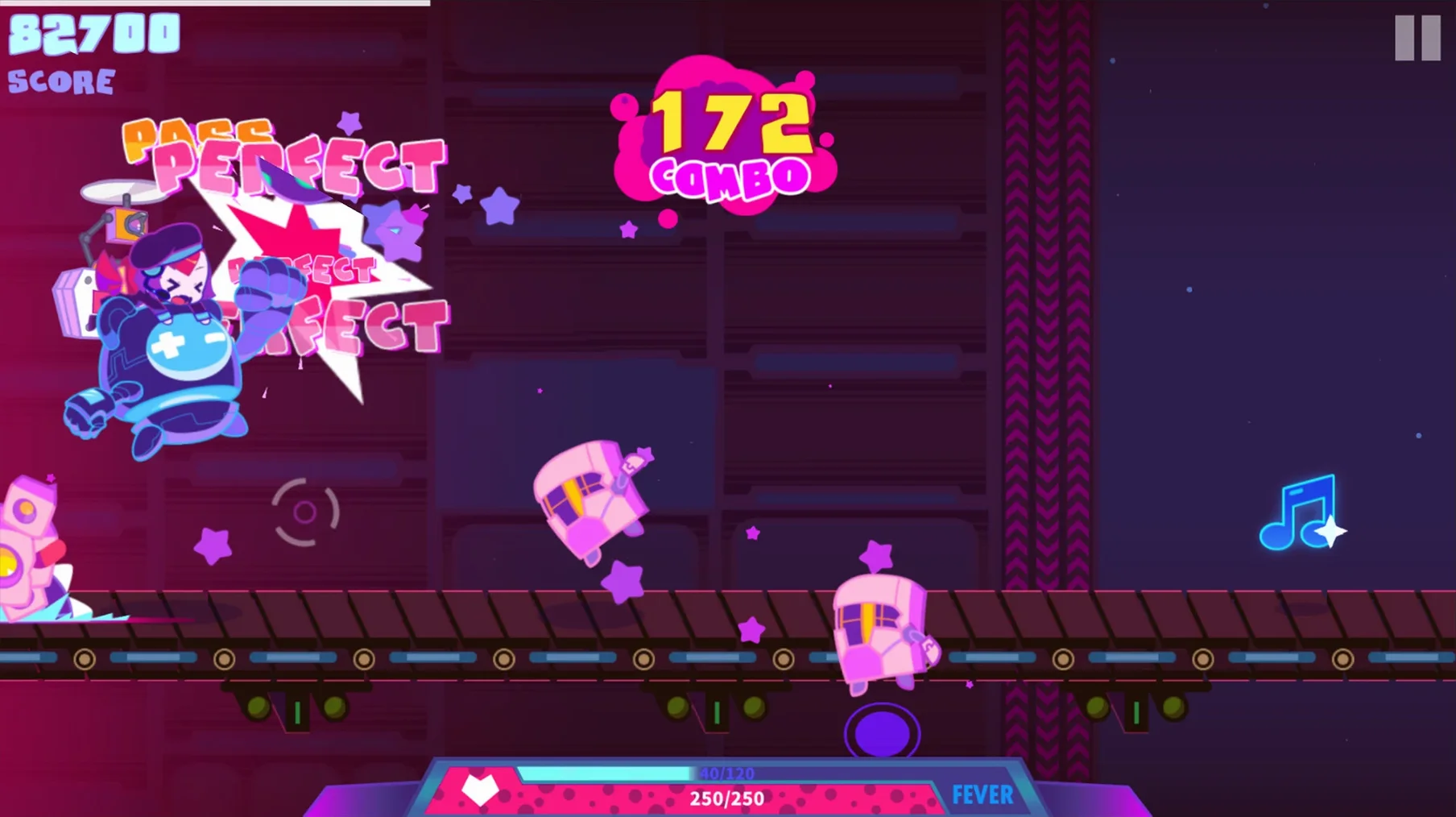
Rhythm tracks, to be exact. Each one throws a different enemy pattern at you — some walk, some fly, some fire projectiles. You handle them all with just two buttons: a high attack and a low attack. Tap in time with the beat to smash obstacles and rack up combos.
Between songs you pick a heroine and a pet-like partner called an Elfin, both with their own passive skills. Levels are short, under three minutes usually, so it's easy to jump in for a quick set or grind for high scores across the 400-plus tracks. Genres bounce between pop, electronic and harder dance cuts.
Boss fights appear at the end of song collections. They layer bullet-hell dodging on top of the usual rhythm tapping, which forces you to split attention between the beat and the incoming patterns. Miss too many notes and you're back to the song select screen.
Workflow: chasing a full combo on a new track
- Pick a heroine that suits the track's bpm. Faster songs pair well with the Bunny Girl Rin's tighter hit windows, while slower pop tracks work with the default character's forgiving timing.
- Equip an Elfin that recovers health if the chart looks dense — you'll need the buffer while you learn the patterns.
- Run the track once without worrying about score. Watch where the enemy waves switch between high and low lanes.
- Note any off-beat hits: syncopated sections often trip players up because the visual cues arrive slightly ahead of the beat.
- Second run — aim for the combo. Tap slightly earlier than you think on the fast sections. The hit window is generous on the front edge.
- If the boss phase breaks your streak, restart from the song select screen immediately. Boss patterns repeat identically each time, so memorise the bullet gaps on the first few attempts.
Game freezes on the loading screen
- Game freezes on the loading screen. Turn off Wi-Fi before launching. The build occasionally hangs while checking for updates. Re-enable the internet once you're past the title screen.
- Input lag on Bluetooth audio. Switch to wired headphones or the built-in speakers. macOS Bluetooth latency throws the timing calibration off by enough to miss notes on difficulty 7 and above.
- Hits not registering on fast trills. You're probably pressing both buttons simultaneously without realising it. The game reads that as a single input. Slow down and alternate deliberately — speed comes later.
- Frame drops during boss fights. Close background apps, especially browsers with video playback. The bullet patterns push the render load higher than standard stages.
- No progress saving. The game auto-saves after each song clear. Don't force-quit mid-track if you care about your level unlocks.
If you grabbed download muse dash for mac and the screen stays black after the peropero logo, try launching from the Applications folder directly rather than Launchpad. Some systems need that first-run permission dialog to appear properly.
- Apple Silicon and 64-bit Intel Macs
- Tested on Mac mini (2024) with M4
Questions the team asks
Interface languages include English, Traditional Chinese, Simplified Chinese, Korean and Japanese. Voice language is Japanese.









Comments 0
Sign in or create an account to add a comment.
No comments yet. They go up after moderation.