

The Sims 4 — Mac download
Download (78 GB) Earlier builds
Ticked

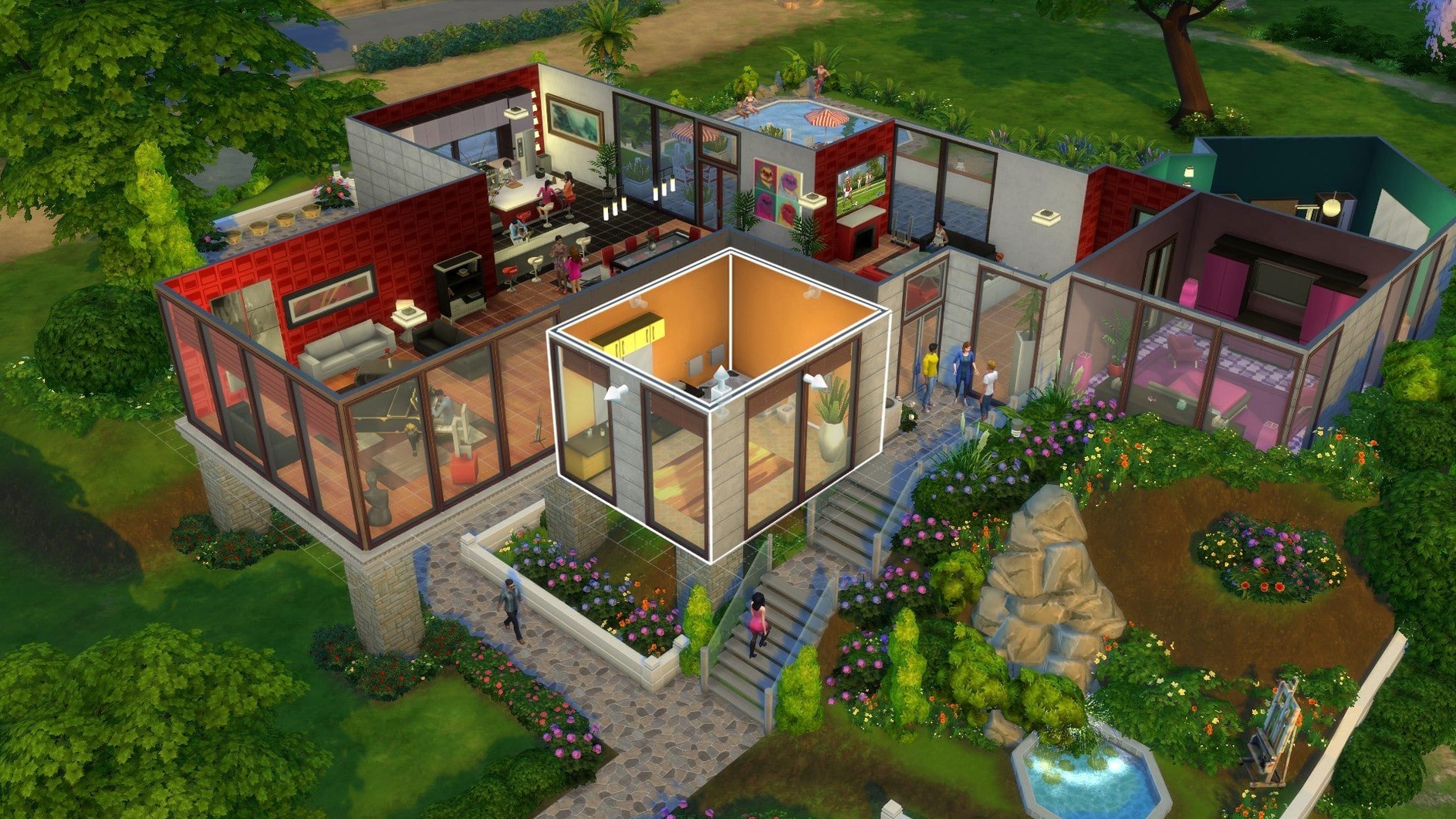

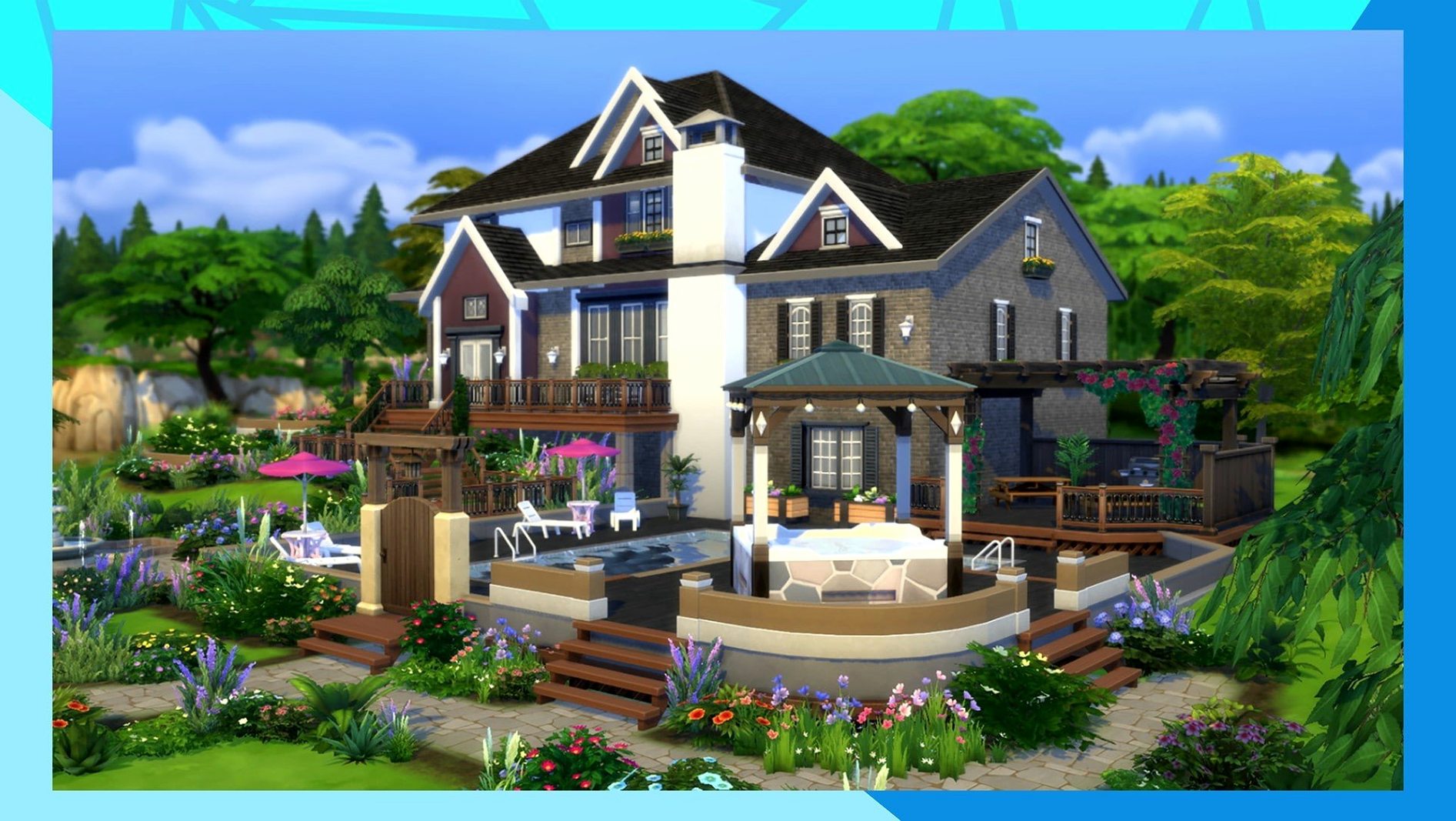
Build Mode is where this game sinks its hooks in. You start with an empty lot and a floor plan in your head, and two hours later you are arguing with yourself about window placement. The construction tools let you shape a world brick by brick, then hand it over to Sims you have designed from their aspirations down to their socks.
Those Sims then live. They build relationships badly, pick careers impulsively, and leave plates on the floor. You direct their daily lives — or just watch the chaos unfold when you stop giving instructions. The character creator gives you full control over appearance, traits, and outfits, so every household feels like a fresh experiment.
Good for players who enjoy open-ended storytelling and detail work. If you like designing interiors, engineering social drama, or setting personal goals across generations of characters, the loop holds. It runs comfortably on an M1 MacBook Air with macOS Sonoma.
Not for anyone seeking clear objectives or a fixed ending. The game provides tools, not targets. You bring the motivation, and if you do not enjoy building your own fun, the open structure can feel aimless.
A typical session — one Sim, one evening
A session rarely starts with a plan. It starts with a problem.
- Load the save. The game opens to the neighbourhood map — Willow Creek in late afternoon light.
- Check the household. Your Sim is tense. Low fun, low social, bills due tomorrow. The trash plant outside is smoking again.
- Triage. Send the Sim to the shower for a quick hygiene boost. Queue up a meal from the fridge. Cancel the autonomous chess-playing — they always choose chess when stressed.
- Switch to Build Mode for a fix. The kitchen layout has been annoying you for weeks. Move the fridge two tiles left. Rotate the counter. Add a half-wall to separate the dining corner.
- Back to Live Mode. A neighbour walks in uninvited — welcome wagon from a house two streets over. Your Sim makes introductions while you queue up friendly interactions. One joke misfires. The relationship bar dips. You try a compliment to recover.
- Check career panel. Tomorrow is a work day. The daily task requires two hours of charisma skill. You queue up mirror practice before bed.
- Save and close. Forty minutes passed. The bills are unpaid, but the kitchen looks better and the neighbour now dislikes your Sim slightly less.
Ticking off graphics tweaks after install
A few adjustments after installing make the game smoother. These are the things I tick off.
- Graphics settings. On Apple Silicon, the game defaults to medium. Drop edge smoothing to low if the camera pans stutter. Keep lighting on high — it changes the mood of every room.
- Autonomy toggle. Found under Game Options. Full autonomy for unplayed households, off for your active Sim if you want tighter control. Half the stories come from leaving it on.
- Clean the Documents folder early. The game generates cache files in
The Sims 4folder inside Documents. After the first launch, check for oldlocalthumbcache.packagefiles. Deleting them fixes odd texture glitches without touching saves. - One household, one lot. For the first week, stick to a single Sim on a small lot. Managing eight Sims across a mansion before you know the menus is a fast route to abandoning the save.
- Keyboard shortcuts. Learn three:
Bfor Build Mode,Lfor Live Mode,Mfor map travel. You will use them constantly.
A builder's scenario
A player who spends most of their time in Build Mode downloads The Sims 4 torrent and treats the game as an architecture tool. They ignore careers and relationships almost entirely.
Their current project is a converted warehouse in San Myshuno. They start with the shell tool to draw a two-storey rectangle, then carve out a mezzanine using the platform tool. Half-walls define the sleeping area. Exposed brick wallpaper on one wall, floor-to-ceiling windows on the opposite side.
The lighting takes an hour. They place a ceiling pendant over the dining table, adjust its intensity slider down to warm yellow, then add hidden wall lights behind the sofa for indirect glow. The colour temperature of each bulb matters — cool white for the kitchen, soft yellow for the lounge corner.
They furnish with objects from multiple packs, mixing industrial shelving with mid-century seating. The move objects cheat (bb.moveobjects on) lets them clip a rug slightly under the sofa and push plants into corners the grid normally rejects. When they finish, they save the lot to their library without ever moving a Sim in.
This is a legitimate way to play. The Sims 4 Mac torrent serves builders just as well as storytellers — the construction tools are deep enough to be the main event.
Shortcuts and quiet conveniences
Some features hide in plain sight. I missed these for months.
- Right-click to sell. In Live Mode, right-click any object a Sim owns and select Sell. Faster than dragging to the inventory and deleting.
- Screenshot manager. Press
Cto capture a shot. The game stores them in a Screenshots folder inside the Sims 4 documents directory, named by date. Useful for tracking build progress. - Saved rooms. In Build Mode, you can save a single room — furnished — to your library. Drag a bedroom you like from one lot to another in seconds. No need to rebuild layouts.
- Camera toggle. Switch between The Sims 4 camera and The Sims 3 camera in the options. The older camera uses right-click to rotate with more snap, which some builders prefer for precision wall placement.
- Alt-placing. Hold
Option(Mac) while moving an object to place it off-grid. This is how you get clutter to sit naturally on desks and shelves instead of snapping to the centre tile. - Speed controls. The number keys —
1for normal,2for fast,3for ultra-speed — let you skip through sleep and work shifts without touching the UI. Essential when a Sim is grinding a skill alone.
A player who grabbed The Sims 4 macOS torrent for casual play often discovers these by accident. A builder who reads the controls panel first works twice as fast.
- Marketplace browsing was improved
- Marketplace images are now cached after the first download
- Bug fixes included in the update
- Tested on macOS Sonoma
- Tested on MacBook Air (M1, 2020)
- Supports Intel and Apple Silicon
Questions the team asks
Yes. Open the EA App without the DLC Unlocker, go to the game properties, select your language from the list, save, and click Update to refresh the game.
Clean the The Sims 4 folder in Documents, keeping only the Tray, Saves, and Mods folders if needed, then relaunch.









Comments 0
Sign in or create an account to add a comment.
No comments yet. They go up after moderation.