

Steinberg GrooveAgent — Mac download
Download (575 MB) Earlier builds
Ticked
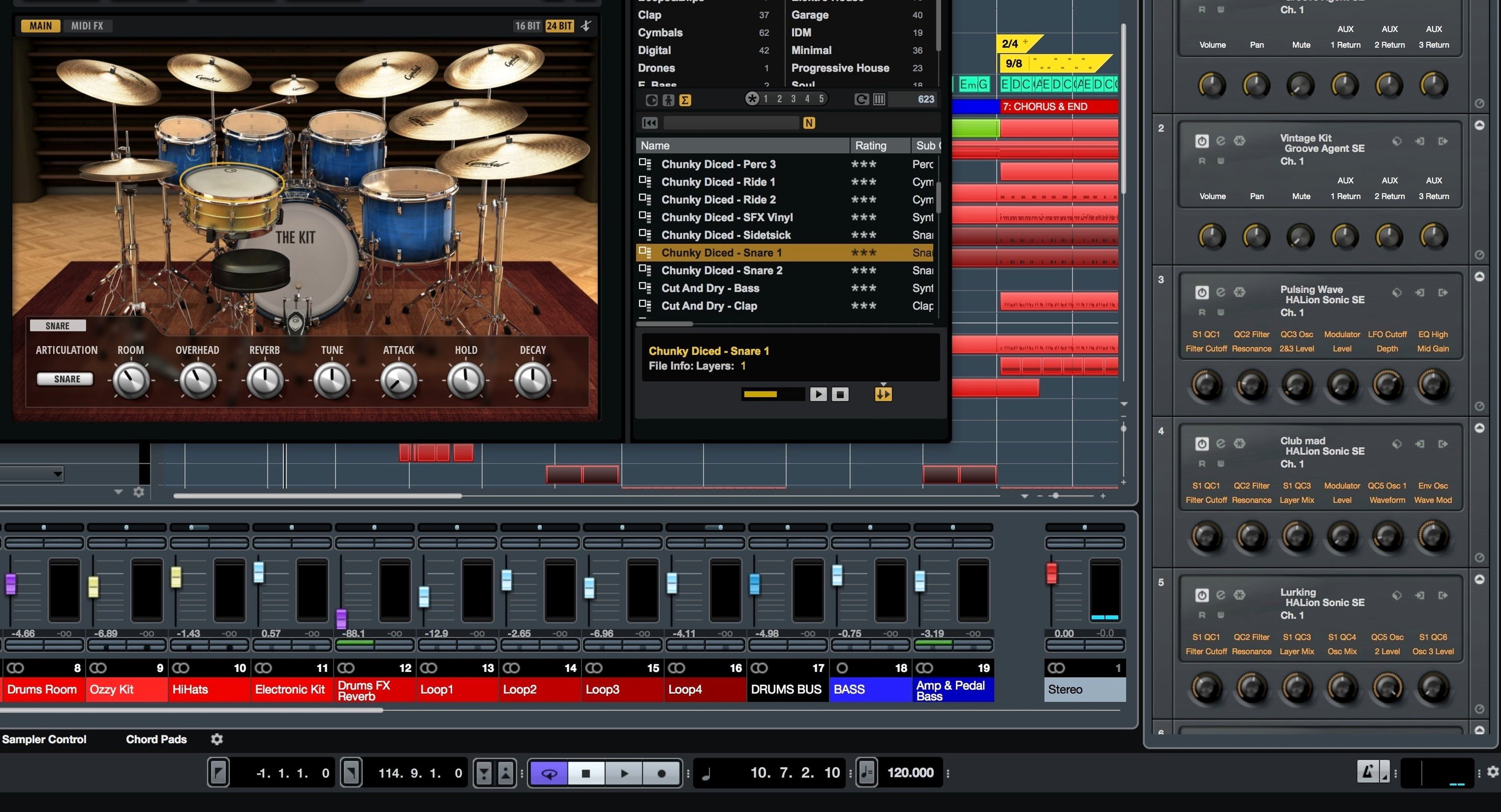
Groove Agent 6 leans into acoustic drums with drag-and-drop sound layering, 47 new kit pieces, and a fresh pattern editor. The mixer and hardware mapping got a rework too. What you hear is fast control over a kit that slots into a mix without fighting for space.
| Quick facts | |
|---|---|
| Version | 6.0.30 |
| Developer | Steinberg |
| Kind | Drum production plug-in |
| Mac support | macOS 14, 15, 26; Intel & Apple Silicon |
The Decompose feature lets you strip hits from a loop and assign them across the pads. Drag a break onto a kit, and the editor pulls apart kick, snare and hats for individual processing. Pattern editor changes are immediate; you can nudge timing or swap a snare sample and hear the mix update. The resizable interface keeps everything readable whether you're tweaking a compressor or scrolling through the 1,000-plus MIDI grooves. Electronic content sits next to acoustic pieces, so shifting a pattern from a processed 808 kit to a dry room-miked kit is a single click. What lands in the DAW is a lockbox-tight drum track that holds its shape under EQ moves.
Rosetta pass clears the Logic AU validation error
First install on Apple Silicon sometimes throws a plug-in validation error in Logic Pro. Open Logic in Rosetta mode once, let it scan, then switch back. The AU passes after that.
If the interface feels sluggish on a 4K display, set the UI scaling to 100% rather than letting macOS handle it. Retina rendering can overload the graphics pipeline when the mixer and pattern editor are both open.
Decompose misreads a loop with heavy reverb. Trim the tail first — dry transients give the algorithm cleaner attack points to work from.
MIDI grooves not triggering? Check the MIDI channel routing inside Groove Agent. Some kits default to channel 10; your DAW track might be sending on channel 1. Match them and the patterns lock in.
No Steinberg interface needed
Does the plug-in work without a Steinberg audio interface? Yes. Any Core Audio device runs it. The only requirement is a DAW that hosts VST, AU or AAX — Logic, Live, Reaper, Cubase, Pro Tools, all fine.
Can I use the 1,000-plus MIDI grooves with third-party drum instruments? Drag a groove out of the pattern editor and drop it onto a MIDI track. It becomes standard MIDI, so any drum plug-in responds to it.
Will a download of Steinberg GrooveAgent for Mac include the full acoustic kit content? The installer carries all 47 new kit pieces, the electronic content, and the percussion libraries. Nothing gets split across separate downloads.
Does disabling SIP affect other software? Temporarily turning off System Integrity Protection only matters during the activation step. Re-enable it straight after. The plug-in runs normally with SIP back on.
- Drag and drop sound layering for acoustic kits added.
- 47 new acoustic kit pieces included.
- New pattern editor, mixer, and hardware mapping improvements delivered.
- macOS 14 or newer
- Apple Silicon or Intel processor
- Compatible DAW host
Questions the team asks
Yes. It works with most DAWs and the macOS download supports both Intel-based and Apple Silicon systems running macOS 14, 15 or 26.
It does. There are more than 1,000 MIDI grooves included, covering acoustic, electronic, and percussion styles.
Simply drag the window corner. The user interface is fully resizable, so you can scale it to match your monitor and workflow.



Comments 0
Sign in or create an account to add a comment.
No comments yet. They go up after moderation.