

Airfoil — Mac download
Download (32 MB) Earlier builds
Ticked
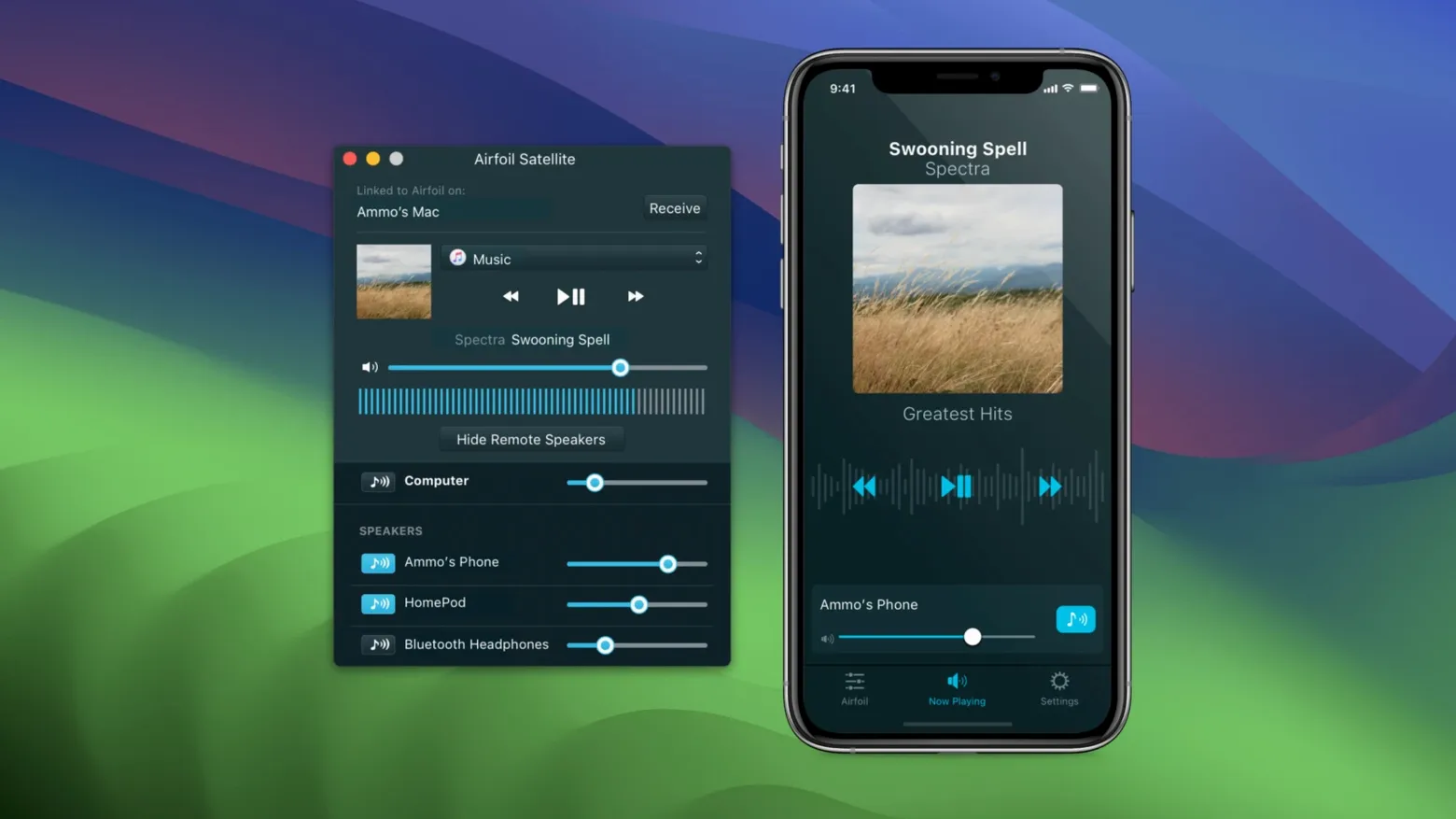
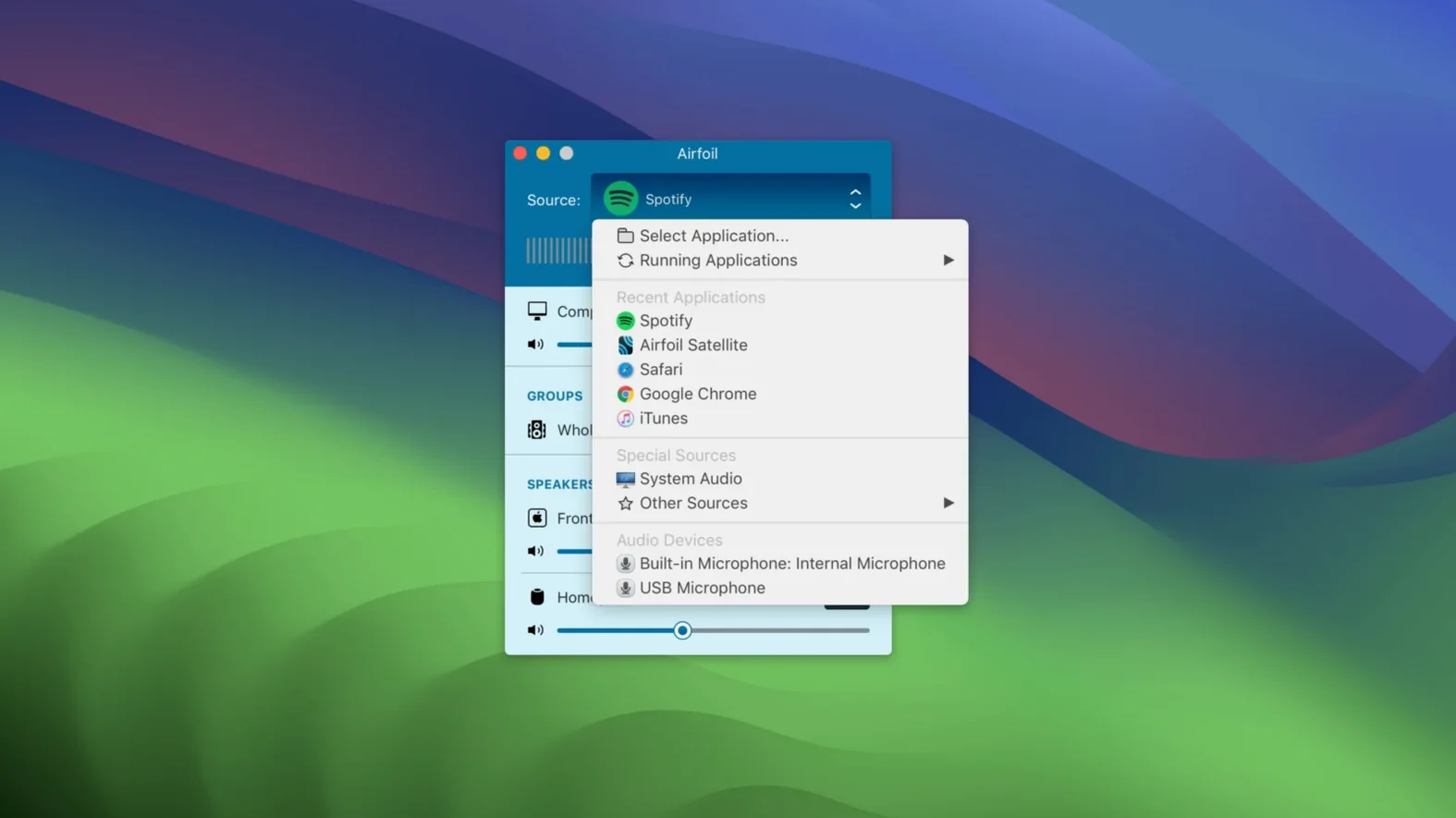
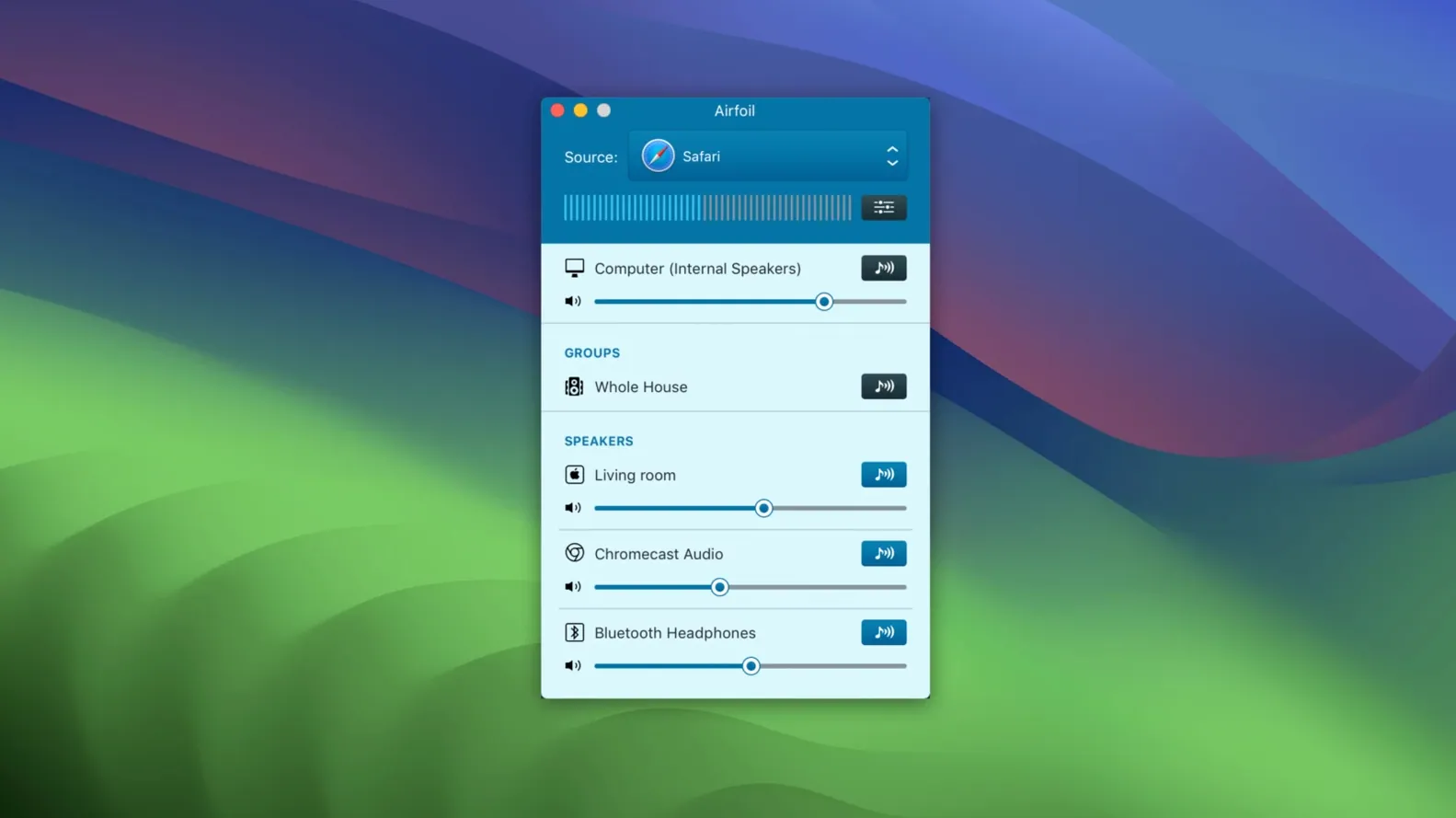
If you already use Audio Hijack for capturing, Airfoil is its natural partner for distribution. Where Audio Hijack records, Airfoil transmits — sending audio from individual Mac applications to a house-wide network of speakers. The controls that matter to someone pushing audio daily sit just beneath the surface.
- Per-application source capture — pick a single app as the source rather than the whole system mix. Send Spotify to the kitchen while leaving alerts on the Mac.
- Multi-device synchronisation — stream to AirPlay, Google Cast and Bluetooth devices simultaneously, with per-speaker volume sliders that work independently of the source level.
- Airfoil Satellite family — turn older Macs, PCs and iOS devices into receivers or remote controllers. A headless Mac Mini becomes a connected audio endpoint.
- Metadata forwarding — track and artist names travel with the stream to compatible receivers, showing on displays like Apple TV.
- Effects pass-through — apply Audio Unit plug-ins on the sending Mac before audio leaves. Equalisation and compression happen once, at source.
These are the tools you reach for after the first week — once basic streaming is sorted and you need routing that respects your signal chain.
Who gets the most from Airfoil
House-wide audio builders
If you keep a spreadsheet of every speaker in the house, Airfoil clicks. You can group AirPort Express units, Apple TVs and a Bluetooth dock radio into one output set, then save that arrangement. Launch the app, pick a source and every room plays — no per-device setup repeated.
Desk-to-speaker commuters
People who move between headphones at the Mac and speakers around the flat benefit from the automatic start feature. Set Airfoil to begin streaming to the living room HomePod on launch. Plug in, open the app, walk away — audio follows without touching a menu.
DJs and playlist streamers
If your setup involves Traktor, djay or Serato running alongside a streaming source, per-application capture stops system alerts from bleeding into the mix. The equalizer tweaks bass-heavy rooms without altering the master output on the Mac itself.
Older-hardware extenders
Anyone who kept an old Mac Mini or a dusty PC gets a second life from Airfoil Satellite. The companion app turns that machine into a named audio receiver. No new speakers needed — just a cable from the headphone jack to a hi-fi.
A morning with Airfoil in a split-level flat
Consider someone who works from a study upstairs but starts the day downstairs making coffee. The Mac lives on the desk. Before walking down, they launch Airfoil — already set to capture audio from the Music app and stream to a Google Cast speaker in the kitchen. The volume slider for that speaker sits at 40%.
Track metadata appears on the Nest Hub display while coffee brews. Halfway through breakfast, a second device joins: an old iPad running Airfoil Satellite plugged into the living room stereo. Two taps in the Mac app and both spaces play in sync. When a call comes in, muting the kitchen speaker is a single-click toggle — the living room keeps playing. No switching outputs in System Settings, no re-pairing Bluetooth.
- macOS 14.4 or later
- Apple silicon or Intel 64-bit Mac







Comments 0
Sign in or create an account to add a comment.
No comments yet. They go up after moderation.