
Audiobook Builder — Mac download
Ticked
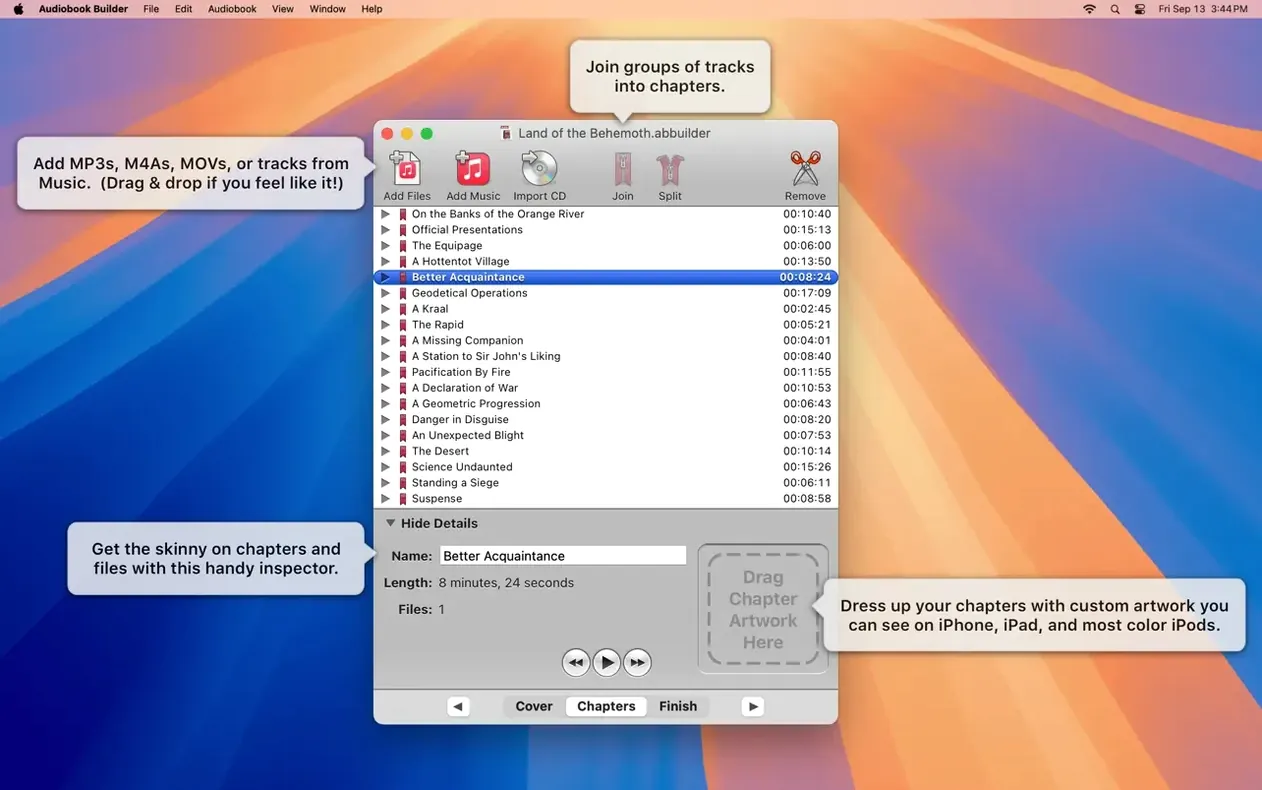
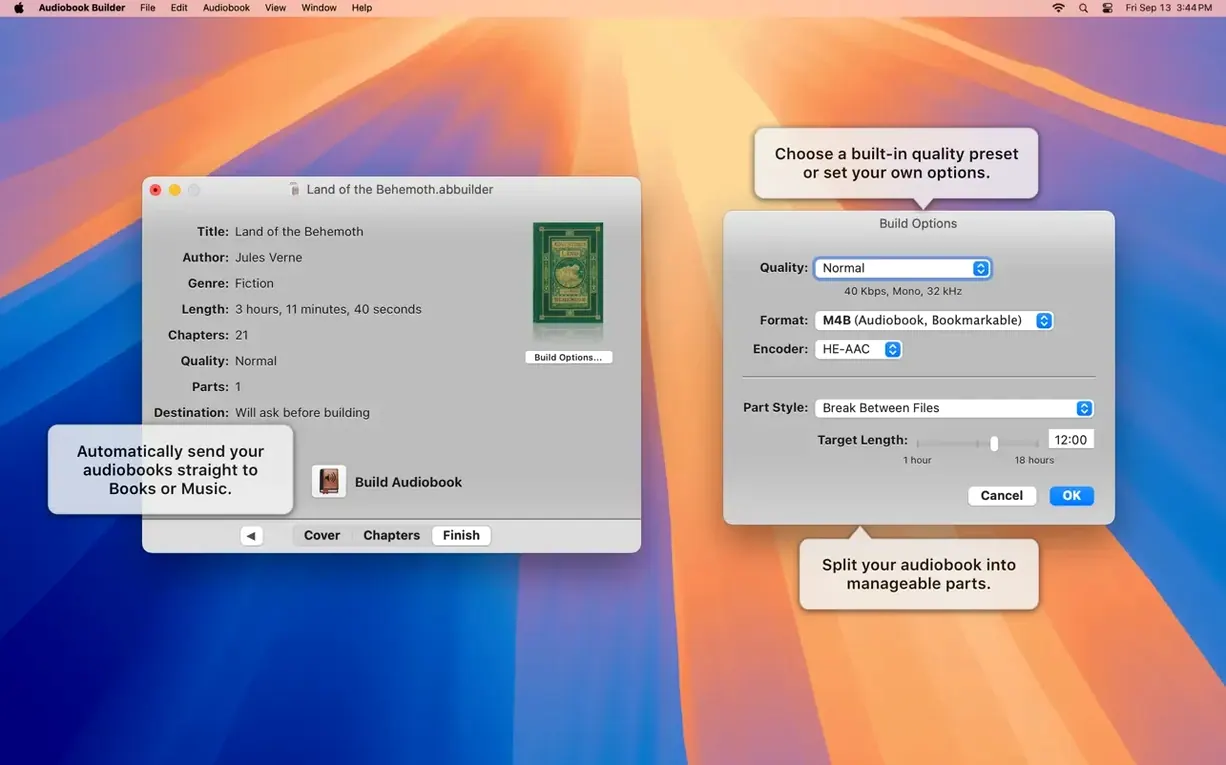
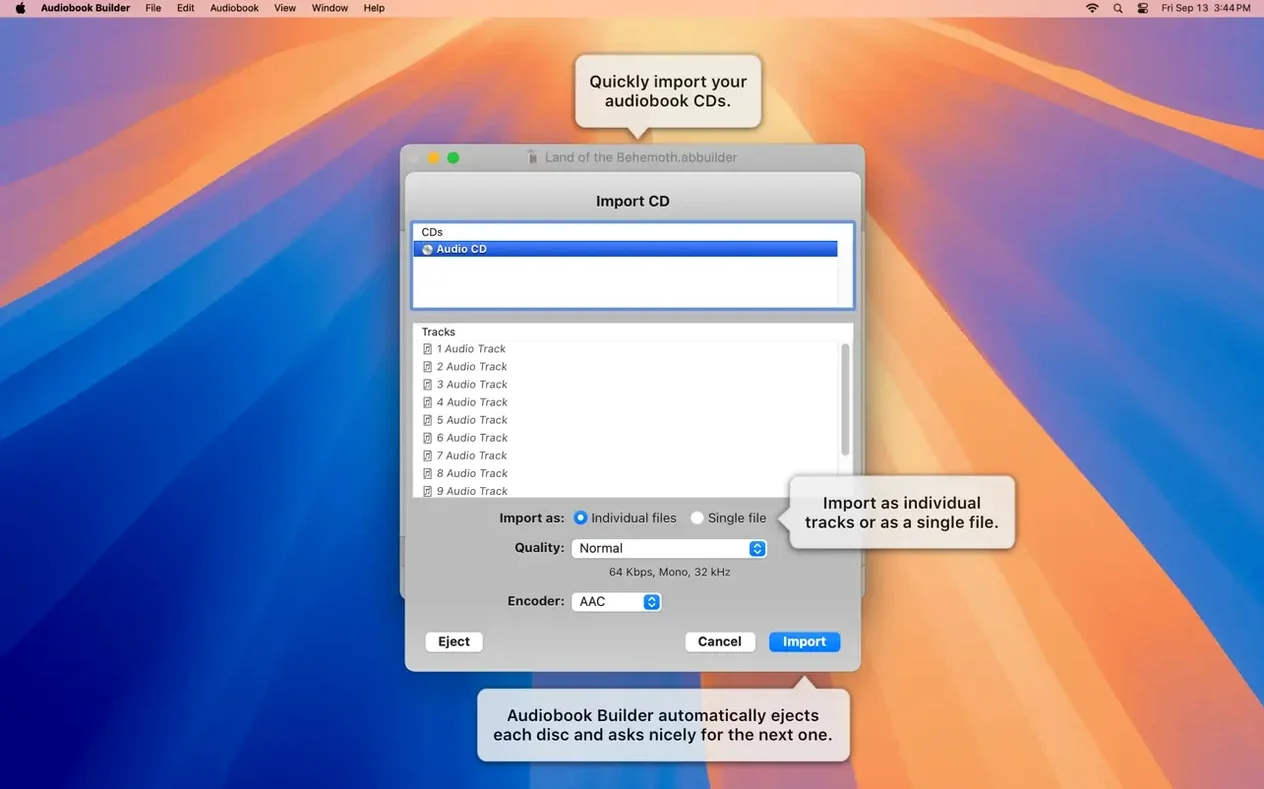
Audiobook Builder is a Mac tool for converting your collection of audio files and CDs into structured audiobooks. Here's one realistic path from a folder of MP3s to a finished book in the Books app.
| Quick facts | |
|---|---|
| Current version | 2.2.9 |
| Developer | Splasm Software |
| macOS | OS X 10.11 through macOS 15 Sequoia |
Long iPhone listens and CD archiving
- Long listening sessions on iPhone or iPad
- Preserving a CD library in a modern format
- Building books with custom chapter stops
Quick trims and waveform edits
- Quick one-off file trims
- Editing audio waveforms in detail
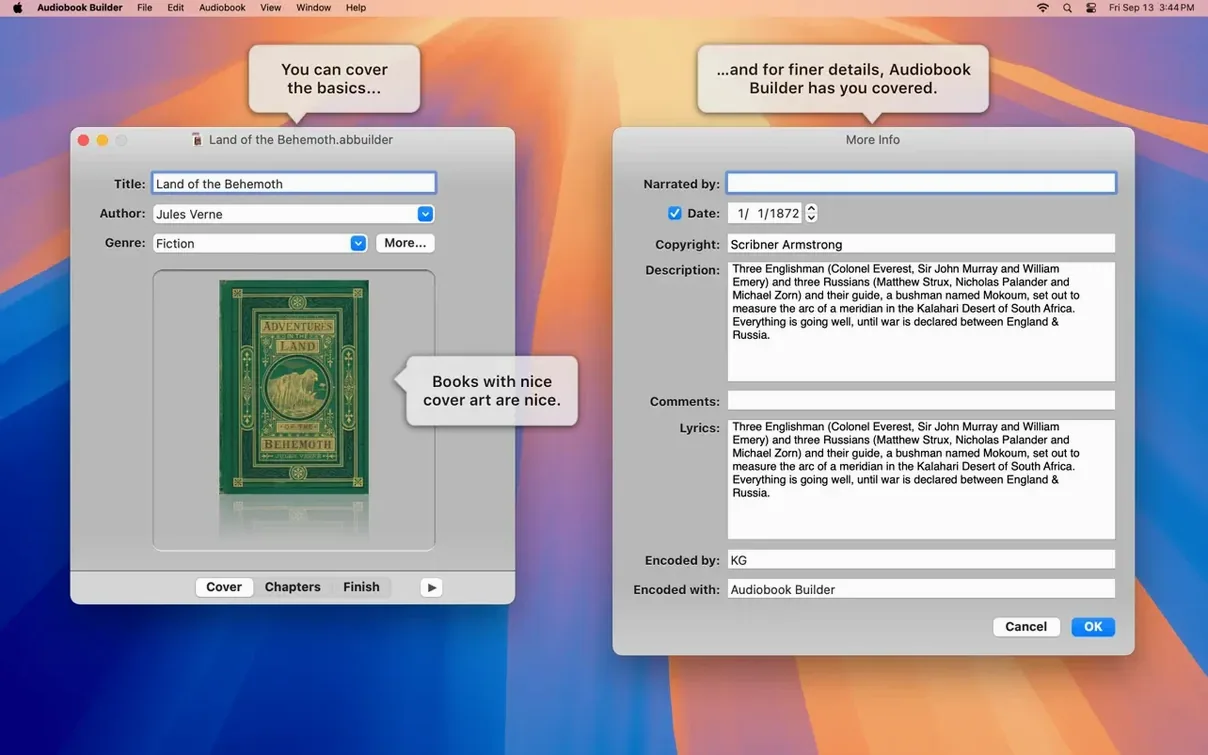
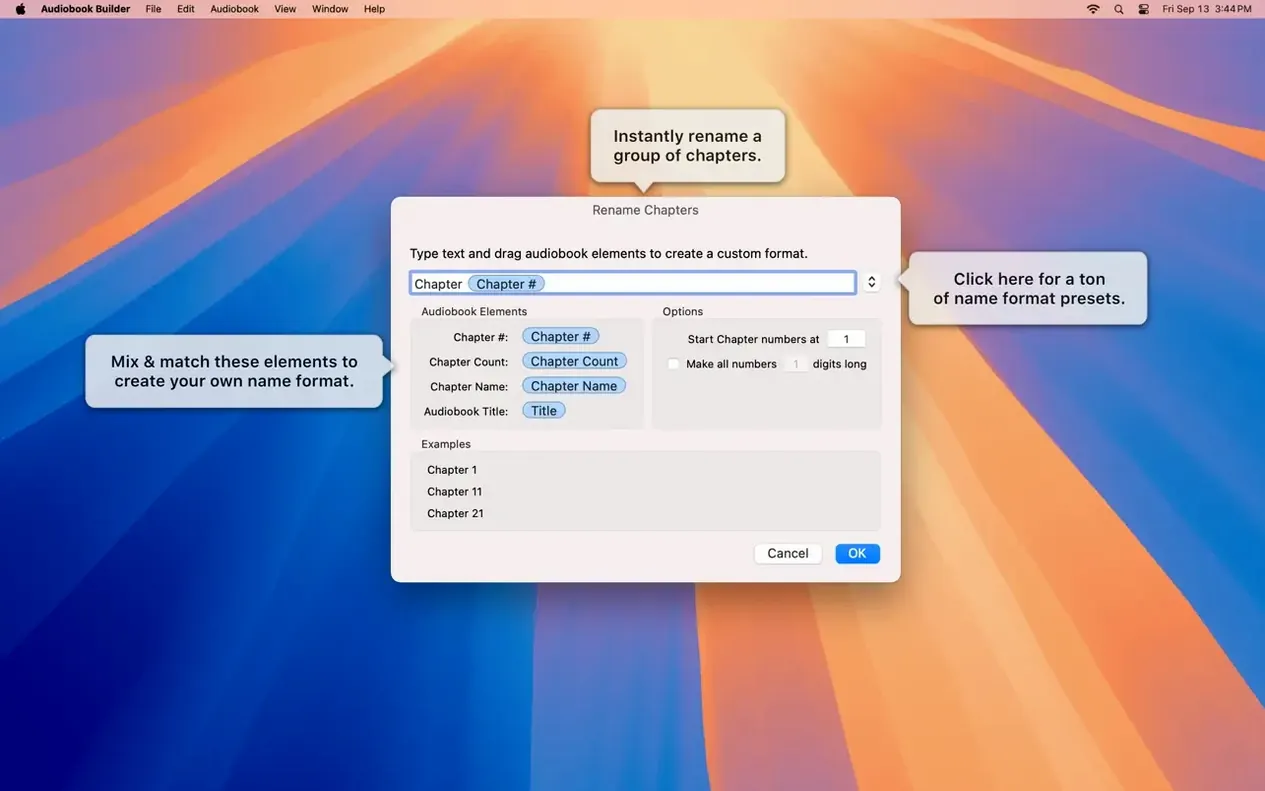
Start a new project and set your audio quality. Audiobook Builder 2 lets you pick the bit rate, sample rate, and mono or stereo output before a single file lands in the timeline. Drag in your source files — MP3s, WAVs, or a CD import — and the project window shows them in order. You can split a long recording or merge short ones by hand, so each chapter holds exactly the content you want. Give every chapter a title, then drop in cover artwork. On macOS 13 Ventura and later, both the main cover and per-chapter images display correctly. When you click Build, the app stitches everything into a single .m4b file and sends it to the Books app, Music, or a classic iPod. A finished audiobook lands with chapter markers ready for the commute.
Skipping the quality preset
- Skipping the quality preset — leaving it on the default can produce files larger than needed for spoken word. Check the preset before you build.
- Dragging files in the wrong order — the app arranges chapters by the sequence you add them, not by filename. Sort them in Finder first.
- Forgetting chapter titles — untitled chapters show as blank entries in the Books app. Title each one, even if it's just “Chapter 1”.
- Using high-res artwork without resizing — a 4000-pixel cover bloats the file. 1400×1400 is plenty.
- Assuming the merge joins files cleanly — merging two MP3s with different bit rates can confuse some players. Encode the whole project at one setting.
Runs natively on Apple Silicon
Does audiobook builder for mac work on Apple Silicon? Yes. Version 2.2.9 runs natively on ARM and Intel, from El Capitan all the way to Sequoia.
Is audiobook builder mac free? The download behaves like a full build with no restrictions on chapter count or length. You can create complete .m4b files without buying a license.
Where does the finished book go? By default, audiobook builder 2 sends the .m4b straight to the Books app or Music. You can also save it to a folder and add it manually.
Can I use audiobook binder download files from other apps? Yes. Any WAV, MP3, AAC, or FLAC file works, and the app reads audio CDs directly from the optical drive.
- Ready for macOS 15 Sequoia
- Cover and chapter artwork now display correctly on macOS 13 Ventura
- No more “no audio in file” errors for WAVE files with MP3 audio data
- Fixed an error reporting glitch on Macs running pre-macOS 11.3
- Restored the Description tag for some classic iPods
- OS X 10.11 or later
- 64-bit Intel or Apple Silicon Mac
- Interface: English, German, Spanish, Portuguese, Russian, Swedish
Questions the team asks
Yes. The interface lets you adjust chapter boundaries directly, so you can split a long file or combine several short ones before building.
Audiobook Builder can add the completed .m4b file to the Books app, Music, or iTunes, and it restores the Description tag for supported classic iPods.






Comments 0
Sign in or create an account to add a comment.
No comments yet. They go up after moderation.