

Studio One — Mac download
Download (334 MB) Earlier builds
Ticked
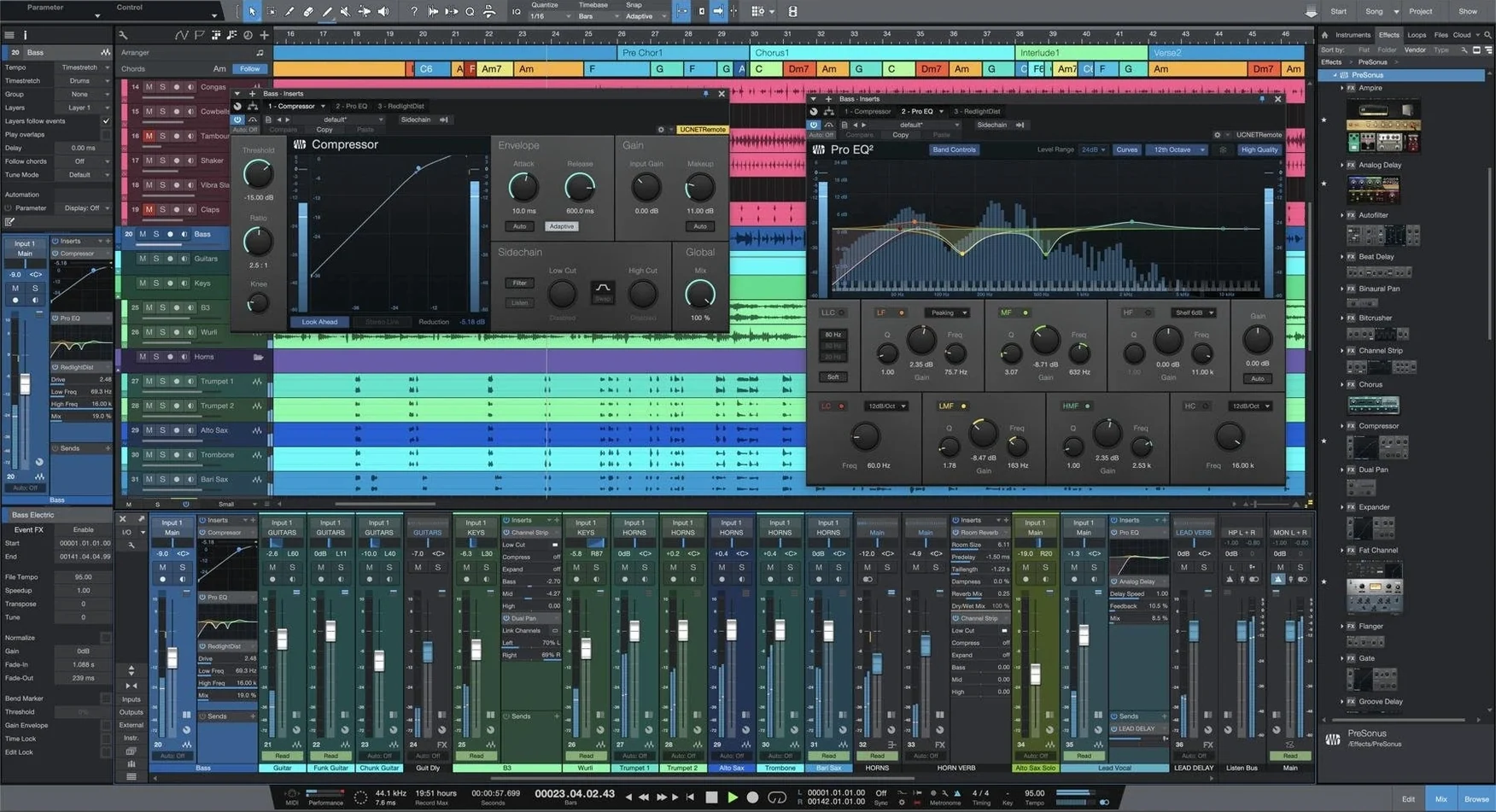
Studio One 7 is the current major release of PreSonus’s digital audio workstation. It appeals to recording musicians, producers, mix engineers and mastering specialists who work end-to-end in one application.
Drag, record, master all in one Mac app
- Projects that move from tracking to mastering without switching tools
- DAW users who prefer a drag-and-drop workflow for audio, effects and instruments
- Building arrangement ideas quickly with Smart Templates
- Macs running macOS 12.4 or later, both Intel 64-bit and Apple Silicon
English-only and no more ReWire
- Interface and documentation are English only
- ReWire support ended with Studio One 6; version 7 does not restore it
- The Project page is for mastering and compiling recordings, not for tracking
Install without wrecking your old projects
Version 7 installs as a separate application. It does not touch an existing Studio One 5 or 6 installation. That gives you room to test without breaking old projects.
- Point the browser to your sample and loop libraries before opening a Song. The drag-and-drop workflow only feels fast when the locations are indexed.
- Open a Smart Template and save it as your own default. Time saved on every new session.
- Run the stem separation on three short test clips before you trust it on a deadline mix. Check the results on laptop speakers and headphones.
- Place the Launcher on a second display if you have one. It keeps Scenes and Playlists visible while the arrangement stays clean.
Workflow: remix a stereo track with stems and Launcher Scenes
Scenario: a stereo instrumental arrives for a remix. No multitrack. You need separated parts to build new arrangement sections.
- Drag the stereo file onto a new Song track. Right-click and run Stem Separation. Wait for the AI to split drums, bass, vocals and other elements onto individual tracks.
- Solo each stem briefly. Edit any bleed or artefacts with clip gain and short fades. Commit the edits.
- Open the Launcher. Create three Scenes: Verse Edit, Chorus Lift, Breakdown.
- Drag the drum and bass stems into Scene slots. Use shorter clip copies for the Breakdown Scene.
- Record Scene launches as a live arrangement. Switch Scenes in time with the track. The Song page captures every change.
- Fine-tune the captured arrangement on the timeline. Add Native Effects on the drum bus and a limiter on the master.
- Open the Project page. Place the remix alongside the original instrumental. Set track start markers, adjust loudness and export as a compiled file.
Jumping into the Project page to record tracks
Ignoring the separate installation
Some users drag Studio One 7 into the Applications folder without reading the instructions, then wonder why Studio One 5 free download prompts still appear. Version 7 sits alongside older releases. Launch the correct app icon, or pin it to the Dock.
Applying stem separation to the master bus
The AI works on audio clips, not on summed outputs. Right-click a clip on a track, not the master fader. Processing the wrong element wastes time and produces a single silent stem.
Treating the Project page like the Song page
The Project page has no virtual instruments and no event-level editing. Don't try to track vocals there. Use it for sequencing finished mixes, setting gaps, and exporting DDP images.
Skipping tempo detection before recording
Advanced tempo detection in version 7 maps tempo from a freeform audio clip. If you record MIDI first and map tempo later, your grid and events shift. Map the tempo from a guide track, then record.
Drop the block size for tracking, raise it for mixing
- Audio device block size – Lower for tracking (128 or less), higher for mixing (512 or 1024). Found under Preferences > Audio Setup.
- Plug-in scan on startup – Turn off automatic scanning once your library is stable. Speeds up launch by several seconds.
- Console appearance – Enable narrow channels if you work on a laptop screen. Extra faders visible without scrolling.
- Drag-and-drop import folder – Set a default folder for samples and loops under Locations. The Browser pane populates instantly when you switch to a new Song.
- Mouse wheel zoom direction – Swap horizontal and vertical zoom behaviour under Preferences > General. Small change, large impact on editing speed.
- Unlimited Launcher Scenes and Playlists added
- AI-powered offline Stem Separation now built in
- Advanced tempo detection included
- macOS 12.4 or later
- Apple Silicon or Intel 64-bit Mac
- Interface language: English
Questions the team asks
Yes. It supports Apple Silicon and Intel 64-bit Macs natively.
ReWire support was dropped in Studio One 6 and remains absent in version 7.
The Project page is designed for mastering compositions and compiling final recordings.








Comments 0
Sign in or create an account to add a comment.
No comments yet. They go up after moderation.