

QLab — Mac download
Download (34 MB) Earlier builds
Ticked
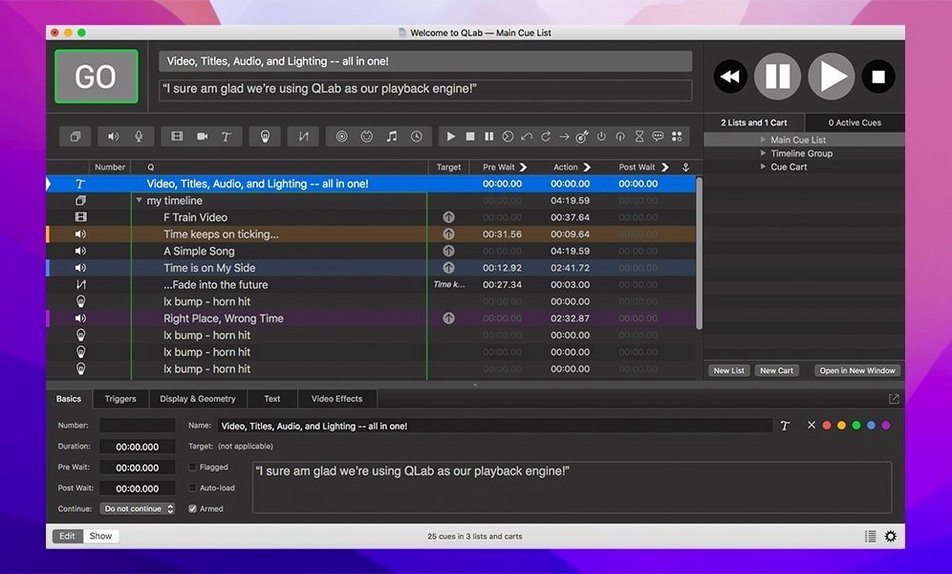
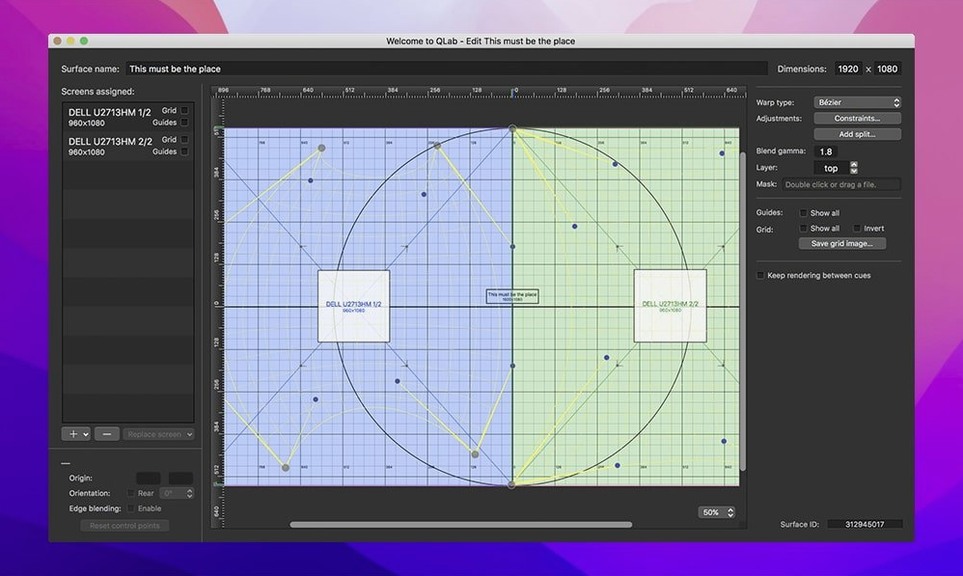
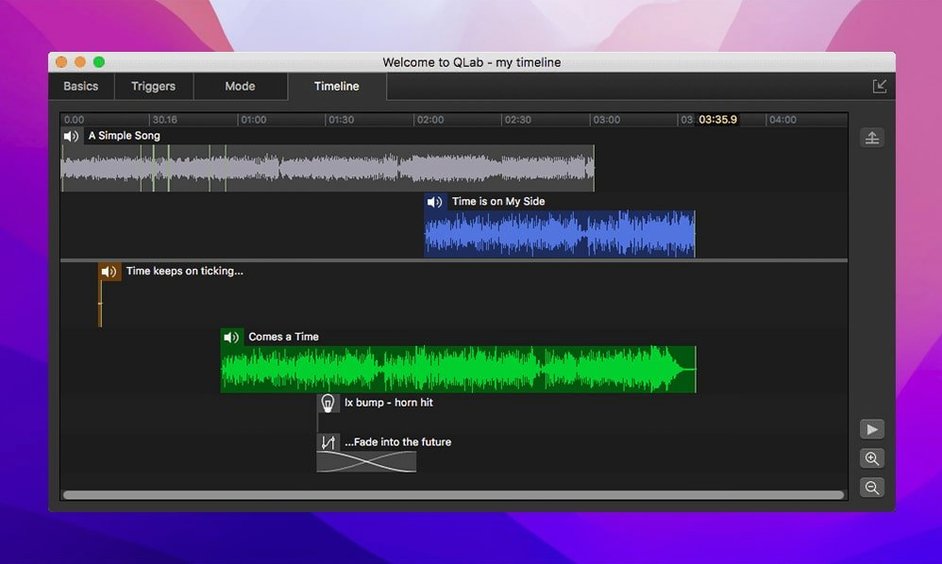
Lighting designers, sound engineers, and stage managers build their shows in QLab. It is a single workspace for audio, video, MIDI, and OSC cues that runs entire performances without switching tools.
| Quick facts | |
|---|---|
| Current version | 5.6.3 |
| Developer | Figure 53 LLC |
| macOS | 11 or later |
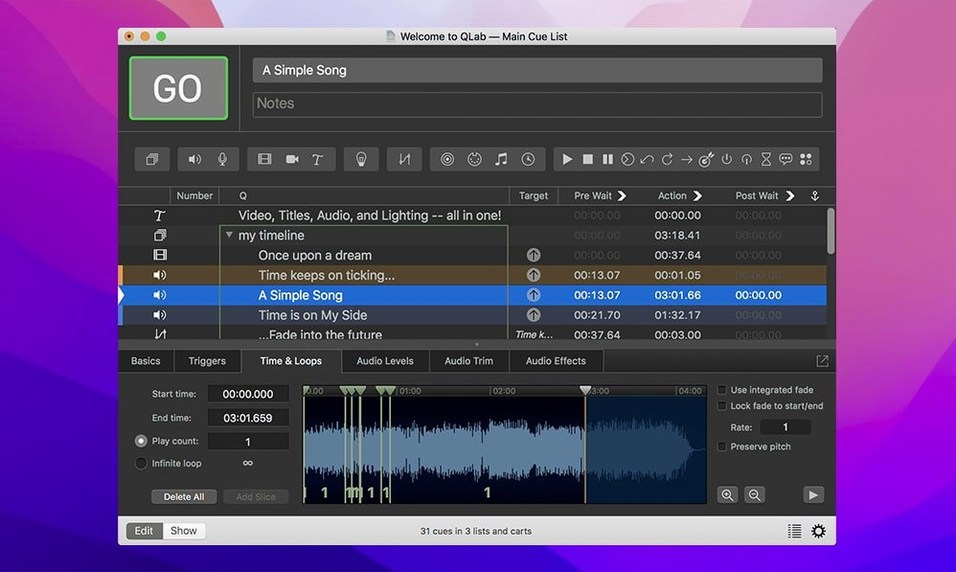
Each standout feature maps to a clear production job. The integrated audio editor trims track start and end points directly on the timeline—no round-trip to another app. Video gets keystone correction and corner pinning for mapping onto irregular surfaces, plus Syphon integration for feeding other real-time apps. A single undo command reverses edits across the whole project. Audio and video effects sit inside the cue stack, so a fade or filter is just another numbered step. The lighting tools flag misconfigured instrument definitions by changing row colours, making a patch error visible at a glance.
200 cues stay responsive on Apple Silicon
QLab handles large workspaces without drama. A project with 200 audio cues, live video inputs, and OSC commands to an ETC console stays responsive on Apple Silicon. The interface redraws instantly when dragging cue order around. Playback starts on the next sample—no gap, no hesitation. On Intel machines from 2018 onward it keeps up fine, though complex video surfaces benefit from the M-series GPU.
Memory use is predictable. A show with stereo audio and a few video layers sits around 400–600 MB. Add eight channels of 48 kHz audio and three Blackmagic capture sources and it climbs to 1.2 GB, still comfortable on an 8 GB machine. The app releases resources when you close a workspace, so switching between projects during a tech week does not force a restart.
Crashes are rare in daily use. Version 5.6.3 fixed a sporadic crash during video playback stop—the kind that might hit once in a hundred cue runs. The cue engine itself is stable; when something goes wrong it is usually a corrupt media file or a misconfigured network device, not the application core. Auto-save snapshots every few minutes give you a fallback if a workspace needs recovery.
CPU load during playback is low for audio-only shows. Adding video faders and live camera inputs pushes the GPU, but the activity monitor rarely shows QLab above 30% on a recent Mac. The app threads audio and video processing separately, so a heavy video layer never glitches the sound.
Misconfigured instruments now show a warning colour
QLab 5 brought a rebuilt lighting system, but the 5.6.x updates refined it for everyday patching speed. Before 5.6.3, a misconfigured instrument definition looked identical to a correct one in the library. Now the row turns a warning colour. In the Light Patch editor, the status column reads Broken instead of leaving you to cross-reference channels manually. That one change saves minutes per fixture during focus sessions.
Workspace migration also improved. Projects built in 5.6.2 and earlier now adopt the built-in network device definition for Right On Cue Services Stage|Tracks automatically. No manual reconfiguration after upgrading. For touring productions that carry workspaces between venues, that means fewer surprises when plugging into a different network topology.
The undo system deepened as version 5 matured. Cue deletions, level changes, and routing adjustments all roll back reliably. A lighting designer can experiment with a complex group dimmer curve, undo it, and the entire state restores—no partial reversions.
Forty-eight outputs mapped before the first rehearsal
A typical load-in morning starts with the workspace from last night's backup. The sound designer opens it on a Mac Studio connected to a Dante interface. Forty-eight outputs map to the PA, stage monitors, and backstage feeds. The first task: trim the pre-show music cue. Double-click the audio file, drag the start marker to bar nine, skip the long fade-in from the recording. Done in thirty seconds without leaving the workspace.
Next, the lighting programmer patches three new LED washes. She opens the Light Library, locates the fixture profile, and sees a green row—definition looks correct. One fixture shows a yellow row. The DMX footprint does not match the patch. She opens the definition editor, spots the mismatched channel count, fixes it, and the row turns green. The Light Patch now shows Ready instead of Broken.
The video operator loads a live camera feed from a Blackmagic ATEM via Syphon. A corner-pinned cue maps the image onto a trapezoidal screen upstage. The fader on cue 42 brings the camera in over two seconds while audio cue 41 fades the music bed down. All three departments—audio, lighting, video—run from the same cue list. The stage manager hits the spacebar; QLab fires every layer in sync.
During the afternoon run, the director asks to reverse a video clip for a dream sequence. The operator selects the video cue, checks Reverse in the time & loops tab, and plays it back. No rendering, no export. The change is instant and reversible with a single undo.
How QLab differs from other Mac show control apps
QLab vs. Isadora
Isadora excels at interactive media and generative visuals. Its node-based patching suits installations where video reacts to sensors or live inputs in unpredictable ways. QLab takes a linear cue-list approach. For a play or musical with a fixed script, QLab organises the show more directly. Isadora handles real-time video manipulation with more flexibility; QLab handles multi-discipline cues—audio, lighting, MIDI, OSC—in one timeline without patch cables. A theater with conventional show flow will find QLab faster to program; an interactive art piece belongs in Isadora.
QLab vs. Ableton Live
Ableton Live is a music creation and performance tool first. Its session view lets musicians trigger clips improvisationally. QLab has no equivalent—it fires cues sequentially or by hotkey. But QLab controls lighting fixtures, projector mapping, and show-control protocols natively. Running a musical in Ableton means routing MIDI out to a separate lighting system and managing video through third-party plug-ins. QLab keeps everything in one workspace. Sound designers who build tracks in Ableton often bounce them out and run the show in QLab for reliability and cross-department control.
QLab vs. Mitti
Mitti is a focused video playback app with a clean, single-window interface. It plays video cues, supports NDI and Syphon, and handles basic audio. For a VJ set or a simple presentation with video clips, Mitti is lighter and quicker to set up. QLab covers that ground but adds multi-output audio routing, a lighting console, and OSC/MIDI control. A conference with one projector might never need QLab's depth; a theater production with 24 audio outputs, moving lights, and a projection-mapped set would outgrow Mitti within the first tech rehearsal.
- Light Library and Light Definition editor rows now change colour when an instrument definition is misconfigured.
- Workspaces from 5.6.2 and earlier migrate to the built-in network device definition for Right On Cue Services Stage|Tracks.
- macOS 11 or later
- Intel and Apple Silicon supported







Comments 0
Sign in or create an account to add a comment.
No comments yet. They go up after moderation.