
SoundSource — Mac download
Download (46 MB) Earlier builds
Ticked
Runs on macOS 15 and newer from Rogue Amoeba
| Version | Developer | macOS |
|---|---|---|
| 6.1.4 | Rogue Amoeba | macOS 15 |
Switch devices and route apps with one-click presets
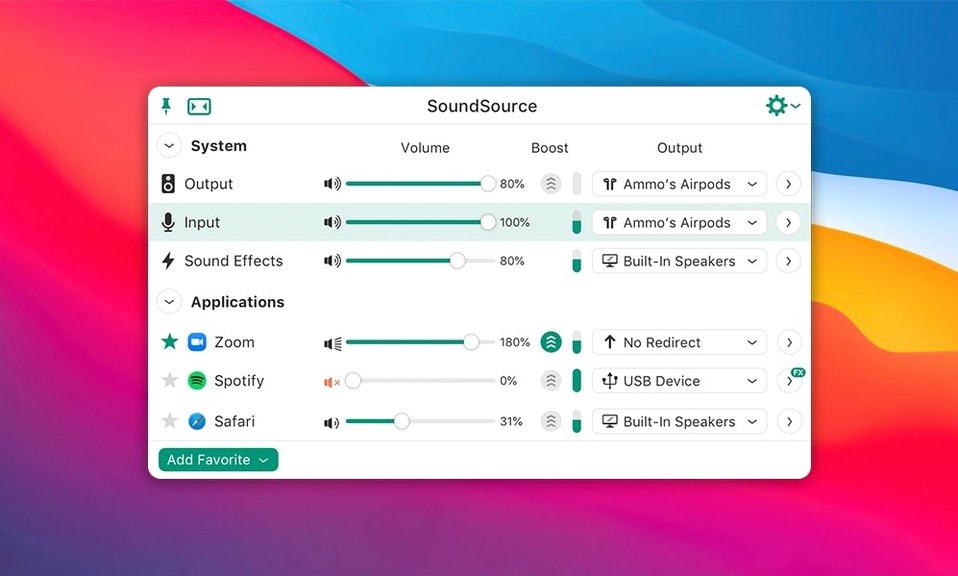
- Switching input, output, and sound effects devices in two clicks
- Per-app volume and output routing
- Saving full audio setups as single-click presets
No built-in per-app EQ and needs macOS 15
- Macs running anything older than macOS 15
- Anyone expecting a built-in EQ for every app
What you get: a numbered walkthrough
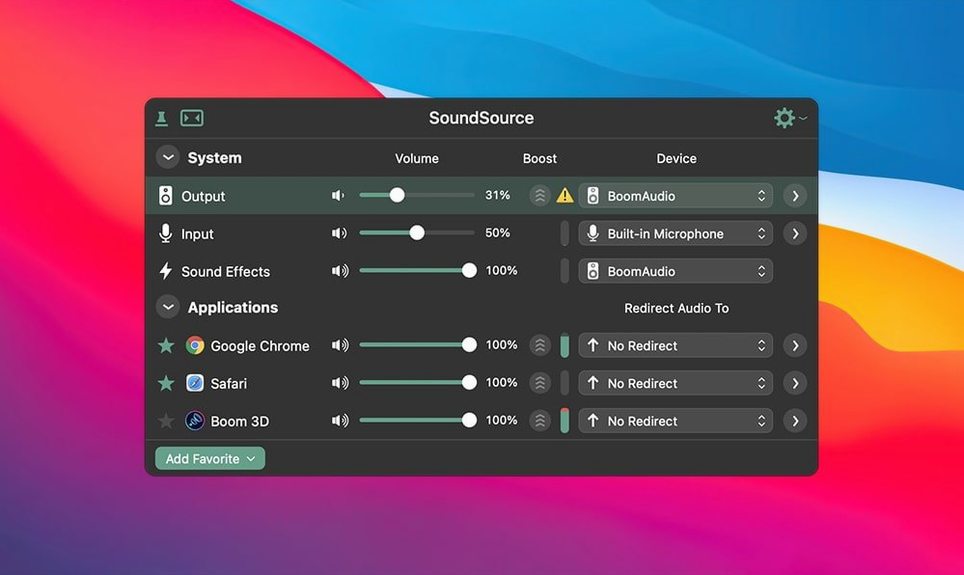
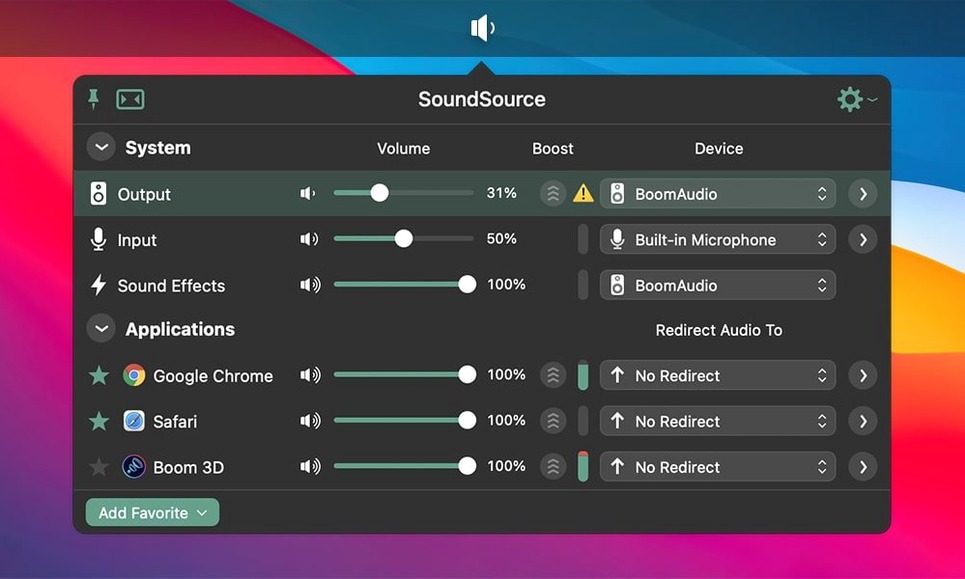
- Menu bar access. Click the SoundSource icon. Input, output, and sound effects devices appear. No digging through System Settings.
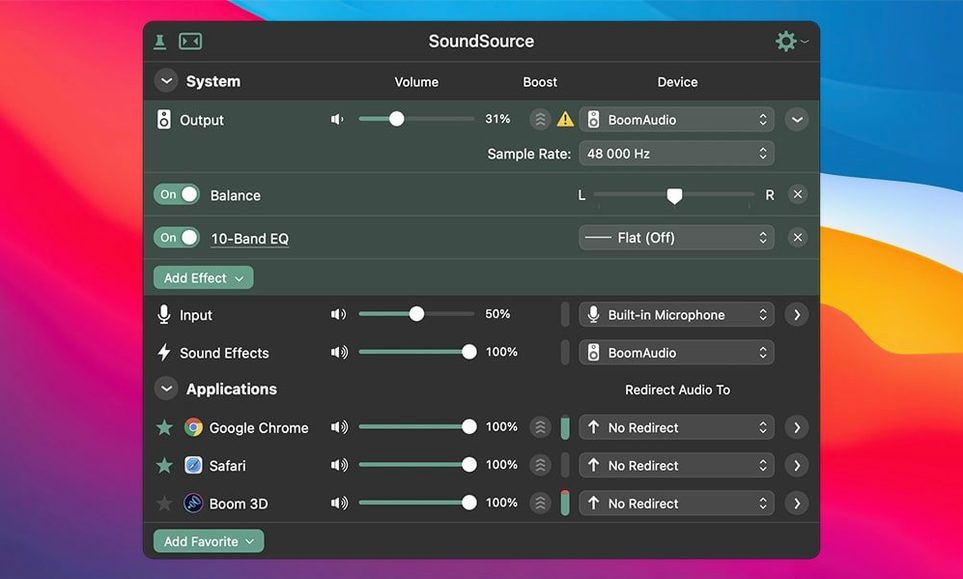
- Per-app routing. Send music to an AirPlay speaker while alerts stay on the built-in output. The Headphone EQ effect is available for specific applications.
- Volume fine-tuning. Adjust levels per device and per app. Separate sliders, always visible.
- One-click switching. Save your full audio configuration. Recall it later — desk speakers, headset, interface — in a single click.
Tight AirPlay and output-group integration in the menu bar
SoundSource 6 slots into the menu bar and stays out of the way, but the real utility comes from how it plays with other tools and built-in macOS features.
- AirPlay and Output Groups. Route a podcast feed to an AirPlay speaker while system alerts stay on the MacBook speakers. Create Output Groups to send the same audio to wired headphones and an AirPlay device at once — handy for someone monitoring a stream from the next room.
- Per-app control alongside a DAW. Keep Logic Pro or Ableton Live locked to an audio interface, while a browser tab with reference tracks goes straight to the built-in output. No need to touch the DAW's audio settings.
- Headphone EQ for specific apps. The built-in Headphone EQ effect applies per app, not system-wide. Dial in a correction curve for Apple Music without affecting a video call.
- Sound effects decoupled. macOS bundles alert sounds into the same device as output. SoundSource 6 lets you pin sound effects to one device while music or calls use another. When a Slack notification hits, it does not blast through the main speakers during a listening session.
- ARK plugin integration. Version 6.1.4 ships with ARK 13.5.4. The plugin handles audio capture for per-app routing. It runs behind the scenes and needs no configuration.
No section text provided
Bluetooth device oddities on macOS 27
The 6.1.4 update fixed a crash with Bluetooth devices that refused to honour requested buffer sizes. It also addressed Bluetooth output performance issues. If a Bluetooth headset still stutters, toggle the device off and on in SoundSource's output menu. A re-pair from the Bluetooth system settings sometimes clears lingering buffer negotiation problems.
App audio not showing up
SoundSource 6 relies on the ARK plugin to capture per-app audio. If an app appears but shows no level, quit and relaunch that app after SoundSource is running. Apps launched before SoundSource started occasionally miss the plugin hook.
Output Groups go silent
If an Output Group produces no sound, check that every device in the group is still connected. An AirPlay speaker that drops off the network breaks the whole group. Remove the missing device and re-add it once it reappears.
Gatekeeper block during install
The disk image includes a Gatekeeper-friendly script. Mount the image, run the script, press Enter in the Terminal window that appears, then drag the app to Applications. Launch once installation finishes. No manual security preference changes needed.
Scroll the icon to adjust volume, Option-click to mute
- Scroll on the menu bar icon. Hover over the SoundSource icon and scroll to adjust the active output volume. No click needed.
- Option-click for quick mute. Option-click any device or app in the SoundSource menu to toggle mute instantly. Faster than dragging a slider to zero.
- Preset switching via keyboard. Save configurations as presets, then trigger them from the menu bar. No dedicated hotkeys, but two clicks swap the entire audio setup — desk speakers, interface routing, and per-app assignments in one go.
- Hidden app sources. Background processes and system services appear in the per-app list. Keeping them muted avoids surprise sounds from a helper process you forgot about.
- Drag-to-reorder devices. In the preferences, drag output devices to set a priority order for automatic switching. When a USB interface disconnects, SoundSource falls back to the next device on the list.
Version 6.1.4 runs on both Apple Silicon and 64-bit Intel Macs. The interface is English only. It is a native 64-bit application.
SoundSource 6.1.5 rolls up the developer’s latest fixes and small performance tweaks into one update.
- macOS 15 or later
- Apple Silicon or Intel 64-bit Mac
Questions the team asks
Yes. SoundSource 6.1.4 supports both Apple Silicon and 64-bit Intel Macs running macOS 15.









Comments 0
Sign in or create an account to add a comment.
No comments yet. They go up after moderation.