

Plugin Alliance Brainworx bx_mastering studio — Mac download
Ticked
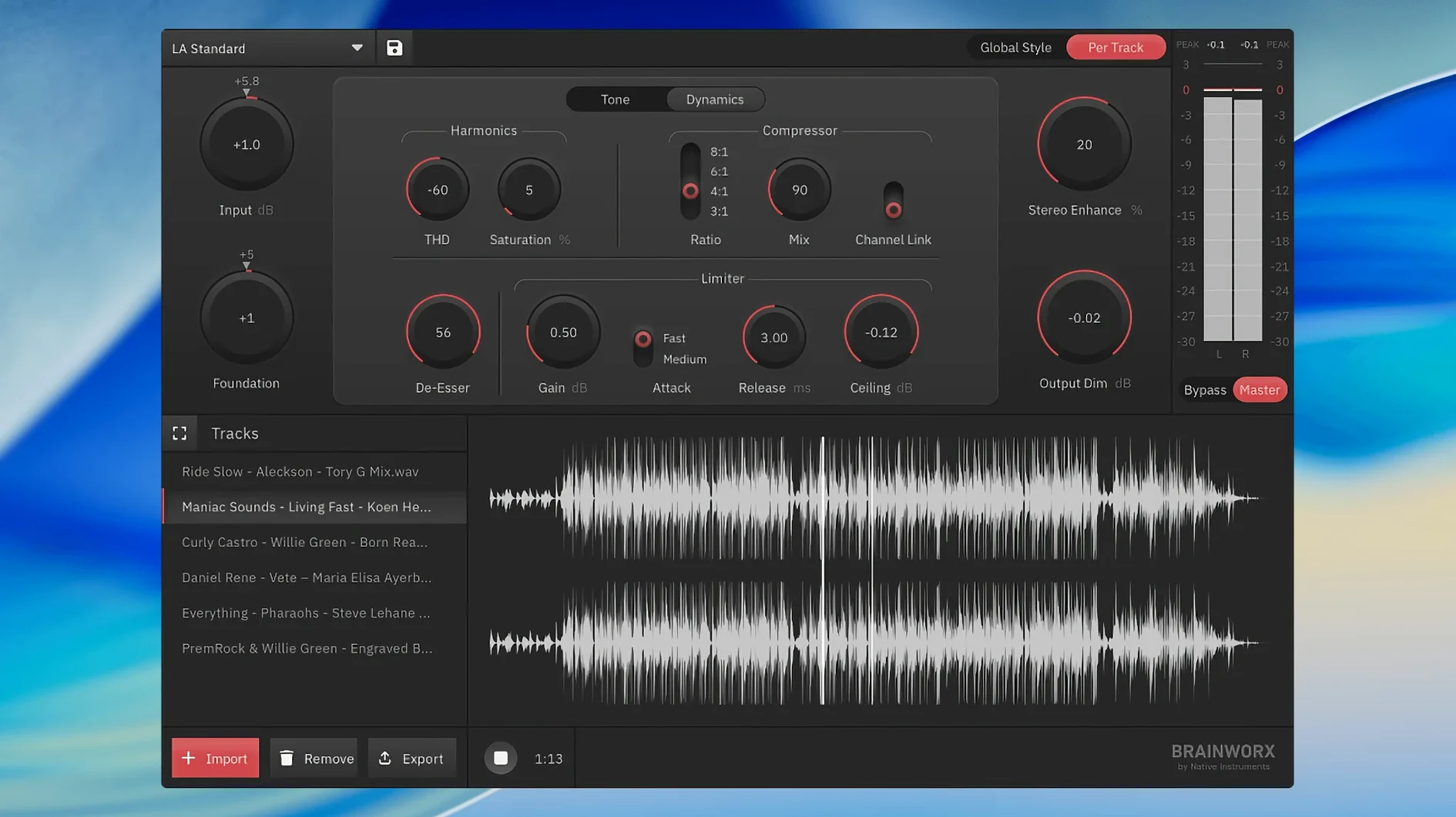
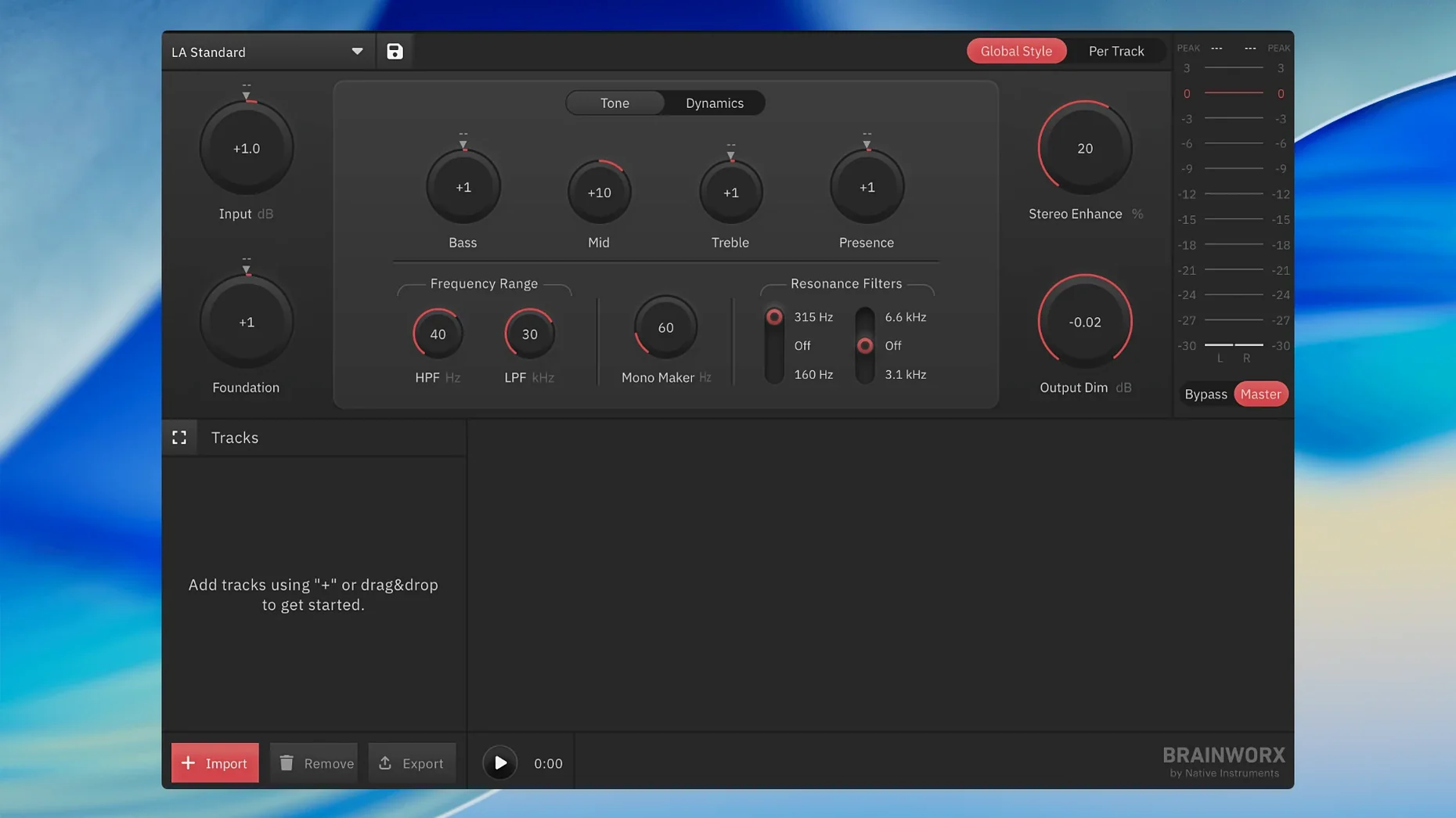
A single, standalone application—no DAW required. That is the core of Brainworx bx_mastering studio, a desktop mastering tool built to work where a full plug-in chain feels like overkill. If you mix in GarageBand or a similarly straightforward setup, this slots right in.
It runs on macOS 12 and later, natively on both Apple Silicon and Intel Macs. Version 1.0.0 arrives as the successor to the old mastering.studio, packaging a style creator with built-in presets and streaming-ready output. You open it, load a track, and work.
Output formats are set for streaming, so you are not guessing about loudness targets. The style creator gives you a starting point; tweak from there. No routing, no extra plug-in windows.
Drag a mix in and pick a mastering style from the list
- Launch bx_mastering studio. The app opens into a single, clean window. No splash screen clutter.
- Drag a stereo mix onto the interface. A waveform appears almost instantly.
- Browse the built-in style list. Pick one that matches your genre—say, Punchy Rock or Warm Acoustic. The processing loads immediately.
- Hit play. Listen to the processed signal with the style applied.
- Toggle the bypass switch a few times. Compare the raw mix against the mastered version. The difference is rarely subtle.
- Adjust the intensity slider if the style feels too heavy. Pull it back a few percent.
- Check the output loudness readout. It sits right in the streaming sweet spot, no manual limiter tweaking needed.
- Click export. Name the file, choose the destination folder, and wait maybe ten seconds.
- Drag the finished master into a Finder folder alongside reference tracks. Listen on earbuds, car speakers, a bluetooth speaker. Make a mental note for next time.
- Close the app. No project file to save, no plug-in states to recall. The style and intensity setting are the only decisions you made.
Local processing turns a six-minute track around in seconds
Version 1.0.0 shifted the experience from a browser-based tool to a proper desktop application. The most immediate difference: you are not uploading files to a server. Processing stays local, so a session with a six-minute track finishes in seconds rather than minutes.
The standalone framework also means you can open bx_mastering studio while another audio app is running—no plug-in scan, no DAW restart. Drag a file from Finder directly, even while Logic or GarageBand sits idle in the background.
Style management got simpler. Earlier versions tied styles to an online account; now they live inside the app. Switching between styles while the transport runs is instant, which makes A/B comparisons practical in a way they were not before.
Export options tightened up. The app no longer asks you to pick a format family or dithering type. It outputs what streaming platforms expect, and that is the only path. One less decision, one less chance to second-guess yourself.
Same idea as Ozone or LANDR but with a desktop-first, upload-free workflow
bx_mastering studio vs. IK Multimedia T-RackS 5
T-RackS 5 is a deep modular suite—multiple processors, a chain builder, metering modules. It rewards patience. bx_mastering studio does not. You pick a style, adjust intensity, export. Where T-RackS needs an evening of listening and tweaking, bx_mastering studio needs ten minutes. The trade-off: T-RackS gives you control over every stage; bx_mastering studio gives you a finished file while you still have your coffee warm.
bx_mastering studio vs. iZotope Ozone 11
Ozone 11 runs as a plug-in and as a standalone app. Its Master Assistant listens to your track and builds a custom chain. That is clever, but the result often needs further adjustment—EQ moves, dynamics tweaks, stereo width changes. bx_mastering studio skips the custom analysis in favour of curated styles that sound consistent across tracks. For a podcast producer with a weekly deadline, that consistency matters more than surgical control. For a mixing engineer finishing an album, Ozone’s flexibility wins.
bx_mastering studio vs. LANDR Mastering Plugin
LANDR’s desktop plugin analyses audio and applies processing based on its machine-learning engine. It also offers a standalone desktop option, and some users search for landr mastering mac torrent or landr mastering plugin mac torrent when looking for an offline way to use it. Brainworx takes a different approach: it leans on style templates derived from manual analysis of reference masters rather than a continuous learning model. LANDR can feel like a black box. bx_mastering studio shows you the style name and an intensity fader—that is your whole interface. For users hunting landr mastering plugin pro torrent or landr mastering torrent alternatives, bx_mastering studio offers a simpler, style-driven workflow without the cloud dependency. The Brainworx approach suits someone who wants a repeatable sound with one slider, no analysis pass, no waiting for a server response.
If your Mac meets the OS requirement, you get a focused mastering chain in one window. Ideal for quick, clean masters without opening your DAW.
- macOS 12 or later
- Apple Silicon or Intel Mac
Questions the team asks
Yes. It is a standalone desktop application, so you can open it directly without any DAW.
It is the successor. Brainworx rebuilt it as a standalone app with a new style creator and streaming-focused output.
It is described as suitable for users with less advanced DAWs such as GarageBand. Use it as a separate app outside your session.









Comments 0
Sign in or create an account to add a comment.
No comments yet. They go up after moderation.