

Serato Studio — Mac download
Download (540 MB) Earlier builds
Ticked
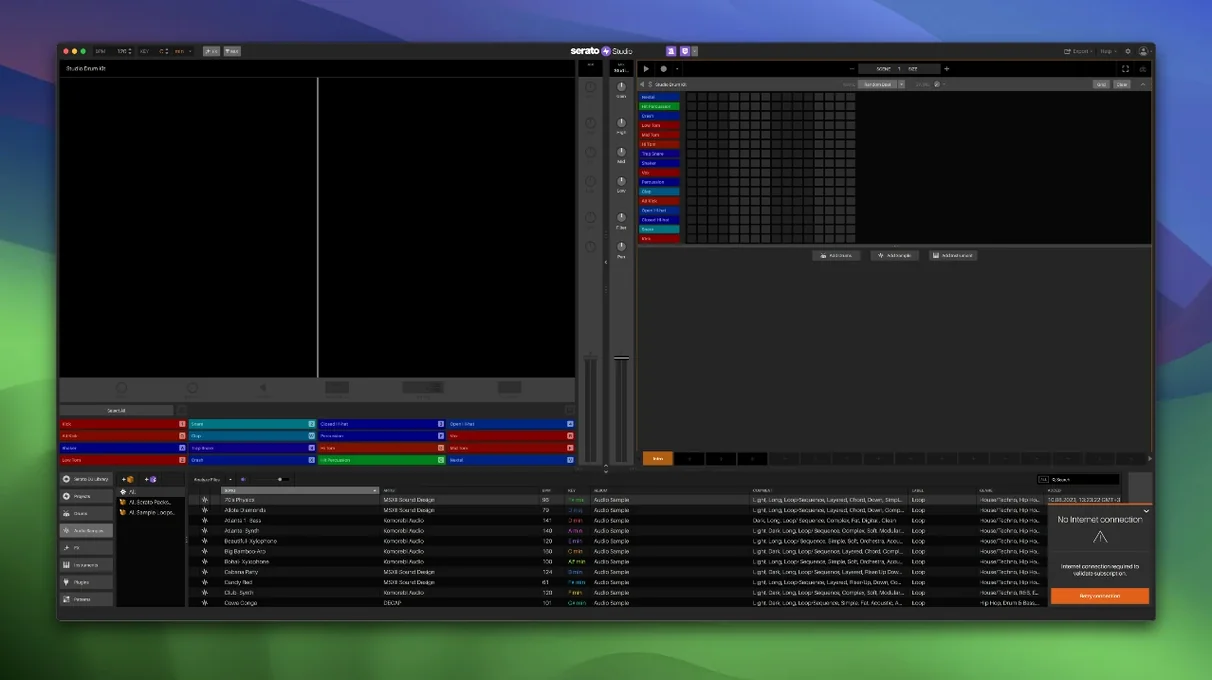
Version 2.5.0 brings native control for AlphaTheta SLAB and support for macOS 26 Tahoe. Stem levels in Sample Decks are now automatable.
DJ hardware and Serato library sync
Yes. Serato Studio is built for DJ-oriented beat production and works with DJ hardware plus the Serato DJ library.
What sounds are included?
Built-in drum kits, instruments, loops and samples. Chord generation in the project key and a Feel control for live keyboard phrasing are also there.
Can I separate and export stems?
Stem export is supported. In Sample Decks you can adjust acapella, melody, bassline and drum stems individually, and automate Stems On/Off and levels in Scene View.
Skipping Scene View leaves you stuck in a loop
New producers coming from Serato DJ often treat Studio as a linear recorder. It is not. The Scene View is your arrangement canvas — skip it and you end up with one long loop that never goes anywhere.
- Ignoring Scene View automation. Stems On/Off and individual stem levels can be automated per scene. Beginners leave them static and wonder why transitions sound flat.
- Dragging every sample to a new deck. One Sample Deck with stem separation can replace three or four loaded samples. Start there, not with a wall of decks.
- Not tagging the library early. Track Rating, Favorite Crates and Crate Search arrived in 2.5.0. Use them from day one. A messy library slows you down more than any missing plugin.
- Ignoring Auto Chord. It generates chords in the project key. Manual chord hunting without checking the key is the quickest route to a muddy beat.
- Leaving the Feel control at default. Quantised everything sounds robotic. A small nudge on Feel imitates a live player and gives the groove some breath.
Fitting Serato Studio into a wider setup
Studio does not sit alone. It shares the Serato library with Serato DJ, so crates you build for a DJ set appear in your production workspace. That cuts sample hunting in half if you already manage a DJ collection.
On the macOS side, drag-and-drop from Finder works for samples, but the bigger workflow win is the VST and AU plugin bridge. Effects chains built in other hosts load directly. Colour-coded waveforms and the mixer channel give you a visual reference that matches what you see in Serato DJ Pro, keeping the transition between performance and production smooth.
Stem export means you can rough out an arrangement in Studio, export the stems, and finish the mix somewhere else. The per-stem level control in Sample Decks means less cleanup later — you send acapella, melody, bassline and drums at the balance you chose, not a baked stereo file.
Drawing stem mutes across scenes
Version 2.5.0 altered the daily workflow in three practical ways:
- Stem automation in Scene View. Before, stem muting was a manual toggle. Now you draw Stems On/Off across scenes. A verse drops to acapella and bassline, a chorus brings back the full kit — all automated, no live fader riding.
- Per-stem level adjustments. Each Sample Deck gives you four level controls: acapella, melody, bassline, drums. That replaces a stack of EQ plugins on a single channel.
- Library organisation. Track Rating, Favorite Crates and Crate Search make the library feel less like a dump and more like a managed collection. Finding the right kick or vocal chop in a large library is no longer a scroll-and-pray exercise.
The AlphaTheta SLAB integration and macOS 26 Tahoe support keep hardware control and OS compatibility current. If you are running a newer Mac and SLAB hardware, the mapping is native — no MIDI learn gymnastics required.
- Native control for AlphaTheta SLAB.
- Support for macOS 26 Tahoe.
- Individual level adjustment for acapella, melody, bassline and drum stems in Sample Decks.
- Automation for Stems On/Off and individual Stems Levels in Sample Decks.
- macOS 10.14 or later
- Intel and Apple Silicon
- Interface language: English
Questions the team asks
Track Rating, Favorite Crates and Crate Search.








Comments 0
Sign in or create an account to add a comment.
No comments yet. They go up after moderation.