

Native Instruments Massive X — Mac download
Download (1.6 GB) Earlier builds
Ticked
What does the 1.7.1 update add?
Nothing dramatic. The latest listed build is 1.7.1, and Native Instruments keeps change notes light. Expect maintenance and compatibility fixes.
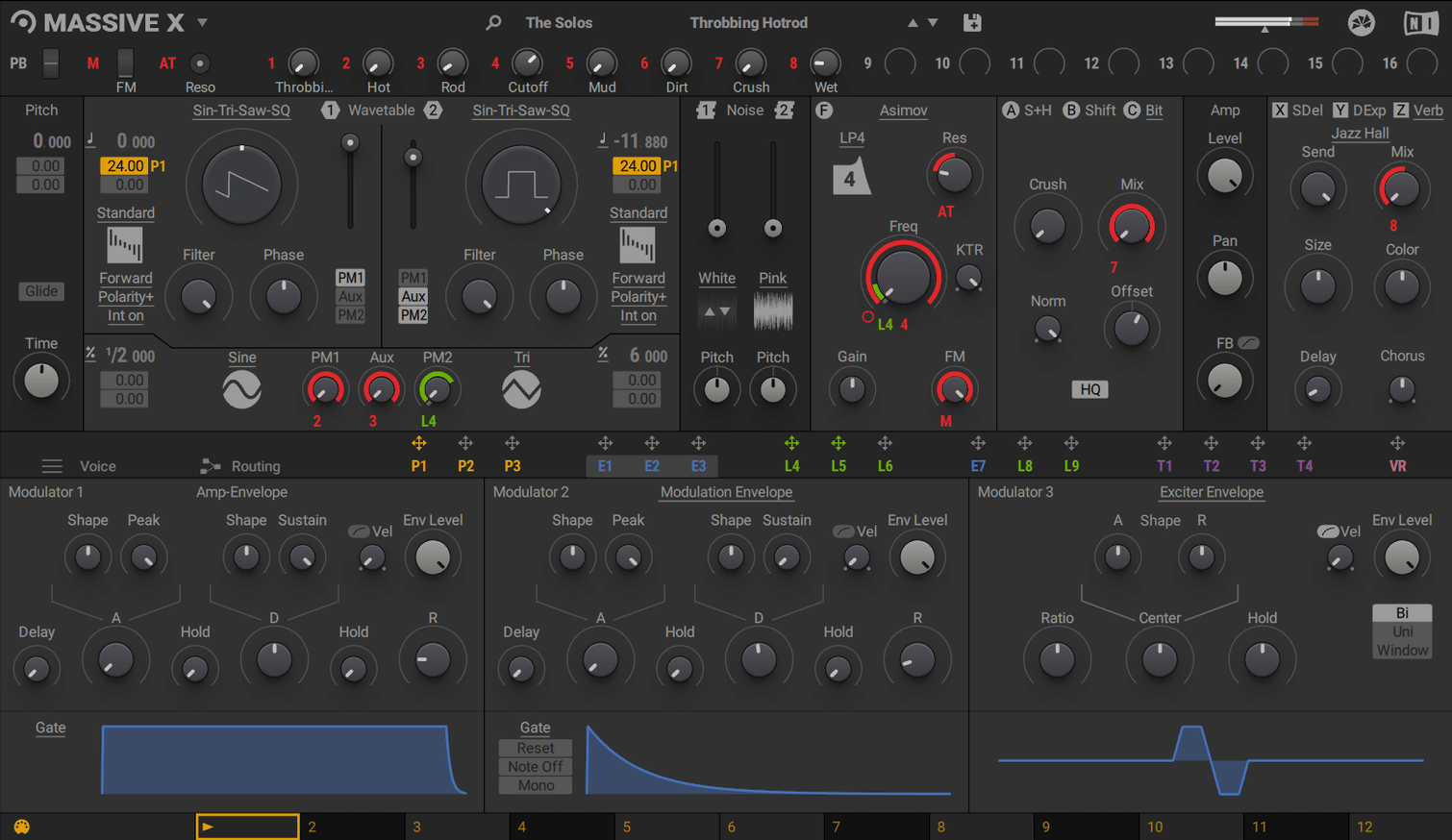
Dual phase modulation and 170+ wavetables carry over unchanged
The dual phase modulation generators are untouched. You still get 10 wavetable playback modes and more than 170 wavetable options to route through them.
Does it still run as a standard plugin?
Yes. Massive X works as VST, VST3, AU and AAX on Mac. It remains a polyphonic wavetable synth in the KOMPLETE line.
What macOS do I need now?
Tag filtering and List view reduce browser lag with 780 presets
Patch navigation feels slow. The browser scans over 780 presets. Tag filtering helps — apply two or three tags before you scroll. Switching to List view instead of the grid cuts redraw lag on older Macs.
CPU spikes with complex routings. If you hear pops, check the Voice count. Polyphonic patches with long release tails stack up fast. Drop polyphony to 4–6 voices, or bounce the part to audio early.
Performer patterns not triggering. Remote Octave is off by default. Assign a key range in the Performer panel, then send MIDI notes in that octave. No MIDI input means no pattern playback.
Silent patch on load. A routing may be broken or a mixer channel muted. Click the Routing tab and trace the signal path: oscillator → filter → output. One unconnected node kills the sound.
Presets missing after a library move. Massive X expects its content in the location set during install. If you moved the folder, rescan via Native Access or point the plugin to the new path manually.
Building a bass from an Init patch with a gritty saw-like wavetable
You open a project in Logic. The bass needs weight. You insert Massive X on an instrument track, pick an Init patch, and start routing.
- Pick a wavetable. You browse the 170-plus options — a gritty saw-like table from the Digital category. Mode stays on “Normal” for now.
- Shape the tone with a filter. You drag a low-pass into the signal chain and set cutoff to 300 Hz. Resonance stays subtle.
- Add movement via Performer. You draw a short rhythmic curve and assign it to wavetable position. The sound now shifts on each hit.
- Wire in a second oscillator. You pull a sine wavetable, tune it down an octave, and blend it low for sub weight.
- Check modulation depth. You open the Tracker view to see every active modulation. A quick tweak to LFO rate tightens the groove.
- Save a user preset. You name it, tag it, and store it. It joins your shortlist for the next session.
Twenty minutes in, the bass sits in the mix. You bounce the part to audio and move on.
Turning a polite pad aggressive with a small wavetable position tweak
Loading a preset and tweaking nothing. Massive X rewards curiosity. A small change to wavetable position or an envelope curve can turn a polite pad into something aggressive. If you always stop at the factory sound, you miss half the synth.
Ignoring the routing grid. New users often stay inside the default signal path. The real power sits in the Routing tab, where you can send an oscillator into a sidechain input or stack filters in serial. Draw one new connection per session until it becomes second nature.
Overcomplicating modulation from the start. Three LFOs, two Performers, and a tracker full of assignments look impressive but create a mess. Start with one modulation source, assign it, listen, then add another. Build movement in layers.
Forgetting to check polyphony settings. A lush 16-voice chord patch eats CPU. If the project stutters, reduce voices before you start freezing tracks. The sound often stays usable at 6–8 voices.
Skipping the wavetable playback modes. “Normal” is just one of ten. Modes like “Bend+” or “Formant” reshape the same table into entirely new timbres. Cycle through them before swapping the wavetable itself.
Some producers grab a massive x crack to explore the synth, then check that library paths are set correctly and presets are visible. Others search for a massive mac torrent or massive torrent and can get builds that include the 1.7.1 updates when the source is current. A massive x torrent or massive vst torrent runs reliably when the installer matches the latest macOS requirements.
macOS 13 or later. Intel Macs need an AVX-capable processor; 4 GB RAM is listed, 6 GB recommended.
- macOS 13 or later
- Apple Silicon or Intel (AVX required on Intel)
- 4 GB RAM minimum, 6 GB recommended
- Internet connection for download and activation
- OpenGL 2.1 or higher graphics card








Comments 0
Sign in or create an account to add a comment.
No comments yet. They go up after moderation.