
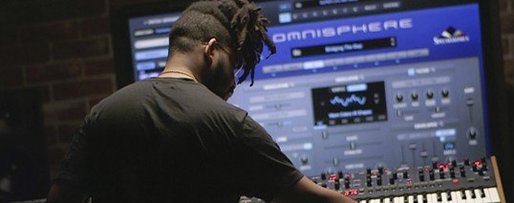
Omnisphere — Mac download
Download (205 MB) Earlier builds
Ticked
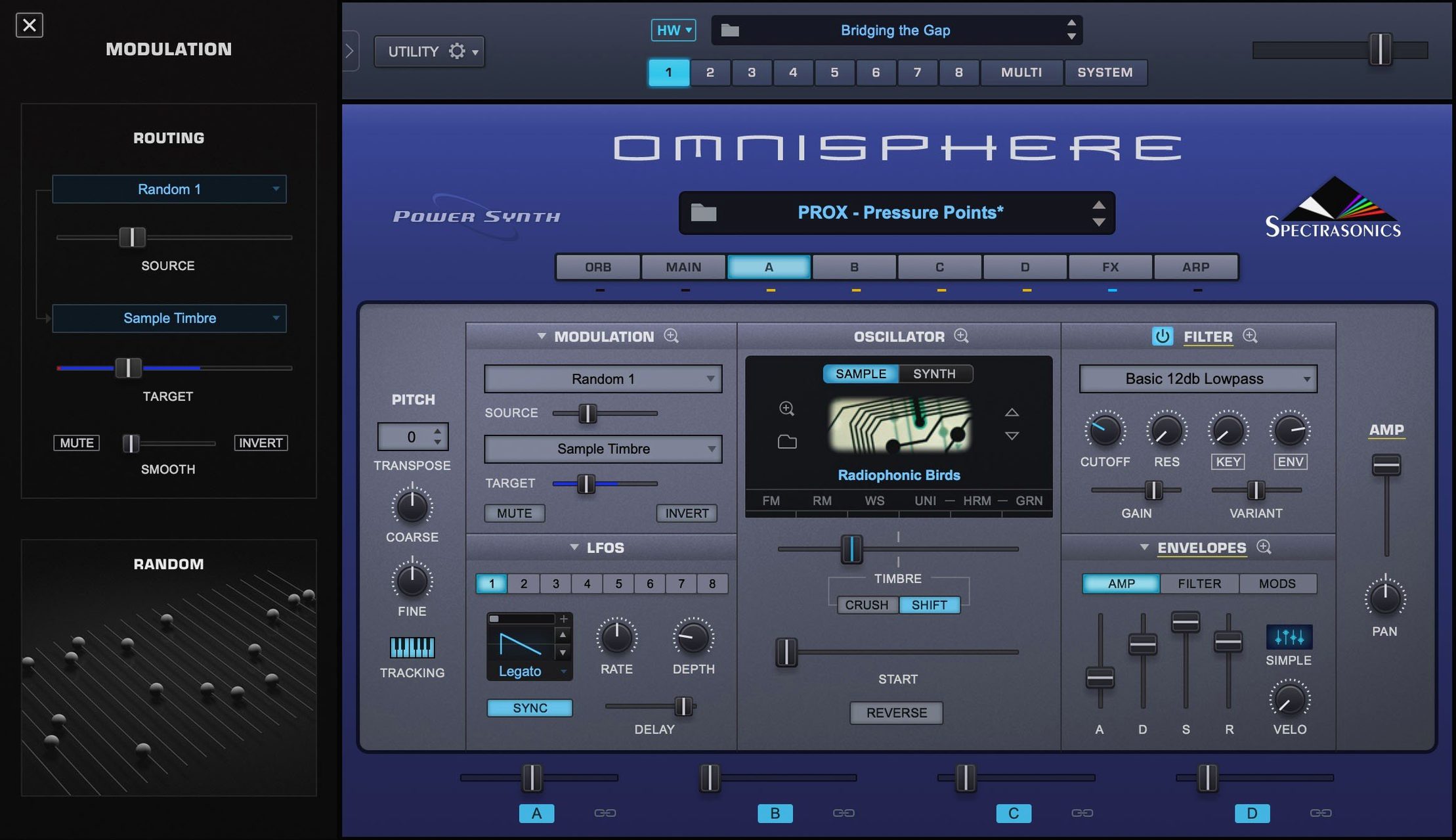
Over 14,000 sounds ship in the factory library. Omnisphere 3 is Spectrasonics' flagship software synthesizer, combining multiple synthesis types in one instrument. What keeps experienced users digging deeper are the routing and integration layers most patch-surfers skip.
Four tools that reward time
- Hardware Synth Integration — extends to major brands of synthesizers and MIDI controllers, turning physical knobs into Omnisphere's controls without mapping drudgery.
- STEAM engine architecture — the factory library from version 2.8 lives in a separate STEAM folder. Move it, symlink it, know where it lives.
- Multi-synthesis layering — wavetable, granular, sample-based and virtual analogue sources stacked in a single patch. The mixer page is where patches get dangerous.
- Native ARM support — runs on both ARM and x86 64-bit macOS systems from macOS 11 up. No Rosetta overhead.
Why the architecture matters
The STEAM folder structure means library management is manual and flexible. Users who treat Omnisphere as a sound design workstation rather than a preset player keep the factory content on a fast external drive and build custom libraries alongside it. That separation keeps projects portable and the system drive lean.
Blank library after moving the STEAM folder
The STEAM folder is the top support question. Omnisphere expects it in a fixed location. Move it and the plug-in shows a blank library. The fix is a symlink:
- Copy the STEAM folder to its new home.
- Delete the original from its default spot.
- Open Terminal and run
ln -s /new/path/STEAM /original/path/STEAM. - Launch Omnisphere. Factory content loads as if nothing moved.
Another frequent hiccup: patch browsing goes silent. The synth plays, but the library browser shows nothing. This is almost always a permissions problem. The STEAM folder needs read-write access for your user account. Right-click the folder, check Sharing & Permissions, and apply to enclosed items.
On Apple Silicon machines, the AU plug-in sometimes fails validation in Logic Pro after an update. Rescan fails. The culprit is the AudioUnit cache. Delete ~/Library/Caches/AudioUnitCache/com.apple.audiounits.cache, reboot, and let Logic rebuild. Works nine times out of ten.
MIDI learn forgets assignments between sessions. The Hardware Synth Integration profiles handle this properly; manual MIDI learn does not always persist. Save a multi with your controller mappings and set it as your default template. That locks assignments in place.
Smart Controls talk to Omnisphere in Logic
Omnisphere works across VST, AU and AAX formats, so it slots into any DAW without conversion. What matters more is how it talks to other tools outside the host.
With Logic Pro — Smart Controls map to Omnisphere parameters via the AU view. Automate synthesis changes from Logic's mixer without opening the plug-in window. The standalone app also sends MIDI over IAC bus, so you can route Omnisphere standalone into Logic's audio inputs for a second instance outside the DAW's CPU budget.
With Ableton Live — Rack chains let you split Omnisphere's multi-timbral outputs across Live tracks. Route each of Omnisphere's eight parts to separate outputs, then drop audio effects on each chain independently. The Hardware Synth Integration also talks to Live's external instrument device for hybrid setups.
With MainStage — Omnisphere loads as a software instrument and responds to patch changes sent from MainStage's set list. Musicians running backing tracks alongside live synth parts keep the STEAM folder on an external SSD to cut load times between songs.
With macOS features — Spotlight does not index STEAM content. Use Finder tags on custom patch folders you build outside the factory structure. Automator scripts can back up user patches to iCloud on quit. Audio MIDI Setup sees the standalone app as a MIDI destination, so any utility sending MIDI over IAC can trigger Omnisphere without a DAW running.
The two instruments people always ask about side by side
Omnisphere vs Arturia Pigments
Pigments does wavetable, virtual analogue and additive synthesis with a cleaner, more tutorial-friendly interface. Its modulation system shows all routings on screen at once — no digging. Pigments lacks sample-based synthesis and Hardware Synth Integration. Omnisphere's raw sound palette is larger, and the multi-synthesis layering goes deeper. Pigments suits sound designers who want visual feedback. Omnisphere suits composers who need a finished sound fast and the depth to reshape it later.
Omnisphere vs Native Instruments Kontakt
Kontakt is a sampler platform, not a synthesizer. It hosts third-party libraries; Omnisphere is a closed ecosystem with one enormous factory library. Kontakt's scripting engine lets developers build bespoke instruments. Omnisphere's STEAM engine locks users into Spectrasonics' content but rewards them with consistent quality and no compatibility headaches. If third-party expansions matter, Kontakt wins. If synthesis power and hardware integration matter, Omnisphere pulls ahead.
Omnisphere vs UVI Falcon
Falcon is the closest match. It does sample-based, wavetable, granular and FM synthesis, plus it loads UVI soundware. The modulation system in Falcon rivals Omnisphere's, and Falcon's scriptable interface builder gives advanced users more control. Falcon's learning curve is steeper. Omnisphere presents a more immediate browser and a faster path from idea to sound. Falcon rewards deep programming; Omnisphere rewards browsing and tweaking.
- Reference guide now identifies Software 3.0.2c.
- macOS 11 or later
- Apple Silicon or Intel (64-bit)






Comments 0
Sign in or create an account to add a comment.
No comments yet. They go up after moderation.