
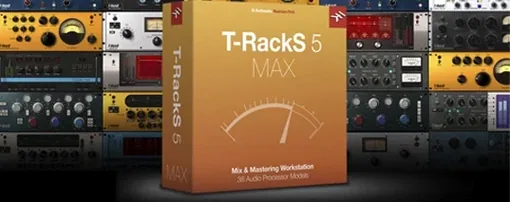
T-RackS — Mac download
Download (2.3 GB) Earlier builds
Ticked
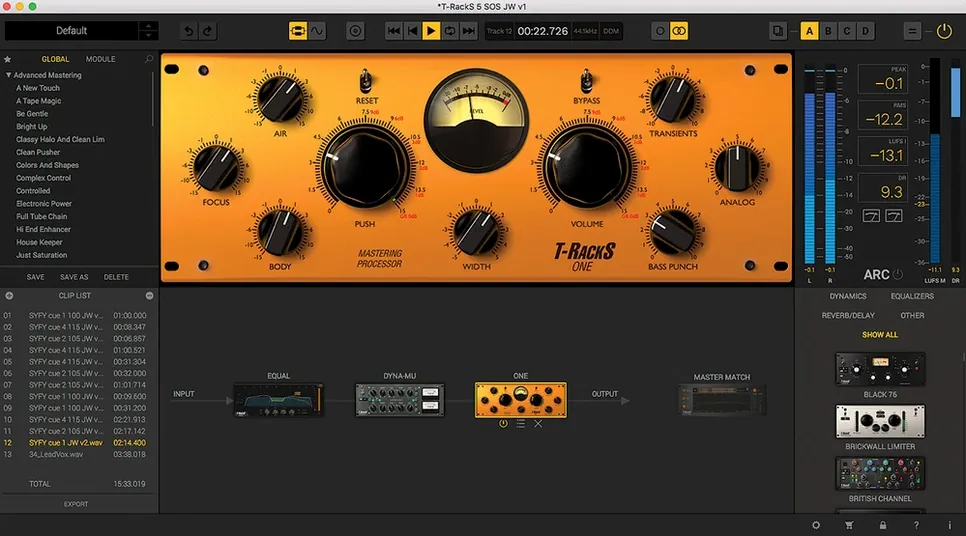
Master Match sits in the chain next to Dyna-Mu, EQual, and ONE — four processors that arrived with version 6. Before you add them to a session, check the machine. T-RackS 6.3.2 runs on macOS 10.15 Catalina or later. Apple Silicon and Intel 64-bit Macs are both supported, as long as the CPU and operating system are 64-bit.
The package is modular mixing and mastering software from IK Multimedia. You get nine processors in total, a standalone Mastering Console, and a plug-in suite you can load as individual processors inside a DAW. Audio processing stays floating-point up to 192 kHz and 32-bit.
Album work is covered too: sequencing tracks and embedding metadata before export. The interface language is English. If you are hunting for a T-RackS 3 free download crack, note that this page covers the current 6.3.2 release and its Mac requirements only.
Installation is a standard procedure: download the file, run it, follow the prompts. No special permissions or terminal work. Once installed, the Console and the plug-ins appear as separate tools for mixing and mastering.
How T-RackS fits with your DAW and macOS
The plug-ins load as Audio Units, VST 3, or AAX — whichever your session demands. Logic picks up the AU versions automatically after install. Ableton Live sees the VST 3s in its plug-in folder. Pro Tools users get AAX. The standalone Mastering Console runs outside any DAW, so you can open a stereo mix directly, process it, and export without launching a full session.
macOS audio routing works as expected. If you use Aggregate Devices or multi-output setups in Audio MIDI Setup, the Console respects the selected device. Core Audio handles sample-rate switching — set the project to 96 kHz and the processors follow. No extra configuration files to edit.
The Module Manager keeps the plug-in list tidy. Hide processors you never use, reorder the ones you do. This matters on a laptop screen where every centimetre of plug-in menu counts. The redesigned GUI scales cleanly on Retina displays and external monitors alike.
Installing on two Macs without extra steps
Does the standalone Console replace a DAW?
No. It is for stereo mastering and album assembly. You cannot record tracks, edit MIDI, or run third-party instruments inside it. Think of it as a dedicated finishing desk, not a recording studio.
Will older T-RackS processors work in version 6?
Yes, if they are already authorised on your system. The installer does not overwrite legacy plug-ins. They appear alongside the new ones in the Module Manager.
Skipping Module Manager and Apple Silicon support
That route skips the Module Manager and the updated GUI. You also miss Master Match X, the four new processors, and Apple Silicon native support. The current 6.3.2 build is compiled for ARM and Intel — a torrent of an older version will run through Rosetta at best, or not at all.
Authorisation per machine, not per seat
The software installs on any Mac that meets the 10.15 minimum. Authorisation is per machine, so a desktop and a laptop both work without extra steps.
Drag a mix in, no import dialogue
You drag a stereo mix into the Mastering Console. The waveform draws in under a second — no import dialogue, no track routing. First move: drop EQual onto slot one. A low cut at 30 Hz, a small dip at 400 Hz to clear mud from the vocal. Slot two gets Dyna-Mu, threshold set so gain reduction hovers around 2 dB on the loudest chorus.
Slot three loads Master Match X. You feed it a reference track — something mastered last year with the right spectral balance. The module analyses the reference, then matches the EQ curve of your mix to it. You dial the amount back to 60% to keep the original character.
Slot four is ONE, doing subtle stereo widening above 2 kHz. Slot five holds a limiter with dithering set to the export target. Four dithering options sit in a dropdown — you pick the one matching the final bit depth. The chain runs in serial. If you wanted parallel processing, the 16-slot architecture lets you split paths and blend wet and dry signals.
With the single track sounding right, you switch to the album view. Four more tracks join it. You drag them into sequence, add track titles, embed ISRC codes and album art in the metadata fields. The multi-format export panel opens. You tick WAV at 44.1 kHz 24-bit, MP3 at 320 kbps, and a DDP image for the pressing plant. One click writes all three formats to the output folder. The session file saves with every processor setting intact for recall next week.
- macOS 10.15 Catalina or later
- Apple Silicon or Intel 64-bit Mac
- 64-bit CPU
- 64-bit operating system
Questions the team asks
Yes. T-RackS 6.3.2 supports Apple Silicon and Intel 64-bit Macs running macOS 10.15 Catalina or later.


Comments 0
Sign in or create an account to add a comment.
No comments yet. They go up after moderation.