
VocalNet — Mac download
Ticked
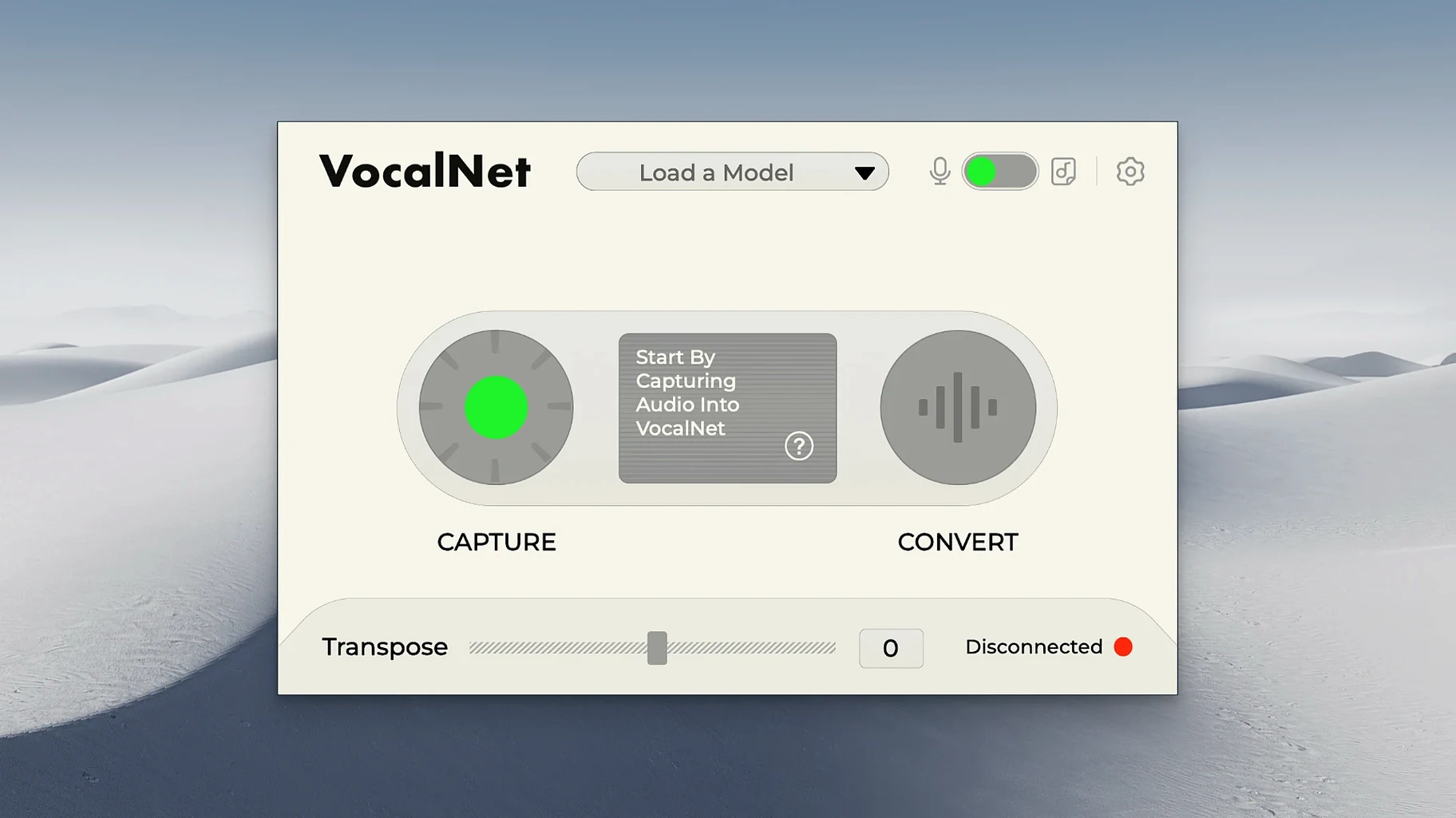
1.0.4 — the current build — runs in real time on any DAW track. Drop it on a vocal and the AI re-sculpts the timbre without adding a second performer. Pitch shifting and formant reshaping happen inside one window; the result sits in the mix, not on top of it.
Quick idea trials without re-recording
- Quick idea trials — swap a guide vocal into a different character before re-recording
- Adding texture to a dry take without stacking harmonisers
- Raising or lowering a voice while keeping the phrasing intact
- Sound-design layers where the source is a spoken line, not a synth
English-only DAW tool for macOS 10.15+
- Interface language is English only
- Designed for DAW workflows — no standalone mode
- Available for macOS 10.15 and later, Intel and Apple Silicon
Workflow: morphing a guide vocal into a backing texture
- Record a dry lead vocal into your DAW — eight bars is plenty for a first pass.
- Insert VocalNet on the track. Open the voice browser and upload two short WAV samples: one breathy head-voice phrase and one chest-voice spoken line.
- Hit Analyse for each sample. The plugin maps the timbre locally — nothing leaves your machine.
- Set the blend slider to roughly 65% head voice, 35% chest voice. Play the track.
- Automate the XY pad across the length of the phrase: start near the chest-voice corner, sweep towards the head-voice sample over four bars, then hold. The vocal shifts character mid-phrase without any crossfade between takes.
- Bounce a stem. Mute the original. Tuck the morphed stem under the lead at about –14 dB for a texture that follows the phrasing exactly.
A producer's afternoon: demo vocals that don't sound like demos
A songwriter has a finished arrangement but no singer booked. The guide vocal — their own voice, pitched down to a baritone — works for structure but kills the mood. They drop VocalNet on the guide track, feed it three samples from an old session: a soft falsetto, a mid-range hum, and a spoken whisper. Five minutes of dragging the XY pad gives them a hybrid that sits somewhere between the three. The demo goes to the label that evening. The label asks who sang it.
Troubleshooting the most frequent VocalNet hiccups
Latency on older Intel machines
- Drop your DAW buffer to 128 or 256 samples — VocalNet's real-time engine needs headroom on pre-2020 Macs.
- Freeze other CPU-heavy tracks before you insert the plugin. Convolution reverbs and linear-phase EQs are the usual culprits.
Sample analysis reads as incomplete
- Trim your source samples to under ten seconds. Long files with silence at the tail confuse the detection.
- Re-export the sample as 44.1 kHz or 48 kHz mono WAV. MP3 artefacts throw the analysis off.
- If you pulled a sample from a session loops vocalnet pack, check it's dry — reverb tails get interpreted as part of the timbre.
AU version not showing in Logic Pro
- Rescan the plugin via Logic's Plugin Manager. The installer places an AU component; a rescan forces recognition.
- On Apple Silicon, confirm Logic is not running under Rosetta. VocalNet's ARM build loads native and skips the translation layer.
Blend sounds phasey or hollow
- Pull the blend slider back to a single sample, then reintroduce the second gradually. Small increments — 5% at a time — reveal the sweet spot.
- Match the pitch register of your source samples. A high soprano blended with a low growl often cancels in the midrange. Use samples within a fifth of each other for the cleanest hybrid.
- macOS 10.15 or later
- Intel or Apple Silicon Mac
- DAW host supporting the plugin format







Comments 0
Sign in or create an account to add a comment.
No comments yet. They go up after moderation.