
WaveLab Pro — Mac download
Ticked
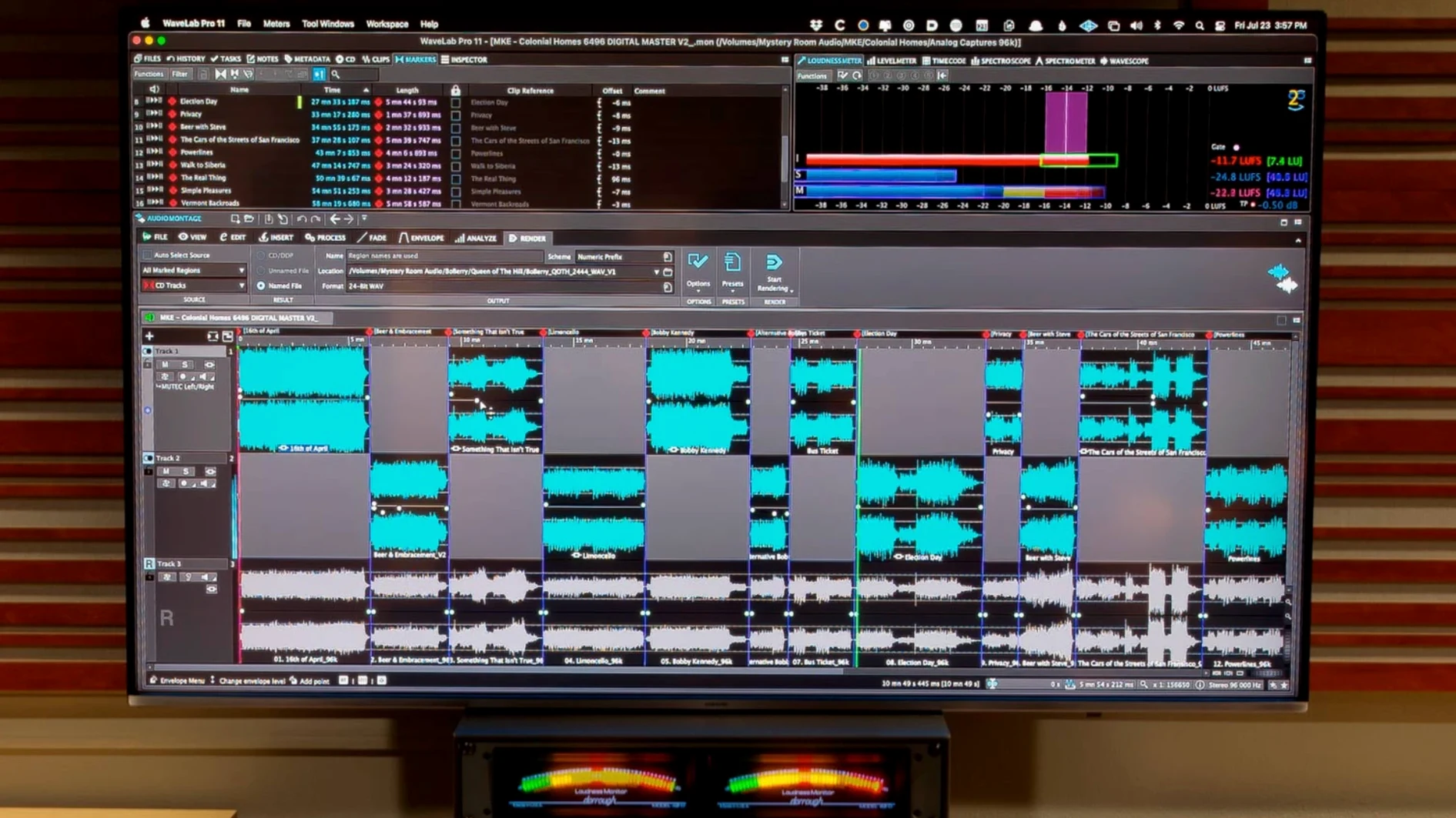
WaveLab Pro is Steinberg's mastering workstation, built for engineers who need spectral editing, restoration, and format delivery in one place.
Mastering DAW — a dedicated environment for finalising audio, not a general-purpose recording tool.
Spectral editing — visual repair work directly on the frequency display, not just the waveform.
Audio restoration — tools for cleaning up clicks, noise and other artefacts baked into old recordings.
Plug-in version — opens inside compatible DAWs, not only as a standalone application.
Synchronised navigation — file and montage views stay locked together, so scrolling one moves the other.
Auto-scaled peaks — waveform zoom adjusts to the visible area, keeping quiet passages readable without manual tweaking.
Good for album assembly, stem mastering, forensic audio clean-up, and any job where multiple formats land on one timeline.
Not for tracking, MIDI composition, or quick bounce-and-share jobs that don't need a full mastering chain.
No audio after switching interface
New users often trip on a handful of things. Most have straightforward solutions.
- No audio on playback after switching interface. WaveLab can hold onto the last device. Check Options > Audio Connections and reselect your interface, then restart the audio engine with the small power button in the transport bar.
- Spectral edit sounds different on export. The spectral display in the editor window uses a smoothed preview. Render in place or do a quick offline bounce of a short section to hear the actual result before committing to a full export.
- ARA plug-in doesn't show in the DAW. The host needs a rescan. In Cubase or Nuendo, open Studio > VST Plug-in Manager, hit the refresh icon, and confirm WaveLab ARA appears under the ARA extensions list. Reaper users should check Extensions > ARA after a full plug-in rescan.
- Montage export comes out silent. Nine times out of ten, the track output isn't routed to the master section. Open the montage routing matrix and verify each track's output points to the master bus, not a disconnected hardware output.
- Large files slow to a crawl during analysis. WaveLab's loudness and error detection scans are thorough but processor-hungry. For files over two hours, disable real-time waveform building in File > Preferences > Display and run analysis as a background batch instead.
Cold start in under six seconds
WaveLab 13.0.30 starts cold in under six seconds on Apple Silicon — quicker than most DAWs twice its weight. The interface stays responsive during spectral edits on hour-long 96 kHz files, provided the temporary disk cache isn't sitting on a slow external drive. Moving the cache to the internal SSD, even a small one, makes scrubbing feel immediate.
Memory pressure sits low. A mastering montage with four stereo tracks, two VST3 chains per track, and a loudness meter hovers around 1.2 GB on an M-series Mac. Dual-channel surround montages push that closer to 3 GB. The plug-in version running inside Cubase adds minimal overhead — roughly 200 MB beyond what the host already reserves.
Crashes are rare but not zero. The most repeatable instability comes from third-party VST3 plugs that don't fully honour Apple's sandboxing rules. Running the standalone build outside Rosetta with native ARM plug-ins avoids most of those conflicts. Intel-only plug-ins still bridge, though one in ten drags the audio engine down enough to need a manual engine restart — three seconds, no session reload required.
Bounce speed leans on single-core performance. A 44.1 kHz stereo album with four plug-ins per track exports at roughly 3.5x realtime on an M2 Pro. Dolby Atmos master files with binaural HRTF processing run slower: expect 1.2x to 1.8x realtime depending on channel count and plug-in load. Offline batch processing is the better route for long-format work.
- Dolby Atmos master montages now accept channel-based surround files.
- Binaural monitoring for Dolby Atmos can load a personal HRTF profile.
- macOS 13 or later
- Intel or Apple Silicon Mac
Questions the team asks
Yes, the plug-in version loads inside compatible DAWs, so you can use its editing and analysis tools without leaving your main session.
Version 13.0.30 adds channel-based surround files in Dolby Atmos master montages and binaural monitoring with personal HRTF profile support.





Comments 0
Sign in or create an account to add a comment.
No comments yet. They go up after moderation.