

VocalSynth 2 — Mac download
Download (259 MB) Earlier builds
Ticked
Apple Silicon and Intel support
VocalSynth 2 runs on Macs with Apple Silicon (ARM) or Intel (x86) 64-bit processors.
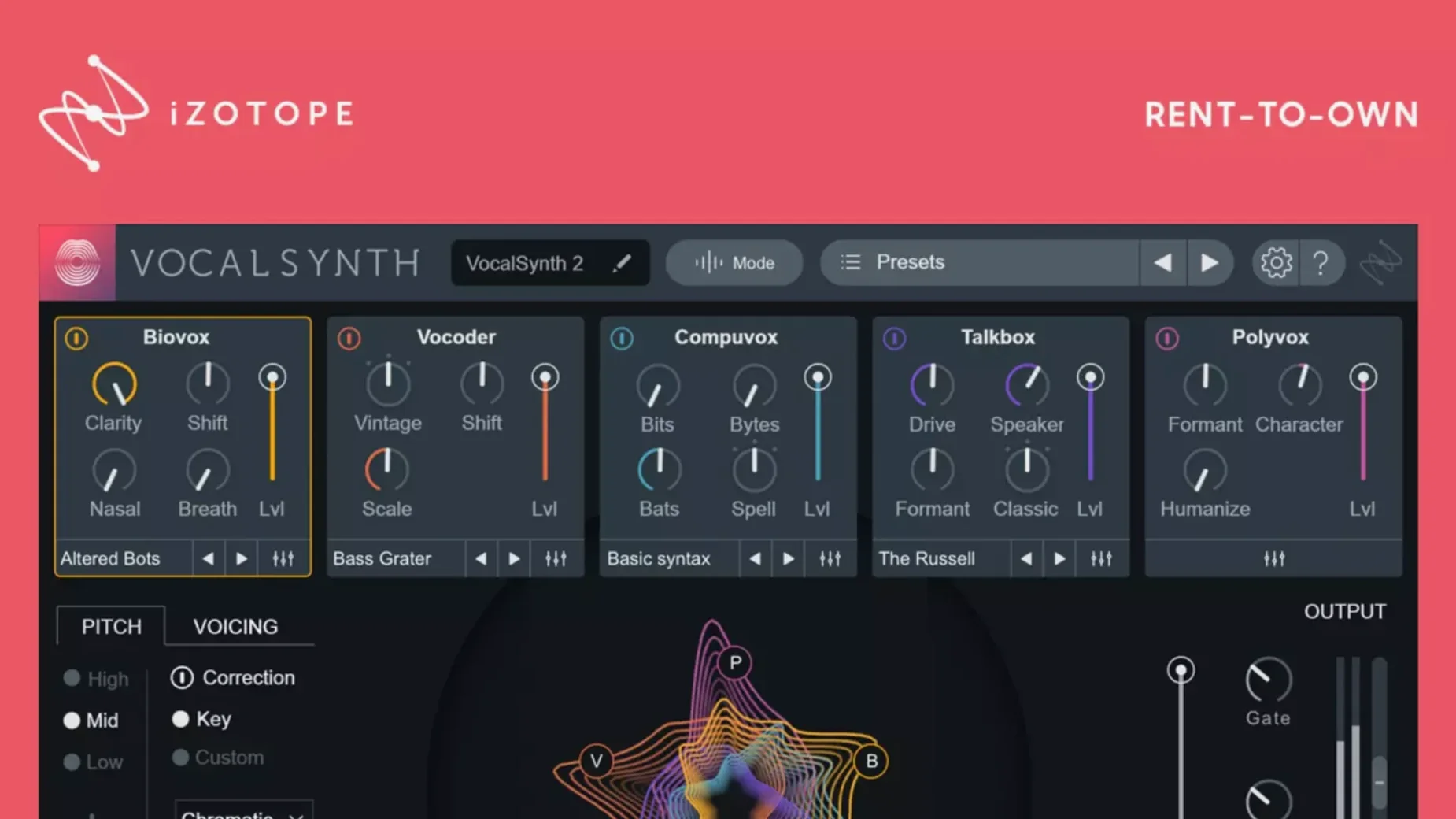
Shaping a vocal, module by module
- Choose the processing mode—Auto, MIDI or Sidechain. Auto follows the vocal. MIDI lets you play the pitch. Sidechain uses another track to drive the effect.
- Pick your source in the spectral display. The display reacts to vowel characteristics, so you can see where the energy sits before you process it.
- Blend the five modules.Each module covers a different effect family—vocoder-inspired textures, signal modulation, and more. Mix them with the on-screen faders to build a layered sound.
- Refine with the spectral controls. Adjust the response across the frequency range to tighten the processed signal against the dry vocal.
- Connect within the iZotope ecosystem. If you use other iZotope plug-ins, VocalSynth 2 communicates with them for a faster setup across your session.
The five modules give you a single window for stacking vocal effects without juggling separate plug-ins. The processing mode you pick changes how the modules react—sidechain input can pull a rhythm from a drum loop, while MIDI mode turns a spoken line into a pitched part.
Quick scenario: vocal design for an ambient intro
An electronic producer opens a track with 16 bars of a dry, whispered vocal. The whisper carries the melody but needs weight. They drop VocalSynth 2 on the channel, set the mode to MIDI, and feed it a simple two-note pad part. Biovox module up for throat and nasality, a touch of Vocoder for grain, and the spectral display confirms the vowel energy stays centred as they sweep the formant shift slowly across the intro. No layering, no resampling—just the plug-in doing the heavy lifting.
Drag modules to reorder the signal chain
- Drag-and-drop module reorder. The five modules aren’t fixed. Drag them left or right in the chain to change the signal flow. Biovox before Vocoder sounds different to Vocoder before Biovox.
- Wet/dry mix per module. Each module has its own blend control. You can keep Talkbox subtle at 15% while Compuvox runs fully wet—all from the same instance.
- MIDI learn on the fly. Right-click almost any parameter and assign it to a MIDI controller. The mapping sticks even when you close and reopen the session.
- Preset tags, not just names. The preset browser uses tags like “airy,” “glitch,” or “thick.” Type two tags to narrow 200 presets down to six in seconds.
- Bypass all modules with one click. The global bypass switch sits top-left. Useful for A/B testing the processed vocal against the dry signal without touching five individual power buttons.
Start every session in MIDI mode
- Set the processing mode default. VocalSynth 2 opens in Auto mode. If you work mostly with MIDI input, save a default preset with MIDI mode engaged so every new instance starts ready to receive notes.
- Switch the spectral display to freeze mode. The real-time display is informative, but freezing it on a sustained vowel lets you inspect the formant structure without it bouncing around. Click the freeze button, hold a note, and tweak with precision.
- Turn off the internal reverb and delay for mixing. The stompbox-style effects are creative tools, not mix-ready sends. Bypass them while dialling in the core vocal sound, then reintroduce the ambience later in context.
- Reduce the output gain early. Stacking modules can push the signal hot. Drop the master output by 3–6 dB before you start blending, then bring it back up once the tone is set.
- Check the buffer size. On Apple Silicon Macs, the plug-in runs natively and efficiently, but heavy MIDI mode patches appreciate a 128-sample buffer or lower for tight timing.
- Fixed an authorisation recognition issue for some users updating from version 2.5.0.
- Apple Silicon (ARM) or Intel (x86) 64-bit processor
Questions the team asks
It includes Auto, MIDI, and Sidechain modes to control vocoder-inspired effects and signal modulation from different sources.







Comments 0
Sign in or create an account to add a comment.
No comments yet. They go up after moderation.