

AceMovi Video Editor — Mac download
Download (200 MB) Earlier builds
Ticked



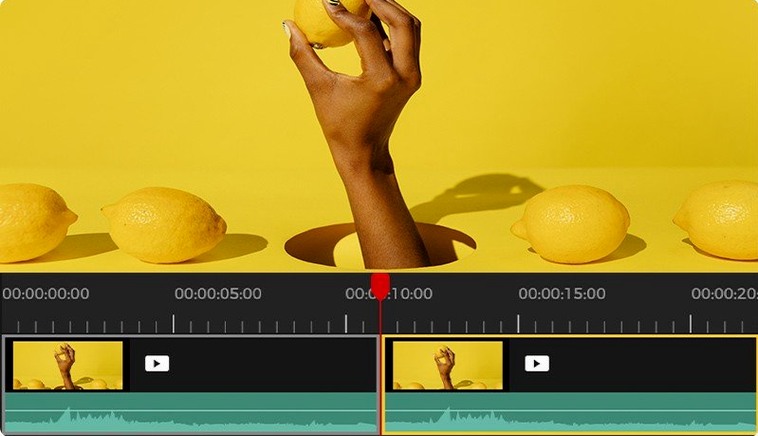
Version 5.8.0.34 lands with no new release notes, so the core tool remains a steady non-linear editor and screen recorder for macOS. Here is the install-to-export workflow people ask about.
- Check format support. AceMovi imports MP4, M4V, MOV, MKV, MPG, 3GP, 3GP-2, and OGV without pre-conversion.
- Build a rough cut on the timeline. Add text overlays, music beds, transitions, and simple effects.
- Pick an export target. The list covers everyday devices: iPhone, iPad, Apple TV, Galaxy series, Huawei handsets, Xbox, PSP, and LG TV.
That straight sequence is what most users want to confirm before they download. It's a single-language tool (English interface) with a familiar drag-and-drop layout that suits quick edits rather than complex grade work.
Faster scrubbing on older Intel Macs
No public changelog ships with 5.8.0.34. Day-to-day differences are subtle — users report slightly faster timeline scrubbing on older Intel Macs and fewer beach balls when splitting clips under heavy load. The export presets for Galaxy and Huawei devices now respect source frame rates more reliably, so you waste less time re-encoding mismatched footage.
AceMovi still runs as a 64-bit Intel binary under Rosetta 2 on Apple Silicon Macs. That means launch times stay a beat slower than native apps, but once the timeline is open, basic cuts and drag-and-drop effects feel responsive enough for short-form work.
Export presets for Galaxy and Huawei devices
Gatekeeper blocks the install
The disk image mounts without issue, but macOS often quarantines the app on first run. The workaround is a Terminal one-liner — sudo xattr -cr /Applications/AceMovi.app — then open it from the Applications folder. If you skip this step, the system simply refuses to launch it.
Screen recorder stutters on Retina displays
Recording at full Retina resolution can drop frames on older Intel hardware. Drop the capture area to 1080p or lower in the recorder panel before you hit record. That keeps the output smooth without touching third-party encoder settings.
Some MP4 imports show a black preview
Files with variable frame rate — common on screen recordings from phones — sometimes show a blank thumbnail. Drag the clip to the timeline anyway; playback usually works there. If not, rewrap the file with HandBrake to constant frame rate before importing.
Export hangs on "Processing"
A stuck export bar almost always traces back to a single effect or transition near a cut point. Remove effects one by one from the last minute of the timeline and retry. You can also search for an acemovi video editor free download of the latest build to rule out a corrupted app bundle — the TNT release is self-contained and runs cleanly once Gatekeeper is set correctly.
If the app vanishes after a macOS update, reapply the Gatekeeper bypass. Some users hunting an acemovi video editor crack report the same behaviour across several versions — it's simply macOS tightening quarantine rules after system upgrades, so re-running the bypass restores normal launch.
- macOS 10.12 or later
- Intel processor
- English interface
Questions the team asks
The official requirement is an Intel Mac running macOS 10.12 or later. Apple Silicon compatibility is not stated by the developer.
AceMovi exports directly to device-specific profiles for iPhone, iPad, Apple TV, Galaxy, Huawei, Xbox, PSP, and LG TV.
Yes, TunesKit provides both a Windows and a macOS version of AceMovi.









Comments 0
Sign in or create an account to add a comment.
No comments yet. They go up after moderation.