

Microsoft Word — Mac download
Ticked
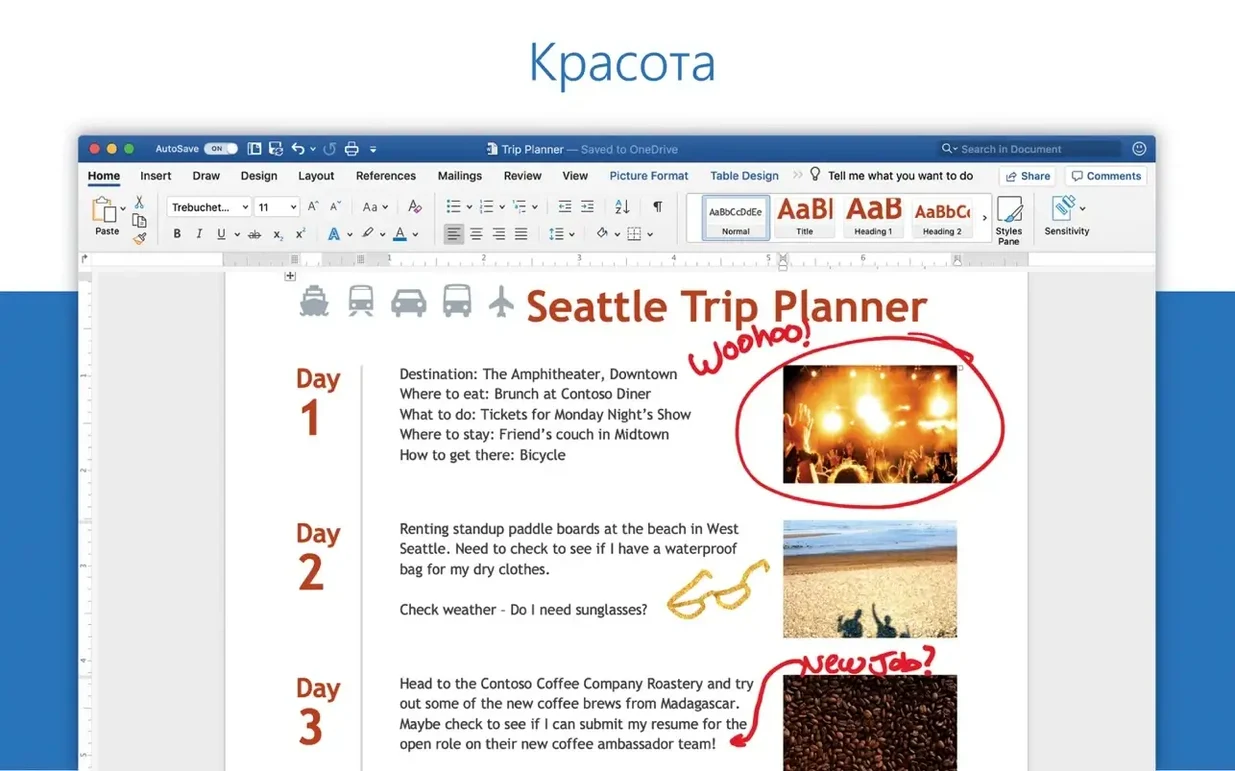
You need a reliable word processor, but first you need to know it will actually open on your machine. Nothing derails a deadline like a compatibility fail.
Requirements at a glance
- macOS 13 or later
- Runs on Apple Silicon and Intel Macs
- Part of the Microsoft 365 for Mac suite alongside Excel, PowerPoint and Outlook
Drafting and co‑editing reports in 20+ languages
Word 16.93, released 14 January 2025, is the standard document tool for drafting reports, editing shared files and working with email attachments. It includes collaborative features so multiple people can work in the same document. The interface supports over 20 languages including German, Japanese, French and Polish. Recent fixes addressed equation editing and general performance, keeping the app stable for daily document work.
Licence, offline use and the serializer requirement
Do I need a subscription? Word for Mac needs a Microsoft 365 subscription when downloaded from the Mac App Store. The version covered here uses a volume licence instead, activated with the Office LTSC 2024 Serializer.
Does it work offline? Yes. You create and edit documents locally. Collaboration features need a connection, but solo drafting works without one.
Will it run on an older Mac? macOS 13 is the floor. Anything earlier and the installer won’t proceed. Intel and Apple Silicon are both fine.
What about file compatibility? It opens .docx, .doc, .rtf and .txt out of the box. Documents created here open in Word for Windows, Word for web and older Mac releases without fuss.
Can I install just Word? You can pick the Word-only package if you don’t need Excel, PowerPoint or the rest of Office. The installer pulls the app from Microsoft servers and the Serializer handles activation.
Reading view opens first so you skim before editing
You open Word from the Dock. The start screen lists recent documents. You pick the project proposal you left half-finished yesterday. It opens in reading view first, so you skim the last section without accidentally typing over it. A tap of the spacebar drops you into editing mode.
You notice a messy table in section three. You click into it, the Table Design tab appears, and you swap the style in two clicks. A colleague left a comment asking about the budget figures. You reply inline, mark it resolved and keep moving.
Mid-morning, an email lands with a .docx attachment. You double-click the file, it opens in Word, and you add three tracked changes. You save, attach the revised version to a reply and send it off. No export step, no format conversion.
Before lunch you paste a chart from Excel. It lands as a linked object. You adjust the text wrap to “top and bottom” and the layout settles. The autosave icon in the toolbar flickers once, then goes quiet. You close the lid.
Workflow: assembling a report from scattered notes
- Create a blank document. Set the heading font to your house style in the Styles pane.
- Open the Notes pane. Paste bullet points from three separate emails into it.
- Drag the best bullets up into the body, one section at a time. Reorder sections with the Navigation pane.
- Insert a cover page from the Insert menu. Fill in the title and date fields.
- Drop in a table of contents using the built-in automatic style. It pulls from your headings.
- Add page numbers in the footer. Check the print preview to confirm the TOC pages are right.
- Share the document with a colleague via the Share button. They open it, add a missing section and you see their cursor move in real time.
- Accept their changes, run the Editor for a final spelling pass and save a PDF copy to the project folder.
The whole thing takes under twenty minutes once the notes are gathered. No copy-paste between apps, no manual formatting for the TOC or page numbers.
Track Changes and comments suit structured review rounds
Project managers who live in structured documents. Track Changes and comments make review rounds predictable. The ability to open email attachments directly and send revisions back keeps document hand-offs quick.
Writers and editors working on long-form text. The Navigation pane, outline view and style sets give you control over structure without distracting from the words. The Editor catches more than a basic spellcheck.
Students and researchers juggling citations and multi-section papers. The built-in bibliography tools, table of contents generator and equation editor (fixed in this release) handle the fiddly bits of academic formatting.
Teams sharing documents across platforms. If your colleagues use Windows or the web version, your Mac copy doesn’t create compatibility gaps. Shared documents open, edits sync and formatting holds.
If your work is note-taking, quick lists or plain-text drafting, a lightweight editor may suit you better. Word earns its disk space when documents need structure, review and reliable cross-platform sharing.
- Quality and performance improvements
- Fixed an issue where editing equations may not work as expected
- macOS 13 or later
- Apple Silicon and Intel architecture supported
Questions the team asks
Yes, Word is one of the core Office apps included with Office for Mac, alongside Excel, PowerPoint, Outlook, OneNote and OneDrive.









Comments 0
Sign in or create an account to add a comment.
No comments yet. They go up after moderation.