

OmniPlan Pro — Mac download
Download (100 MB) Earlier builds
Ticked
The project kick-off meeting just finished. You open a blank OmniPlan Pro file. It’s time to turn a whiteboard of sticky notes into a working timeline.
Building the project, feature by feature
- Set the rules with calendars
Define working hours and holidays first. The calendar shapes every date that follows, so resources never get booked on a bank holiday. - Map the structure with milestones
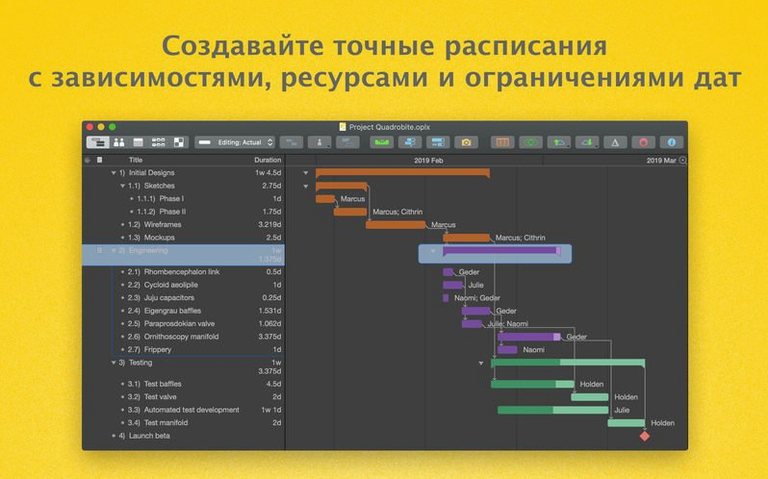
Add a milestone for each phase gate. They anchor the plan and let you see at a glance whether key dates are slipping. - Assign resources and check earned value
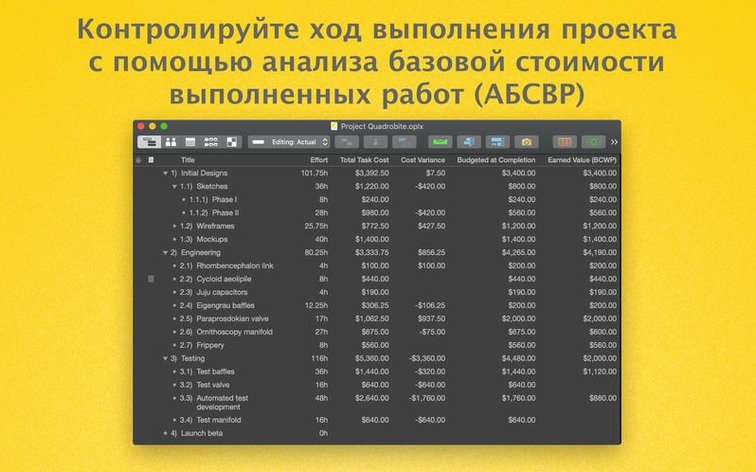
Assign people to tasks. The Pro edition’s earned value analysis compares planned work against actual progress, flagging cost or schedule variances before they become problems. - Share the plan via WebDAV
Publish the project to Omni Sync Server or your own WebDAV server. Stakeholders subscribe and see changes as you make them. - Export summaries
When the steering committee needs a report, export a summary to PDF, CSV, or even an OmniGraffle visual. No re-typing. - Automate with AppleScript
Repetitive updates—like shifting a phase—run via AppleScript. A script adjusts the plan while you handle something else.
What starts as a blank canvas becomes a live model of the project. Milestones hold the shape, earned value analysis keeps costs visible, and the publishing tools make the plan a single source of truth for the whole team.
MPP files round-trip cleanly
Does it handle Microsoft Project files without fuss? Yes. The Pro edition imports and exports MPP files directly. Formatting, task dependencies and resource assignments survive the round-trip well, though custom fields sometimes need a quick tidy-up afterwards.
Can I run it on an older Mac? OmniPlan Pro 4.11 needs macOS 12 or later, on either Intel or Apple Silicon hardware. If your machine is stuck on an earlier OS, you will need a previous version.
How does publishing actually work? Publish the project to Omni Sync Server or any WebDAV-compatible location. Subscribers pull down the latest version and see all changes. The Pro edition also tracks what changed, so you can accept or reject individual edits.
Is the Monte Carlo simulation a gimmick? Not if you manage projects with uncertain durations. It runs thousands of what-if scenarios on your task estimates and spits out a confidence curve for hitting your finish date. Useful for risk-heavy timelines, overkill for a simple ten-task list.
Lighter than Project on Mac
Next to Microsoft Project, OmniPlan Pro feels native and lighter on its feet. Project wins on enterprise integrations and resource-pooling depth, but on a Mac the interface alone makes OmniPlan the smoother daily driver. If your world revolves around MPP files, both tools speak that language; if you want AppleScript automation and a clean Gantt view, OmniPlan pulls ahead.
Against Merlin Project, the conversation shifts. Merlin packs more collaboration features and a busier interface. OmniPlan Pro keeps things calmer and leans into earned value analysis and Monte Carlo simulation for cost-aware planning. Teams that want a dashboard-driven workflow often drift toward Merlin; planners who want a focused, analytical toolkit tend to stay here.
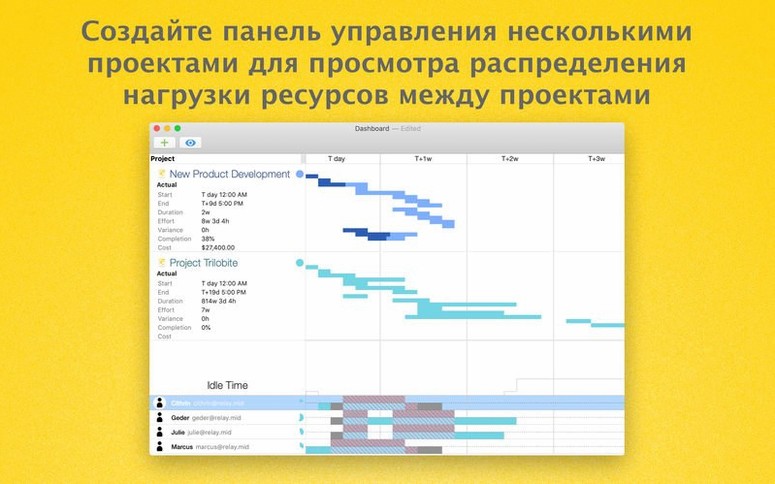
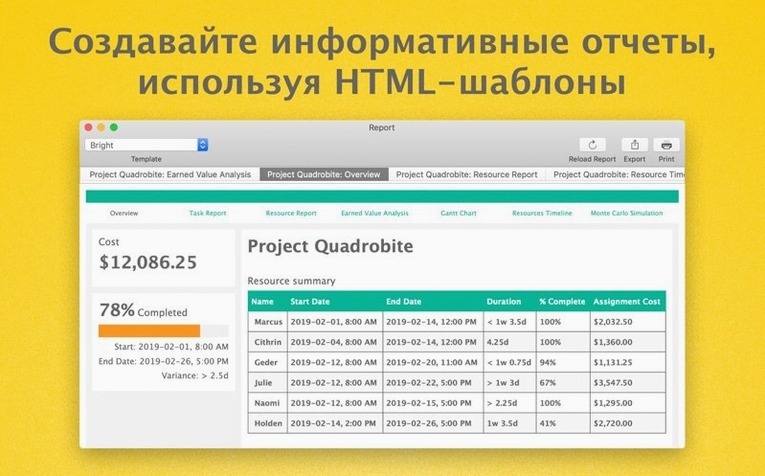
Compared with GanttProject, the gap is wide. GanttProject covers basic Gantt charts and resource assignments for free, but it lacks earned value, Monte Carlo simulation, HTML reporting and multi-project dashboards. It is a solid entry point for small projects. OmniPlan Pro is the step up when cost tracking, publishing and automation matter.
- Better compatibility with newer versions of macOS.
- Faster editing for tasks that have many resources assigned.
- macOS 12 or newer
- Apple Silicon or Intel 64-bit processor
Questions the team asks
The Pro tier adds earned value analysis, AppleScript automation, and the ability to publish and subscribe to projects through Omni Sync Server or a WebDAV server.









Comments 0
Sign in or create an account to add a comment.
No comments yet. They go up after moderation.