
Minuit Solstice — Mac download
Download (117 MB) Earlier builds
Ticked
Solstice runs on any Mac with macOS 12 or later, on both Intel and Apple Silicon machines. It loads as an AU or VST3 instrument. It suits the experimental end of a project — the track where a single sample becomes a playable landscape.
Tracks: the source of movement
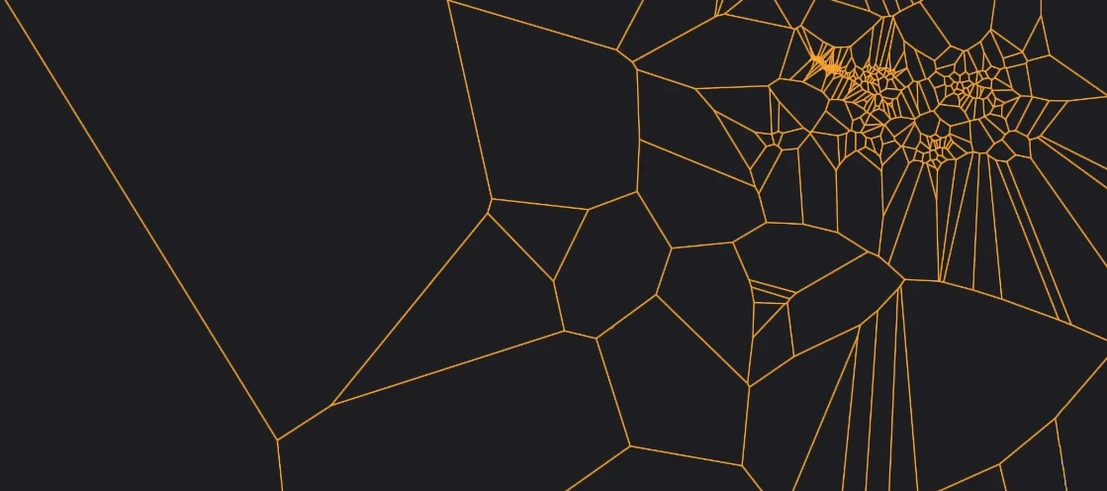
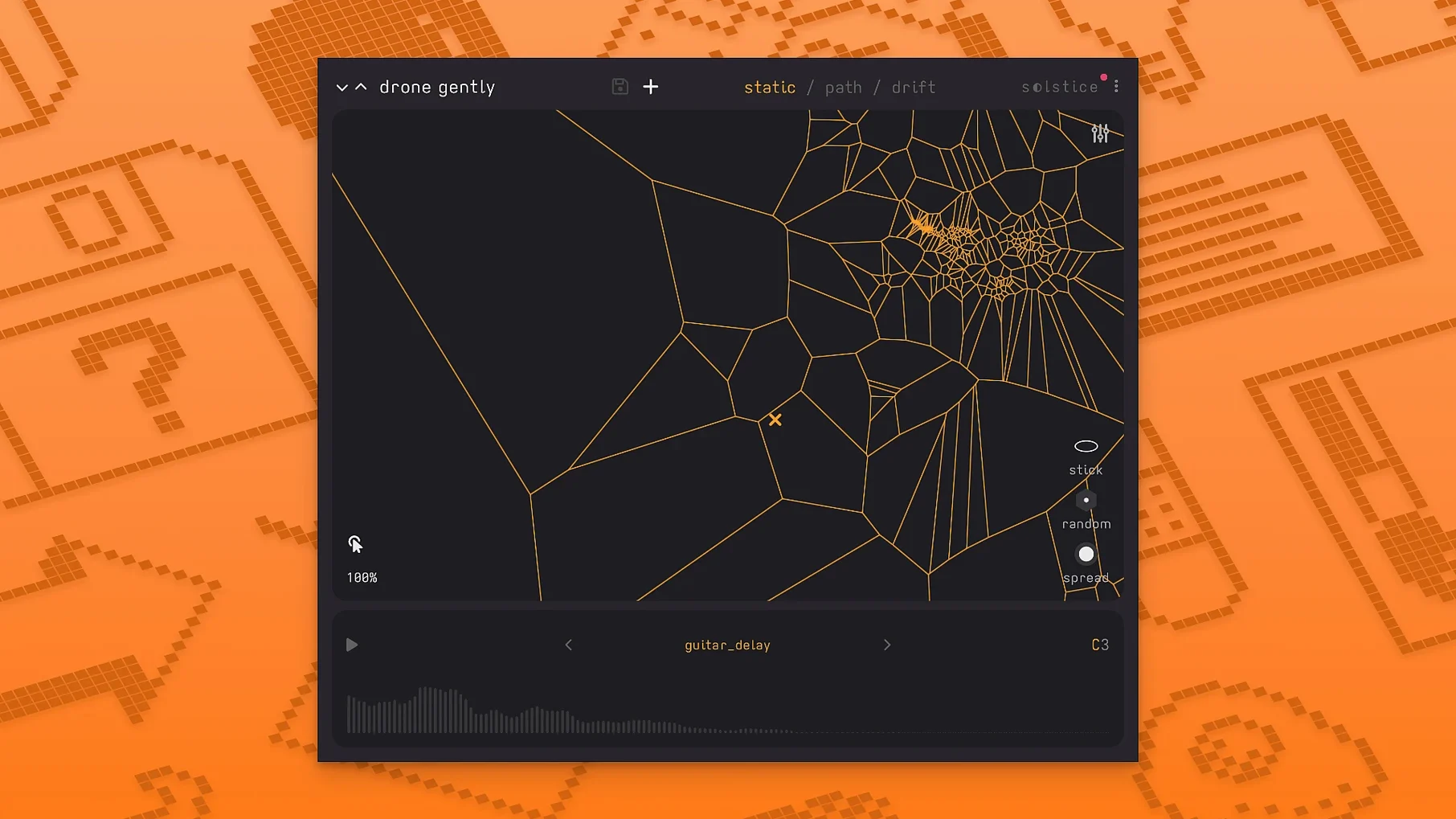
Drop Solstice onto an instrument track. Load a sample. The plug-in analyses it and projects the timbres onto a flat, two-dimensional map. Similar sounds cluster together. Click anywhere to play that region. Drag the cursor and the sound morphs continuously from one texture to another. Five spectral effects — texture, tilt, flutter, stretch and bloom — let you pull the result further from the original. The auto root note detection keeps the map in tune with the rest of the arrangement. Basic MPE support means you can control multiple map positions at once from a compatible controller.
Buses and sends: colour and drift
Solstice works best as a sound source, not a processor, so you will usually place it on an instrument track and send it to a reverb or delay bus. The built-in reverb modulation control gives you movement before the signal even leaves the plug-in. On a send, wet-only output turns the map into a shifting wash underneath a cleaner foreground. For unpredictable patterns, engage the auto-drift feature. The cursor wanders across the map on its own, pulling out changing timbres that work well for underscores and generative beds.
A session with Solstice
Open your DAW. Create an instrument track. Load Solstice as an AU or VST3. The plug-in presents a dark, uncluttered window with a sample drop zone at the top.
- Drag a short field recording — footsteps on gravel, say — onto the drop zone. Solstice analyses it. A scatter of points appears on the map below.
- Enable auto root note detection. The plug-in finds the pitch. No guesswork.
- Click a dense cluster. A gritty transient plays. Drag north-east. The texture thins, brightens. You stop on an airy hiss that used to be a scuff.
- Add 20% flutter from the spectral effects. The sound wobbles, slightly unstable.
- Crank the built-in reverb modulation. The tail moves while the attack stays tight.
- Record a few bars of slow cursor sweeps. Solstice captures every micro-shift.
- Switch on auto-drift for the B section. The cursor meanders. New timbres emerge without your input. You ride the output fader to catch the ones you like.
- Stack a second instance with a bowed cymbal sample. MPE routes two fingers from your controller to different map positions. One holds a low rumble; the other traces a high, glassy line.
The session ends with a bed of moving textures you did not programme note by note. The map did half the work.
Does Solstice replace your sampler
Does Solstice replace a conventional sampler? No. It complements one. You will still reach for Kontakt or Logic's Sampler for realistic instruments and tight key maps. Solstice is your texture tool — the plug-in you load when you want a sample to behave unpredictably. Many users searching for a solstice vst free download or a Minuit Solstice crack assume it is a general-purpose rompler. It is not. It is a spectral map generator, and it shines with abstract source material: field recordings, foley, bowed metals, vocal fragments.
How taxing is it on the CPU? The spectral analysis runs once per sample load. After that, playback is light. The five spectral effects — texture, tilt, flutter, stretch and bloom — add modest load. You can run several instances on an M1 Mac without issues. Auto-drift and MPE increase the voice count, so freeze tracks if you stack many drifting maps.
Can I use my own samples? Yes. Any WAV or AIFF file works. The map changes completely with each sample. A piano note gives a smooth gradient. A crowded street corner gives scattered islands of noise. People hunting a solstice plugin free download sometimes worry about locked content. There is no factory library. Your own recordings are the sound source.
Does MTS-ESP support matter for me? If you work with microtonal scales, yes. Solstice reads the tuning table from your MTS-ESP master plug-in. The auto root note detection then references that tuning, so the map stays in tune with the rest of the project — even in just intonation or 19-EDO.
- Basic MPE support added
- MTS-ESP support added
- Five spectral effects: texture, tilt, flutter, stretch, bloom
- macOS 12 or later
- Intel or Apple Silicon Mac
- AU or VST3 host


Comments 0
Sign in or create an account to add a comment.
No comments yet. They go up after moderation.