
Roland ZENOLOGY Pro — Mac download
Download (1.8 GB) Earlier builds
Ticked
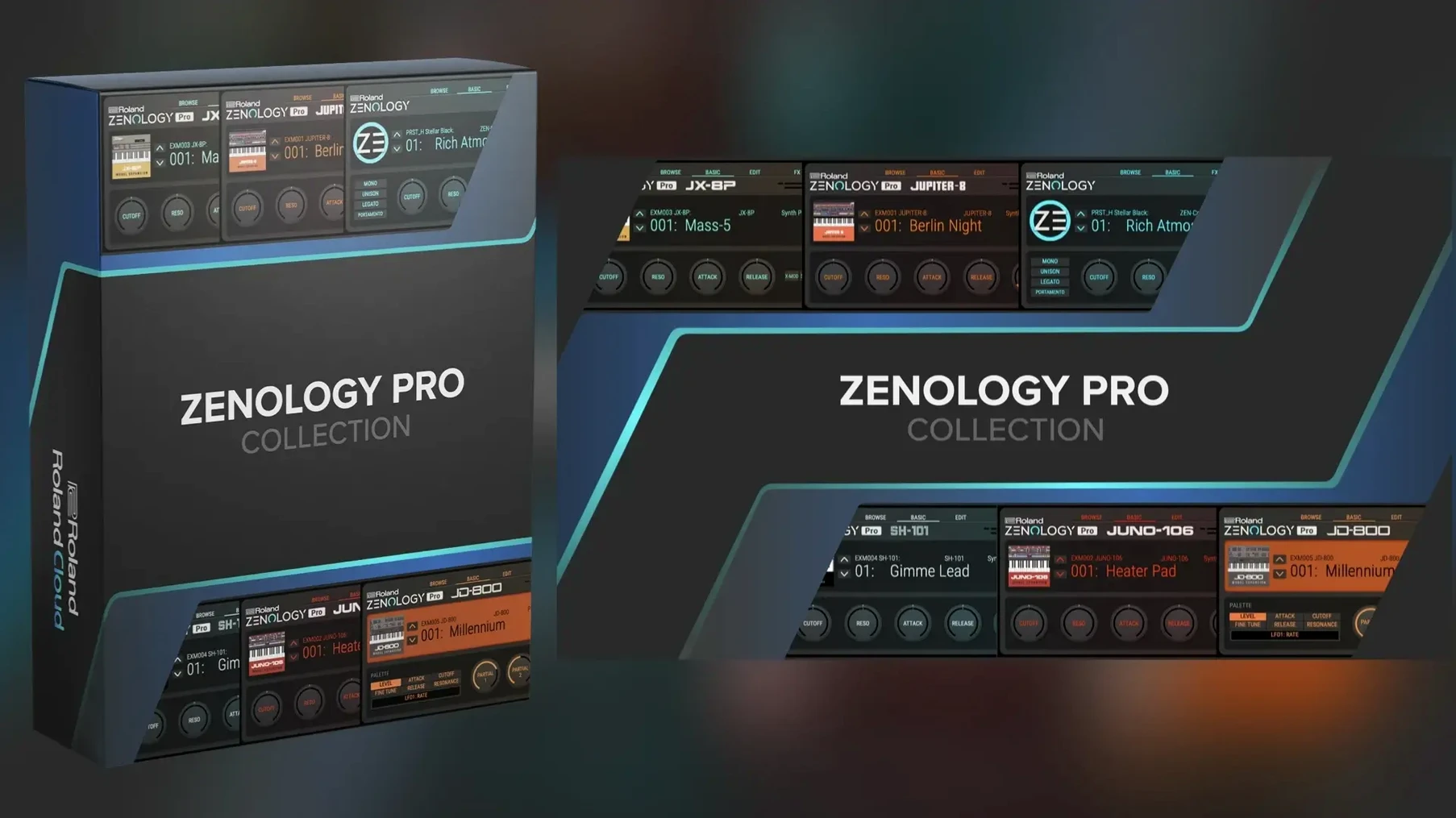
What does the four-part tone structure let me change?
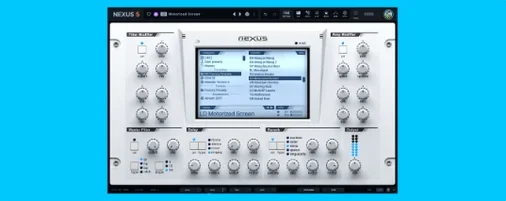
Each tone splits into four parts, each with its own oscillator, filter, amplifier, two LFOs and EQ. You layer or split them to build a single sound that moves. Eleven LFO shapes per part give you wobble, drift and rhythmic modulation in tight sync.
How do I find and organise sounds quickly?
The tone browser lists over 4,000 tones and 200 drum kits out of the box. Mark favourites, build custom banks and audition sounds without stopping playback. The resizable interface lets you shrink it to a strip or expand it across your screen.
Editing patches flows both ways between Mac and hardware
Sound editing runs both ways between the plugin and Roland hardware like JUPITER-X or FANTOM. Tweak a patch on the synth, open it in the DAW, or build on the Mac and push it back out. Sound Packs and Wave Expansions from Roland Cloud push the total past 10,000 variations.
How does this differ from the standard ZENOLOGY plugin?
The standard ZENOLOGY plug-in gives you the core sounds in a simplified panel. ZENOLOGY Pro opens every parameter across the four-part tone engine so you edit rather than just select.
Drag the window corner to resize without losing sharpness
- Set the interface scale immediately. The default size works on a laptop, but on a 27‑inch display you lose screen real estate. Drag the corner of the window to fill the space — the vector graphics stay sharp at any size.
- Switch the oscillator type before you touch a filter. Many presets load with a virtual analogue waveform. Swapping it to PCM or PCM SYNC instantly changes the character of a patch without touching the modulation settings.
- Lock the tone browser to “Favourites” as the default view. Out of over 4,000 tones, you will return to maybe 40 on a project. The browser remembers your last view, so set it once and forget the full list until you need to explore.
- Assign the two LFOs to different destinations per part. The default routing often sends both to pitch. Try LFO 1 on filter cutoff and LFO 2 on amplifier level — you get movement that feels organic, not just vibrato.
- Check the FX routing order in the master effects chain. The default chain places reverb last, which makes sense, but moving the chorus before the delay can clean up a muddy tail on a pad sound.
Runs natively on Apple Silicon, no Rosetta needed
Does it run natively on Apple Silicon, or only through Rosetta? The 2.0.7 build runs natively on both Apple Silicon and Intel 64‑bit Macs. No translation layer required. The AU, VST3 and AAX formats all load as native code in Logic Pro, Ableton Live and Pro Tools.
How much disk space do the PCM waveforms take? The 1,840 PCM waveforms are part of the core installation. Together with the tone library, drum kits and effects, expect a few gigabytes. The plug‑in does not stream samples from a separate content drive — everything sits inside the plug‑in package.
Can I use it without a Roland Cloud account? The software installs and runs after a standard disk image mount and installation procedure. For those looking for a zenology pro free download or a zenology vst free download mac option, the installer works the same way as any other VST on macOS.
Is it the same synthesis engine as the FANTOM? Yes. The ZEN-Core engine in ZENOLOGY Pro is the same system found in the FANTOM and JUPITER‑X hardware. A patch built on one loads identically on the other, provided the same Sound Packs and Wave Expansions are present.
Do I need the standard ZENOLOGY first? No. ZENOLOGY Pro is a separate plug‑in. If you already own the standard version, installing ZENOLOGY Pro simply adds the deep editing interface alongside it. If you start cold with a zenology vst crack mac search, the Pro version gives you the full parameter set from day one.
Swap a static soft pad for a moving ZENOLOGY tone
- You open a project in Logic Pro with a chord progression on a MIDI track. The track has a soft pad, but it sounds static. You insert ZENOLOGY Pro on the channel strip.
- The tone browser opens to your Favourites bank. You audition a handful of pads while the project plays back — the browser lets you step through sounds without stopping transport.
- You land on a tone that is close: a warm, slow-attack pad with too much low end. You select Part 1 and lower the amplifier level by 4 dB, then add a high-pass filter at 120 Hz using the dedicated part EQ.
- Part 2 is silent in this tone. You enable it, select a PCM waveform — a soft choir sample — and set its oscillator level to blend behind Part 1. Now the pad has air without losing its body.
- You assign LFO 1 in Part 2 to filter cutoff at a slow rate. The choir layer breathes in and out over two bars. LFO 2 in Part 1 gets routed to pitch at a very shallow depth for a tape-wobble feel.
- The master effects chain already has a plate reverb. You add a tape echo before the reverb, set the delay time to a dotted eighth note, and dial the feedback to 30%. The pad now trails off with a rhythmic echo that sits in the mix without cluttering the vocal.
- You save the edited tone to a custom bank called “Project Pads” using the tone browser. The same bank appears next week when you open a different session.
- Later, a colleague sends you a patch file from their FANTOM. You load it into ZENOLOGY Pro via drag and drop. Every part, LFO routing and effect setting transfers exactly. You tweak the filter envelope decay to match your project tempo and carry on.
- macOS 11 or later
- Apple Silicon or Intel processor
Questions the team asks
Yes. Edit and share sounds directly with compatible ZEN-Core instruments like the JUPITER-X and FANTOM ranges.




Comments 0
Sign in or create an account to add a comment.
No comments yet. They go up after moderation.