
Serato Hex FX — Mac download
Ticked
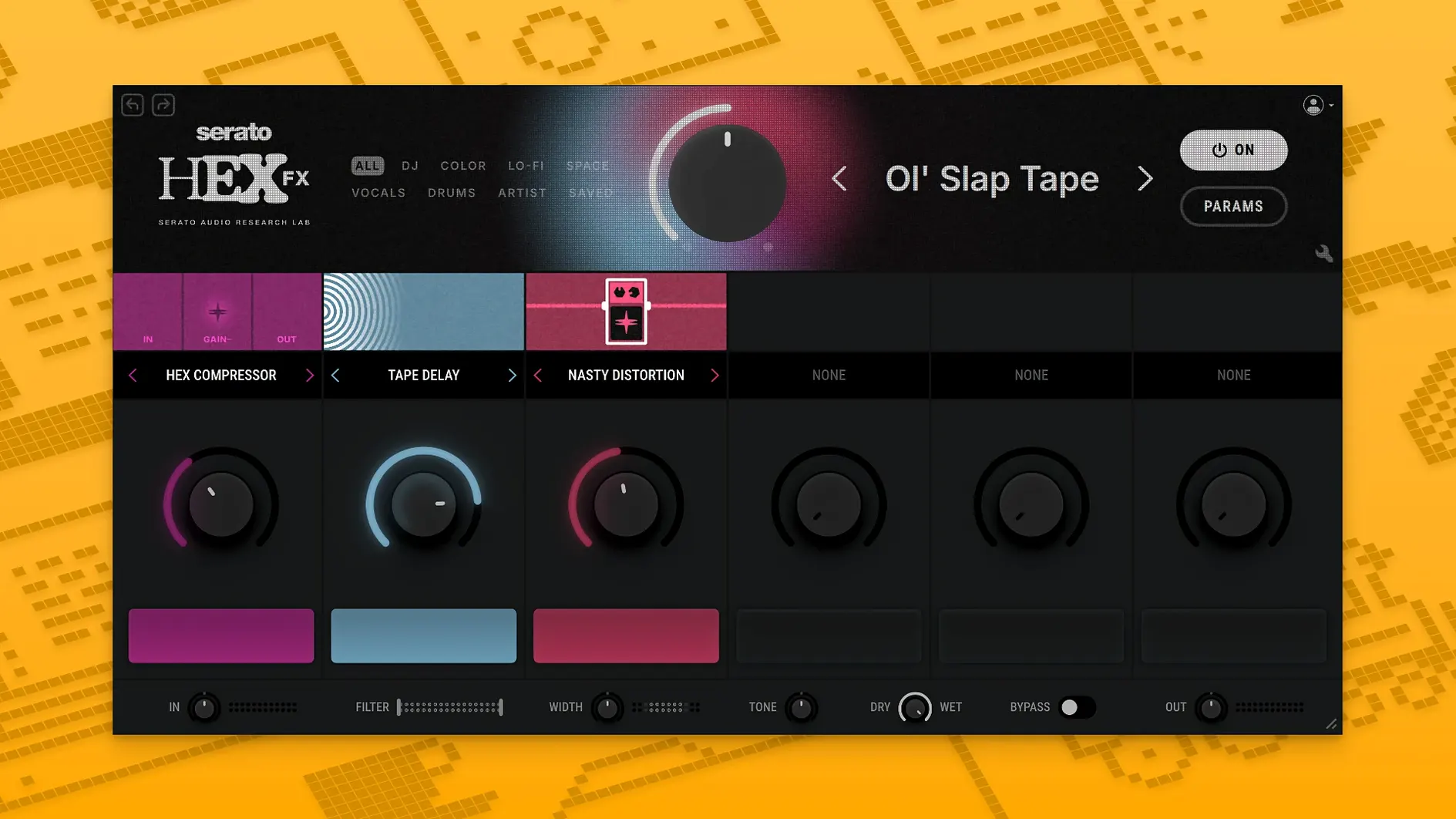
Halftime hits differently on a drum bus. Serato Hex FX puts that and other chainable effects into one VST/AU/AAX slot.
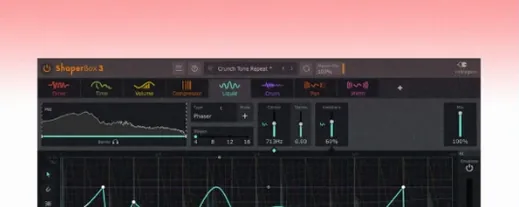
Performance FX — tempo-synced effects built for live tweaking. Halftime, Rollout and more.
Effect chain — stack multiple effects in series. Drag to reorder the signal flow.
Custom presets — save your own chains and parameter settings for recall across sessions.
Pro Tools — the AAX format added in version 1.2.0 makes it load directly in Avid sessions.
Buses — insert on a group channel to process multiple tracks at once. Works on individual tracks too.
macOS support — runs natively on Apple Silicon and Intel 64-bit Macs. Works on macOS 10.15 through macOS 26 Tahoe.
Reorder reverb and distortion before saving a preset
New users often overlook the order of effects in the chain. Dragging a reverb before a distortion gives a completely different texture than placing it after. Test both directions before you save a preset.
Another common slip: setting the wet/dry mix to 100% on every slot. That buries the source signal. Back off the mix on at least two modules to keep some dry signal passing through — the effect chain sounds cleaner that way.
Some producers ignore the EQ bands entirely. The low-shelf alone can rescue a muddy bassline before it hits the rest of the chain. Cut before you boost, and cut early in the signal flow.
Loading a preset and assuming it fits the track without tweaking the tempo sync is a fast track to disappointment. Halftime and Rollout lock to your DAW tempo, but only if the plugin reads it correctly. Check the sync status in the transport bar of your host.
AAX Native drops the Pro Tools wrapper
The headline addition is AAX Native support. Pro Tools users no longer need a wrapper or workaround — the plugin appears directly in the insert menu. The installer now includes a dedicated AAX format option, so you tick one box during setup and the .aaxplugin lands in the right folder.
Bug fixes in this release addressed occasional parameter jumps when reopening a session in Logic Pro. Automation lanes now recall positions precisely, which matters if you ride the filter cutoff across an arrangement.
macOS 26 Tahoe compatibility was confirmed alongside Apple Silicon native performance. No Rosetta translation needed on M-series Macs.
Audition 200+ presets on a return track with a drum loop
Open the plugin on a return track first, not an insert. Feed it a simple drum loop and scroll through the 200+ presets while the loop plays. This gives you a quick map of what the engine can do before you build your own chains.
Set aside ten minutes to drag every effect module into a blank chain and twist its main parameter. Knowing that the pitch shifter glitches musically versus cleanly shapes your later decisions under pressure — especially in a live set.
Save three utility presets early: a drum bus thickener, a vocal space widener, and a drop transition. Label them clearly. When a session runs late, having your own starting points beats scrolling through factory banks.
If you work in Serato Studio, keep the plugin window open on a second display during performance. The Performance FX section responds to mouse clicks and MIDI mapping, so assign Halftime and Rollout to pads or keys for instant control.
Check your DAW's plugin manager after installation. On Apple Silicon systems running Logic Pro, confirm the validation scan completes without errors. If a crash occurs, run the terminal commands from the installer notes to reset the plugin cache.
- AAX format support added for Pro Tools integration
- Installer now includes an AAX format option
- Bug fixes applied
- macOS 10.15 or later (including macOS 26 Tahoe)
- Apple Silicon or Intel 64-bit processor
- VST, AU, or AAX compatible DAW
- Interface language: English




Comments 0
Sign in or create an account to add a comment.
No comments yet. They go up after moderation.