

AirBuddy — Mac download
Download (49 MB) Earlier builds
Ticked
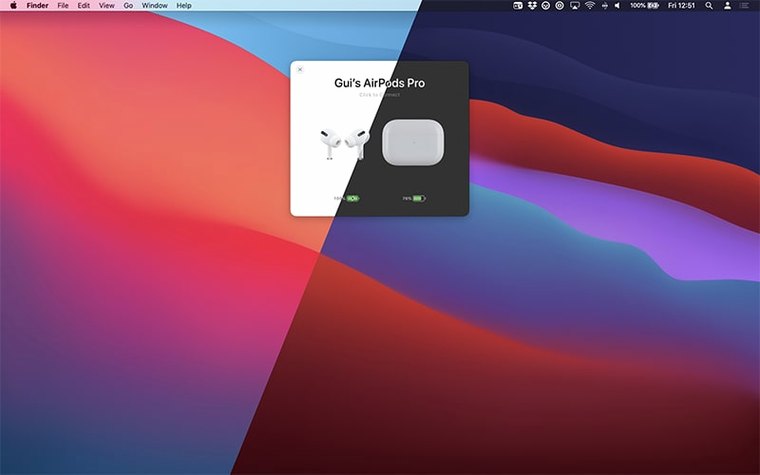
macOS 14 or later. That is the one hard requirement. AirBuddy 3 sits in the menu bar and shows you battery status for nearby AirPods and Beats headphones the moment you open the case. Here is where to start.
Pick your menu bar icon style
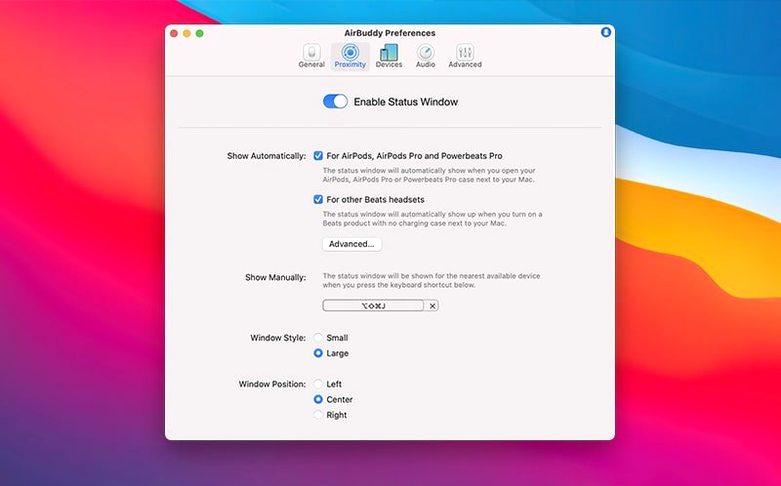
- Pick your menu bar icon. The beta lets you choose the full app icon, a compact battery indicator, or nothing at all. A tidy bar helps you spot the numbers faster.
- Assign a keyboard shortcut for listening-mode switching. One press jumps between transparency, adaptive and noise cancellation on AirPods Pro without opening Control Centre.
- Turn on Magic Handoff. If you use a Magic Mouse, trackpad or keyboard across two Macs, this moves the peripheral with a single click instead of manual re-pairing.
Spot the battery asymmetry
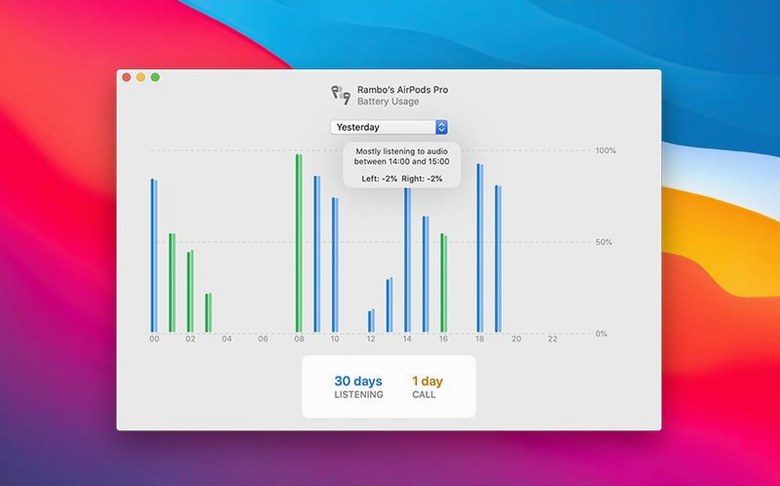
The popover shows left and right AirPod charge separately. A quick glance tells you if one side is draining faster, which often means a mic setting or fit issue. Total listening time and total talk time sit below the individual readings.
How to sort snags that come up
A device shows as “nearby” but won’t connect
- Toggle Bluetooth off and on from Control Centre, not just the menu bar. A full off/on cycle resets the stack more thoroughly.
- Put the AirPods back in the case, close the lid, wait ten seconds, then open it again near the Mac. AirBuddy polls proximity, not paired state, so the case-lid trigger matters.
- Check that the device is not already connected to your iPhone. Handoff between Apple devices can hold the connection and AirBuddy won’t steal it.
Menu bar icon shows “—” instead of battery
Usually means AirBuddy hasn’t seen the device recently enough to report a reading. Open the case near the Mac or wake the Beats headphones. If nothing changes, re-run the permissions check: System Settings → Bluetooth → allow AirBuddy in the list.
Magic Handoff moves the peripheral, then it disconnects
Both Macs need AirBuddy running and unlocked. If one Mac is asleep or has “Require password immediately” set, the handoff completes but the connection drops. Keep both machines awake during the switch.
Listening-mode shortcut ignores one mode
Adaptive mode only appears on AirPods Pro 2 with current firmware. If you cycle through and never see it, check the firmware version under the device name in the popover. Older AirPods Pro jump straight from transparency to noise cancellation.
Where AirBuddy sits alongside macOS and other apps
Control Centre and the Bluetooth menu
AirBuddy doesn’t replace them — it puts the same controls one click closer. The listening-mode picker mirrors what Control Centre offers, and the connection button does what the Bluetooth menu does, just without digging through submenus.
Audio routing and FaceTime
When you connect AirPods through AirBuddy during a call, macOS switches the audio route instantly. The app does not fight the system audio picker; it triggers the same route change you would make in the menu bar sound selector.
Third-party creative apps
AirBuddy runs independently of audio production tools. With an affinity beta or an adobe beta generative fill session open, connecting AirPods won’t interrupt playback — the app handles the handover silently. The same applies during an airbuddy beta test window if you are running an early build alongside the stable version.
iPhone and iPad visibility
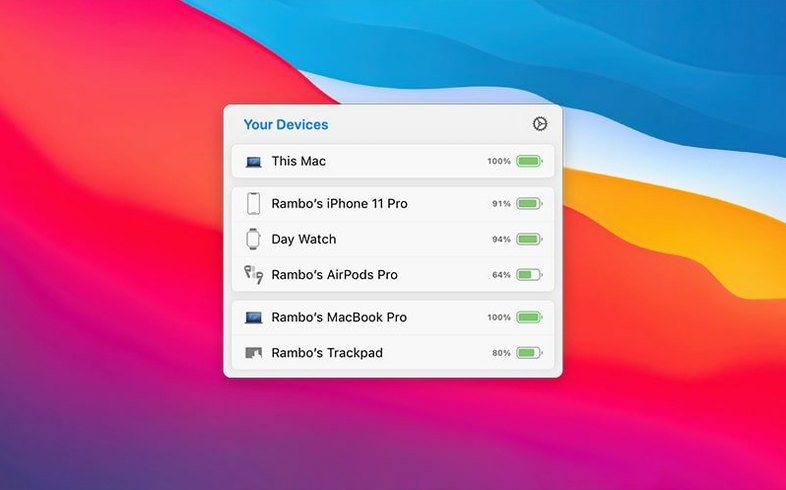
Nearby iOS devices appear in the popover grouped with the headphones they’re paired to. You see your iPhone battery next to your AirPods, which helps when deciding whether to switch audio back to the phone. The grouping logic reads Apple’s paired-device relationships, same data Handoff uses.
- Shows battery status, connects AirPods, and controls playback for nearby Apple and Beats headphones.
- Moves Magic Mouse, trackpad or keyboard between Macs with Magic Handoff.
- Menu bar icon now configurable: app icon, battery indicator, or hidden.
- macOS 14 or later
- Apple Silicon or Intel Mac
Questions the team asks
The beta release notes state AirBuddy 3 will require macOS 13 or later when it ships, but the current build needs macOS 14.
Yes. One-click connection from the menu bar works once your AirPods have been paired, even if the case is already open nearby.
It lets you connect your AirPods Pro and cycle through listening modes with a gesture on your Mac's trackpad, keeping your hands off the keyboard.









Comments 0
Sign in or create an account to add a comment.
No comments yet. They go up after moderation.