
BetterDisplay Pro — Mac download
Download (16 MB) Earlier builds
Ticked
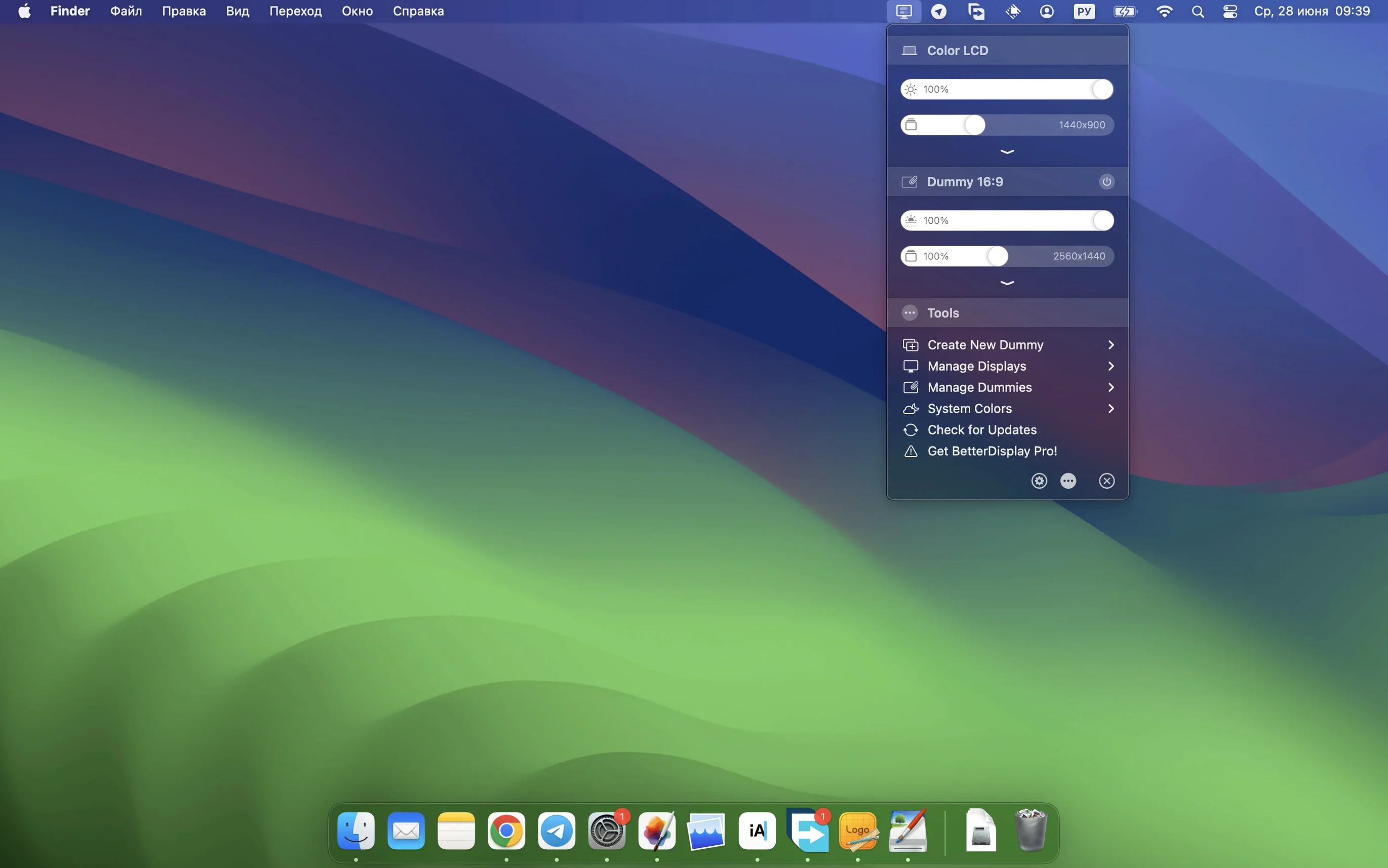
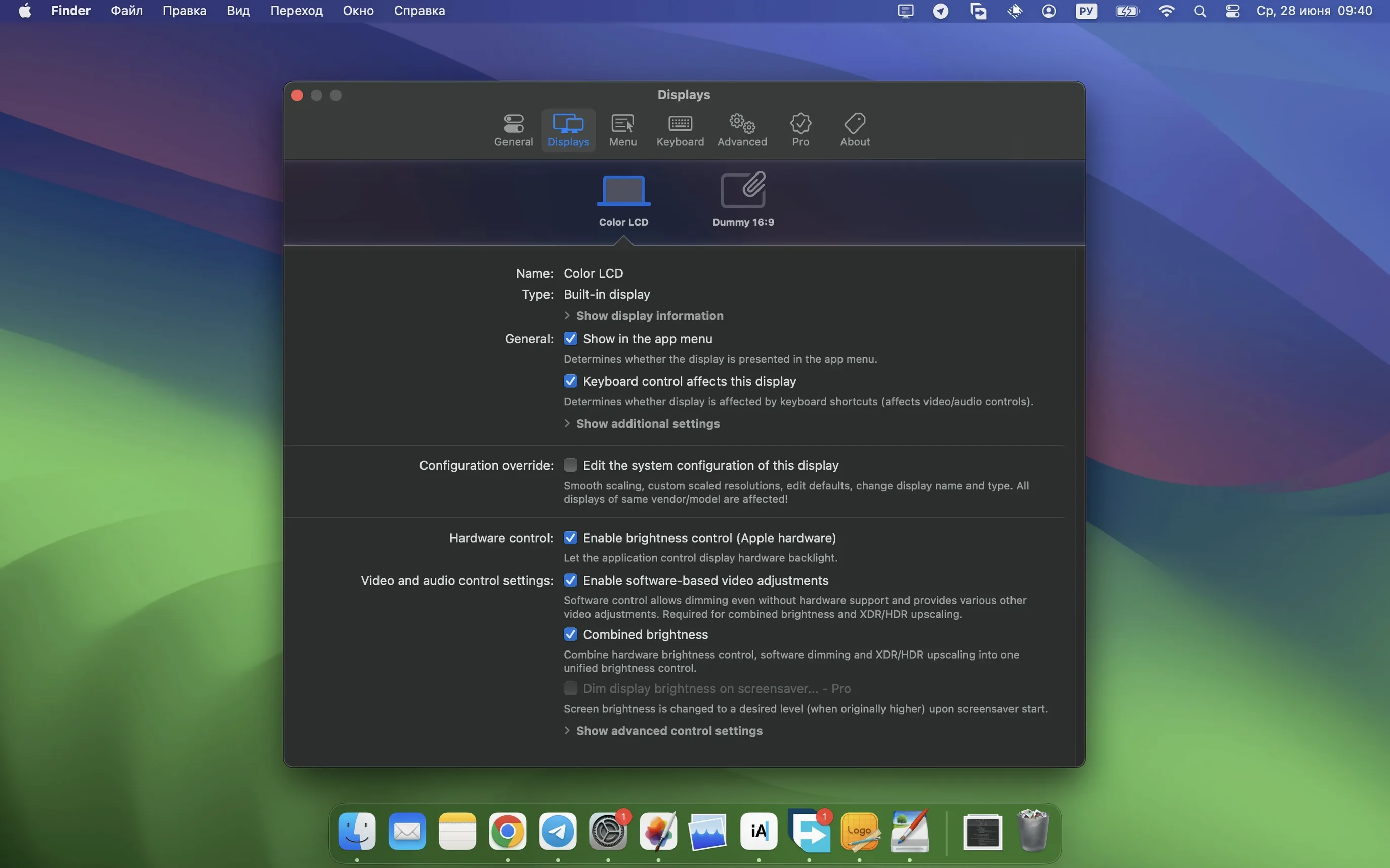
16 interface languages and one menu bar icon. That is the surface. The depth is in the override file editor and the 3D LUT loader.
HiDPI scaling beyond Apple’s presets
- Flexible HiDPI scaling — go beyond the handful of presets macOS offers. Define your own pixel-perfect resolutions per display.
- Display configuration overrides — force RGB mode on a stubborn HDMI monitor, lock a colour profile, or inject an EDID override. Once set, it sticks across reboots.
- Custom 3D LUTs — load calibration LUTs directly onto the GPU path. Colourists can carry a reference grade from Resolve onto the desktop.
- XDR/HDR brightness upscaling — push compatible Apple Silicon Macs past the standard SDR ceiling when working with HDR reference footage.
- Full black dimming — drop below the normal zero point on external displays that support DDC. Useful for dark-room grading or late-night dashboards.
- Stream video filter automation — new in 5.0.6. Trigger sharpening or contrast adjustments automatically when a video stream is detected.
Virtual screens and picture-in-picture
Create headless virtual displays at exact resolutions for screen sharing or recording, then monitor one as a floating PIP window while you work. Combine that with DDC brightness and colour control across multiple physical screens, and the menu bar becomes a full display patch bay.
People download BetterDisplay Pro once they have a specific pain point — a 1440p monitor that looks fuzzy, an external display that refuses to wake, or brightness keys that only work on the built-in screen. The most common first question is whether it conflicts with macOS native scaling. It does not. It sits alongside the system display settings and extends them. The override file is written to the same location macOS reads from, so the system treats your custom mode as a native resolution.
Another recurring question: does the app need to stay running? For static overrides, no — the EDID injection and resolution patch survive a restart even if the app is closed. For DDC brightness control, XDR upscaling, and virtual displays, the menu bar helper must be active. It uses negligible GPU headroom on Apple Silicon; on Intel machines with multiple 4K screens, you might notice a small background load from the PIP window renderer.
A third question is about multi-user setups. Display overrides are per-display, not per-user. If two accounts on the same Mac need different scaling on the same monitor, you will need to save a configuration profile and switch manually. BetterDisplay Pro exposes the override folder path in its advanced pane, so a launch agent script can swap files at login if you need automation.
Night Shift and True Tone stay intact
Night Shift and True Tone coexist without interference — the app adjusts the LUT downstream of those system colour transforms. If you load a calibration 3D LUT, Night Shift will still warm the white point on top of it. Just be aware that stacking a LUT, a system colour filter, and the app's own contrast slider can produce clipping in deep shadows. Test in sequence.
For colour-critical workflows, the 3D LUT loader talks directly to the Metal layer. Resolve users often export a LUT from the project colour management panel, load it into BetterDisplay Pro, and use that as a desktop reference. It is not a replacement for a dedicated output card, but for SDR previews on an XDR display it gets close. The app does not touch AVFoundation or Core Image pipelines, so it will not affect QuickTime colour tags or screenshot colour profiles.
Apps that use full-screen exclusive mode — games, some media players — can briefly bypass the override. If a game switches to a resolution the app does not manage, the display reverts to the default EDID. Re-enabling the override usually takes one click from the menu bar. For windowed PIP monitoring, OBS and Stream Deck users often place the PIP on a secondary monitor and send it via NDI or a dedicated capture card loopback.
Mistakes beginners should avoid
- Treating the override editor as a system preferences panel. There is no undo stack. If you inject a bad EDID or force an unsupported refresh rate, the display may go dark until you boot into safe mode and delete the override plist. Always save a known-good configuration profile before experimenting.
- Stacking too many image adjustments. The sharpening slider in version 5.0.6 is stronger than previous builds. Beginners often combine it with the built-in contrast boost and a heavy LUT, then wonder why text halos appear. Start with one adjustment, evaluate, then add the next.
- Ignoring the DDC wiring. DDC brightness control needs a display that actually supports DDC/CI over the cable you are using. Some USB-C to DisplayPort adapters strip the DDC channel. If the brightness slider is greyed out, test a direct HDMI connection before assuming the app is broken.
- Forgetting that virtual displays are real to the GPU. Creating a 5K virtual screen allocates framebuffer memory. On a base M1 Mac with 8 GB RAM, three virtual 4K displays will trigger aggressive memory compression. Use virtual screens for specific tasks, then disable them when the job is done.
- macOS 13.3 or later
- Apple Silicon or Intel 64-bit Mac
Questions the team asks
Yes. The display configuration override feature lets you set RGB mode, lock a colour profile, or apply EDID overrides that persist across reboots.







Comments 0
Sign in or create an account to add a comment.
No comments yet. They go up after moderation.