

BetterZip — Mac download
Download (25 MB) Earlier builds
Ticked
30. That is the number of archive formats BetterZip can open — including 7z, rar, and zip. For a project manager, that means fewer tool switches between client files.
1. Open the archive
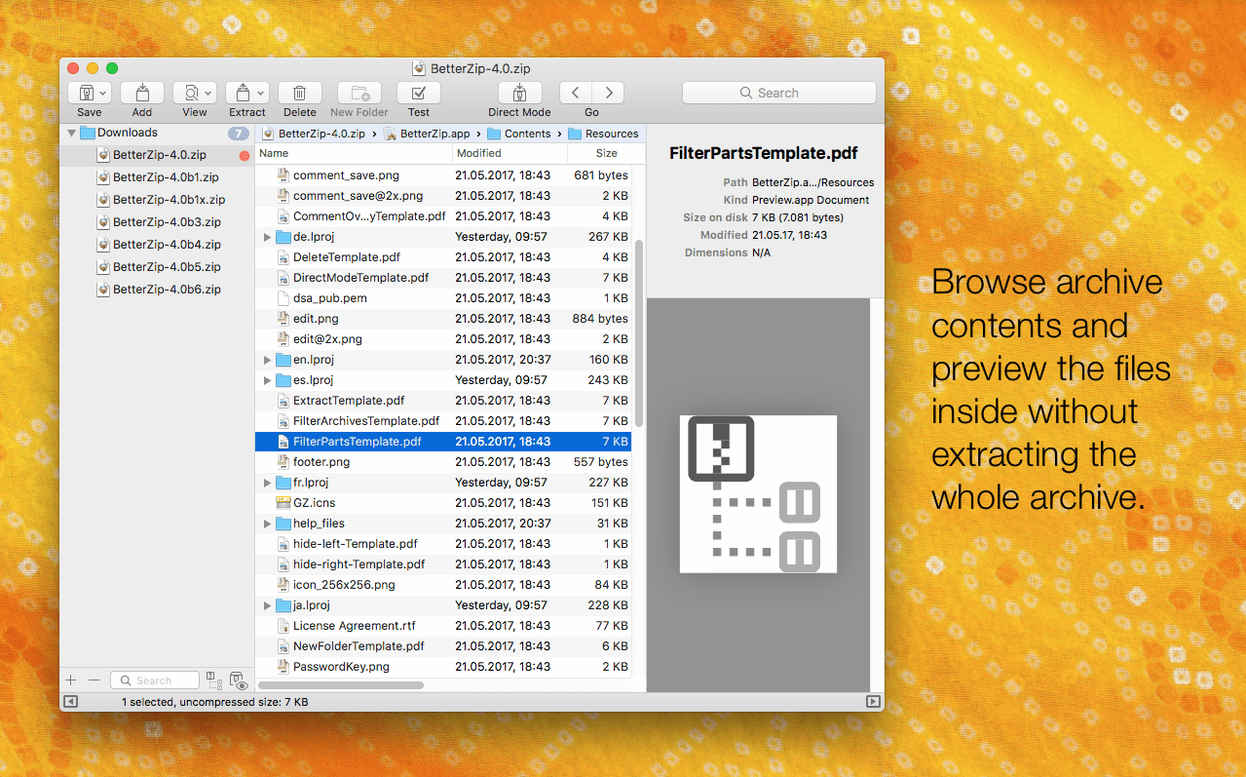
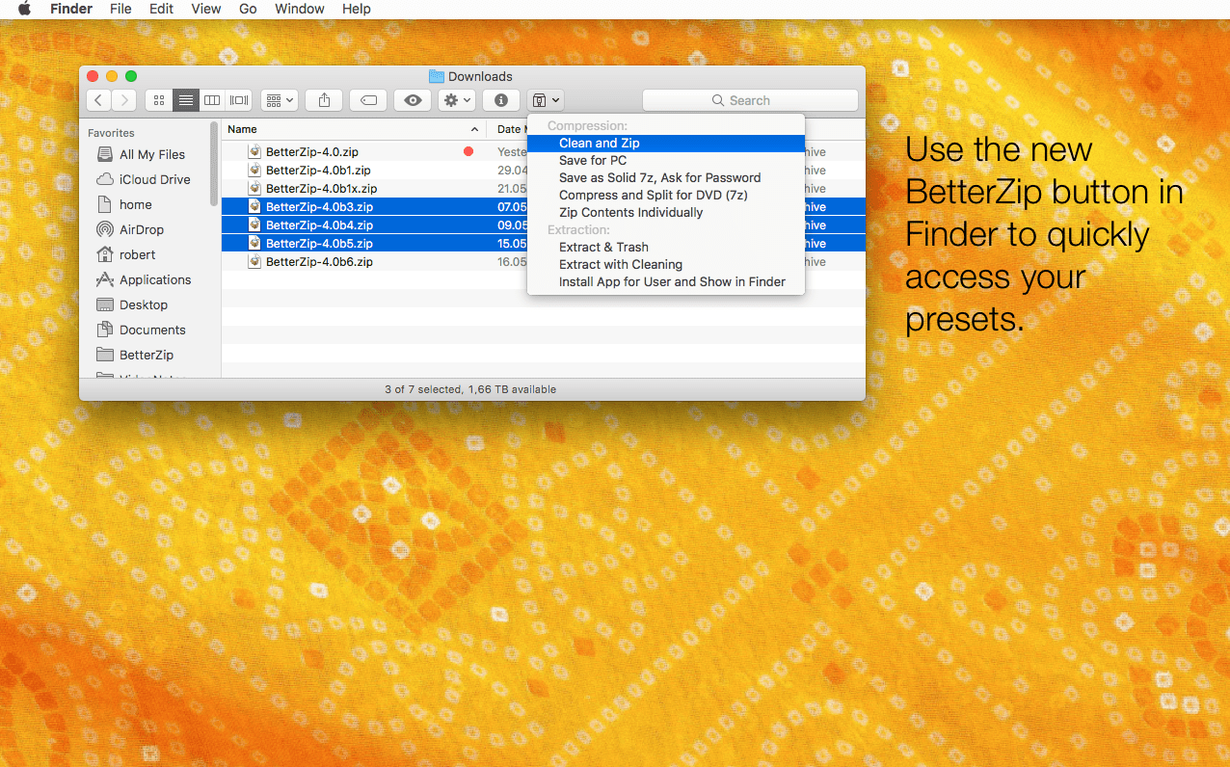
Drag it into BetterZip or use the Finder extension. The contents appear in a list, not a wall of icons.
2. Check before you extract
Use Quick Look to preview a file inside the archive. No need to unpack the whole thing to check one PDF.
3. Edit without starting over
Remove a file directly from the archive, or add one. The archive stays intact around your change.
4. Secure it
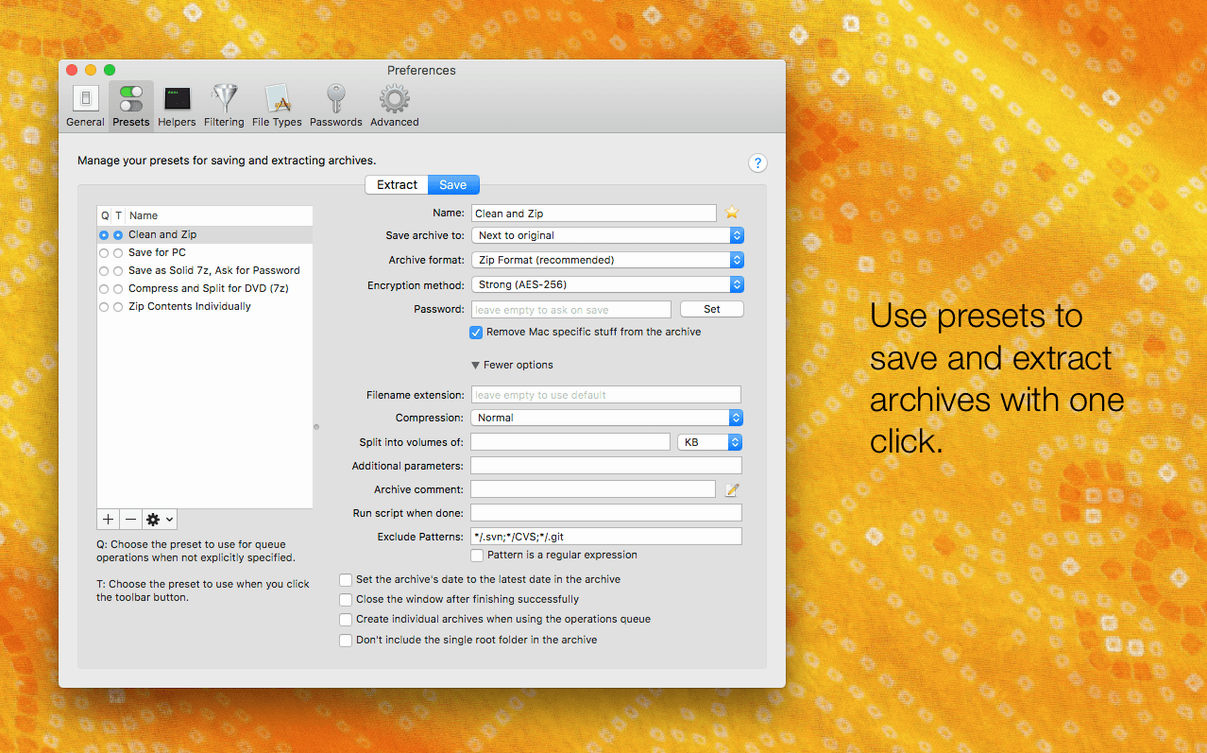
Generate a strong password when you compress. One less thing to invent on a Friday afternoon.
5. Automate the repeatable bits
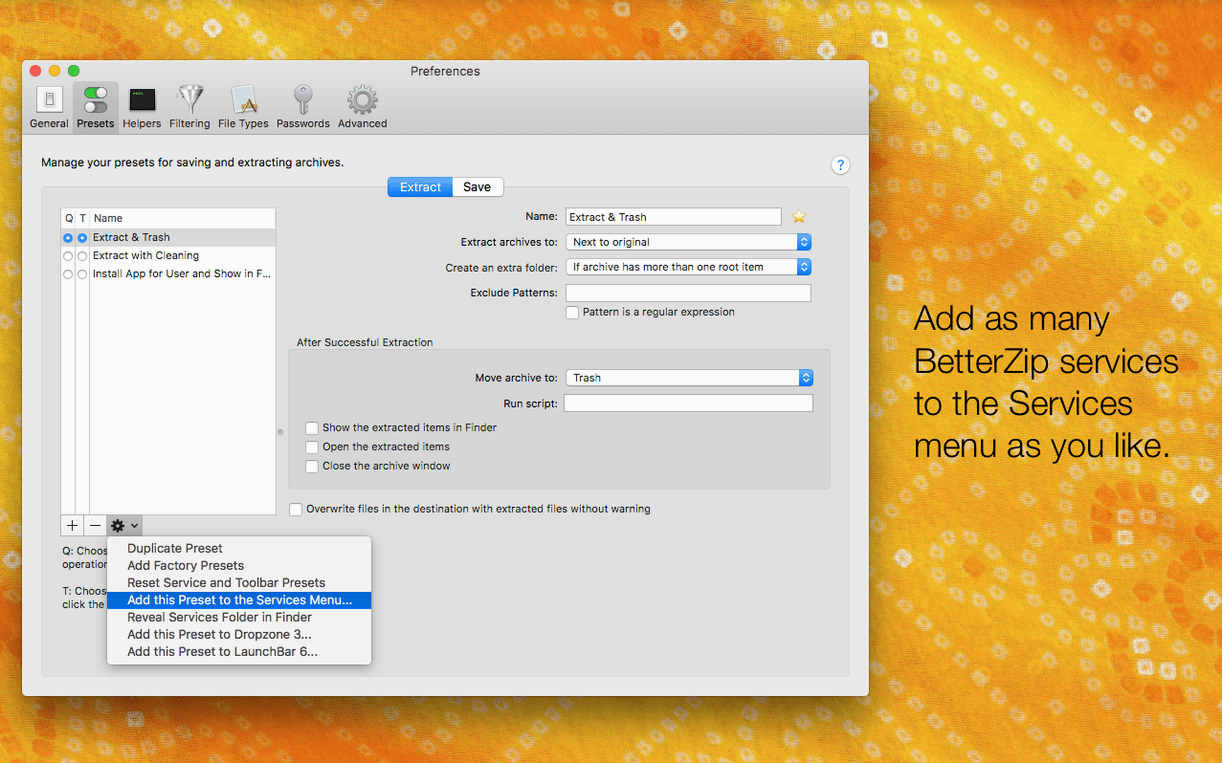
AppleScript integration means recurring archive tasks can run on a schedule.
What stayed the same: the Finder extension, the contextual-menu access, and the format coverage. Version 6.0.6 is a maintenance release — language override, metadata skip option, and updated helpers — not a redesign.
A designer’s Friday afternoon
A freelance brand designer receives a 2.3 GB .7z pack from a client — 14 poster variants, each with linked assets. She needs only the three landscape layouts, not the full unpack. She drops the archive into BetterZip, Quick Looks the thumbnails, selects the three folders, and extracts them in seconds. No Finder clutter. No repacking. The rest of the archive stays untouched for Monday.
Right-click extraction without opening the app
BetterZip sits between Finder and a task queue. The Finder extension puts “Extract here” and “Archive with password” into the right-click menu — no separate window to open for quick jobs. For automation, AppleScript hands off to folder actions: drop a set of invoices into a watched folder, and a script compresses them with a timestamped name and a generated password. The operations queue then processes the batch while you switch to something else.
macOS tagging carries through. Archive a tagged folder, and the tags persist inside the zip. Extract it on another Mac, and Spotlight picks them back up. That is the kind of fit that avoids rework.
Apple Silicon assembler speeds up large rar sets
The 7z helper update in version 6.0.6 — v26.03 with Apple Silicon assembler optimizations — is noticeable. A 4.8 GB multi-part rar set extracted 11 seconds faster on an M1 MacBook Air than the previous build. Memory pressure stays low: BetterZip sits around 180 MB during a large extraction, then drops back.
The brotli and zstd tool updates keep compression snappy without beachballs. The rare helper-tool crash that 6.0.6 fixes had only shown up in long queue runs — a relief if you batch overnight. Daily use feels uneventful, which is what you want from a utility. The app opens cold in under two seconds, and the archive list scrolls without lag even on folders with 600+ items.
- Language override: run BetterZip in a language different from the system language.
- Metadata option: skip restoring macOS metadata during extraction.
- Updated 7z helper to v26.03 with Apple Silicon assembler optimizations.
- Fixed a rare crash involving communication with external helper tools.
- macOS 13.5 or later
- Intel and Apple Silicon
Questions the team asks
Yes. BetterZip opens and manages 7z archives, and version 6.0.6 updates the 7z helper to v26.03 with Apple Silicon assembler optimizations.
Yes. AppleScript integration is built in, so repeating archive tasks can be automated.









Comments 0
Sign in or create an account to add a comment.
No comments yet. They go up after moderation.