

DaVinci Resolve Studio — Mac download
Download (7.9 GB) Earlier builds
Ticked
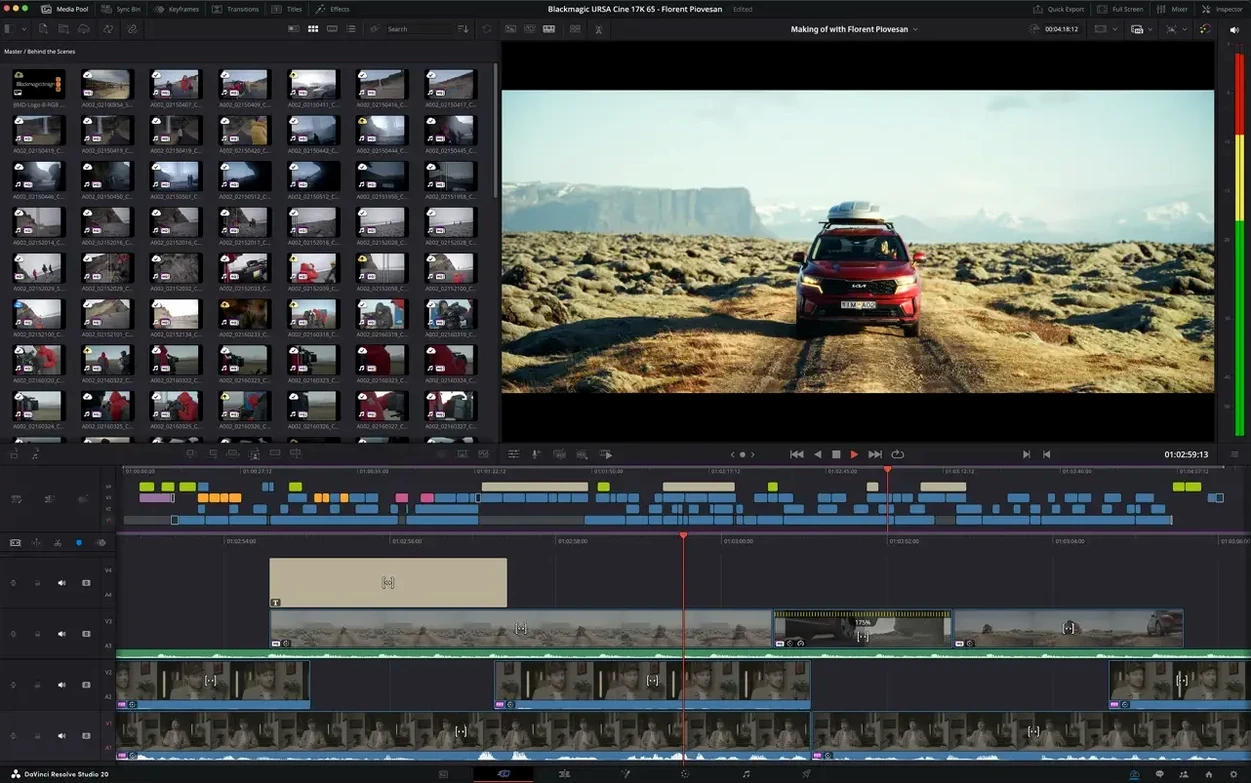
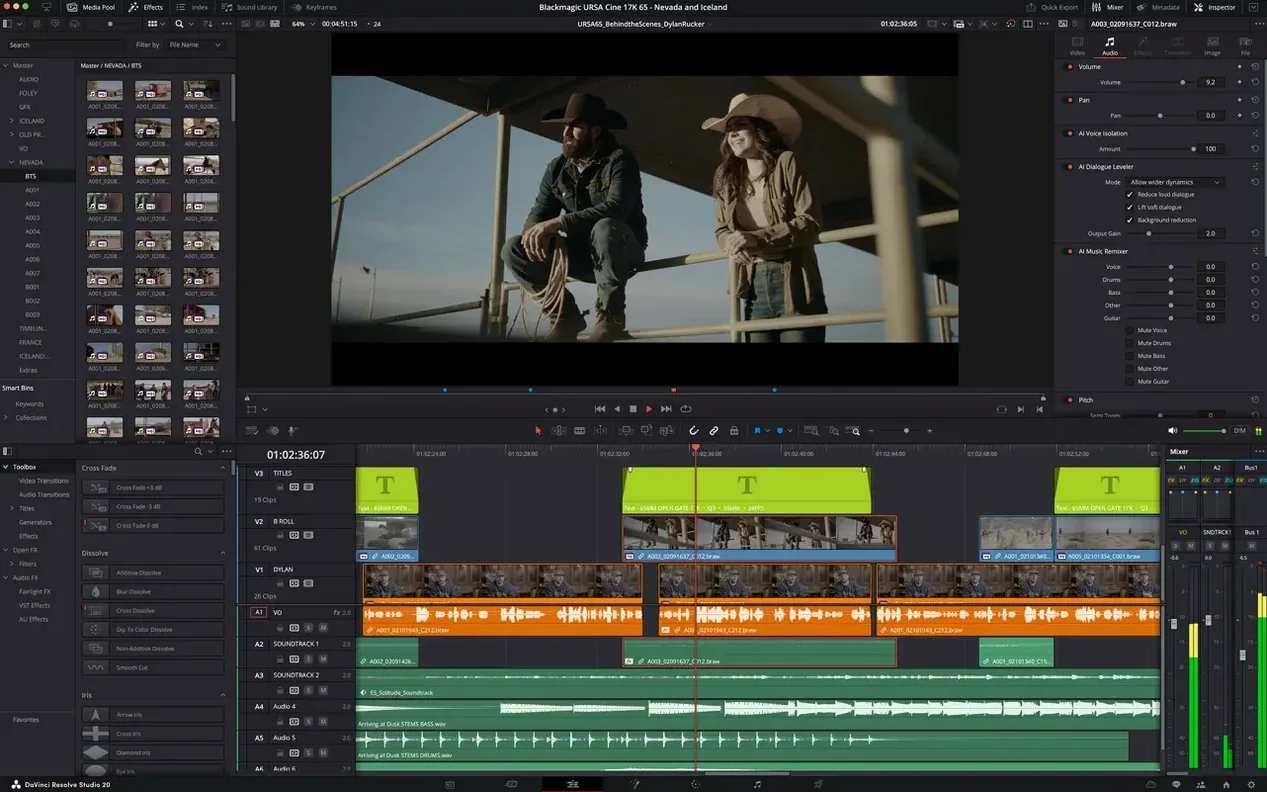
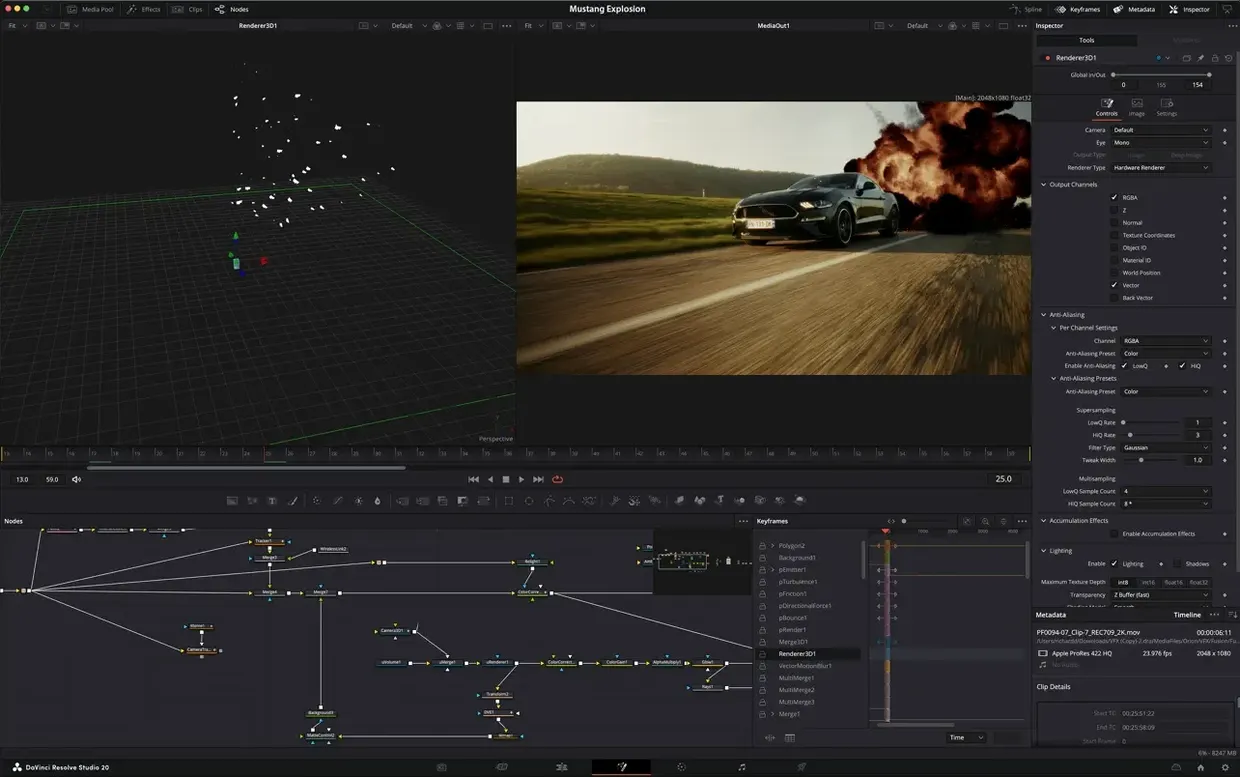
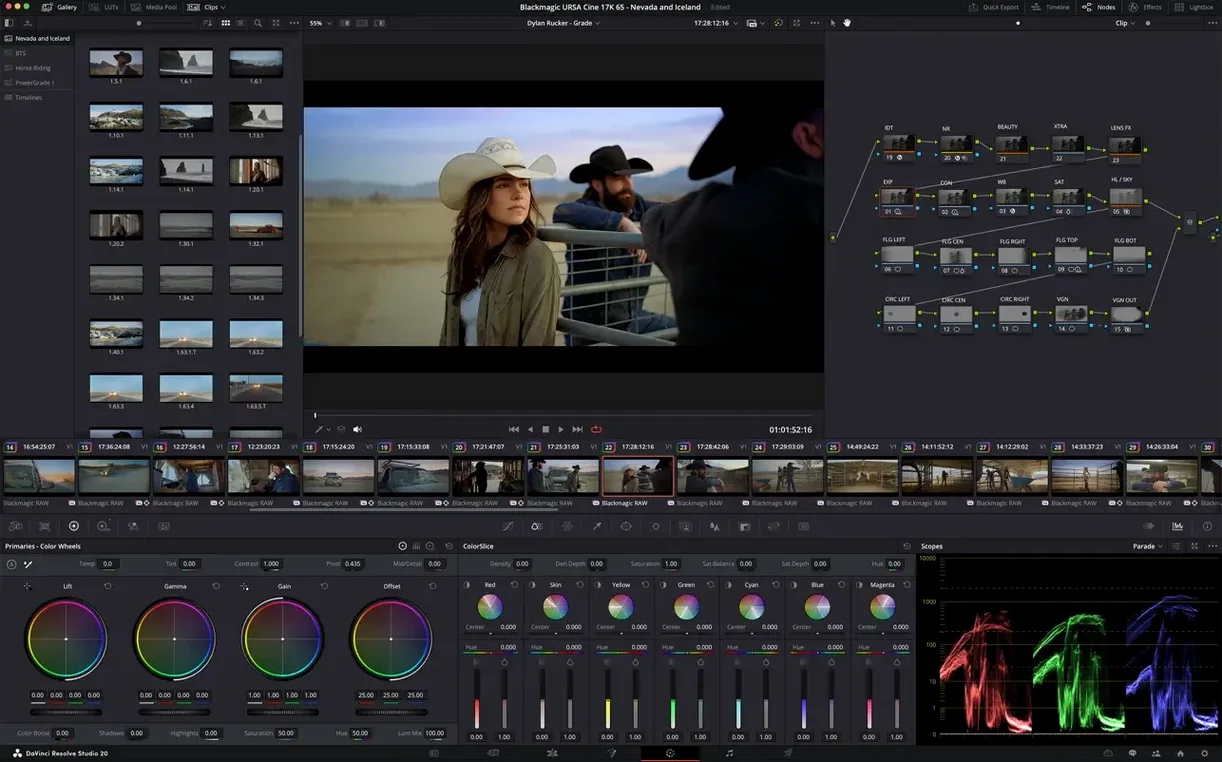
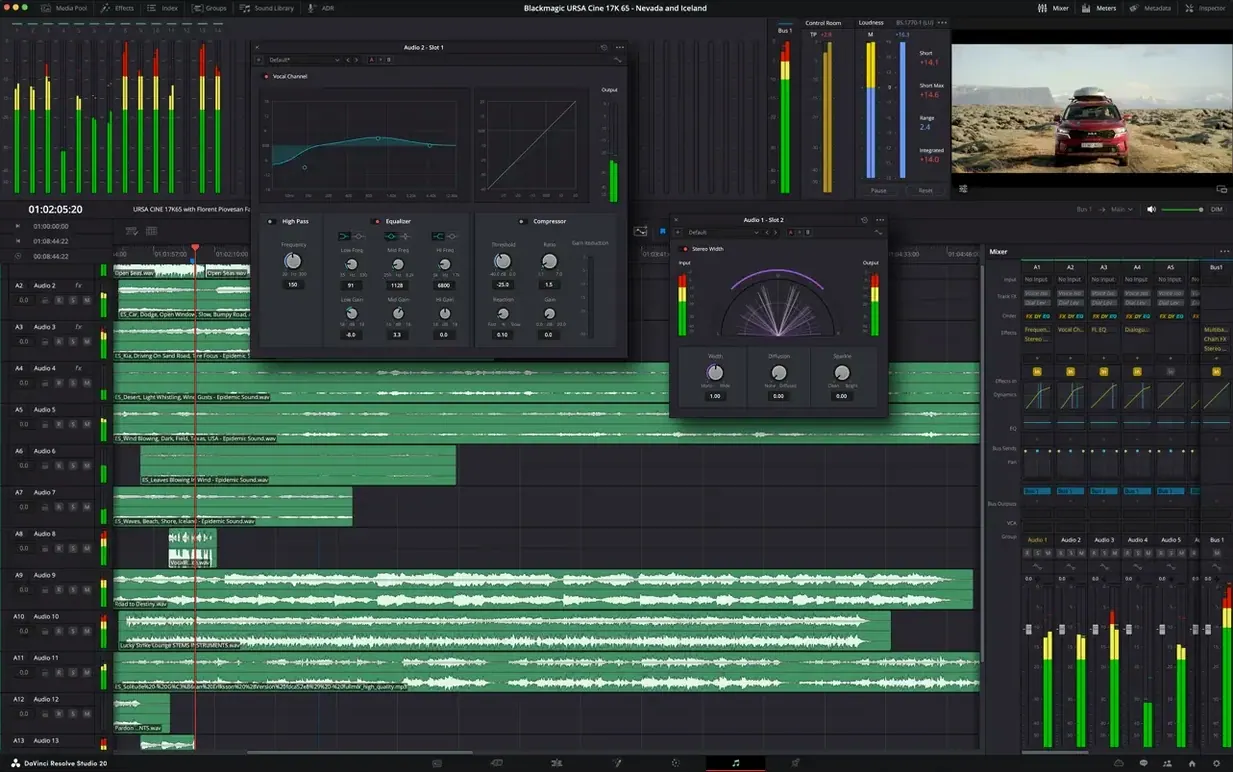
DaVinci Resolve Studio is the paid edition of Blackmagic Design’s Mac video post-production application, built for editors, colourists, and sound mixers who need the full Hollywood toolset.
Good for
- Colour grading with the full HDR palette, lens flares, and advanced tracking tools unavailable in the free edition.
- Audio post using Fairlight — a dedicated mixing and mastering environment with ADR, EQ, and dynamics processing.
- Multi-user collaboration on the same project, with bin locking and chat built in.
- Scripting repetitive tasks via the 20 new APIs and built-in console added in version 21.1.
- Hardware-accelerated HEIC decoding on Apple Silicon, part of the 21.1 update’s performance improvements.
Keep in mind
- The Studio edition requires a licence; it is not the free version of Resolve.
- Project files saved in Studio cannot be opened in the free version if they use paid-exclusive features.
- 21.1 adds over 100 new tools — upgrade planning matters on shared storage with mixed version suites.
Mistakes beginners make
- Working in the Cut or Edit page before setting project frame rate and resolution in Project Settings. Resolve does not auto-adjust mismatched footage — it forces a conform on import that can stretch or crop clips.
- Ignoring the Render Cache. Scrubbing un-cached 6K raw footage on a machine without enough VRAM turns the timeline into a slideshow. Set Playback > Render Cache > Smart and let it build before playback.
- Grading on the Color page without a calibrated reference monitor. The MacBook display lies — saturation and contrast shift enough to ruin a print check. At minimum, turn off True Tone and Night Shift before touching the wheels.
- Dragging LUTs onto clips without node structure. A LUT applied at the clip level bakes before any other grade. Put it in a dedicated node downstream, labelled, so you can bypass it later without rebuilding the node tree.
- Skipping the Fairlight mixer layout setup. New users drop audio clips, hit play, and wonder why levels are buried. Open the mixer, assign tracks to buses, and set a rough gain stage before EQ touches anything.
Common snags and how to sort them
Media offline after relinking
Resolve sometimes loses the path when drives mount with a different volume name. Right-click a clip in the Media Pool, choose Relink Selected Clips, point to the folder — not the individual file — and tick Match file name only. If that fails, head to File > Media Management and trim the project to a new location with consolidated media. It rebuilds paths from scratch.
Playback stutter on Apple Silicon
Even with hardware-accelerated HEIC decoding in 21.1, certain codecs hammer the Neural Engine unevenly. Drop Playback > Timeline Proxy Resolution to Half or Quarter. If you are editing H.265 10-bit 4:2:2 from a mirrorless camera, generate optimised media in ProRes 422 HQ — the decode burden vanishes and scrubbing goes real-time.
Node graph spaghetti on the Color page
A flat chain of 12 serial nodes is not a grade, it is a headache. Group corrections into a fixed structure: node 1 for exposure and balance, node 2 for a look LUT, node 3 for skin qualification, node 4 for window tracking. Right-click the viewer and choose Grab Still after each major stage — it saves a snapshot you can revert to without undoing everything.
Fairlight bus routing gone silent
Newcomers route dialogue tracks to a bus but forget to assign that bus to the main stereo output. Open Fairlight > Bus Assign, check the chain from track to bus to master, and confirm the master fader is not muted. A quick pulse on the solo button isolates the problem in seconds.
A typical working session, step by step
You sit down with a drive full of B-roll from a two-camera interview shoot. Footage sits in a folder named by card number — a habit from the DIT. Resolve launches; you click into the Media page, drag the folder into the pool, and watch thumbnails populate. No import dialogue, no transcoding yet. Just a mirror of what is on the disk.
Switch to the Cut page. You scrub the first interview angle, drop in and out points with I and O, and hit E to append. Thirty seconds in, the timeline has the backbone of the edit — A-roll on track one, B-roll on track two. You toggle Timeline > Boring Detector to flag static shots that need cutting.
With the rough cut assembled, you move to Color. A right-click on the first clip opens a still from the gallery — a grade you built last week on a similar setup. You drag it onto the clip, then step into the node tree. Node 01 holds the primaries lift-gamma-gain correction. Node 02 gets a parallel mixer with two branches: one for a power window tracking the subject’s face, the other for a vignette darkening the booth background. The scopes confirm nothing clips.
Audio pulls you into Fairlight. The interview mic track sits peaking at -18 dBFS — usable but thin. You insert a compressor with a 4:1 ratio, medium attack, and pull the threshold until gain reduction hovers around 6 dB. A parametric EQ rolls off rumble below 80 Hz and lifts presence at 3.5 kHz. The B-roll ambient track gets ducked under the dialogue via sidechain compression, keyed from the interview bus.
Delivery page. You select the YouTube preset, check Render at source resolution, and point the output to a review folder. The queue panel shows GPU-accelerated encode progress. While it renders, you grab the stills you saved and drop them into a PowerGrade album for the next project — a session file that carries the look forward without reinventing it.
- macOS 15 or later
- Apple Silicon or Intel 64-bit Mac
Questions the team asks
Version 21.1 adds over 100 new editing and colour grading controls, expanded camera format support on the Photo page, hardware-accelerated HEIC decoding on Apple Silicon, and 20 new scripting APIs with console support.








Comments 0
Sign in or create an account to add a comment.
No comments yet. They go up after moderation.