

CrossOver — Mac download
Download (285 MB) Earlier builds
Ticked
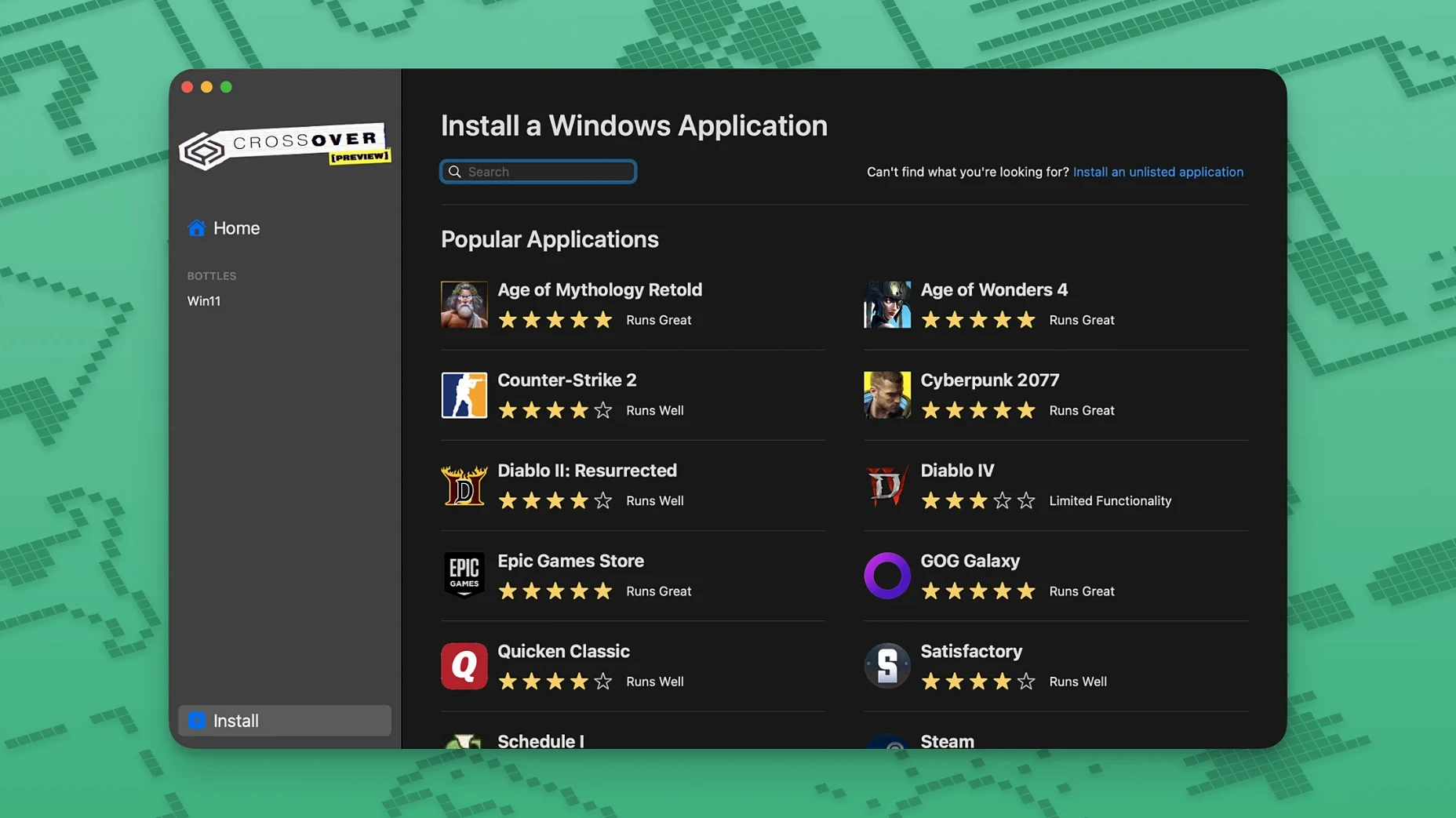
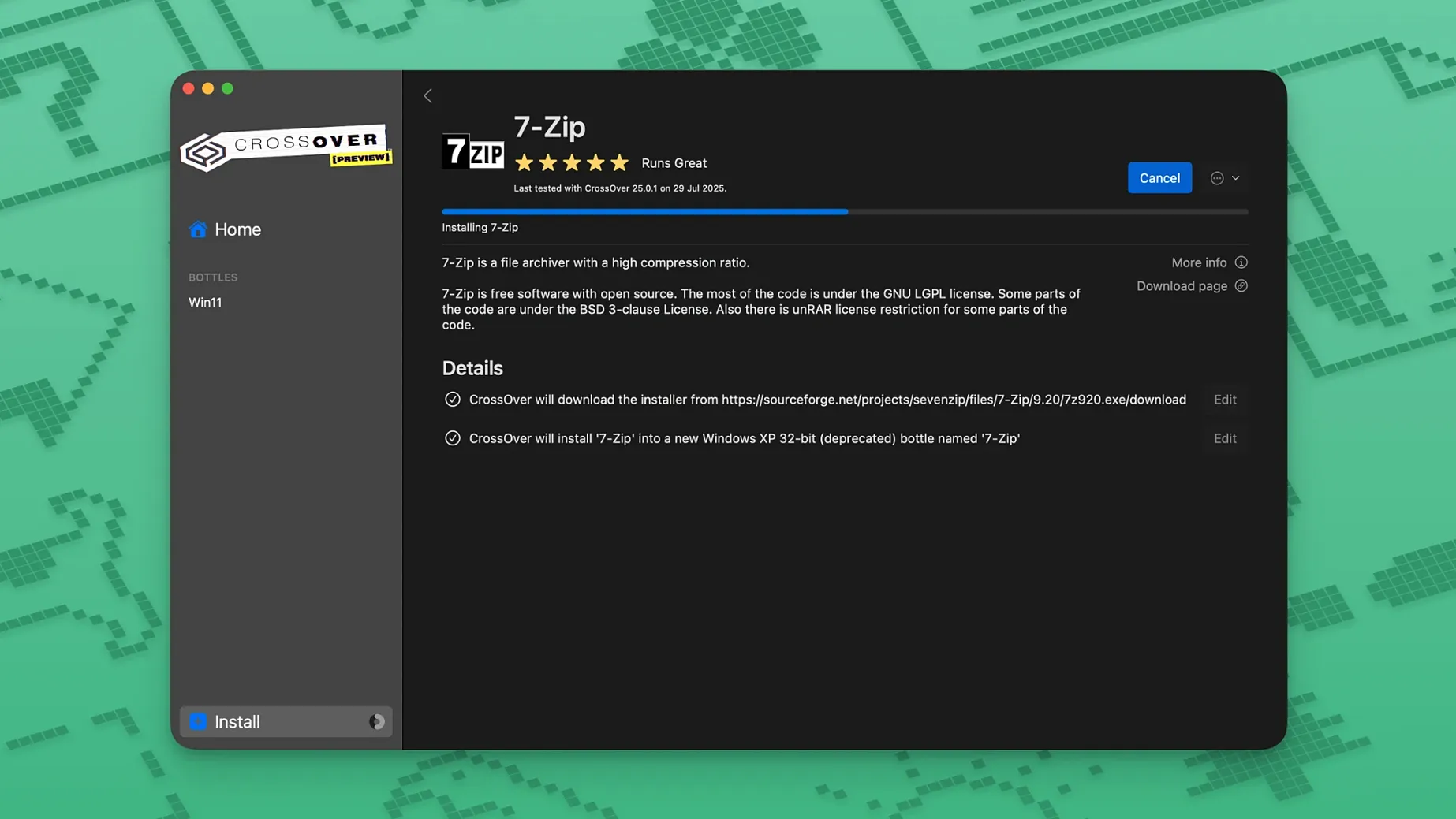
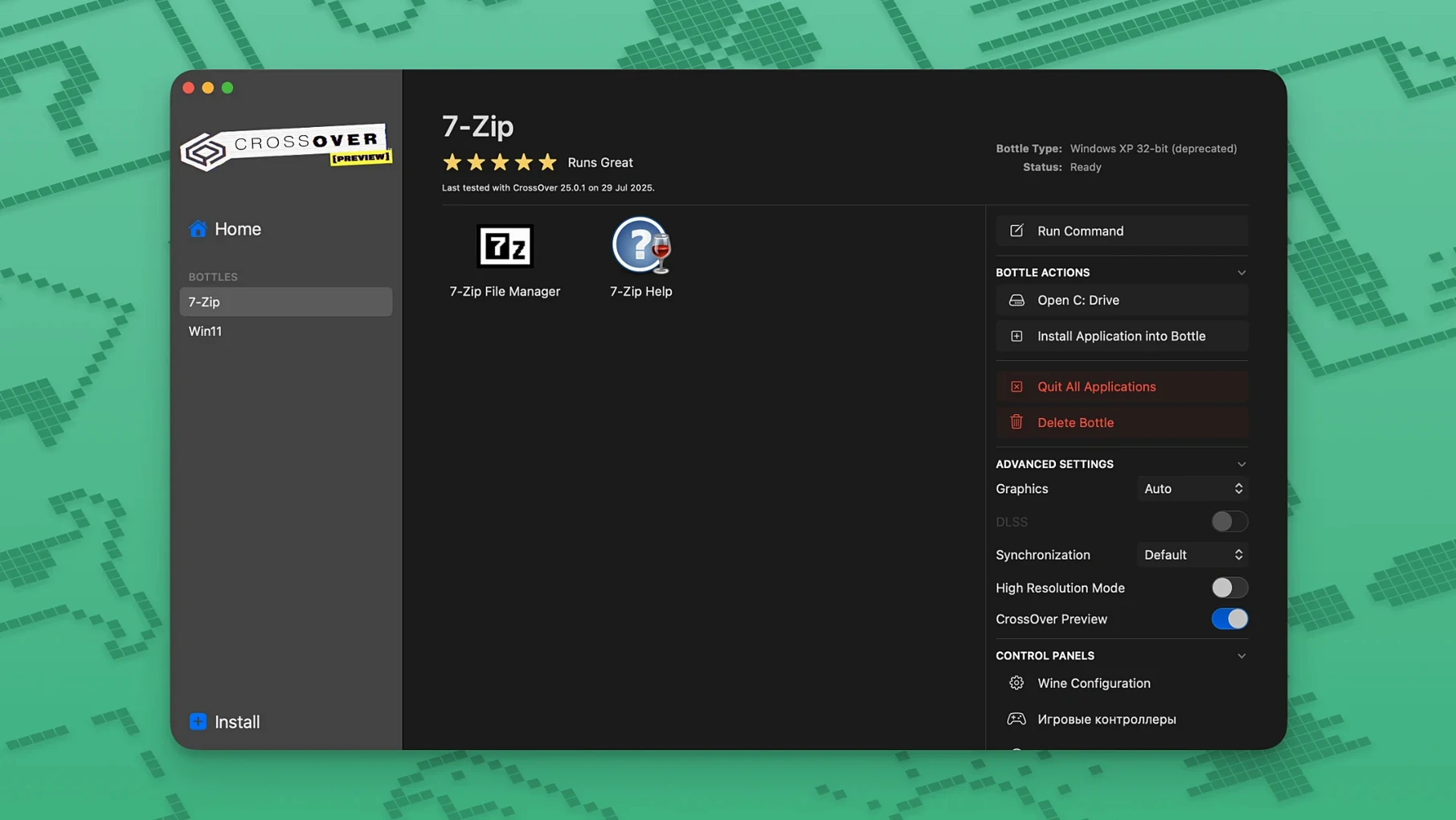
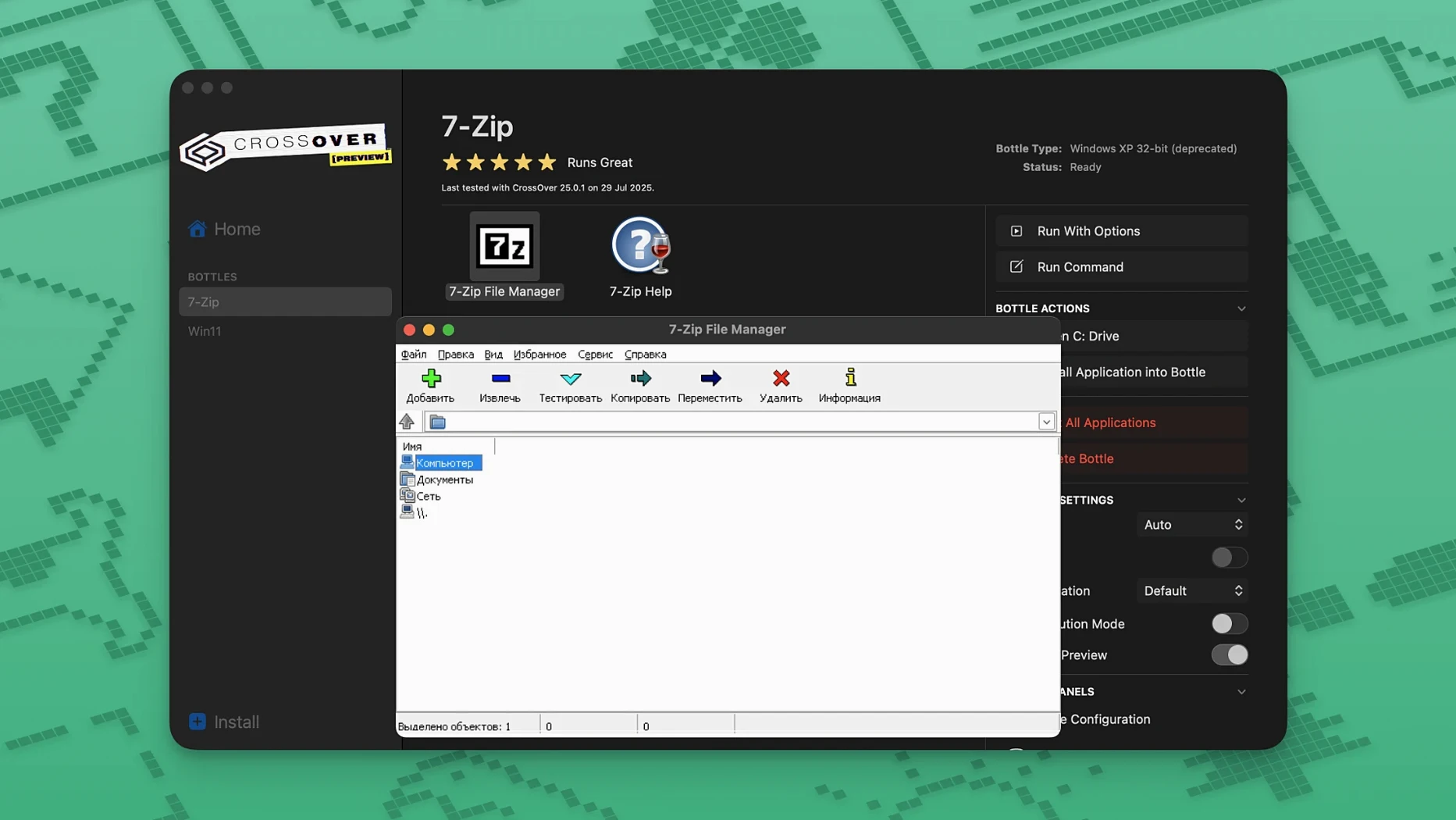
CrossOver uses Wine-based compatibility to run Windows applications on a Mac, without a Windows licence. Each app gets its own isolated bottle with a virtual C drive and registry. It's not a virtual machine, and it doesn't support every title. Some things break; others run fine.
- Runs Windows productivity tools, utilities, and games in one app
- Bottles keep each application's files and registry separate
- Built on Wine, not a full Windows install
- Fixes in 26.3.0 for Diablo IV, Epic Games Launcher, and GOG Galaxy
- Unsupported apps may be unstable or fail completely
Think of it as a practical tool for specific software you need, rather than a replacement for a Windows PC. Check your apps against the compatibility database before committing.
App won't launch? Check these patterns first
CrossOver works until it doesn't. Most failures follow the same few patterns. Here's what to check first.
- App won't launch at all. Check the compatibility database for your specific version. Not every Windows app is supported, and some that ran in version 25 break in 26. Try a fresh bottle with default settings before tweaking anything.
- Epic Games Launcher downloads stuck. This was a known issue on Mac, fixed in CrossOver 26.3.0. If you're still seeing it after updating, delete the Epic bottle and create a new one from scratch. The old bottle's cached data can interfere with the fix.
- GOG Galaxy won't load. Also patched in 26.3.0. After the update, launch Galaxy once from the bottle manager, not from a saved shortcut. Old shortcuts sometimes point to stale bottle configs.
- Diablo IV crashes after a game update. The 26.3.0 release specifically addresses this. If it persists, toggle DXVK in the bottle settings — some GPU and macOS combinations prefer one backend over the other.
- Fonts missing or unreadable. Install the Windows core fonts into the bottle. CrossOver includes a font installer, but some apps need
arialortimes new romanmanually added. Terminal-based bottles show this most often. - Activation loop. If the licence tool keeps asking for your Mac password, grant Terminal full disk access in System Preferences. That's the step most people skip.
- Bottle corruption. A bottle that worked yesterday can break after a macOS update. Back up the bottle before major OS upgrades. Restoring is faster than rebuilding.
Workflow: install and run a Windows utility, step by step
Here's a concrete walkthrough for a typical scenario — running a small Windows-only financial tool on a Mac. You'll see the full loop from download to daily use.
- Get the installer. Download the Windows
.exeor.msifor your utility. Keep it somewhere obvious, like the desktop. - Mount and install CrossOver. Open the disk image, run Gatekeeper friendly, press Enter in Terminal when prompted. Drag the app into Applications. From the Extra folder, copy the
croslicfolder to the desktop, right-clicklicense.tool, open with Terminal, enter your Mac password, and wait. - Create a new bottle. Open CrossOver, click New Bottle. Pick a Windows version — 10 64-bit covers most ground. Name it after your app so you know what's inside.
- Run the installer inside the bottle. Click Install a Windows Application, browse to your
.exe, and select the bottle you just made. CrossOver wraps the installer and guides you through the Windows dialogue boxes. - Launch and pin. Once installed, CrossOver lists the app under your bottle. Double-click to launch. If it works, drag it to the macOS dock from CrossOver's app list — it creates a native-looking shortcut.
- Set file associations. Use CrossOver's Manage Bottle panel to map file types to the Windows app. This step isn't automatic, but it's a one-time job per bottle.
- Daily use. Open the app from the dock. It behaves like a native window, with copy-paste between macOS and the Windows environment. Updates to the Windows software happen inside the bottle, same as on a PC.
Where CrossOver wins over Parallels and VMware
CrossOver vs Parallels Desktop
Parallels runs a full Windows virtual machine. You need a Windows licence, and the VM eats RAM and disk space. CrossOver doesn't run Windows itself — it translates Windows API calls directly to macOS. That makes it lighter on resources but narrower in scope. If your app needs .NET Framework 4.8 with every service enabled, Parallels is the safer bet. If it's a single EXE that doesn't dig deep into the OS, CrossOver starts faster and uses less memory.
CrossOver vs VMware Fusion
VMware Fusion is another full virtualisation layer. It's free for personal use, but still demands a Windows install. CrossOver skips the guest OS entirely. For something like a standalone database client or a visual novel, CrossOver launches in seconds. Fusion needs a VM boot cycle. The trade-off is compatibility: Fusion handles hardware-specific calls better, so engineering software with USB dongles tends to prefer a real VM.
CrossOver vs Whisky
Whisky is a free Mac wrapper around Wine, aimed mostly at games. It's simpler, with fewer configuration knobs. CrossOver includes commercial Wine patches, a bottle manager, and per-app tuning that Whisky lacks. If you're running one Steam game, Whisky might do. If you're juggling three work apps and a launcher, CrossOver's bottle isolation and support database save time. Whisky doesn't offer the same level of dependency handling for productivity software.
Near-native speed after the first cold launch
CrossOver launches apps at near-native speed once the bottle is warm. Cold starts add a few seconds while Wine initialises the prefix. Memory use depends on the bottle: an empty Windows 10 bottle sits around 150 MB. A loaded bottle with a launcher and a game can push past 2 GB, which is still below a full VM with Windows idling at 3–4 GB.
CPU overhead is minimal for most productivity apps. Translation happens at the API level, not instruction-by-instruction emulation, so spreadsheets and text editors feel responsive. Games vary. DirectX 11 titles running through DXVK often hit 80–90% of native frame rates. DirectX 12 titles are more hit and miss — some run, some don't, and some crash after cutscenes.
Stability breaks into two buckets: the app itself and the bottle. CrossOver 26.3.0 has been solid on Catalina through Ventura. Occasional GUI hangs happen when a Windows app spawns a modal dialogue behind the main window. Click the CrossOver dock icon to bring it forward. Bottle corruption is rarer than in earlier versions, but still possible after forced quits. A backup bottle is cheap insurance.
Disk footprint is modest. The CrossOver application bundle is small; bottles grow with what you install. A typical work bottle with Office 2016 and a few utilities occupies 3–5 GB. That's the Windows software, not CrossOver itself.
For everyday mixed use — a Windows-only note-taking app, a legacy accounting tool, and the occasional older game — CrossOver stays out of the way. It doesn't nag, doesn't run background services outside its bottles, and quits cleanly. Resource drain only appears when a Windows app is actually running. That's the design working as intended.
- Fix for Diablo IV not launching after a game update
- Fix for Epic Games Launcher downloads not working on Mac after an update
- Fix for GOG Galaxy client not loading after an update
- macOS 10.15 Catalina or later
- Intel architecture








Comments 0
Sign in or create an account to add a comment.
No comments yet. They go up after moderation.