

Coherence X — Mac download
Download (26 MB) Earlier builds
Ticked
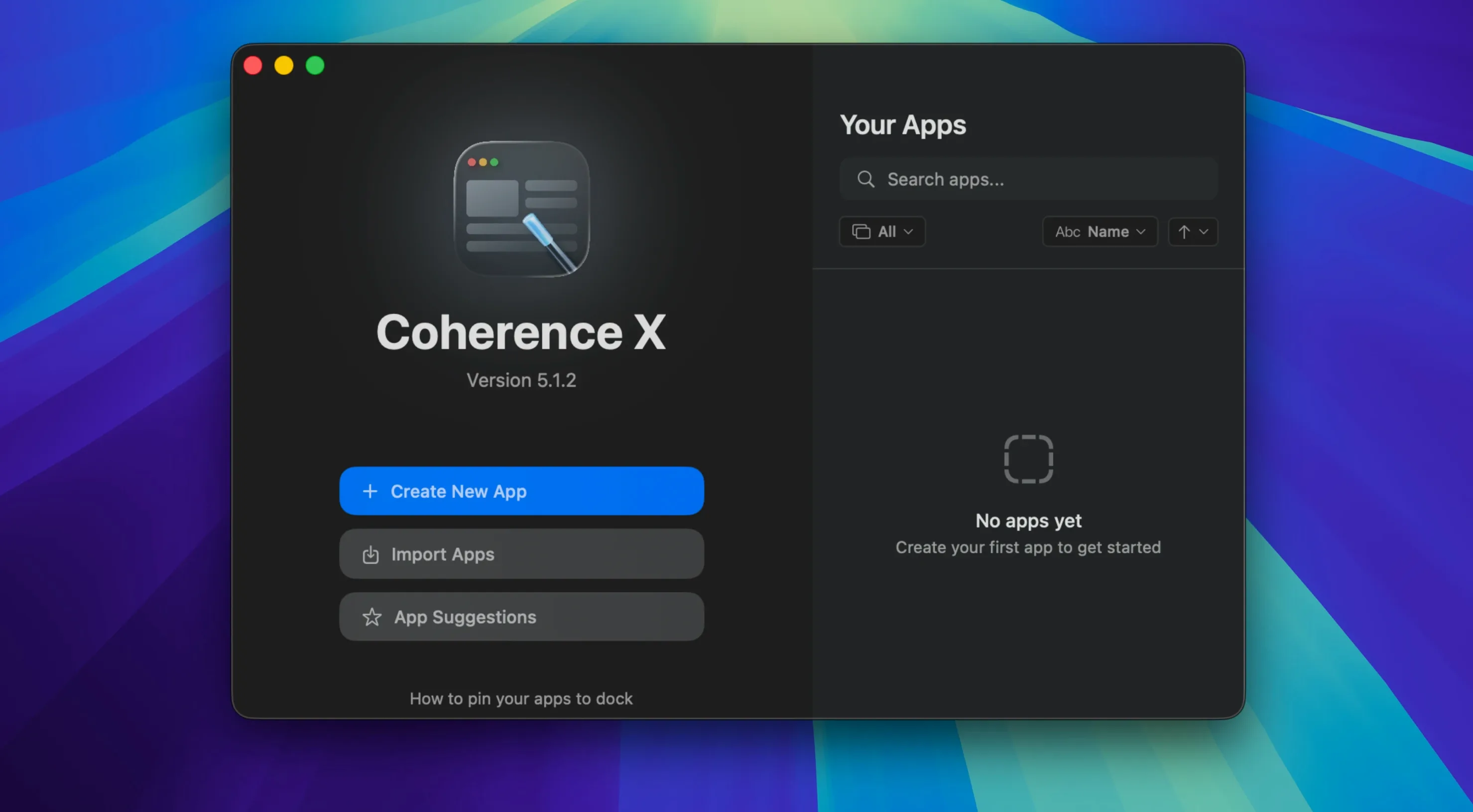
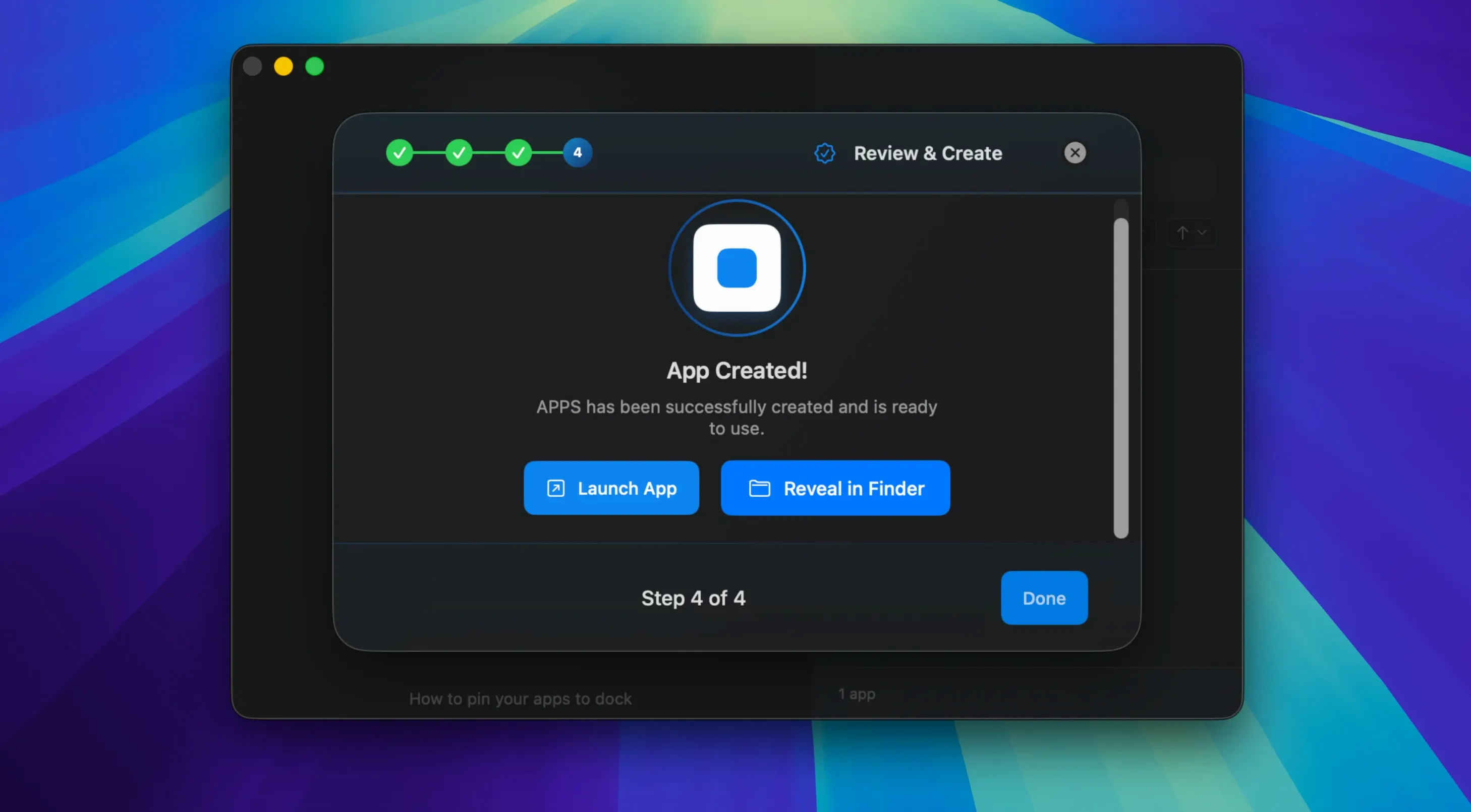
One site, two accounts, zero browser tabs — Coherence X 6.1 wraps Chrome-based apps that behave like native Mac software.
Site-to-app — Turns any URL into a standalone app with its own Dock icon.
Extensions — Installs and manages Chrome Web Store extensions inside the created app.
Profiles — Runs separate profiles for the same service, each with its own cookies and logins.
Incognito mode — Creates a session that leaves no local history.
Link routing — Directs multiple domains through a single rule; version 6.1 accepts several domains at once and suggests destinations.
Edit anytime — Changes the URL, icon, mode or extensions of an existing app without starting over.
No-rebuild saves — Link routing and appearance edits stick immediately; no rebuild required.
A freelancer's inbox, untangled
A freelance designer runs three client Gmail accounts, a shared Google Calendar and a Notion workspace. In a normal browser, each one fights for a tab — and calendar notifications vanish in the noise.
In Coherence X, each one gets its own app. The main client inbox sits in the Dock as a Standard app with its own unread badge. A second profile app holds the freelance collective's shared mail, logged into a different account. Notion runs in a Tabbed app with three sheets pinned. Calendar lives in a menu-bar-width floating window, always visible.
When a Zoom link arrives, link routing sends it straight to the desktop Zoom client. No copy-paste, no hunting for the right tab. At the end of the day, closing the freelancer's mail app leaves the personal account untouched — no cross-contamination.
Redirect specific domains to any app via Link Routing
- Link routing destinations — Open an app's settings, go to Link Routing, and add the domains you want to redirect. Version 6.1 suggests common destinations as you type. Add several domains in one rule instead of building them one at a time.
- Tab restore — Turn on "Restore tabs after restart" in the app's settings. Useful for services you treat like a workspace.
- Dock click behaviour — Under Window settings, choose whether a Dock click opens a minimized window or creates a new one when none exists. Pick what fits your flow; it changes per app.
- Default browser routing — Check the "Open other links in default browser" toggle. With it on, external links leave the app. With it off, everything stays inside the sandbox.
- Appearance — Change the icon, window title or colour scheme under the Appearance tab. Version 6.1 saves these without a rebuild, so you can tweak and see the result straight away.
How Coherence X fits your setup
Coherence X sits between your browser and your desktop. It does not replace Chrome — it borrows its engine. That means Chrome extensions, profiles and settings all carry over into the apps you build.
Created apps work with:
- macOS Spotlight — Each app appears as a separate item. Type the app's name to launch it directly.
- Stage Manager — Dock a messaging app in one stage and a project tracker in another. Each one remembers its window set.
- Focus filters — Since each app is a separate bundle, you can allow or block specific web apps in a Focus mode. Keep Slack out of your writing focus; keep Spotify out of your meeting focus.
- Third-party launchers — Apps show up in Alfred, Raycast and LaunchBar as individual targets with their own names and icons.
- Shortcuts — Open a Coherence X app from a Shortcut just like any other Mac app. Combine it with "Get Current Focus" to switch contexts.
Exporting apps means a team can share the same configured tool. One person sets up a Figma app with the right extensions and link routing; the rest drop it into Applications and go. For teams tracking software via a torrent-like distribution model, a shared coherence torrent download of pre-configured app bundles keeps everyone on the same page. If a coherence torrent contains a set of workspace apps, new starters grab one file and unpack their toolkit in minutes.
- Link routing now accepts multiple domains per rule, with a suggested destination for new rules.
- Link routing and appearance edits save immediately — no app rebuild needed.
- Extension's Manage in Coherence button opens the correct app more reliably.
- macOS 13 or later
- Intel and Apple Silicon Macs
Questions the team asks
Yes. Each app can install and manage its own set of Chrome Web Store extensions independently.
It does. Separate profiles let you run isolated sessions — each with its own login — for the same web service.





Comments 0
Sign in or create an account to add a comment.
No comments yet. They go up after moderation.