
Color Finale — Mac download
Ticked
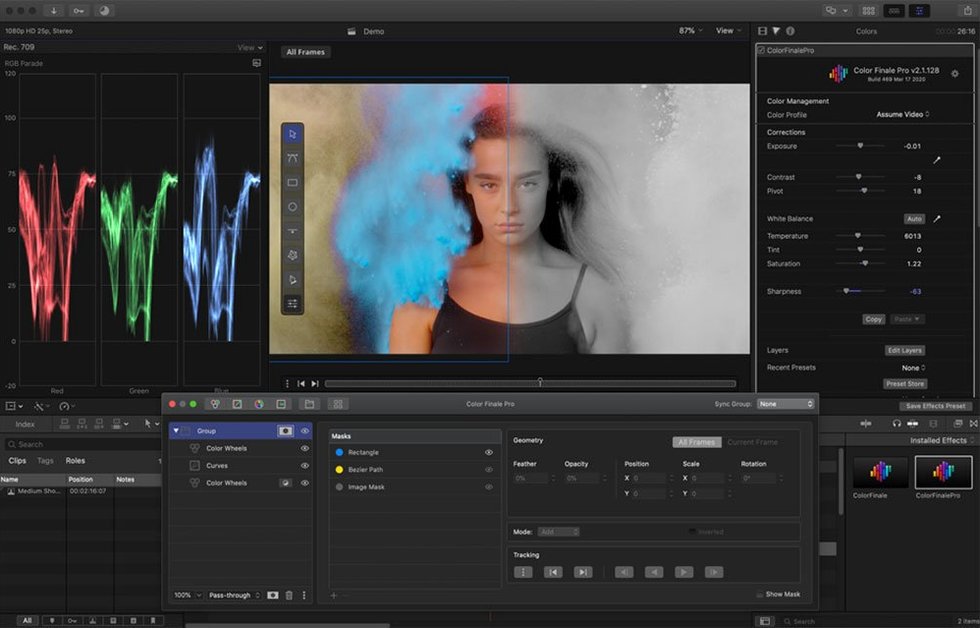
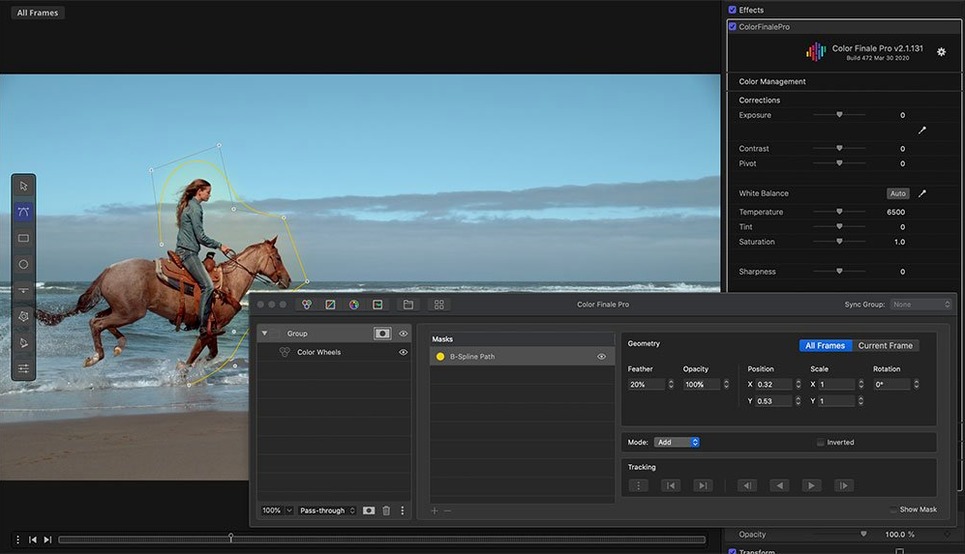
Color Finale 2.2.8 runs on both Intel and Apple silicon Macs. The minimum system requirement is macOS 10.12. It installs as a standard video effect plug-in for Final Cut Pro and Motion. A separate Color Finale application manages the framework on your Mac.
Key colour tools
- HSL Curves for precise secondary adjustments
- Primary colour vectors for balancing shots
- LUT and preset authoring, plus export
- A bonus workflow for recreating specific looks
Hosts and formats
Designed specifically for Final Cut Pro X, the plug-in appears directly in your effects browser. It also works inside Motion for template-based grading. The interface supports English and Simplified Chinese. All grades can be saved as shareable presets or exported as 3D LUTs for use in other pipelines.
Overlooked shortcuts that speed things up
- Copy grade to clip below. Select a graded clip, hold
Optionand drag the effect onto the next clip in the timeline. All layers and masks come across intact. - Toggle layer visibility fast. Click the eye icon next to any adjustment layer to preview its contribution. Double-click the layer name to rename it on the spot.
- Reset a single wheel. Double-click the centre of any colour wheel to zero it without touching the others.
- Save a LUT from any grade. Right-click the top-level node and pick Export LUT. The preset dialogue includes cube size and shaper options.
- Quick A/B. Press
\(backslash) to flip between the graded and ungraded view. Works inside the viewer, no menu diving required. - HSL key refinement. After picking a hue range, hold
Shiftwhile dragging the edge of the selection to feather it without opening the tolerance panel.
Editors who want a grading panel inside Final Cut Pro
DITs baking a quick LUT from a reference still
- Editors who already cut in Final Cut Pro and want a grading panel that feels native, not like a round-tripped session.
- DITs and on-set technicians who need to bake a quick LUT from a reference still and hand it to the camera department.
- Indie filmmakers grading their own short films. The layered approach matches how they think: fix exposure on one layer, tweak skin tones on the next.
- Motion graphics artists using Motion. The plug-in loads inside templates, so you can grade animated titles and composites without leaving the project.
Colourists who rely on Resolve's node tree
- Colourists who depend on Resolve's node tree and collaborative workflow. This is a single-user, single-clip tool.
- Editors working in Premiere Pro or DaVinci Resolve. Color Finale is Final Cut Pro only.
- Anyone on macOS older than 10.12. The framework requirement is hard.
A typical grading session
You open a project with a dialogue scene shot across three angles in flat LOG. The edit is locked. Color Finale sits in your effects browser, already indexed under the Video category.
- Apply the effect. Drag Color Finale onto the first clip. The inspector populates with an empty layer stack.
- Add a base correction layer. Click the plus icon. Pull the lift wheel toward teal and the gain wheel toward warm amber. The image snaps from flat to a basic contrast ratio.
- Copy to matching shots. Option-drag the effect onto the other two angles. The base grade lands identically. One of the reverse shots reads slightly darker, so you open its exposure slider and push it up 0.3 stops.
- Isolate skin tones. Add an HSL Curves layer. Pick the skin hue range from the actor's cheek, tighten the key with a small feather, then lift the midtones slightly. The face brightens while the background holds its contrast.
- Apply a creative LUT. Browse the 30 ASCEND presets. Drop one over the top as a new layer and dial its opacity back to 60%. It adds a film-like density without crushing the shadows you already set.
- Export a show LUT. Right-click the layer stack, export a 33-point cube LUT. Hand it to the finishing editor for consistency across the remaining reels.
Some editors hunting for a specific version end up searching for color finale pro crack mac or color finale torrent when they need to match a collaborator's grade. Others land on color finale 2 pro crack download while looking for the layered HSL tools. Still more arrive via color finale 2 free download or color finale 2 pro crack queries when the LUT export workflow is the feature they actually need.
- macOS 10.12 or later
- Intel or Apple Silicon Mac







Comments 0
Sign in or create an account to add a comment.
No comments yet. They go up after moderation.