

Commander One PRO — Mac download
Download (53 MB) Earlier builds
Ticked
Version 3.18.0 tidies up a few rough edges. Compatibility with macOS 27 is improved, drag and drop behaves again on that release, and some hotkey quirks on non-English keyboards are sorted. If you have just installed Commander One PRO, a few areas give you the quickest sense of how it extends Finder.
Start with a cloud connection and Process Viewer
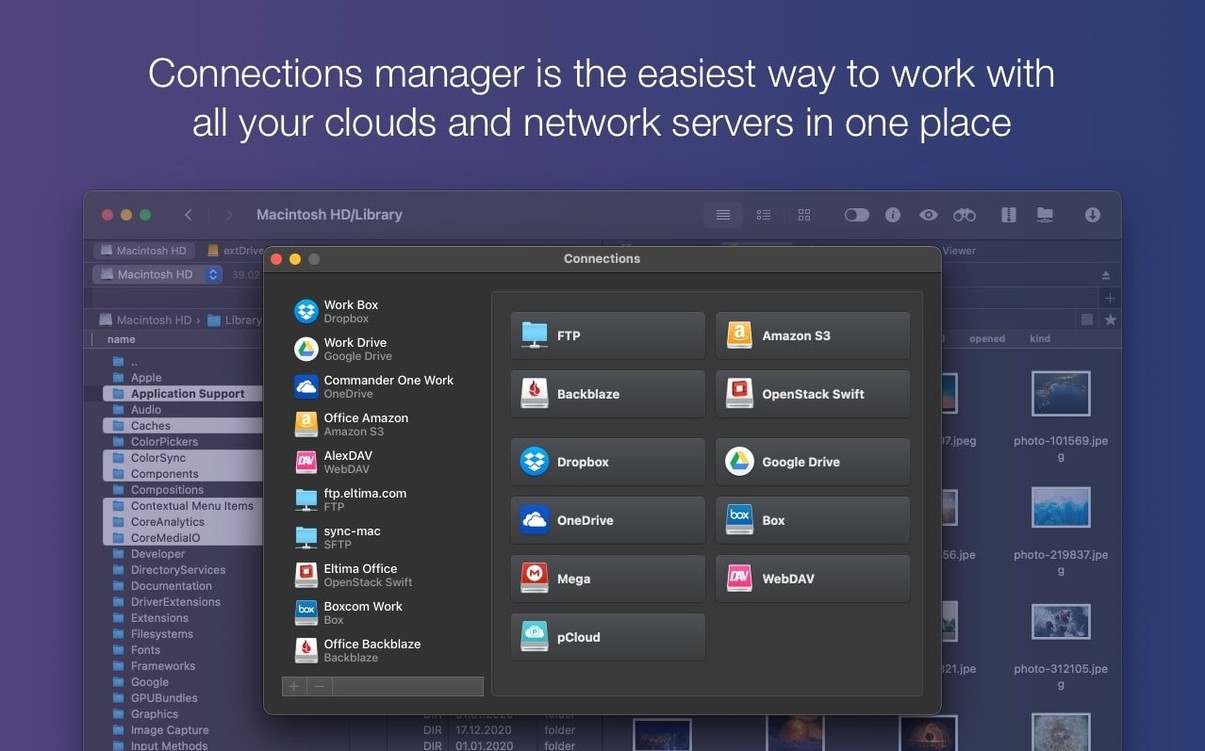
- Set up a cloud connection. Add your cloud account or a network server in the Connections Manager. Dual-pane view makes moving files between a remote server and a local folder direct.
- Open the Process Viewer. Find it under the Window menu. It lists active processes on your Mac, a small system utility tucked inside a file manager.
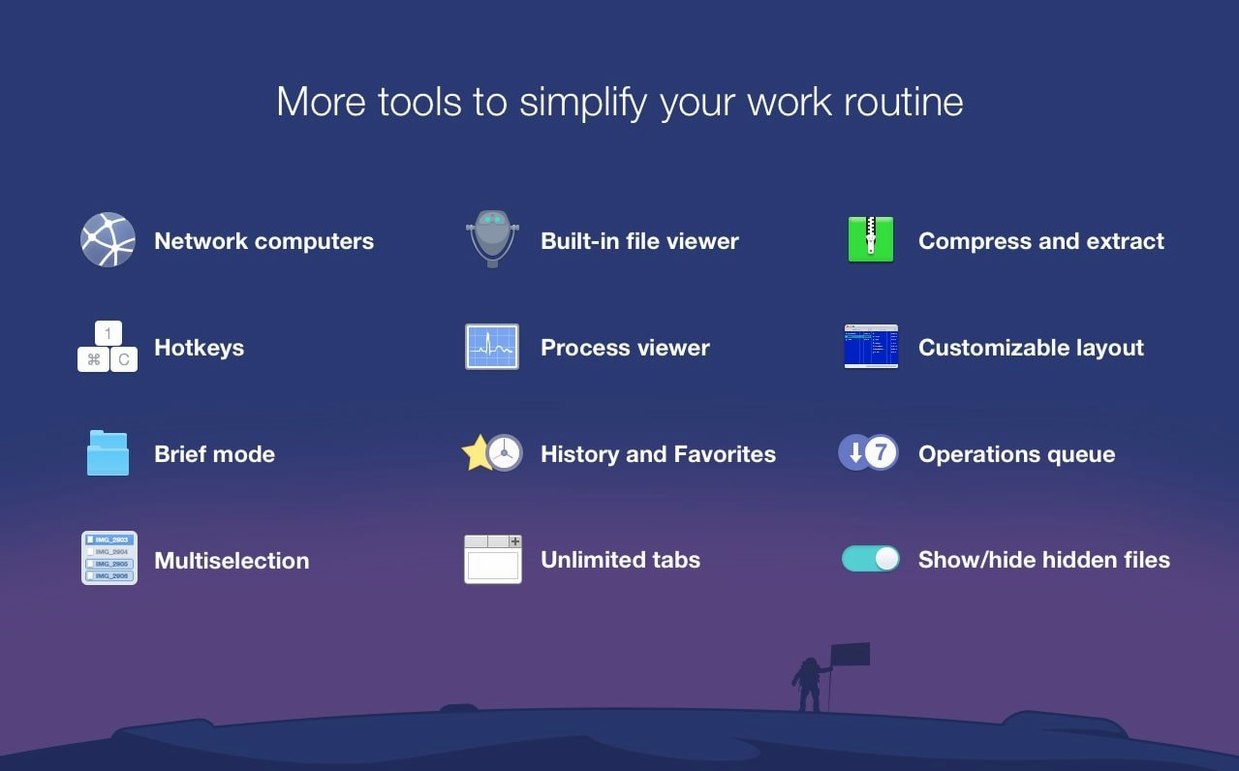
- Switch on Brief Mode. Use it when you need to scan or manage a folder with many files. The compact list layout helps when you are comparing panes side by side.
Search with regular expressions
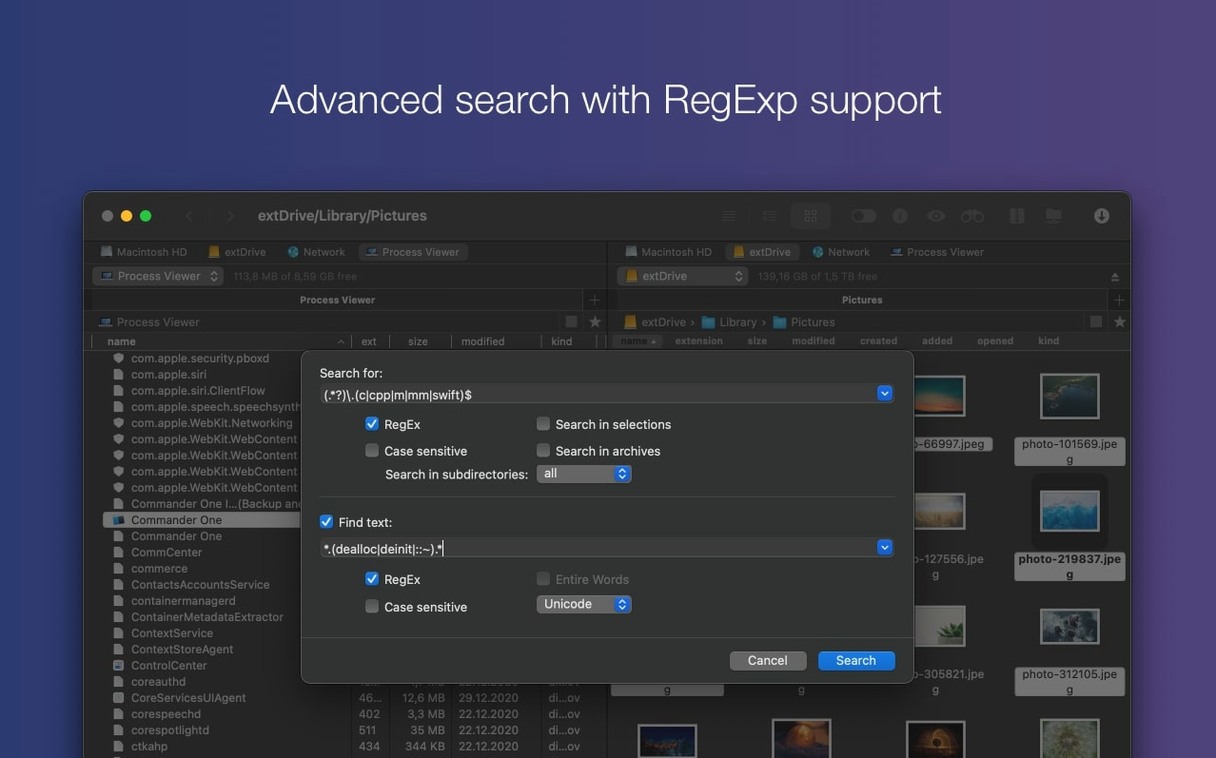
The built-in file search accepts regex patterns. Hit Cmd-F, type your expression and the results narrow to exactly the file names you describe. Useful when a simple name search returns too much noise.
Unpack archives and toggle hidden files per pane
- Right-click an archive to unpack it in place. ZIP, RAR, TBZ, TGZ, and 7z are all supported. No separate utility needed.
- Show hidden files with Cmd-Shift-Period. The toggle works per pane, so you can keep one side clean while the other reveals dotfiles and system folders.
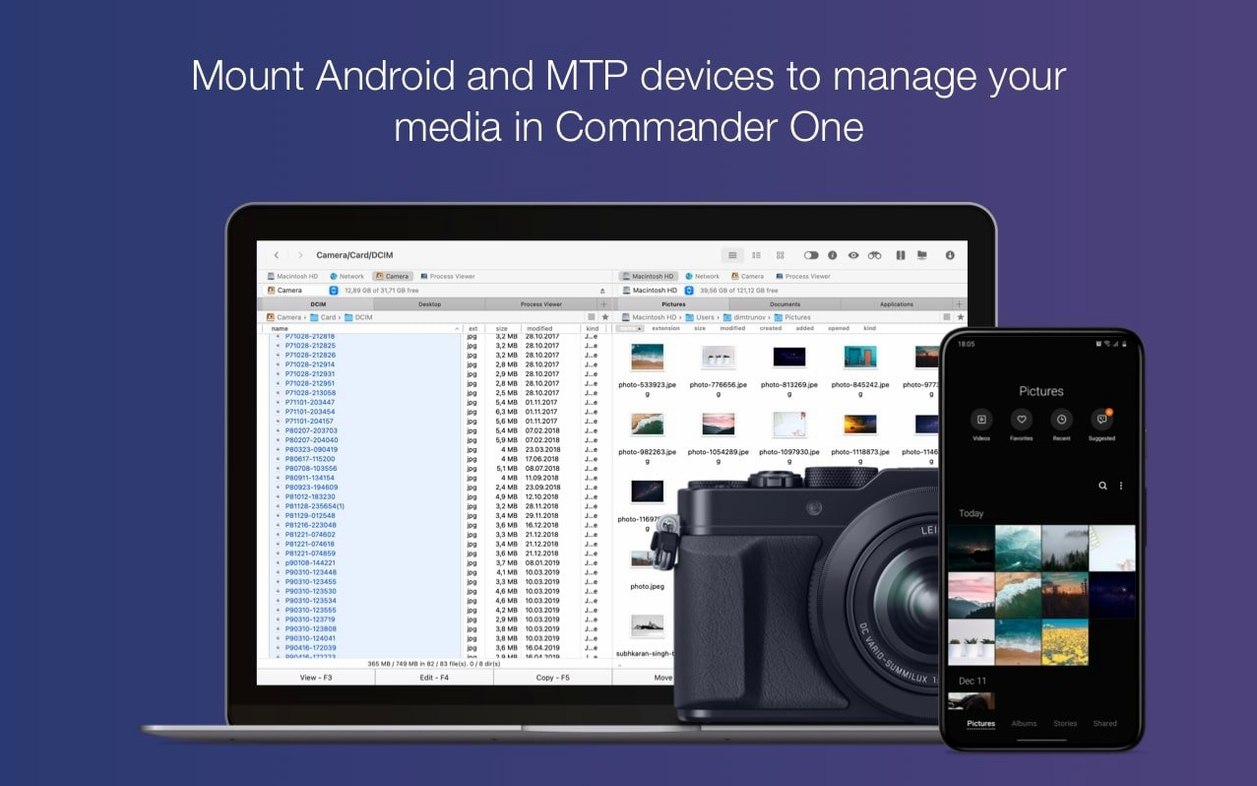
- Connect an iOS or Android device via USB. Commander One PRO mounts it as a standard volume in one pane. Drag files across without launching Photos or Android File Transfer.
- Brief Mode. Already mentioned, but easy to forget: it compresses the row height for dense folders. Pair it with column sorting to spot large or old files fast.
First days with Commander One PRO
Spend fifteen minutes on these after installing. They shape how the tool fits your daily workflow.
- Rebind a few keys. Head to Preferences > Hotkeys. If you use a non-English layout, version 3.18.0 fixed several broken bindings. Set your own shortcuts for “Duplicate file” and “Move to opposite pane”.
- Save a workspace. Arrange two panes — local on the left, an Amazon S3 bucket on the right, for example — and save it. Reopen the exact layout next session.
- Default to list view. Icon view is fine for images, but list view with sortable columns makes a better starting point for most jobs. Set it as default in Preferences.
- Pin the Connections Manager. Keep it open as a sidebar panel instead of a floating window. Faster drag-and-drop into cloud accounts.
Server admins bounce files between two remote servers
Commander One PRO is not a Finder skin. It earns its place for a few specific kinds of Mac user.
- Server administrators. Dual-pane FTP and SFTP with bookmarks and key-based auth. You can bounce files between two remote servers without a local staging step.
- Developers juggling cloud storage. Regex search across a Google Drive folder, plus direct archive unpacking, saves switching between four apps.
- Anyone managing a mixed-device desk. An Android phone, an iPad, a camera with MTP — all mount as volumes. No extra sync software.
- Users hunting for a commander one pro full mac replacement for Finder. The full feature set — cloud, archives, process viewer, multi-device access — lands here. Some look for a Commander One Pro crack to test these extras before committing; once installed, the capabilities speak for themselves.
- Improved compatibility with macOS 27
- Fixed drag and drop of files on macOS 27
- Fixed handling of some hotkeys with non-English keyboard layouts
- macOS 10.13 or later
- Apple Silicon or Intel 64-bit
Questions the team asks
It is a dual-pane alternative to Finder that adds FTP, cloud account access and a process viewer, so many file management tasks become quicker.









Comments 0
Sign in or create an account to add a comment.
No comments yet. They go up after moderation.