
Movavi Screen Recorder — Mac download
Ticked
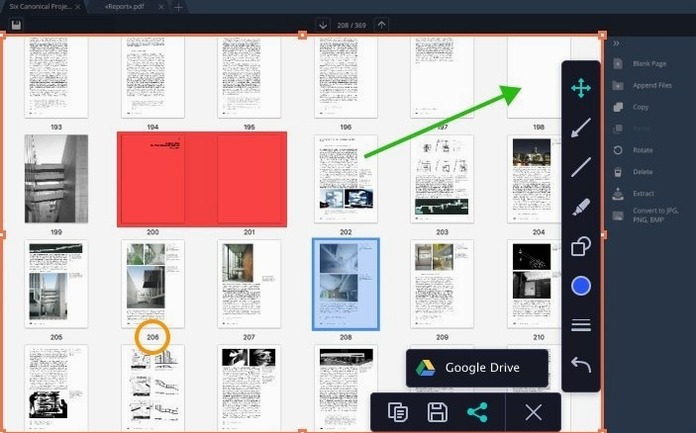
Version 23.1.1 brings minor improvements and bug fixes, keeping the recorder stable on macOS 10.13 and later. Before installing, most people want to know what it actually captures and where the files end up.
| Quick facts | |
|---|---|
| Version | 23.1.1 |
| Developer | Movavi |
| macOS | 10.13 or later |
| Architecture | Intel |
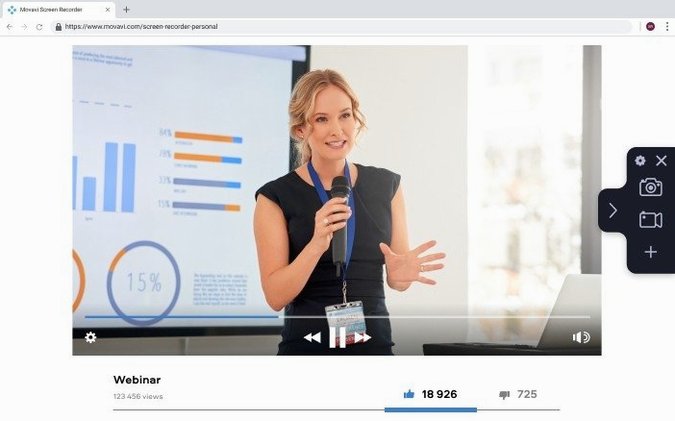
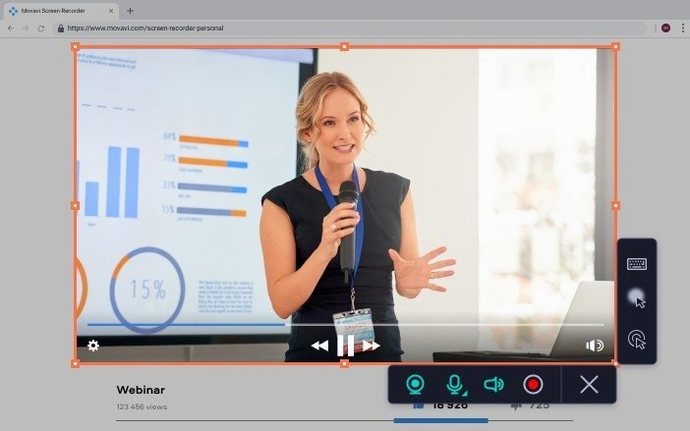
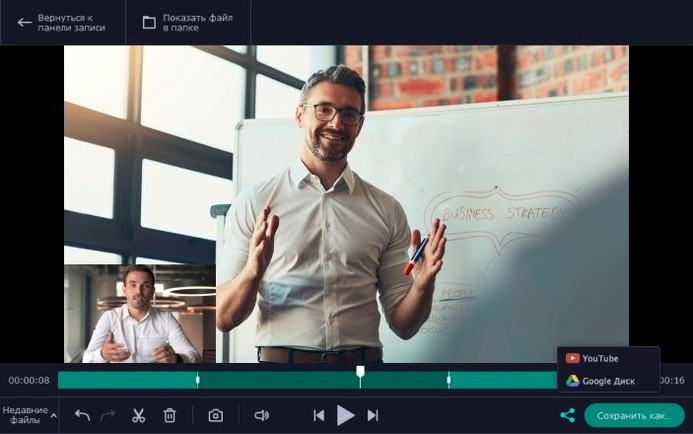
It records the desktop, application windows, system sound and a webcam feed — all at the same time if needed. Keyboard presses and cursor clicks show up on screen, which helps when making tutorials. Recordings can be trimmed to a set duration, saved as video files or GIFs, and uploaded straight to Google Drive or YouTube. The interface runs in English.
A recording workflow: app demo with webcam
This is the path I follow when a developer asks for a five-minute feature walkthrough.
- Set the recording area. Click the crosshair icon and drag over the app window. I avoid full-desktop captures for demos — the extra space distracts.
- Check audio sources. System sound on, microphone on, levels tested with a quick sentence. I tap the desk once so I can sync later if needed.
- Add the webcam overlay. Drag it to a corner that doesn't cover buttons or dropdowns. Resize it small enough to see my face, large enough to read expressions.
- Enable cursor click effects and keyboard display. Both live under the effects panel. I pick the subtle ring click — the bubble one looks gimmicky in a professional demo.
- Set a six-minute duration limit. The scheduler isn't needed here, but the countdown stops me rambling past the brief.
- Record. I work through the feature slowly, pausing between steps. No editing later means I get the take right in one pass.
- Stop, preview, export as MP4. The file saves to the Movies folder by default. I rename it with the version number before uploading to the shared Google Drive.
Microphone mute is the first thing everyone misses
I see the same five problems every time someone starts with this recorder.
- Recording with the microphone muted. The input selector shows a level meter. If the bar doesn't move when you speak, open System Preferences and check the mic permission for Movavi Screen Recorder. Gatekeeper sometimes blocks it silently.
- Leaving the webcam on for audio-only captures. The webcam stream adds weight to the file. Disable it from the sidebar when you only need voiceover. A two-minute audio bug report doesn't need a face.
- Ignoring the hotkey editor. The defaults are fine, but custom keys prevent conflicts with other apps. I remap stop-recording to F10 because F11 triggers Mission Control on half my machines.
- Exporting straight to YouTube without checking the draft. The upload option is convenient, but watch the file locally first. Compression artefacts show up differently on Google Drive versus YouTube.
- Recording the whole desktop for a single window. Pick a smaller area. File sizes shrink, and viewers focus on the content instead of your Dock and desktop clutter.
Bug report capture stays small until I need it
Tuesday morning, 9:15. I need a quick screen capture for a bug report — a form field that won't accept valid input. I open Movavi Screen Recorder. The window stays small until I need it, which I prefer over apps that hog the workspace.
I select the application window. System sound off, microphone on. No webcam — the bug doesn't need my face. I type the failing input, click the submit button twice, then hit the stop hotkey. The preview pops up. I drag the playhead to the relevant section and take a screenshot from the recording. The built-in editor lets me circle the broken field with a red rectangle before saving. I attach the PNG to the ticket.
Twelve minutes later, a colleague asks for a quick Loom-style update. I switch to full-desktop capture, add the webcam overlay, and record a two-minute status summary. I upload it directly to Google Drive from the export dialog. The whole process — open, record, upload — takes under four minutes. The recorder stays out of the way while I get back to Jira.
- Minor improvements and bug fixes.
- macOS 10.13 or later
- Intel processor








Comments 0
Sign in or create an account to add a comment.
No comments yet. They go up after moderation.