

Movavi Video Editor — Mac download
Ticked
Rosetta 2 runs it on Apple Silicon
Movavi Video Editor requires macOS 10.13 or later and a 64-bit Intel processor. Apple Silicon Macs can run it via Rosetta 2.
What the interface is like
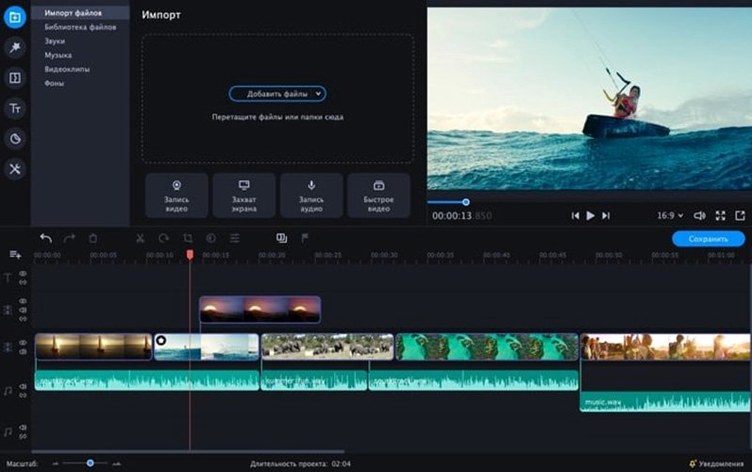
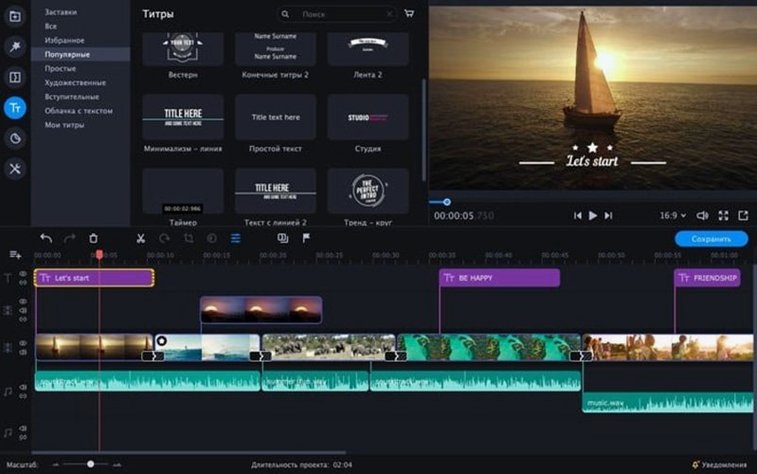
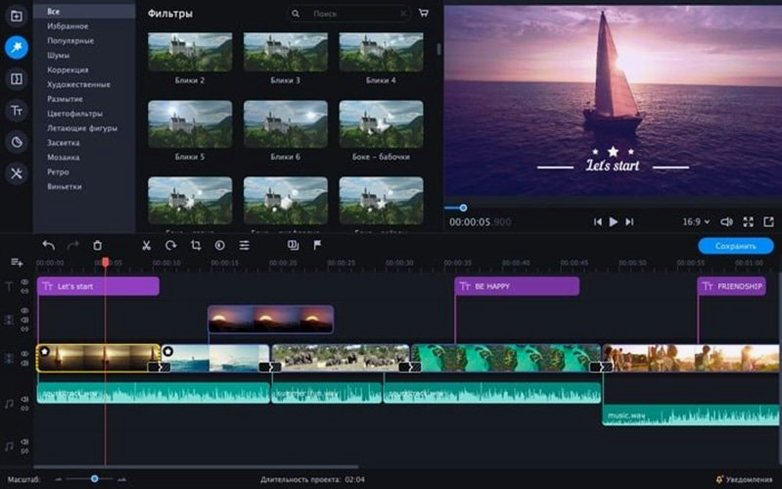
The layout is simple and stylish. Tools sit where you expect them, so the timeline and effects panel are easy to reach without hunting through menus.
What effects and extras you get
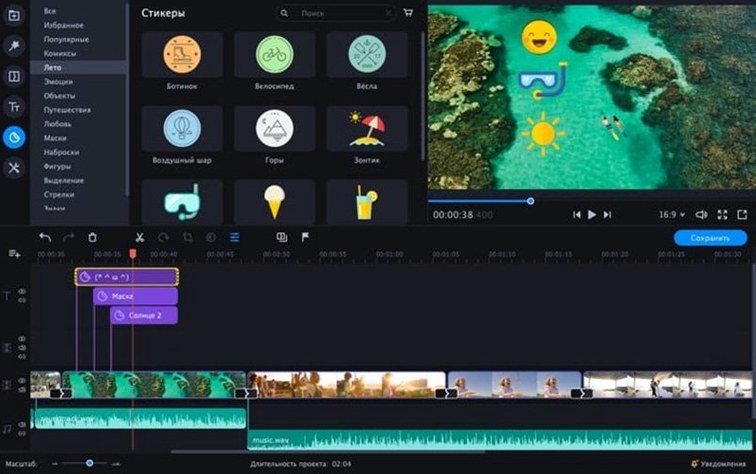
Chroma key lets you swap out video backgrounds. Stickers, animated text overlays, and a few-click audio polish tool are included for quick finishes.
Which languages the interface supports
Stickers beat iMovie for quick clips
Does it replace iMovie? For quick social clips, yes — Movavi is faster for adding stickers, text overlays and chroma key backgrounds. For multi-cam edits or complex audio routing, iMovie still has the edge.
Will it slow down an older Mac? On a 2015 MacBook Pro with 8 GB RAM, the timeline stays responsive with two or three 1080p tracks. 4K footage needs patience during export, not during editing.
Is the chroma key any good? With even lighting behind your subject, one slider removes the green and another cleans up spill. It is not a Hollywood compositor, but it handles talking-head backgrounds cleanly enough for YouTube.
Can I use my own fonts for text overlays? Yes — any font installed on your Mac appears in the text tool, including custom ones added through Font Book.
Does it support 60 fps footage? The timeline accepts 60 fps clips and exports at the same frame rate when you choose a matching preset.
Drag from QuickTime for effects
Movavi Video Editor sits between QuickTime trimming and full timeline suites. Use QuickTime to rough-cut a long screen recording, then drag the clip into Movavi for effects, titles and audio cleanup.
Photos and music from the Apple apps — Photos, Music, Voice Memos — import directly through the standard media browser. No transcoding step for common formats like H.264, AAC or JPEG.
For thumbnail work, export a still frame and open it in Preview for simple crop and annotation, or send it to a dedicated image editor. The exported video files drop straight into Apple Compressor if you need custom encoding profiles beyond the built-in presets.
The app respects standard macOS behaviours: Quick Look works on project files in Finder, and the media browser reads from the same sidebar folders as GarageBand and iMovie. Keyboard shortcuts follow Mac conventions — ⌘Z for undo, ⌘S for save, spacebar for play/pause.
If you work with a movavi video editor project across machines, keep the project file and source media in the same relative folder structure. The app relinks automatically when paths match.
Export presets match Instagram and TikTok
Social media editors. The stickers and animated text overlays are sized for Instagram Stories and TikTok. Export presets cover the aspect ratios and bitrates those platforms expect, so you skip the guesswork in custom export dialogs.
Small business owners. A product demo, a quick promo for a café menu change, a team intro — the intro templates and a few-click audio polish mean a finished video in under half an hour, without learning keyframes or compression settings.
Vloggers who batch content. Reverse playback and slow motion are single-button effects. Slice, reorder, drop a ready-made intro at the front, and export. No need to build title cards from scratch for every episode.
Family video keepers. The simple timeline works for trimming school play footage or holiday clips. Chroma key adds a bit of fun without a steep learning curve — kids can pick a new background themselves.
Power users who need advanced colour grading, multi-cam sync or custom LUT support will outgrow it. For everyone else, the tool covers the 80% use case: cut, add text, polish sound, and share.
English, German, Spanish, Italian, traditional and simplified Chinese, Korean, Dutch, Polish, Portuguese, Turkish, French, and Japanese are all available.
- macOS 10.13 or later
- 64-bit Intel processor









Comments 0
Sign in or create an account to add a comment.
No comments yet. They go up after moderation.