

Multitouch — Mac download
Download (9 MB) Earlier builds
Ticked
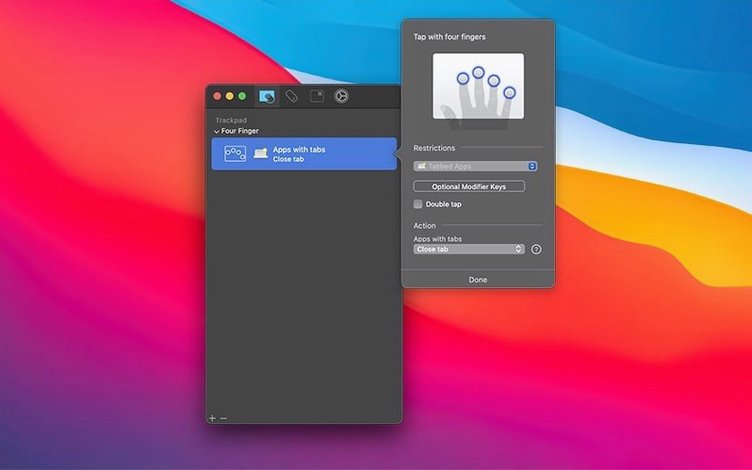
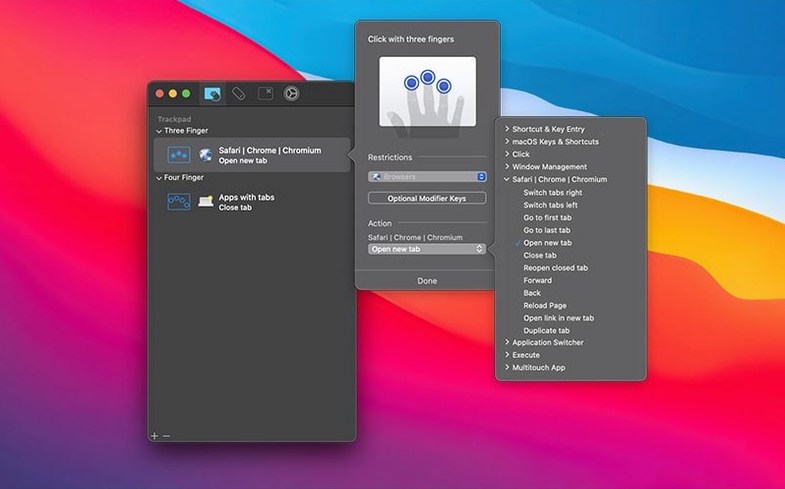
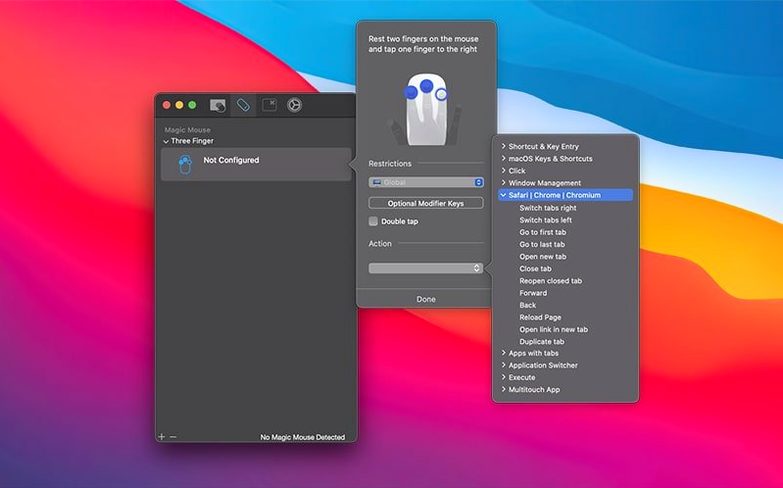
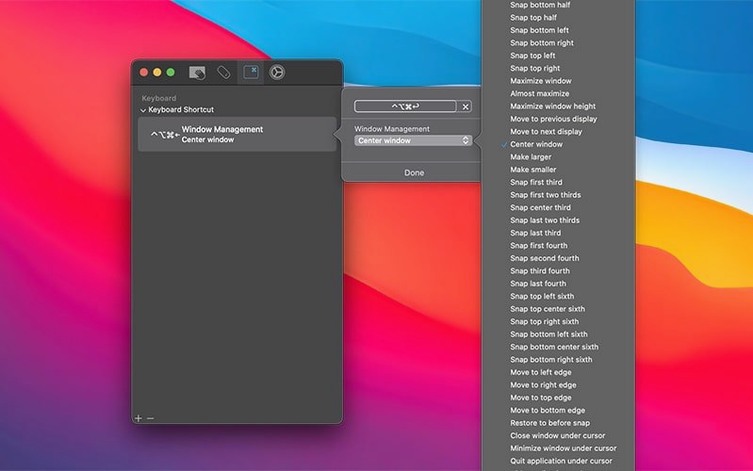
Multitouch runs on any Mac with macOS 10.15 Catalina or later. It supports both Intel and Apple Silicon (ARM) processors natively — a single download covers x86 64-bit and ARM architectures. Your hardware needs to include a built-in trackpad, a Magic Trackpad, or a Magic Mouse.
Quick compatibility check
- macOS 10.15 or newer
- Intel or Apple Silicon Mac (universal binary)
- Magic Trackpad, Magic Mouse, or built-in Mac trackpad
What the app does
Multitouch is a macOS utility that attaches custom actions to trackpad and Magic Mouse gestures. You record keystrokes — modifier flags and individual key presses are captured, including Return — or insert text snippets. Middle mouse click actions are also supported. The interface runs in English and lives in the menu bar. Formerly called TouchOven, the app gives you a direct way to repurpose gestures for the shortcuts you actually use.
⌘V with a three‑finger click
Open Multitouch from the menu bar and head to the trackpad or mouse tab. A few adjustments make the app feel immediately useful.
- Assign a three-finger click to paste. Set the action to keystroke recording, then press ⌘V. This turns a single gesture into a paste command without touching the keyboard.
- Map middle-click to a corner force click. If you miss a physical middle button, bind it to a force click in the bottom-left corner. Handy for closing browser tabs.
- Create a hyper key. Pick a spare key — Caps Lock works well — and remap it to ⌃⌥⌘⇧. Pair that with other keys later for shortcuts that never clash with existing ones.
- Set a gesture for browser tab control. A four-finger swipe left sends ⌘W to close a tab; a four-finger swipe right sends ⌘⇧T to reopen one.
- Add a text-insert gesture. If you type the same line often — an email address, a boilerplate reply — bind it to a five-finger tap. The text lands wherever your cursor sits.
Things to settle before installing
Does it interfere with the built-in macOS gestures?
Only the gestures you explicitly override change. Multitouch leaves everything else alone. A three-finger swipe up still triggers Mission Control unless you reassign it. You pick what to alter.
Magic Mouse, Magic Trackpad, built‑in MacBook trackpad only
No. The multitouch app mac support covers Apple's Magic Mouse, Magic Trackpad, and the built-in MacBook trackpad. Generic Bluetooth mice do not surface the same gesture data, so they are not recognised.
Is keystroke recording precise enough for shortcuts with modifiers?
Yes. When you record a keystroke sequence, Multitouch captures modifier flags — ⌘, ⌥, ⌃, ⇧ — alongside each key press. It replays them exactly as recorded, without inserting timing delays. If you hold ⌘ and tap T, you get ⌘T, not an accidental t.
Universal binary, no Rosetta needed
The multitouch macOS build is a universal binary. It runs without Rosetta on both Intel and ARM Macs. There is no separate installer to track down for your architecture.
- Adjusted menu bar icon size
- Fixed a case where unminimising all minimised windows failed
- macOS 10.15 or later
- Intel or Apple Silicon Mac
- Magic Trackpad, Magic Mouse, or built-in Mac trackpad
Questions the team asks
Yes, version 1.48 is a universal binary that runs natively on both Apple Silicon and Intel Macs.
You can assign recorded keystrokes (including modifiers and Return), text insertion, or middle mouse click actions.





Comments 0
Sign in or create an account to add a comment.
No comments yet. They go up after moderation.