

Navicat Premium — Mac download
Download (333 MB) Earlier builds
Ticked
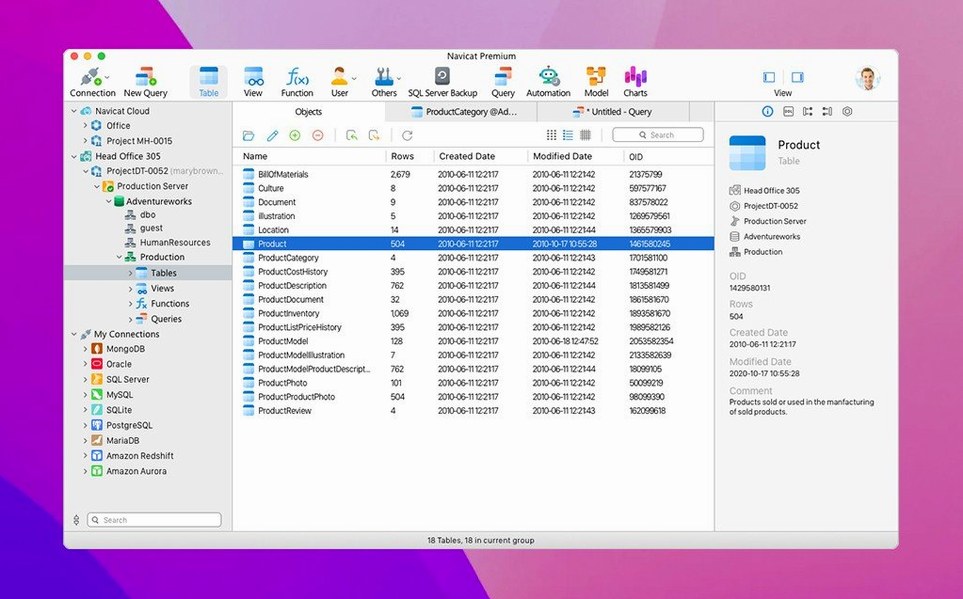
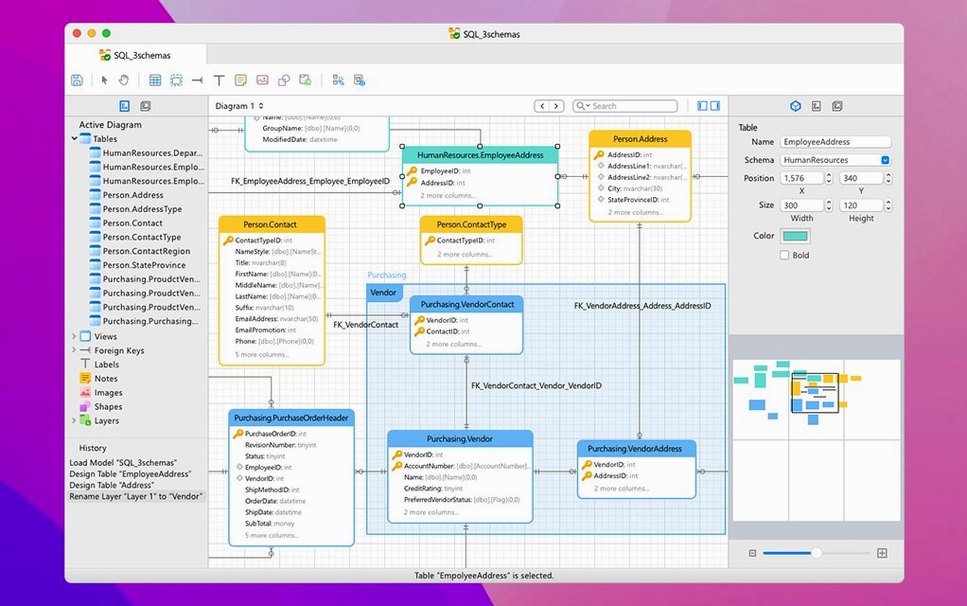
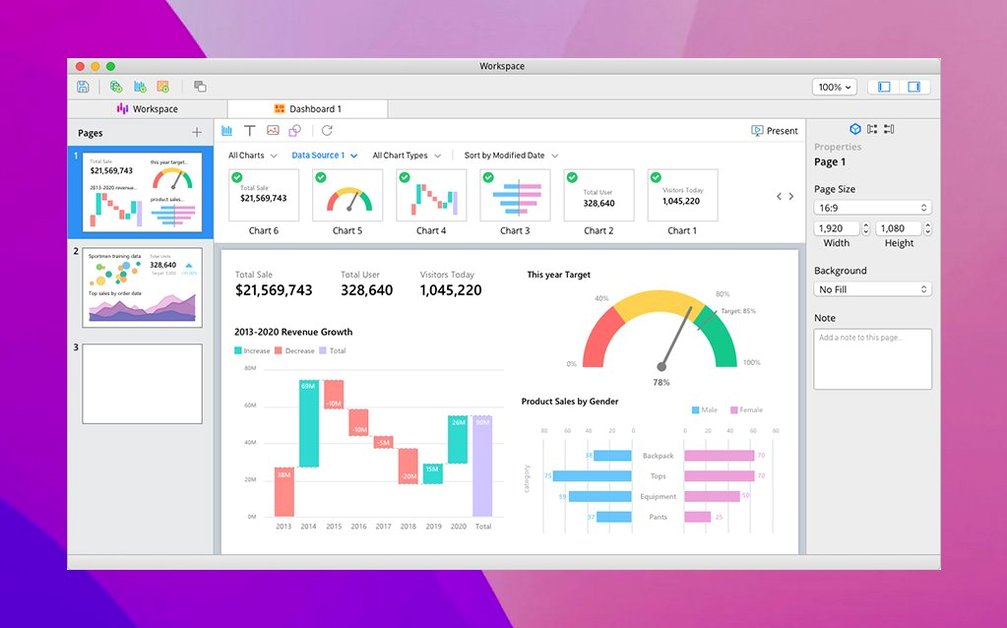
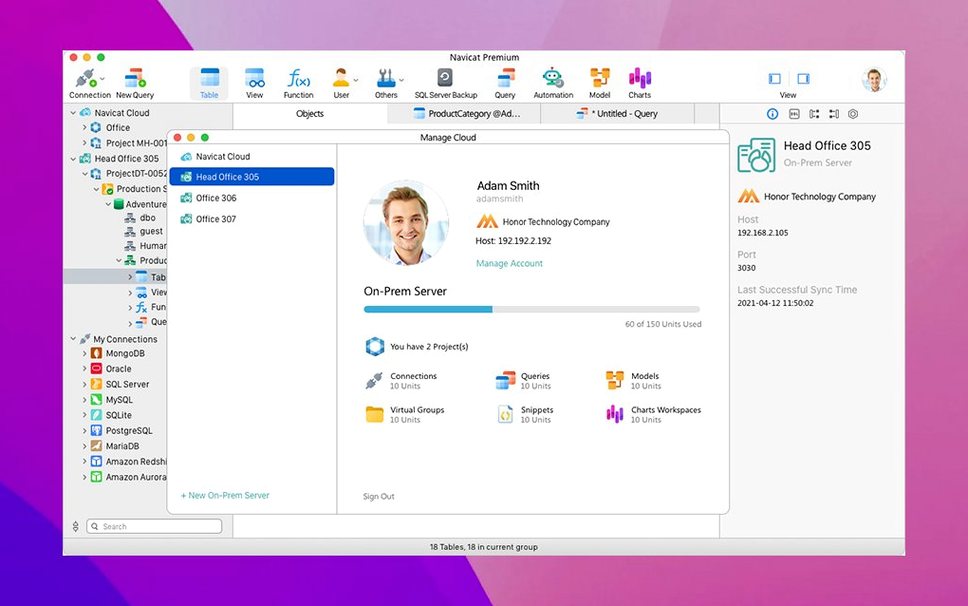
The Data Synchronisation tool still handles the heavy lifting between MySQL, Oracle, and PostgreSQL without forcing you into separate utilities. That one feature alone keeps Navicat Premium pinned to my checklist.
Bug fixes sharpen SQL console and Apple Silicon feel
- Bug fixes that tighten up the SQL console behaviour across several connection types.
- Small improvements to the job scheduler's batch task handling.
- macOS-specific stability work. The app feels snappier on recent Apple Silicon machines.
Nine database types, one toolbox
The core pitch hasn't changed. You still get one interface for MySQL, SQLite, Oracle, PostgreSQL, MongoDB, MariaDB, SQL Server, Redis, and Snowflake. The backup tools, SSH Tunnel support, and database search are all present. You can design schemas, write queries in the console, and transfer data across different engines without opening three different applications. For a project manager tracking multiple database back-ends, that consolidation is the whole point.
Dark theme and two other instant preferences
After the first launch, three preferences save time straight away. These live under Navicat Premium > Settings and apply globally to all connections.
- General > Appearance. Switch to the Dark theme if you stare at the query editor for hours. The monospaced fonts render cleaner on it in 17.3.8, especially on Retina displays.
- Query > Auto-completion. Turn off Show suggestions automatically if you find pop-ups intrusive in large schemas. Keep Enable code snippets on — the built-in snippets library covers common JOIN templates that save typing.
- Backup > Default backup location. Point this to a folder outside your user directory. The scheduler writes backups there silently, and a dedicated location makes the backup tools easier to audit.
Per-connection settings for SSH Tunnel and HTTP Tunnel are worth configuring early too. Set a default keep-alive interval of 60 seconds under the Advanced tab for any remote server that drops idle sessions aggressively.
Coming soon
Navicat Premium vs TablePlus
TablePlus is lighter and launches faster. It handles quick row edits and casual queries without ceremony. What it doesn't do is cross-engine data migration or scheduled batch jobs. Navicat Premium covers those and adds business intelligence tools and an ER data model that TablePlus lacks entirely. For a single database type, TablePlus feels less cluttered. For three or more, Navicat Premium consolidates what would otherwise be three separate apps.
Navicat Premium vs DBeaver Community
DBeaver Community is free and supports many of the same database types. Its ER diagrams and data export wizards are solid. Missing pieces include the data synchronisation wizard, the job scheduler with cross-engine batch tasks, and the built-in report builder. Navicat Premium also handles MongoDB and Redis natively — DBeaver Community needs extensions for those. If your workflow requires scheduled syncs between MySQL and PostgreSQL, the gap widens quickly.
Navicat Premium vs DataGrip by JetBrains
DataGrip shares the same multi-engine ambition and has a more powerful code completion engine backed by JetBrains' IDE infrastructure. Its refactoring tools and version-control integration are better. Navicat Premium pushes back with visual data modelling tools, a dedicated report wizard, and the backup scheduler. The choice comes down to whether you live in SQL scripts all day or split time between schema design, administration, and reporting.
A DBA's afternoon with Navicat Premium
Claire manages three back-ends for a small logistics firm: a PostgreSQL instance for live orders, a MySQL server for customer accounts, and a MongoDB store for delivery tracking logs. On a Tuesday afternoon, the ops team flags a data mismatch — order statuses in PostgreSQL don't match the delivery logs in MongoDB.
Claire opens Navicat Premium. All three connections are already saved in the connection pane. She runs a quick query in the PostgreSQL SQL console to export the affected order IDs as a CSV. Then she opens the Data Synchronisation tool, maps the CSV columns to the MongoDB collection fields, and runs a dry-run comparison. The mismatch rows appear highlighted. She approves the sync for the fifteen affected records, then schedules a nightly sync batch job so the mismatch doesn't reappear. No separate utilities, no manual script stitching. The whole fix takes eighteen minutes, and the scheduler handles the rest.
Build 17.3.12 rolls in another maintenance sweep, tidying stability and general behaviour across every supported database engine.
- macOS 11 or later
- Apple Silicon or Intel 64-bit
Questions the team asks
It connects to MySQL, SQLite, Oracle, PostgreSQL, MongoDB, MariaDB, SQL Server, Redis, and Snowflake from one application.
Yes. The built-in job scheduler can run batch tasks for different database types on a set timetable.
It supports SSH Tunnel for secure remote database connections.









Comments 0
Sign in or create an account to add a comment.
No comments yet. They go up after moderation.