

Nik Collection — Mac download
Download (3.5 GB) Earlier builds
Ticked
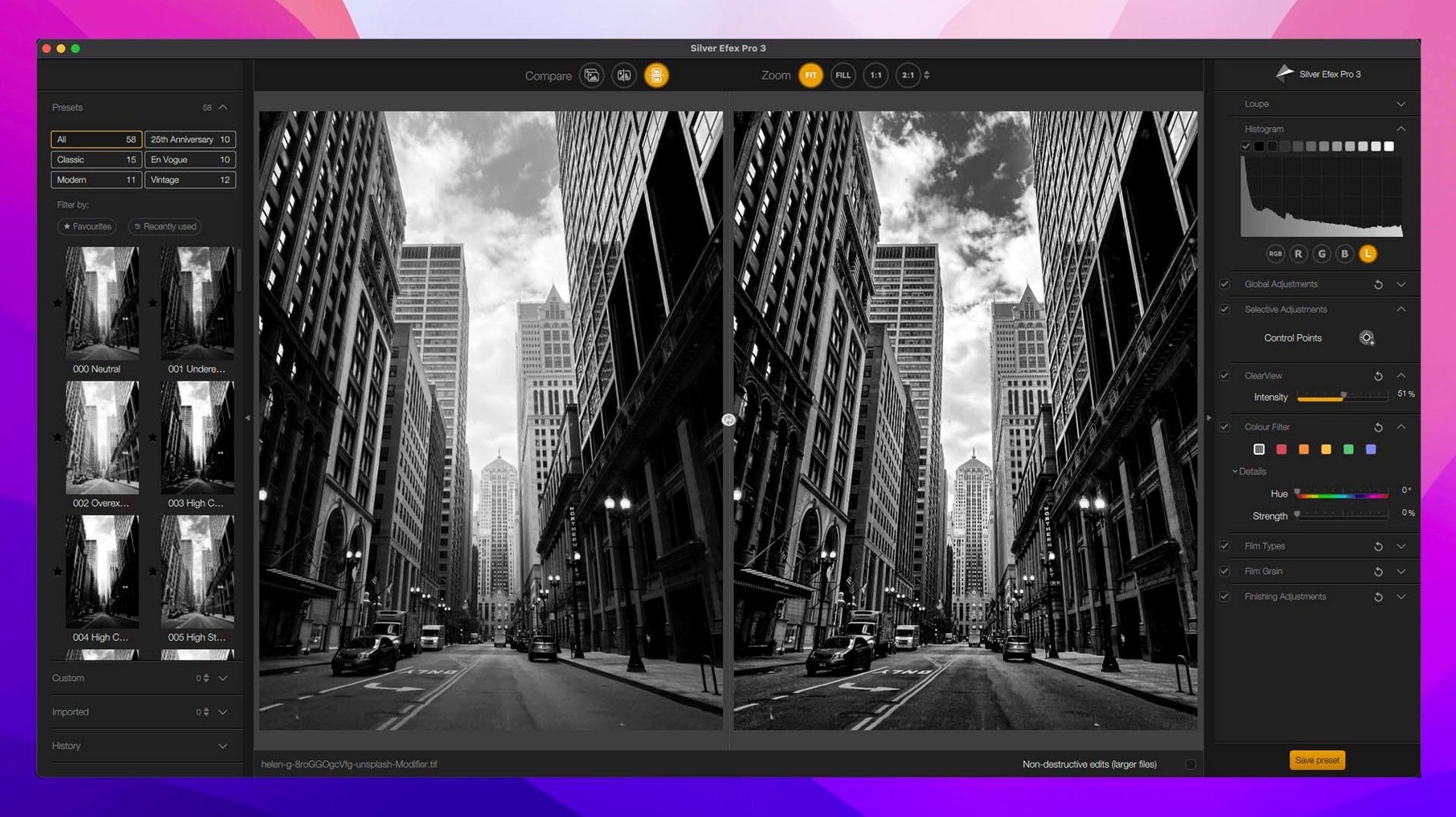
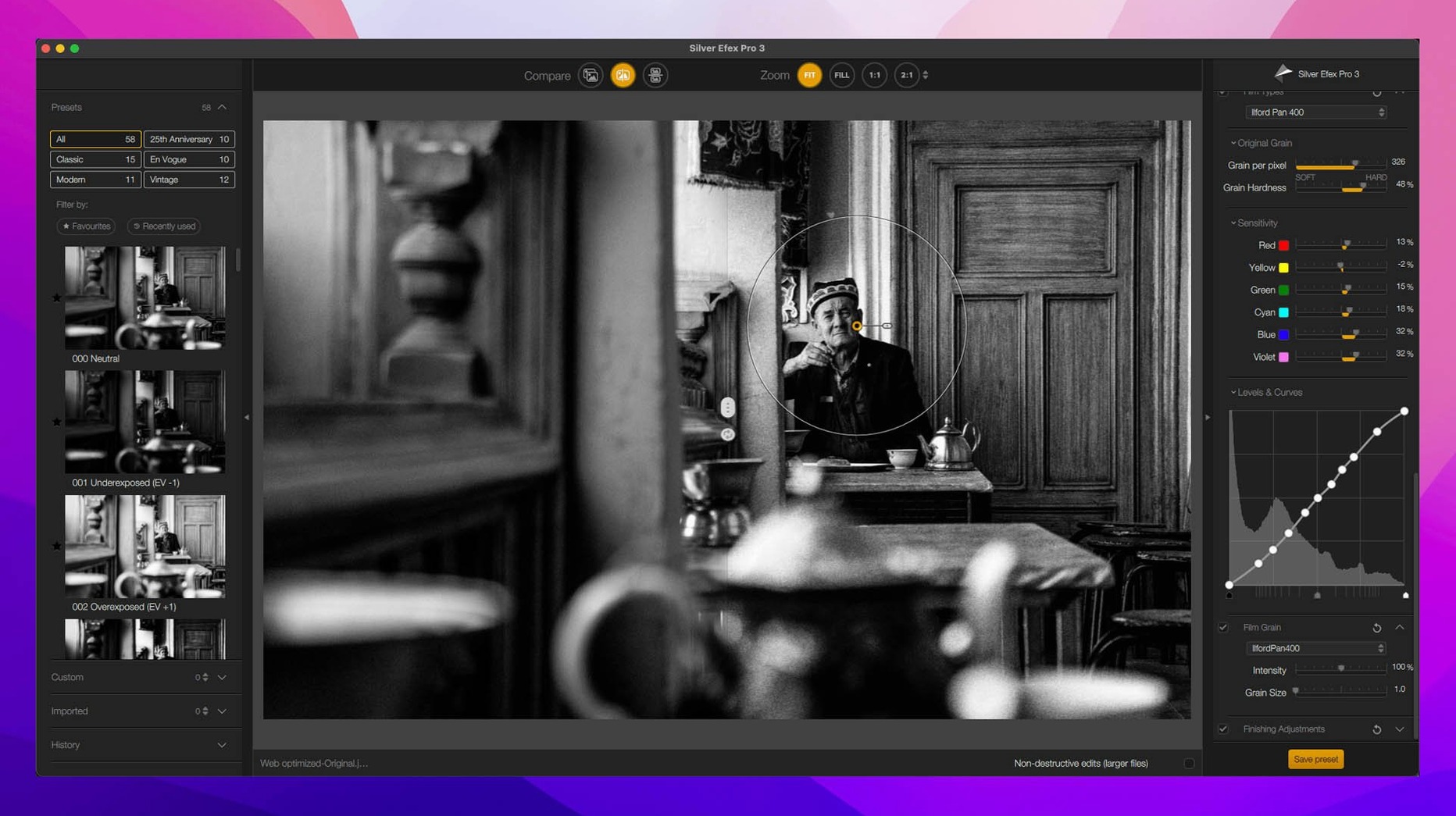
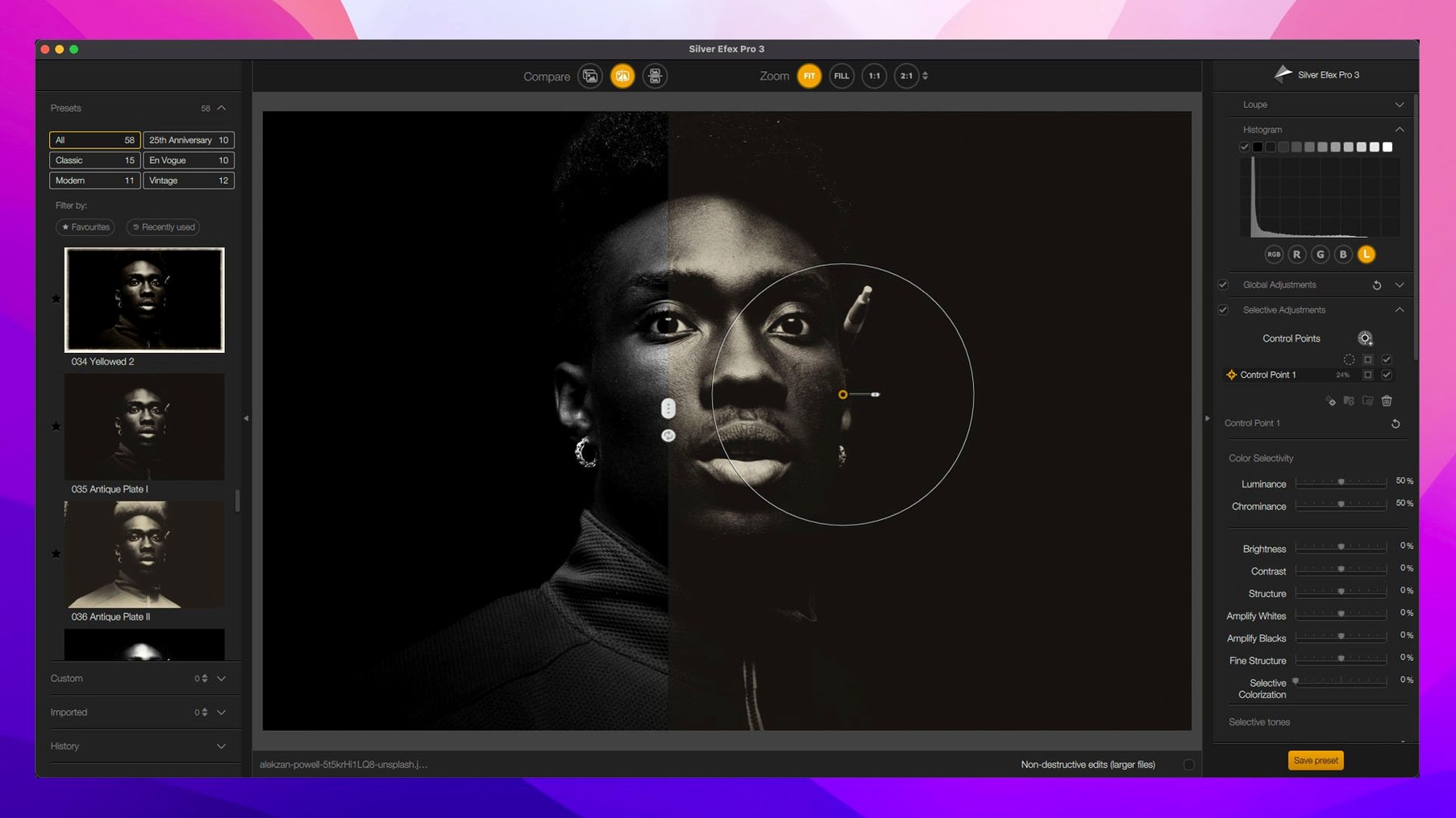
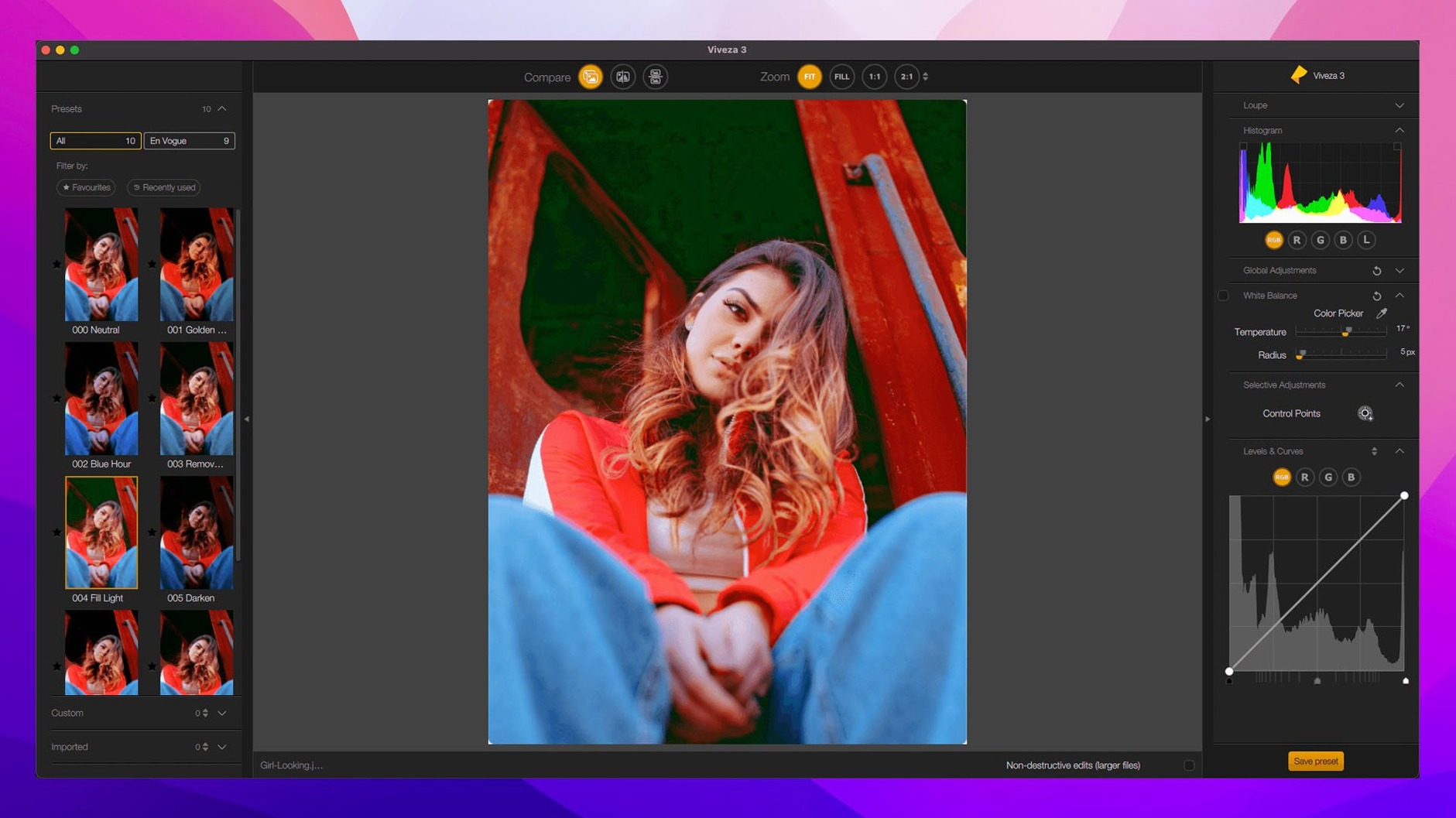
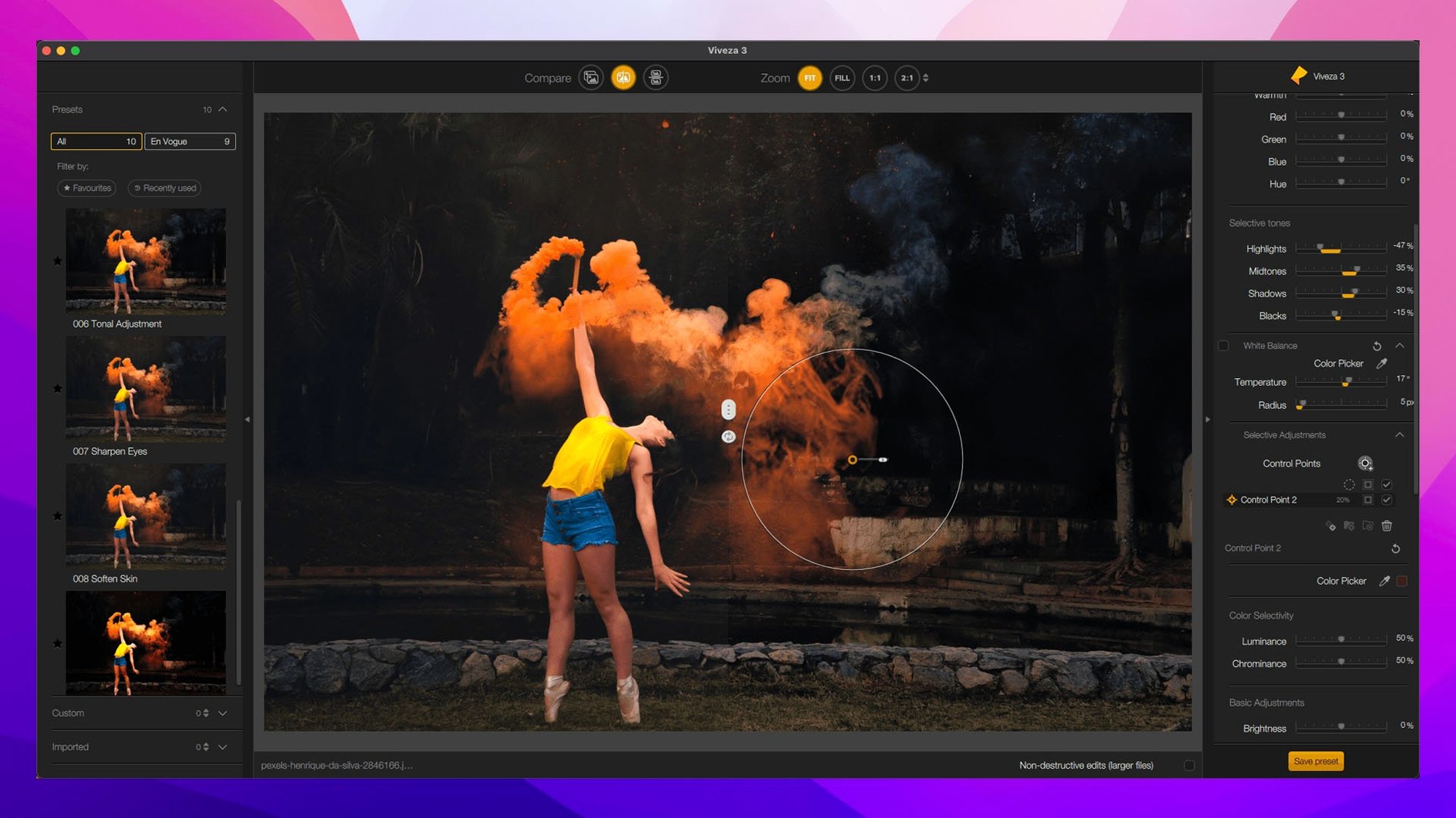
Nik Collection sits beside editors who layer effects, not just apply them. Photographers building a look across multiple host applications — Lightroom for cataloguing, Photoshop for compositing — use these plugins as a shared colour darkroom.
Run filters on a duplicate layer so your original pixels stay intact
It works as a filter layer. You run a plugin like Color Efex Pro on a duplicate of your pixel layer, keeping the original untouched below. The new Preset Hover Preview in version 9 lets you scan through looks without applying each one first.
Which plugin handles the heavy lifting?
Color Efex Pro carries most of the grading work — 52 filters, 250 effects, and a new Color Grading tool. Viveza and Silver Efex Pro handle targeted tweaks using U Point control points rather than painting masks.
How do local adjustments work across the suite?
U Point technology places control points that read colour, tone, and texture in a radius around them. Adjust brightness or saturation on a point, and the change blends into similar areas without brushing. Version 9 adds AI Masks and Depth Masks for broader, faster selections.
What integrates with what?
The plugins launch from Adobe Photoshop, Lightroom Classic, and Affinity Photo. DxO PhotoLab users get tighter integration, with Nik tools accessible inside PhotoLab's own non-destructive workflow.
A retoucher's morning with Silver Efex Pro
Wedding photographer opens a low-contrast portrait in Photoshop. She duplicates the background, launches Silver Efex Pro, and hovers over presets — split-preview shows the original on the left, the treatment on the right. She lands on a pushed-tri-X look, drops three control points on the bride's face to hold skin luminance, and applies. Another point on the veil recovers blown detail. Fifteen seconds, done. Next image.
Preview sharpening grain at output resolution before printing
Fine-art printmakers who sharpen for specific paper stocks in Sharpener Pro, using the area preview to check grain at output resolution. Colourists running Color Efex Pro across series of landscapes, copying local adjustments between frames — a time saver that arrived in version 9. Photographers juggling hosts: the same U Point edit behaves the same in Photoshop, Lightroom, or Affinity Photo. If you work inside DxO PhotoLab, the integration tightens further — plugins inherit PhotoLab's lens corrections and denoising before you touch a slider.
Not a match for people who do all their editing in Capture One and refuse to round-trip. Or for batch-only workflows that never touch a local adjustment.
Plugins launch in under two seconds on Apple Silicon
The plugins launch fast — under two seconds on Apple Silicon. U Point control points recalculate instantly; AI Masks take a beat longer on first generation, then cache. Memory use sits moderate: each plugin loads as a separate process, so a crash in Color Efex Pro does not touch your Photoshop session. No swap pressure on a 16 GB machine with five plugins open. On Intel Macs, Chromatic Shift and Halation effects add a second or two of rendering. Daily work stays responsive, provided you keep the host application updated.
- Depth Masks and AI Masks added for faster local selections
- New Color Grading tool inside Nik Color Efex
- Chromatic Shift, Glass Effect, and Halation filters introduced
- Build label: Nik Collection 9 by DxO 9.1.0
- macOS 13.3 or later
- Apple Silicon or Intel Mac
- Host: Adobe Photoshop, Lightroom Classic, Affinity Photo, or DxO PhotoLab
Questions the team asks
Silver Efex Pro is built for monochrome work, with a before-and-after split preview to compare the original colour frame against the conversion as you adjust toning and grain.
The suite runs in 14 interface languages, including Russian, Arabic, Traditional Chinese, Korean, and Turkish.









Comments 0
Sign in or create an account to add a comment.
No comments yet. They go up after moderation.