

NotchBox — Mac download
Ticked

Runs on Ventura and Apple Silicon
Notchbox runs on any Mac with macOS 13 Ventura or newer. Both Intel and Apple Silicon machines are supported, so the installer is universal.
Store files in your notch
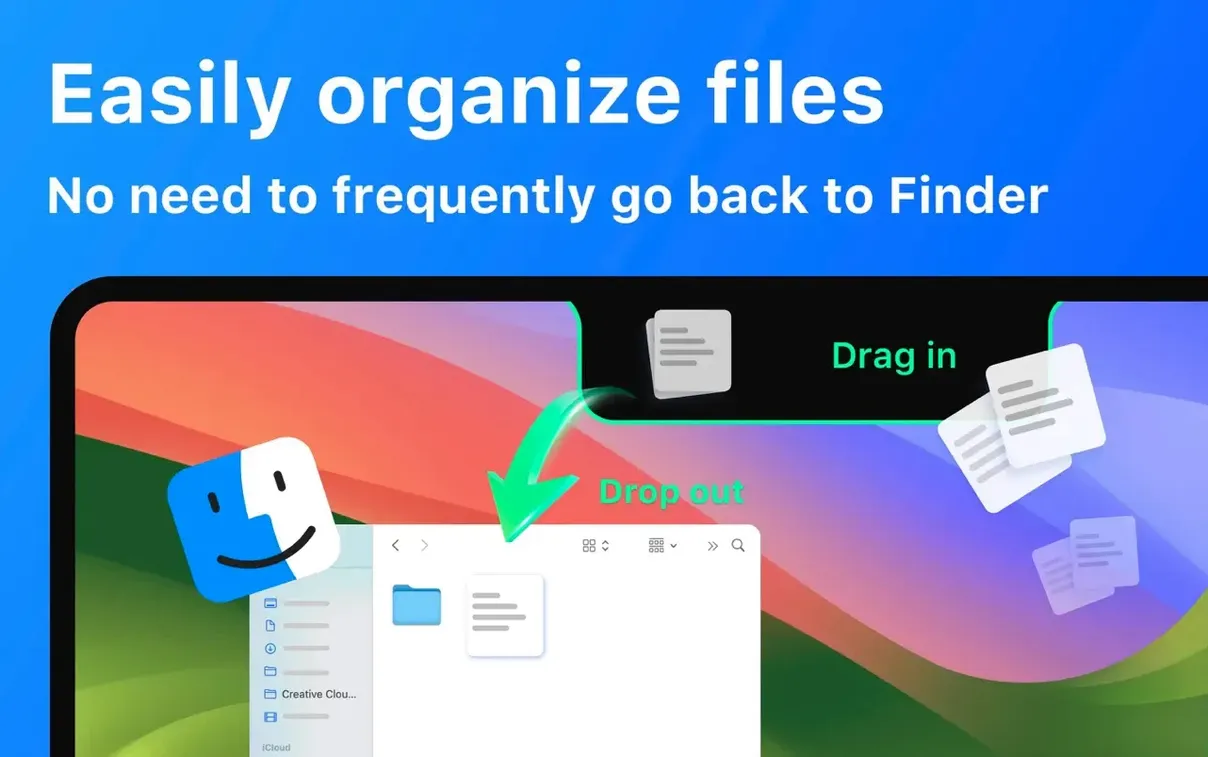
Drag any file onto the notch for quick temporary storage. You can also send items via AirDrop straight from that same drop zone.
Control music and see what's next
Disable the default camera mirror
- Turn off the camera mirror. It is on by default. Most people do not need a live view of themselves next to the clock. Switch it off in Preferences > Modules unless you use it for quick lighting checks before calls.
- Limit clipboard history. Notchbox keeps a long list by default. Set a cap of 20 items. Keeps the panel fast and avoids clutter when you are searching for a snippet you copied an hour ago.
- Hide the Wi‑Fi speed meter. Useful for troubleshooting, distracting otherwise. Show only signal strength if you want a connection indicator at all.
- Set calendar to show today only. The default multi-day view takes up space. Single-day view gives you the next two events and nothing more. Enough for a quick look between tasks.
- Choose your music app once. If you use Spotify, lock it in Preferences. Notchbox can flip between Apple Music and Spotify unexpectedly when both are installed.
A day with Notchbox
A UX designer working across three client projects keeps a shared moodboard folder on the desktop. Throughout the day, clients send reference images via Slack. She drags each incoming file onto the notch, where it sits as a temporary stack. When it is time to drop them into Figma, she pulls the stack out in one go — no Finder window cluttering the workspace.
Between meetings, she taps the notch to check the next calendar event. The countdown timer, set to 25 minutes, sits alongside the date. When Spotify needs a skip, she does not switch apps. One click on the notch, track changes, focus stays.
Shelf sits between menu bar and Dock
Notchbox slots into the space that the menu bar and the Dock leave open. It does not replace either.
- Finder and AirDrop. The file shelf in the notch is a staging area, not permanent storage. Use it between Finder and an email, a chat window or AirDrop. After a drag, the file stays where it was. The notch just holds a reference.
- Calendar. Reads the same system calendar as the Notification Centre. Set work hours in Calendar preferences and Notchbox shows only those events if you keep the filter tight.
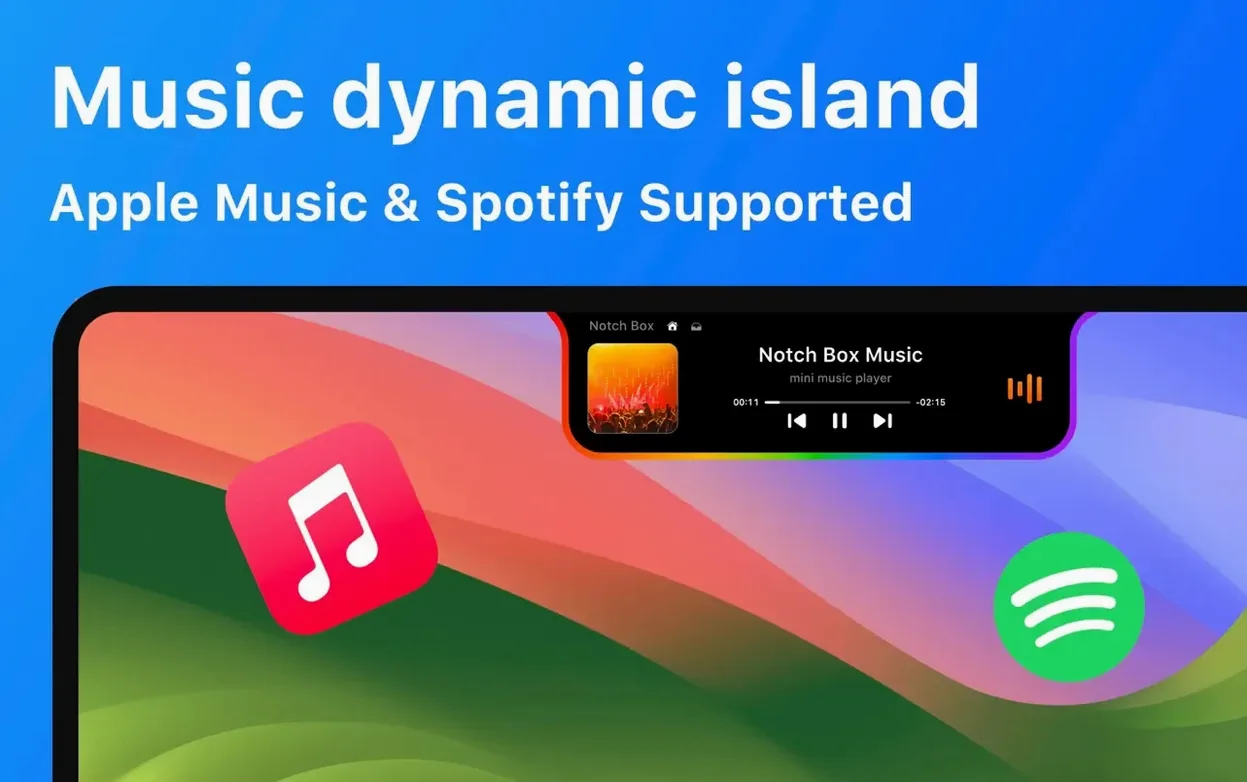
- Music services. Works as a remote for Spotify and Apple Music, not a replacement. The main app handles library management and discovery. Notchbox handles play-pause, skip and glance.
- Clipboard managers. If you already use a dedicated clipboard tool, treat the Notchbox history as a secondary quick-access list. It holds recently copied text and images but does not offer search or organisation.
- Mission Control and Stage Manager. The notch panel sits above all spaces and does not interfere with window tiling. If you use Stage Manager, the panel stays visible when you switch sets of apps.
A typical notchbox download mac setup works best when paired with a clean menu bar. Remove unused menu bar icons so the notch panel catches your eye without competing for attention.
Play, pause and skip tracks in Spotify or Apple Music. The hub also shows the time, calendar events and your clipboard history at a glance.
- macOS 13 or later
- Apple Silicon or Intel 64-bit Mac
Questions the team asks
Yes. The app supports both Intel and Apple Silicon processors as a universal binary.
It works with Apple Music and Spotify for playback control directly from the notch.
Yes. NotchBox includes 16 languages, including English, German, Japanese, Arabic and Russian.





Comments 0
Sign in or create an account to add a comment.
No comments yet. They go up after moderation.