

NotchNook — Mac download
Download (41 MB) Earlier builds
Ticked
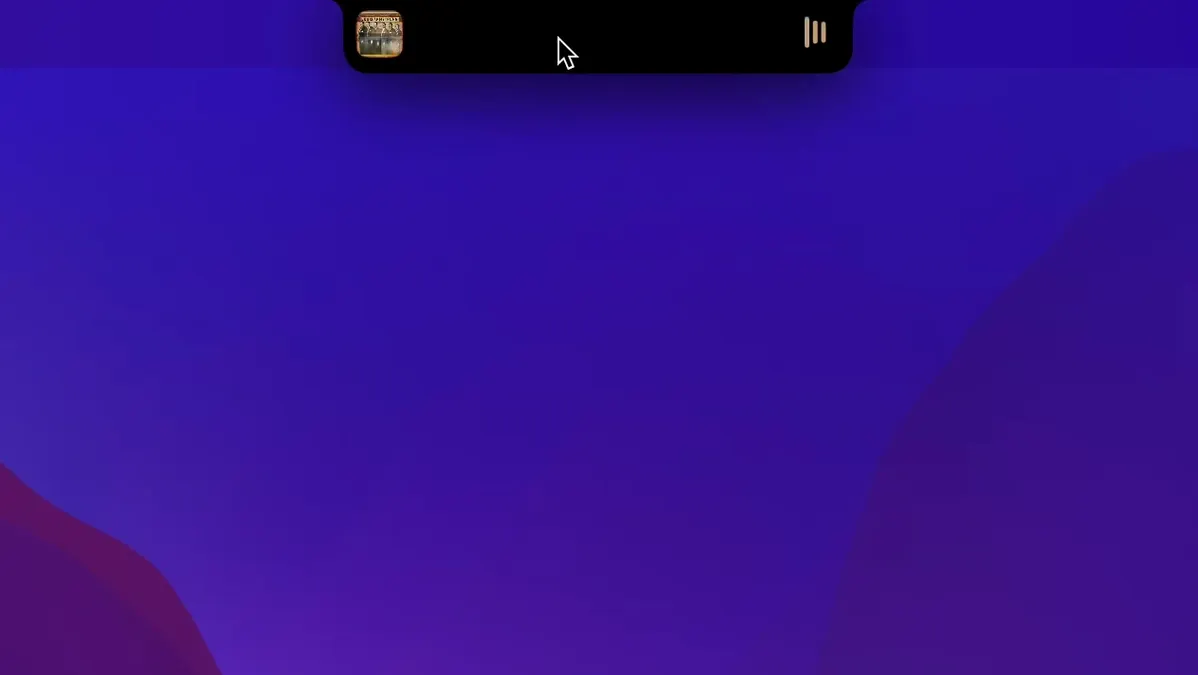
Music and media
Skip tracks and adjust volume straight from the notch — the controls work like a mini Now Playing widget.
Calendar and widgets
Click the notch to reveal a calendar view and glanceable information, similar to Live Activities on iPhone.
Notifications
Tweaks that make the notch yours
Out of the box, NotchNook works. A few tweaks make it yours.
Toggle the file shelf
The shelf sits in the expanded panel, ready for temporary drag-and-drop. Turn it off if you never use it — it reclaims a row of space for widgets instead.
Calendar density
Switch between a compact month grid and a list of upcoming events. The list view suits people who only want to see the next three appointments.
Widget arrangement
Reorder widgets in the preferences pane. Put media controls at the top and the calendar below, or the other way round. The order you set here matches the expanded notch panel.
Activation sensitivity
Adjust the hover delay if the panel opens too eagerly when your cursor drifts near the notch. A 200-millisecond pause stops accidental triggers during menu-bar work.
Startup behaviour
Enable “Launch at login” to have the notch controls ready after every restart. Without it, you need to open the app manually.
Three apps, one notch, different angles
Three apps attempt similar things on macOS. NotchNook takes a different angle.
NotchNook vs Bartender
Bartender hides menu-bar icons; NotchNook adds controls to the notch. They solve opposite problems. Use Bartender to declutter the right side of the menu bar, and NotchNook to put media and widgets where the camera cutout already lives. They coexist without conflicts.
NotchNook vs Dropover
Dropover gives you a floating shelf for dragged files. NotchNook includes a shelf too, but anchors it to the notch rather than a floating window. The shelf here is temporary — good for staging a few items mid-task, not for long-term collection. Dropover suits people who constantly drag-and-drop between apps; NotchNook suits those who want the shelf as an accessory, not the main event.
NotchNook vs WidgetWall
WidgetWall turns your desktop into a widget board. NotchNook brings widgets to the notch area instead. WidgetWall works on any Mac; NotchNook is for MacBooks with a notch. If you stare at the desktop between tasks, WidgetWall fits. If your eyes stay near the menu bar, NotchNook’s position saves a glance downward.
Turning dead space into a control surface
- MacBook Air and Pro users with a notch. The hardware cutout becomes a control surface instead of dead space. No notch, no benefit.
- People who keep Now Playing visible. A single click on the notch shows track info and transport controls — faster than opening Music or Spotify.
- Calendar-first workers. The month grid lives one hover away. Quick checks between meetings without switching to a calendar app.
- Notification triagers. Alerts appear at the notch and stay until dismissed. Good for sorting Slack messages while keeping the main workspace clean.
- Users who stage files briefly. Drop a screenshot or a document on the shelf, switch apps, grab it back. The shelf empties when you restart NotchNook.
A workflow: staging a screenshot for a quick reply
- Take a screenshot with Shift-Command-4. The file lands on the desktop.
- Hover over the notch to open NotchNook. The file shelf sits ready in the expanded panel.
- Drag the screenshot from the desktop to the shelf. It stays there while you switch context.
- Open your email or messaging app. Grab the screenshot from the shelf and drop it into the message body.
- Send the reply. The shelf item remains until you remove it or quit NotchNook — no second trip to the desktop.
The same pattern works for dragging a PDF into a sign-off request, or dropping an image into a design spec. The shelf bridges the gap between Finder and the app you are working in, without opening a dedicated file manager.
If you search for a notch nook mac download to try the shelf workflow, the steps above apply immediately after setup.
Alerts expand from the notch area so you can triage messages without opening Notification Centre.
- macOS 14 or later
- Apple Silicon or Intel 64-bit
Questions the team asks
It needs an Apple silicon MacBook with a notch and macOS 14.6 or later.
It supports over twenty languages including English, Japanese, Arabic, German, French, Spanish, Chinese (Simplified and Traditional), and Russian.






Comments 0
Sign in or create an account to add a comment.
No comments yet. They go up after moderation.