

ServerCat - SSH Terminal — Mac download
Download (20 MB) Earlier builds
Ticked
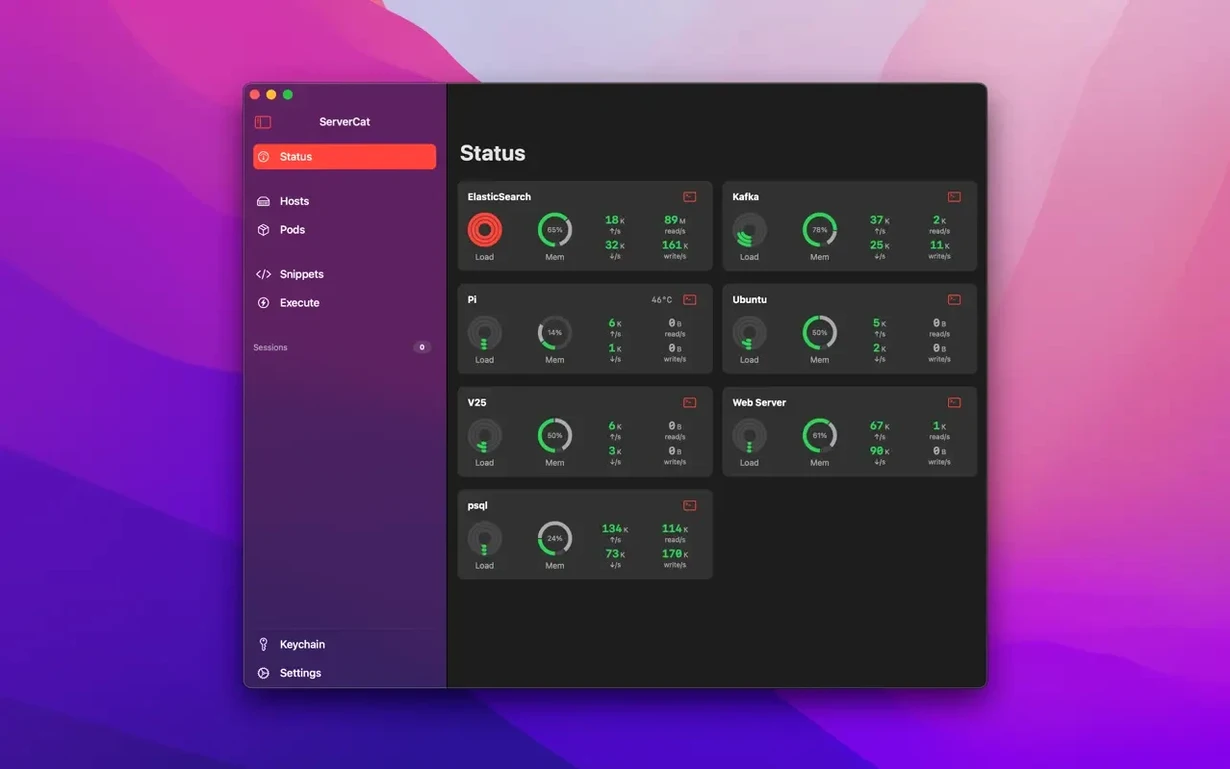
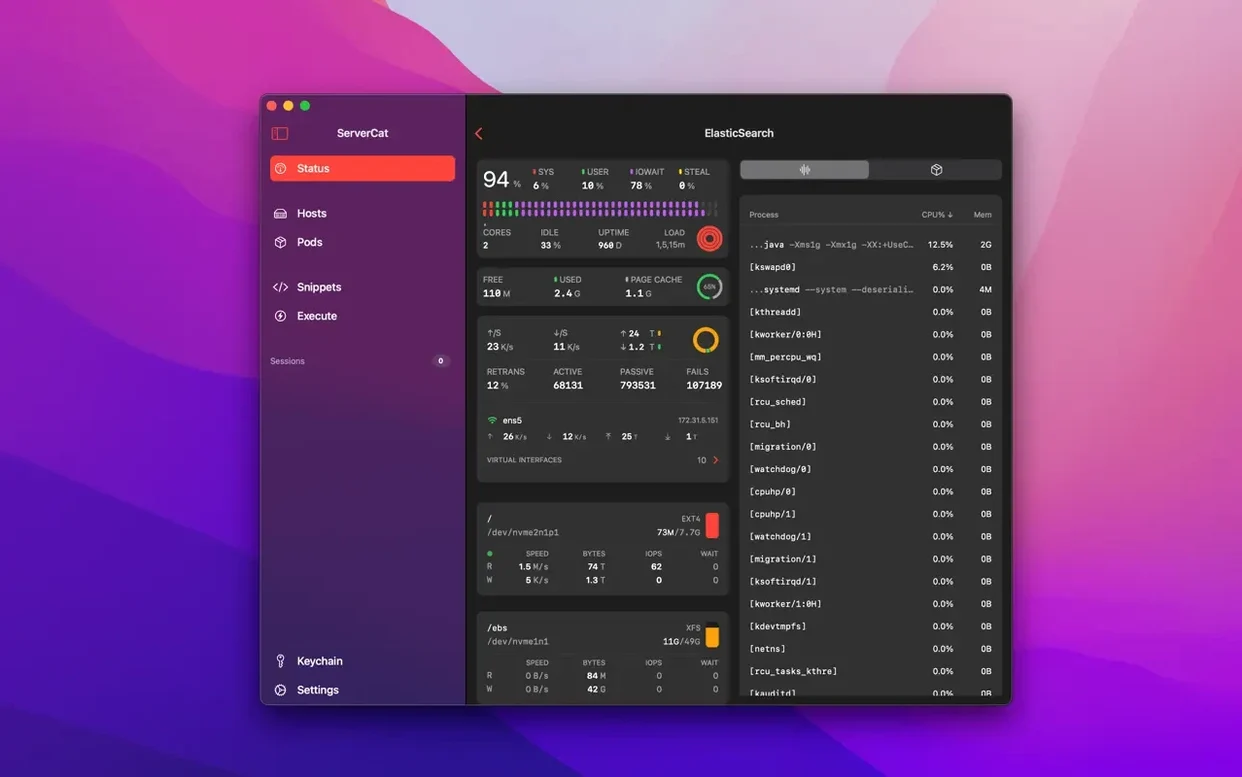
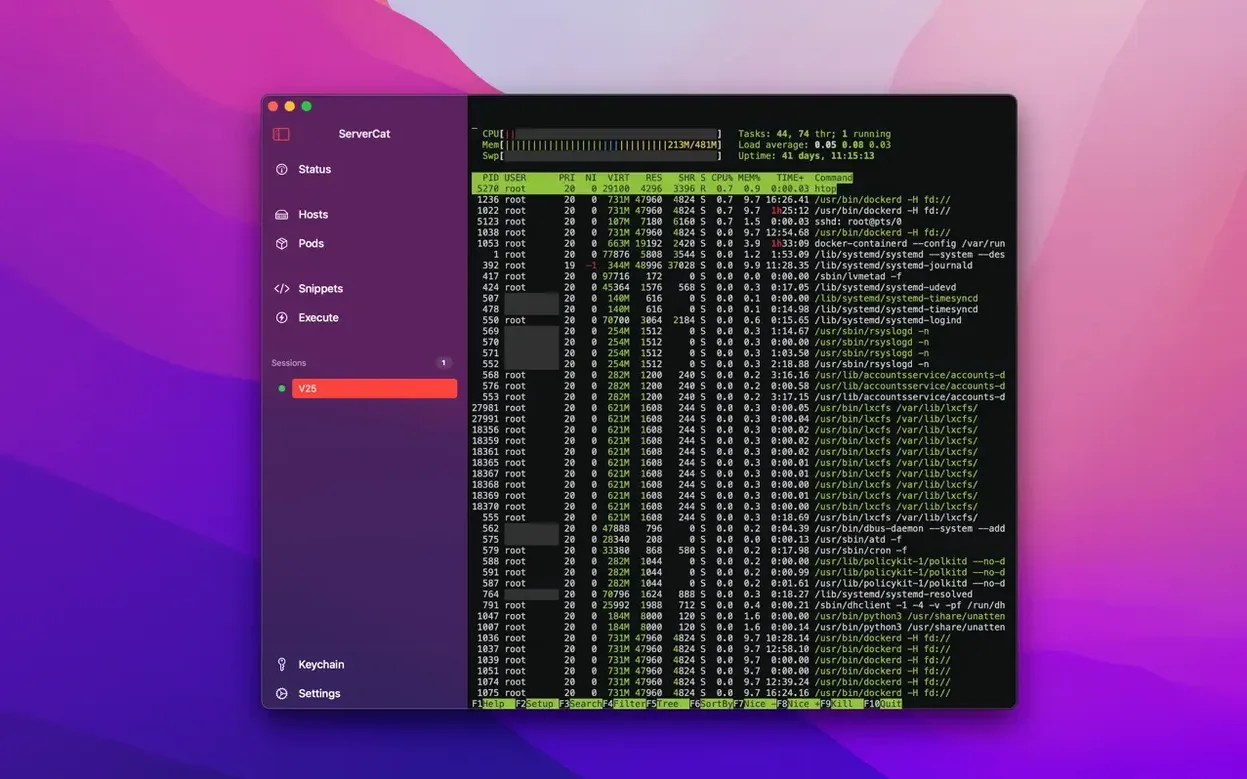
If you treat Terminal like a blank notepad, ServerCat is more like a structured dashboard. It takes the same SSH account you already use and layers live server metrics on top, reading data directly from the /proc file system rather than relying on extra agents.
- Live memory usage, network traffic, network speed, and TCP statistics pulled from the server
- Docker container status and resource usage, shown alongside host metrics
- A built-in SSH client so you can switch from dashboards to a terminal session in the same window
- No third-party tools or daemons installed on the Linux boxes you connect to
- Available in English, Vietnamese, Simplified Chinese, Polish, Turkish, Ukrainian, and Japanese
It works on macOS 14.1 and later, on both Intel and Apple Silicon Macs. The latest update sorts a memory reporting bug and adds support for the newer operating system versions.
Extend session timeouts and speed up metrics refresh
- Background SSH timeout. Default is short. Extend it under Preferences > Terminal if you flip between containers and need the session alive.
- Metrics refresh interval. The out-of-box rate is fine for idle servers, but drop it to 5 seconds for boxes under load. Found in the dashboard panel gear icon.
- CPU core view. Per-core graphs are off by default. Turn them on. A single pinned core tells you more than a flat average.
- Credential encryption passphrase. The AES key defaults to device-only storage. Set a separate passphrase if you plan to sync credentials later.
Workflow: chasing a noisy container
- Open ServerCat and tap the server tile. The dashboard loads CPU, memory, and disk IOPS at a glance.
- Switch to the Docker tab. Sort containers by CPU %. One container sits at 90% — that is your suspect.
- Tap the container name to pull its live stats: memory curve, network throughput, block I/O.
- Long-press the container and choose Terminal. A shell opens inside the container, same window, no separate app launch.
- Run
top -n1to confirm the offending process, thendocker logs --tail 200on the container to scan the last lines. - Decide: restart, kill the process, or adjust a resource limit. Everything you need is inside one session.
- Added support for iOS 27 and macOS 27.
- Fixed a bug where memory usage was shown as 100% on some Macs.
- macOS 14.1 or later
- Apple Silicon or Intel 64-bit
Questions the team asks
No. It connects over SSH and reads system data from the Linux /proc file system. No programs or third-party tools are installed on the server.
It tracks memory usage, network traffic and speed, TCP statistics, and Docker container status and resource usage.
No, ServerCat does not support iCloud.









Comments 0
Sign in or create an account to add a comment.
No comments yet. They go up after moderation.