

SiteSucker Pro — Mac download
Download (6 MB) Earlier builds
Ticked
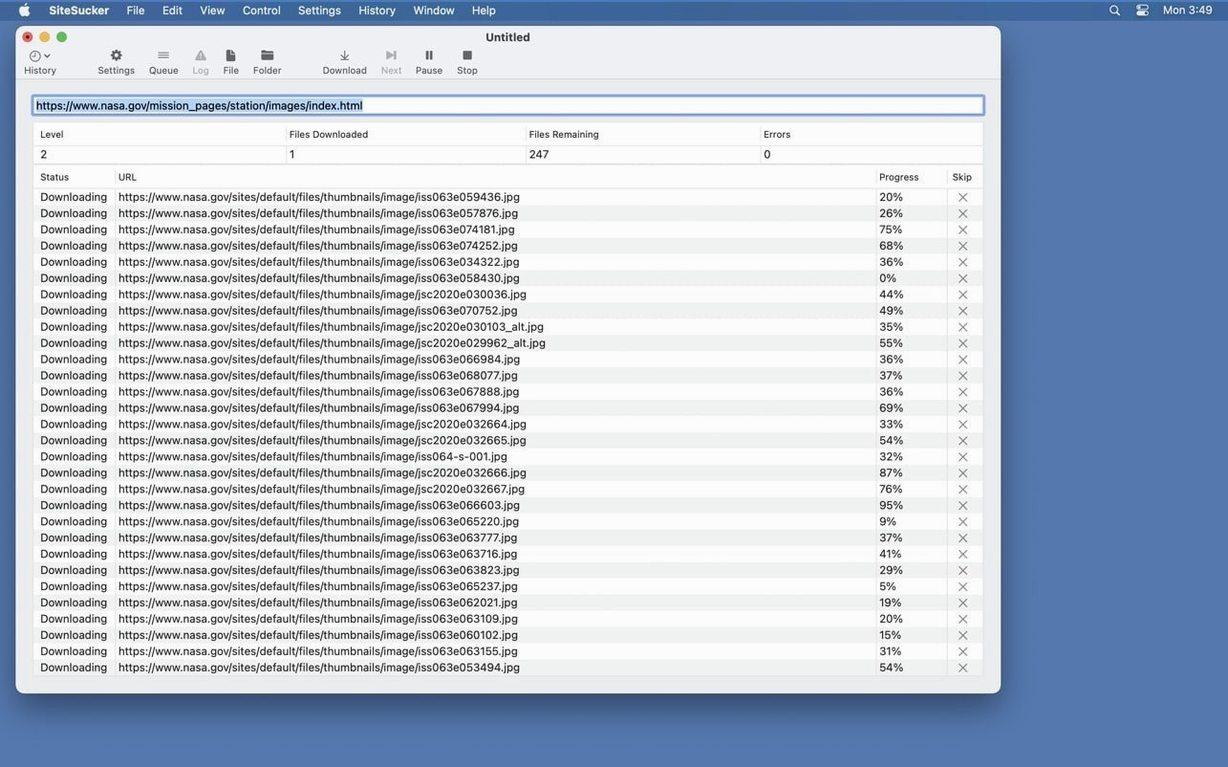
Think of it as the download manager your browser never had. Instead of saving one page at a time, SiteSucker pulls down the whole lot—structure, images, stylesheets, and all—straight onto your local disk.
What does SiteSucker grab?
It copies web pages, PDFs, images, and stylesheets. The directory structure stays intact, so the offline copy mirrors the live site.
What control do I have over downloads?
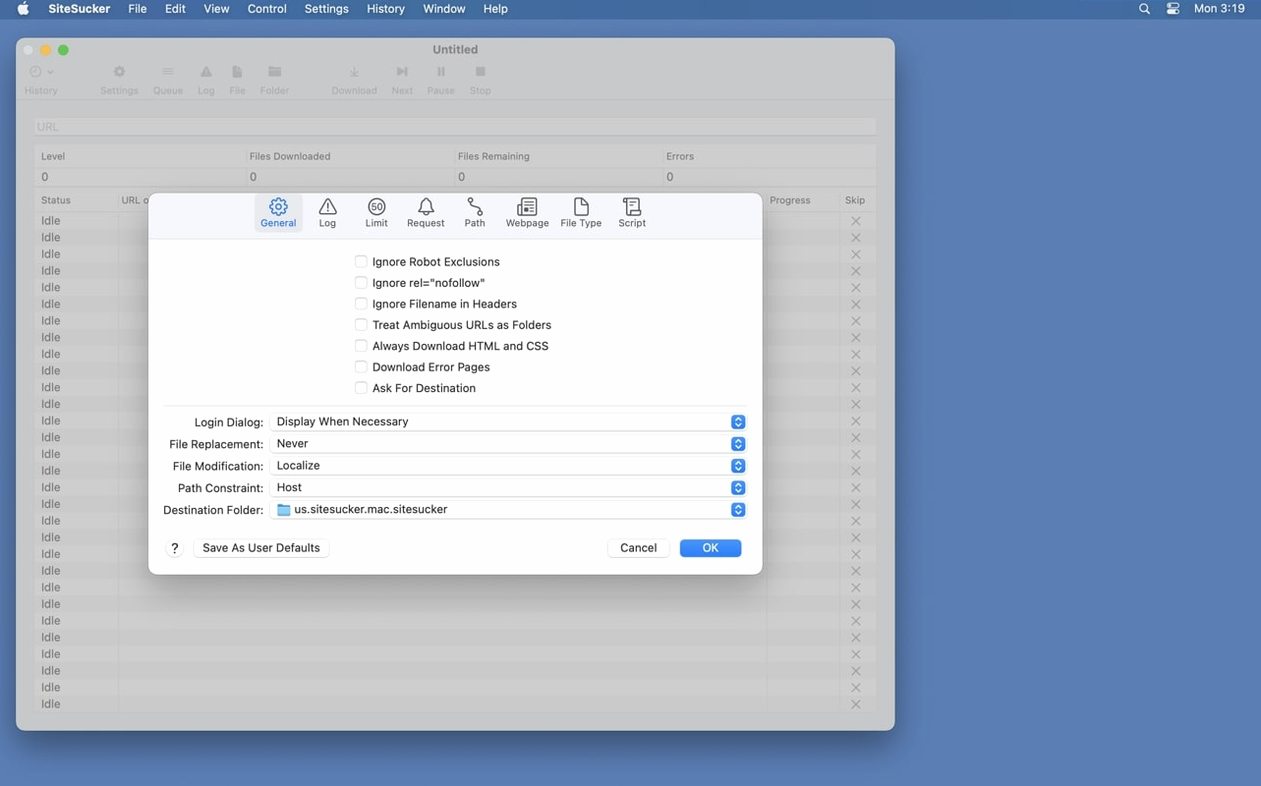
Settings let you choose between downloading an entire site or just selected file types. You can also set limits, define paths, and tell it to ignore robots.txt exclusions if needed.
What makes Pro different?
SiteSucker Pro adds the ability to download embedded videos. The standard app handles static content; Pro pulls down the video files too.
Checking a download's final status and path
Shortcuts you'll want to know about
A few small conveniences live just below the surface.
- Pause and resume mid-site. The toolbar pause button stops the crawl without losing your place. Handy when bandwidth is tight.
- Drag-and-drop URLs. Drag a link straight from Safari into SiteSucker’s URL field. No copy-paste needed.
- Right-click a link in the log. You can open the local copy or the original URL from the context menu—quicker than hunting through folders.
- Command-L in the main window. Jumps straight to the URL field so you can start typing a new address immediately.
- User-agent presets. In the Advanced settings, switching the agent to Safari or Firefox often gets past sites that block generic downloaders.
Fixing single-page downloads and missing videos
Three things tend to trip people up.
Site downloads nothing but a single page. Almost always a link-depth setting. The default depth is shallow. Push it higher in Limits, or the crawler stops before it finds secondary pages.
Embedded videos won’t download even in Pro. Check the Paths section. If the video host is excluded by a path rule, Pro won’t touch it. Remove the blocking path and retry.
Local site looks broken offline. Some sites load assets from external CDNs. Turn off “Stay on the original server” in the General settings so the app follows those links and stores the assets locally.
Grabbing embedded YouTube and Vimeo in Pro
If you’ve used the free version of SiteSucker and want more, SiteSucker Pro is the obvious next step. People often ask whether it handles video the same way—yes, Pro adds embedded YouTube and Vimeo downloading that the standard version lacks.
Another common one: “Will this work on Apple Silicon?” The current build of SiteSucker Pro Mac runs natively on both ARM and Intel, so there’s no Rosetta translation layer involved.
Some people look for a SiteSucker Mac free alternative but hit the wall on video support. That’s the dividing line. If your archiving stops at pages and images, the base app covers it. If you need embedded media, Pro is the only path.
And yes—the log file opens in Console with one click. That’s the fastest way to diagnose a crawl that went sideways.
Hit Open Log on the toolbar. It lists every file fetched, every redirect followed, and any errors along the way.
- Added a Format HTML option to Webpage settings
- Fixed bugs related to creating PDFs
- macOS 26 or later
- Apple Silicon and Intel









Comments 0
Sign in or create an account to add a comment.
No comments yet. They go up after moderation.