
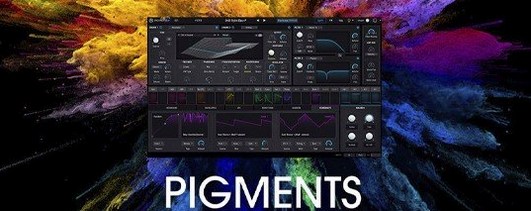
Arturia Pigments — Mac download
Download (1.8 GB) Earlier builds
Ticked
Pigments is a software synthesizer plugin that combines wavetable and virtual analogue synthesis with generative sequencing and deep modulation.
Shape a pluck with two engines
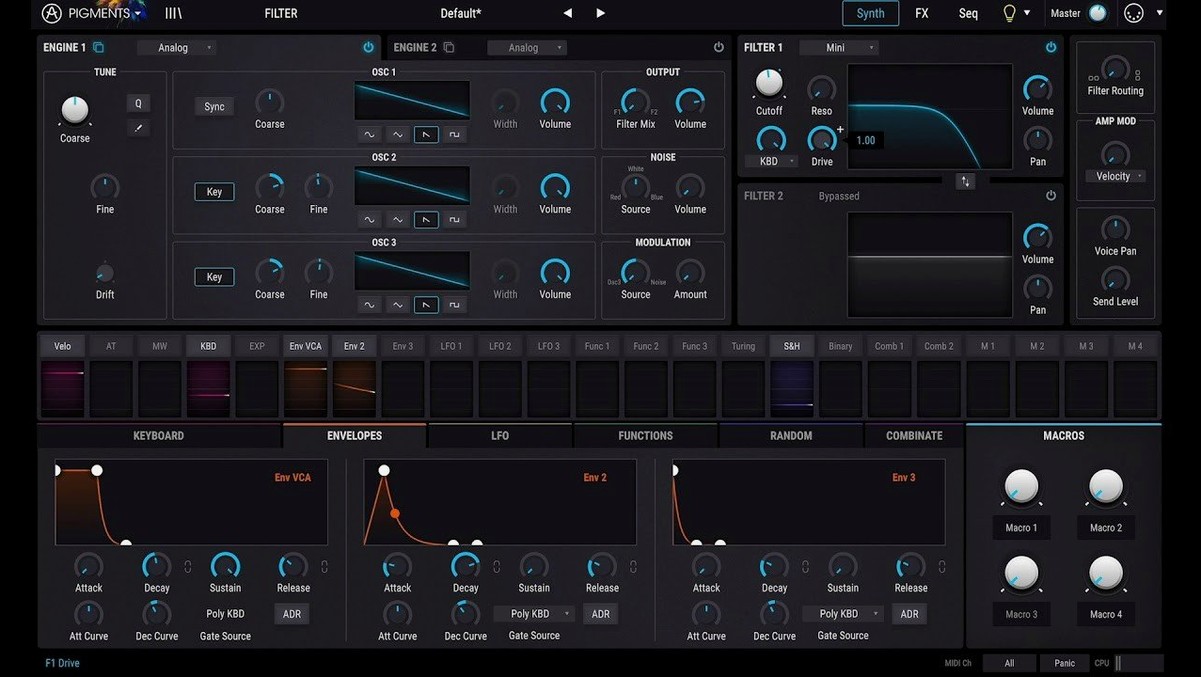
Start by loading an init patch on the redesigned Play Page. Select a wavetable for Engine 1 — something glassy works well. In Engine 2, switch to the virtual analogue engine and dial in a simple saw wave, then detune it a few cents. Blend the two with the on-screen faders. The hybrid combination thickens the transient without eating headroom.
Add movement with drag-and-drop modulation
Drag a random LFO onto the filter cutoff and set the rate with the intuitive controls. Assign a second modulator to the wavetable position to sweep the harmonic content over time. Next, insert the Corroder effect from the built-in effects rack to dirty the tail. Dial the mix back to around 25%. Feed a slow ramp from the generative sequencer into the reverb send. The result is a percussive pluck that breathes with every hit — built in minutes from six synthesis engines and a handful of drag-and-drop routings.
First-day practical tips
- Tag the 150 new factory presets straight away. Right-click a favourite and assign a colour label — it speeds up recall when you are building a set.
- Load the in-app tutorials before you touch a knob. They walk through the six synthesis engines in ten-minute chunks and save you from hunting through the manual.
- Save a blank template with your preferred MIDI controller map. Map the eight macros on the Play Page to your hardware once, then save the session as
Pigments_Default. Every new patch inherits it. - Test CPU load early. Stack a four-voice unison patch and watch the meter. If your session is heavy, drop the unison count before you freeze tracks.
Switch on MPE and tune the interface before patching
Open the settings cog from the top bar and make three changes before serious patch design. Set MPE Mode to on if your controller supports it — Pigments responds to per-note pressure and slide without extra mapping. Switch GUI Performance to the lower refresh option on a MacBook Air; the colour-coded interface stays legible while freeing the GPU for other plugins. Lastly, check MIDI Clock Source. The generative sequencer locks tight to your DAW when it is set to external, but a mismatch here produces drifting arpeggios that are hard to diagnose later.
How Pigments fits your setup
Drop Pigments into a Drum Rack chain in Ableton Live and use a single instance per pad. The Rage, Ripple and Reverb filters added in version 7.0.1-6772 turn a simple noise source into a hat, a snare tail and a room ambience — three pads, one plugin, no sample hunting.
Run it side by side with Arturia’s FX Collection. Send Pigments into the Eternity delay and filter the repeats with the Corroder effect in the insert chain. The two plugins share the same preset browser conventions, so moving between them feels like one system.
On the macOS side, assign the Pigments AU plugin to a Logic Pro Smart Control set. Map Smart Controls to the eight Play Page macros and you control the synth from Logic’s mixer without opening the plugin window. On Apple Silicon Macs, Pigments runs natively — no Rosetta bridging required. The AU version loads fast even in large sessions, and MIDI routing through the IAC driver lets you sequence the generative arp from a standalone MIDI clip in a separate track.
- Redesigned Play Page
- New Rage, Ripple, and Reverb filters
- Corroder effect added
- 150 new factory presets, 50 wavetables, 30 samples, and 20 noises
- macOS 11 or later
- Apple Silicon or Intel 64-bit processor
Questions the team asks
It combines six engines: wavetable, virtual analogue, harmonic, sample, granular and a utility engine for noise and sub layers.
Yes, it supports Apple Silicon and Intel 64-bit Macs running macOS 11 or later.




Comments 0
Sign in or create an account to add a comment.
No comments yet. They go up after moderation.