
Komplete Kontrol — Mac download
Download (785 MB) Earlier builds
Ticked
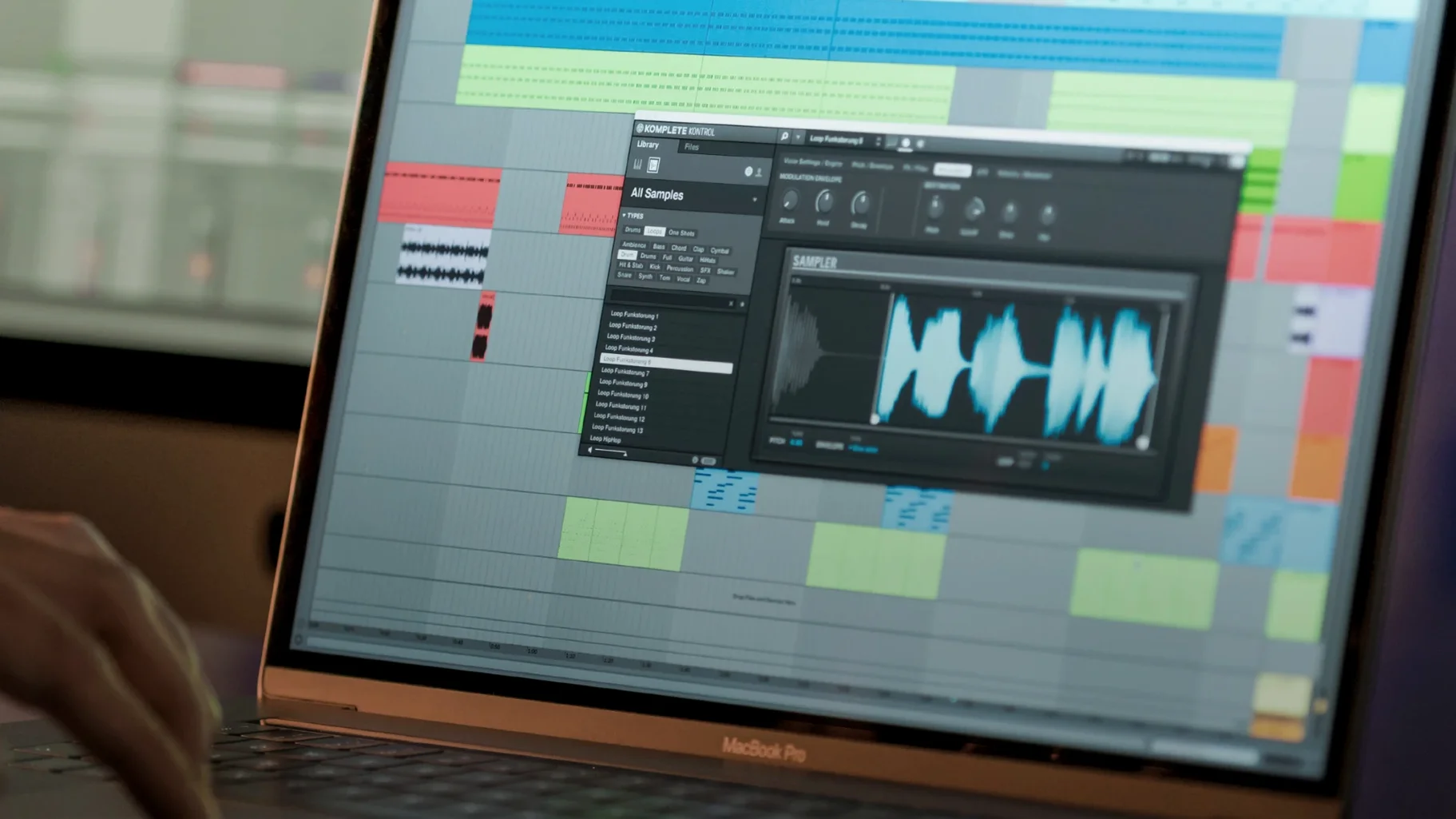
No more parameter lag from MK3 keyboards
Parameter changes from a Kontrol S‑Series MK3 no longer lag the session. NKS Connect support is in, so compatible controllers now map NKS Mode directly. A focused maintenance release.
On instrument tracks
Load any NKS-ready instrument and Smart Play gives you 100+ scales and modes right on the controller. Browsing scans over 750 third‑party plug‑ins from 90 developers without touching the mouse.
On buses and effects
Drop an effect into a bus insert slot and NKS mapping puts the key parameters under the same hardware knobs you use for synths. No re‑mapping, no window hunting.
Typical daily jobs
Tag loops and samples through NKS so the browser finds them later. Switch between MIDI controllers, mouse, and keyboard — the session keeps running while you work the way the moment needs.
What's worth changing on first launch
A few settings save time before a single note plays.
- Audio interface and buffer size. Go to Preferences > Audio and match the device and sample rate to your DAW. A 128-sample buffer keeps latency low on Apple Silicon without crackles during early sketching.
- Library scan paths. Add any folder holding non‑NKS instruments under Preferences > Library > User. A quick re‑scan brings third‑party content into the browser straight away.
- Controller assignments. If the S‑Series Light Guide feels bright for a dim studio, drop it to 50% under Preferences > Hardware. It stays readable without pulling focus.
- Standalone MIDI routing. In standalone mode, open Preferences > MIDI and pick the controller ports. Skipping this leaves the transport idle when you just want to audition sounds fast.
Three desktop apps that overlap, but only one browses third-party plug-ins
Three desktop apps overlap with Komplete Kontrol, each with a different remit.
Arturia Analog Lab. A preset‑first browser for Arturia’s own modelled synths and keyboards. The mapping is tight on Arturia hardware, but third‑party plug‑in support is absent. Komplete Kontrol opens the door to over 750 NKS‑ready plug‑ins — a broader palette when a session moves between developers.
Akai VIP. VIP indexes VST and AU instruments into a single patch library, much like Komplete Kontrol’s browser. The Akai VIP controller mapping is deep for keyboard splits and layers. However, VIP lacks a built‑in sampler, and loop tagging isn't part of the workflow. Komplete Kontrol’s drag‑to‑timeline loops and one‑shots fill that gap during beat‑making stages.
Logic Pro’s built‑in Library. The Library browses Logic’s own instruments and third‑party Audio Units with saved patches. It is fast but stays inside Logic and maps only Smart Controls, not full NKS parameter pages. Komplete Kontrol runs the same browsing and mapping in any DAW — a consistent hardware‑plus‑browser layer that follows the session, not the host.
- Added NKS Connect support in Komplete Kontrol.
- Added NKS Mode integration for compatible NKS Connect controllers.
- Fixed performance issues when changing plug‑in parameters from Kontrol S‑Series MK3.
- macOS 12 or later
- Apple Silicon and Intel supported
Questions the team asks
Yes. It works with any MIDI controller, mouse, and keyboard, though NKS integration and Smart Play are designed around NI hardware.
It can browse more than 750 plug‑ins from 90 developers that support the Native Kontrol Standard mapping format.
It fixed performance issues when changing parameters from a Kontrol S‑Series MK3 and added NKS Mode integration for compatible NKS Connect controllers.




Comments 0
Sign in or create an account to add a comment.
No comments yet. They go up after moderation.