

Camtasia — Mac download
Download (421 MB) Earlier builds
Ticked
From recording to shared video
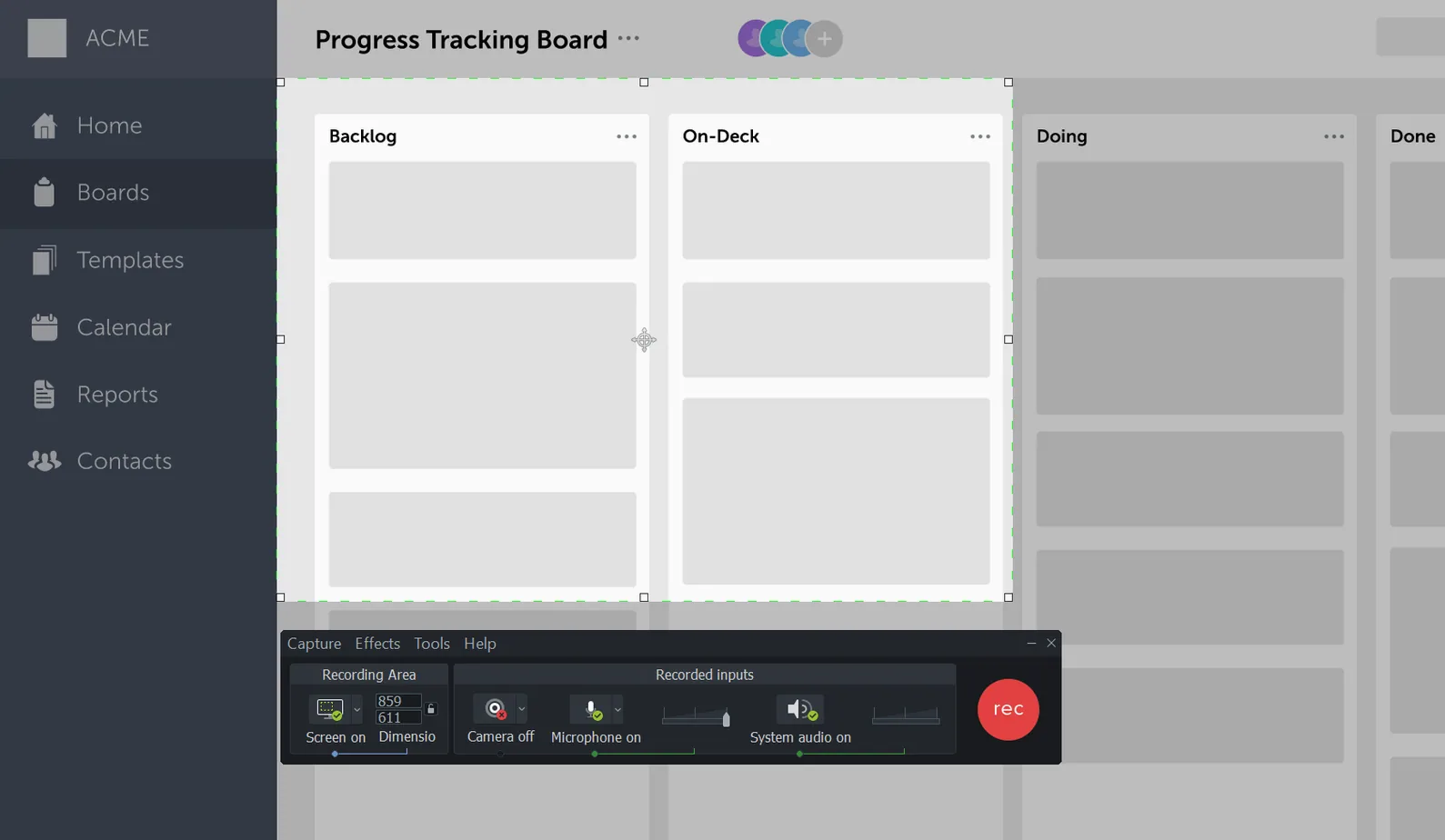
- Record the screen. Capture your full desktop, a region, or a webcam feed.
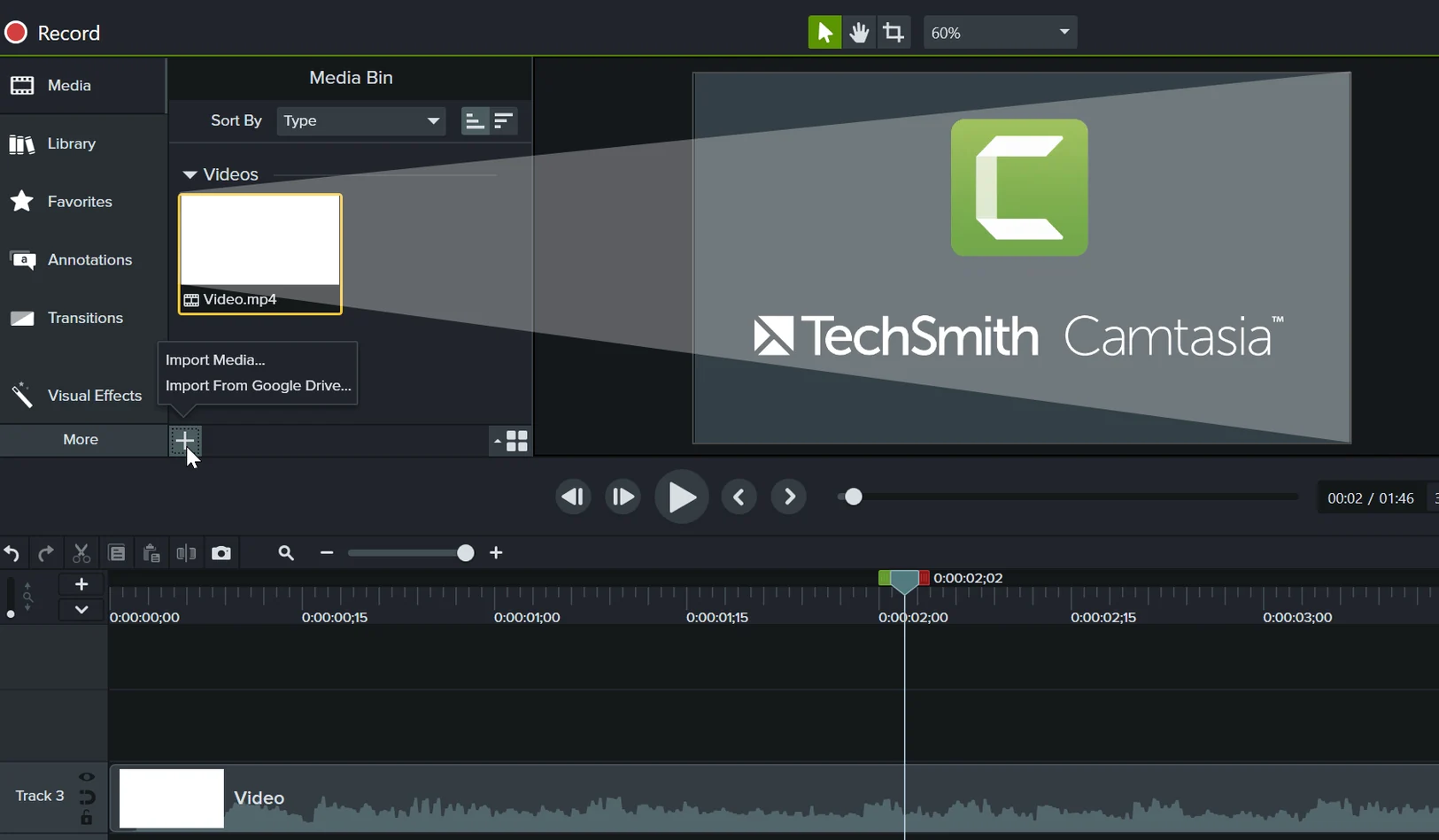
- Add existing media. Bring in video clips you have already recorded, plus images and audio files.
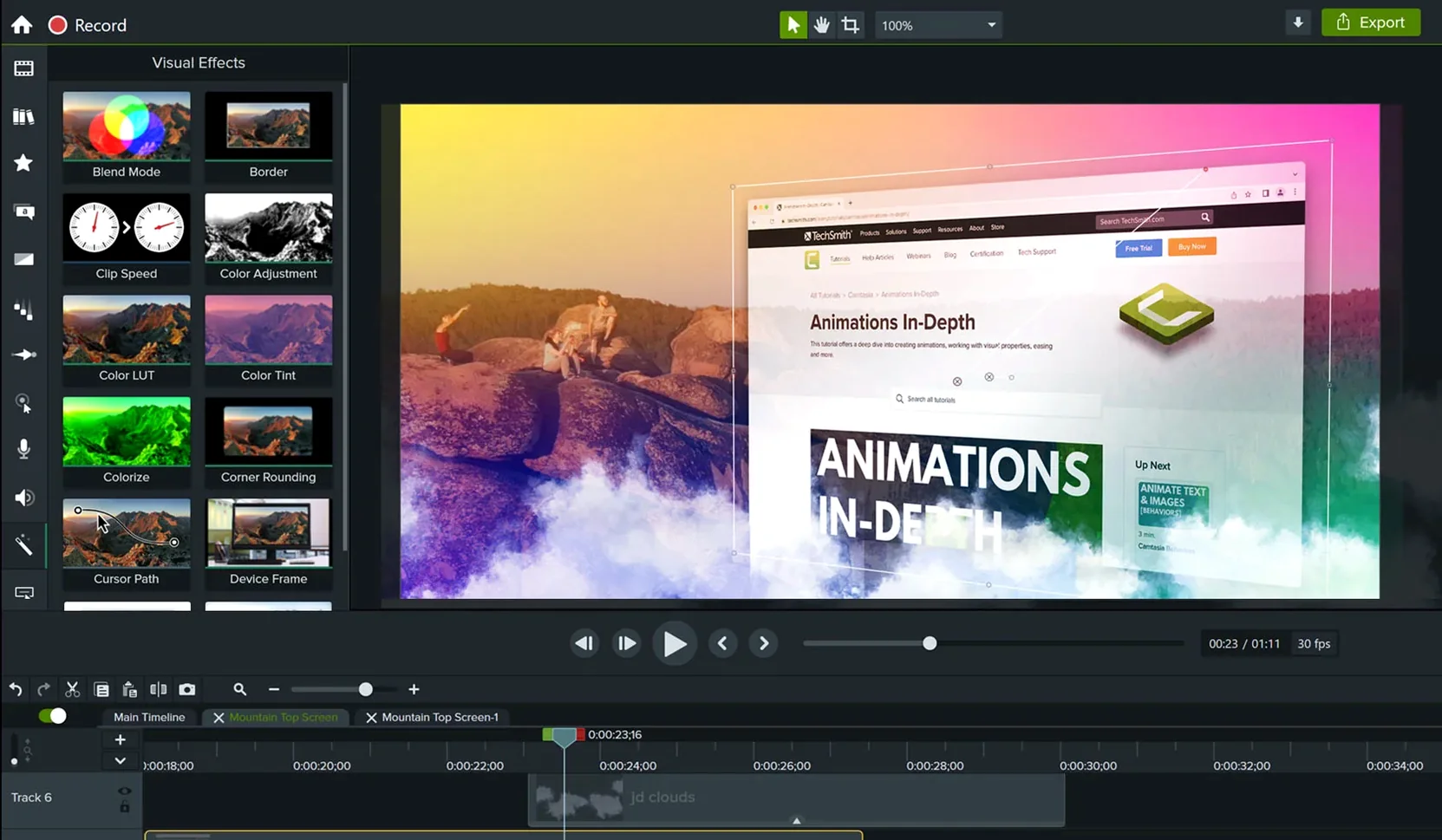
- Apply a template. Drop your footage into a ready-made video template to give it structure and consistent styling.
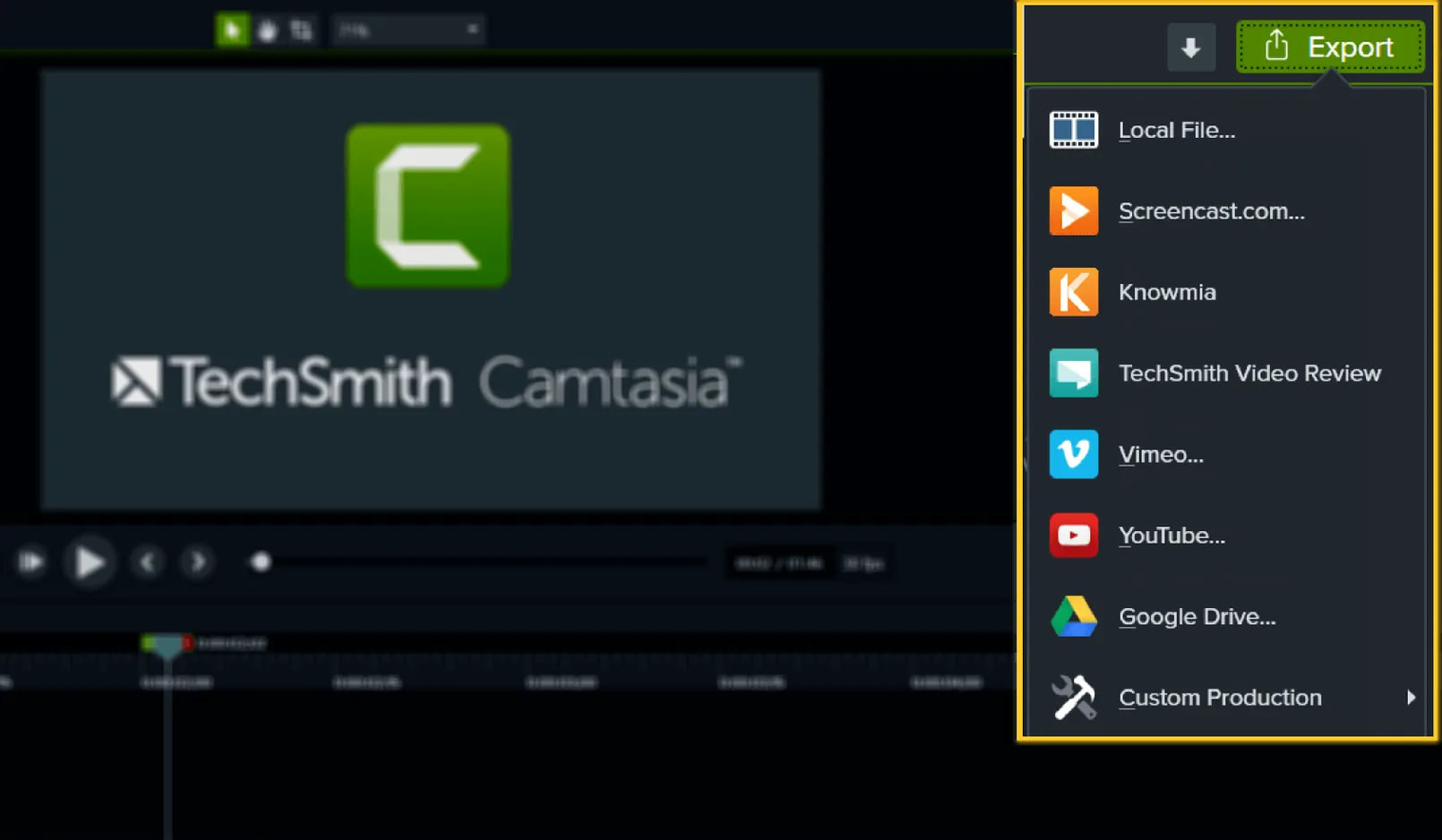
- Export and share. Output a finished file and send it to colleagues or a wider audience.
This sequence sits comfortably alongside the tools a Mac user already keeps open. Start a recording while a Keynote presentation runs, pull in a screen grab from Photos, then use a template to package everything without building animations from scratch. The interface switches to Japanese, Portuguese, German, French or Simplified Chinese when your team spans borders.
From blank timeline to expenses tutorial in one morning
Tuesday morning. Three new starters need to learn the expenses system by lunch. You open Camtasia and pick New Recording from the file menu. The recording toolbar floats above your browser window.
- Set the capture area. You drag the region selector to frame just the browser tab where the expenses app lives. Webcam inset goes bottom-right so your face sits out of the way of form fields.
- Talk through the process. You narrate while clicking through each step — log in, select a cost centre, attach a receipt. One stumble on the date picker. You pause, re-record that 20-second stretch, and move on.
- Drop into the timeline. The recording lands on the canvas. The wobbly intro where you cleared your throat gets a quick trim. Three seconds gone.
- Apply callouts. You drag arrow annotations onto the “Submit” button and the approval dropdown. No need to pause the talking; the callout timing adjusts on the track below.
- Check audio. A quick listen confirms the room fan is audible. You open Audio Effects, apply noise removal, and the background hum disappears.
- Add chapter markers. Three markers — Log In, Enter Expenses, Submit — so the new starters can jump to the bit they forgot.
- Export. You select the “Share to Screencast” preset. While it renders, you reply to an email. The link arrives in the team Slack channel before the morning coffee run.
The whole job took under forty minutes. The template kept fonts and colours consistent with last month’s HR video without touching a style panel.
Quick facts
Does it handle both screen and webcam at the same time?
Yes. You can record the screen, a webcam feed, or both in one pass. The webcam appears as a resizable overlay on the canvas. You can also record them as separate tracks and decide later whether the talking-head shot stays in frame.
What if I already have video files from another tool?
Drop them straight onto the timeline. Camtasia imports common formats including MP4, MOV, and M4A. Clips recorded in QuickTime or OBS sit alongside footage captured in the app itself. You can also pull in audio-only files if you recorded voiceover separately.
Drop PowerPoint slides straight onto the timeline
The Mac version imports PowerPoint presentations directly. Each slide becomes a timed clip on the timeline, ready for voiceover or annotations. You do not need to export slides as images first.
Is it ready for Apple Silicon?
Yes. The app runs natively on both Apple Silicon and Intel Macs from macOS 13 onwards. Rendering and export take advantage of the hardware you have.
Launch and export crashes are now patched
Version 2026.2.3 is a maintenance release. Two things matter in practice.
- Startup stability. A crash that could hit on launch or during export has been fixed. If you previously saw the app quit before the canvas loaded, that should no longer happen.
- General polish. Miscellaneous bug fixes smooth out small annoyances — things like timeline zoom stutter or a misbehaving callout snap. Nothing glamorous, but fewer interruptions when you are mid-edit.
Earlier updates in the 2026 cycle brought the template library closer to the Windows version, so Mac users now have the same starting points for software demos and training videos. The recorder toolbar also received a quieter look, with fewer controls visible until you hover over the capture area — less clutter when you are trying to concentrate on the task you are recording.
Search habits bring some users here looking for camtasia audiate torrent or camtasia mac torrent. Others search camtasia torrent, camtasia mac crack or camtasia studio torrent expecting a combined installer. The version available here is the full Mac application, ready to record and edit without feature restrictions.
Camtasia 2026.2.4 tidies up a few playback quirks and sharpens general responsiveness across the timeline and rendering stages.
- macOS 13 or later
- Apple Silicon or Intel 64-bit








Comments 0
Sign in or create an account to add a comment.
No comments yet. They go up after moderation.