
Dropzone 5 — Mac download
Download (69 MB) Earlier builds
Ticked
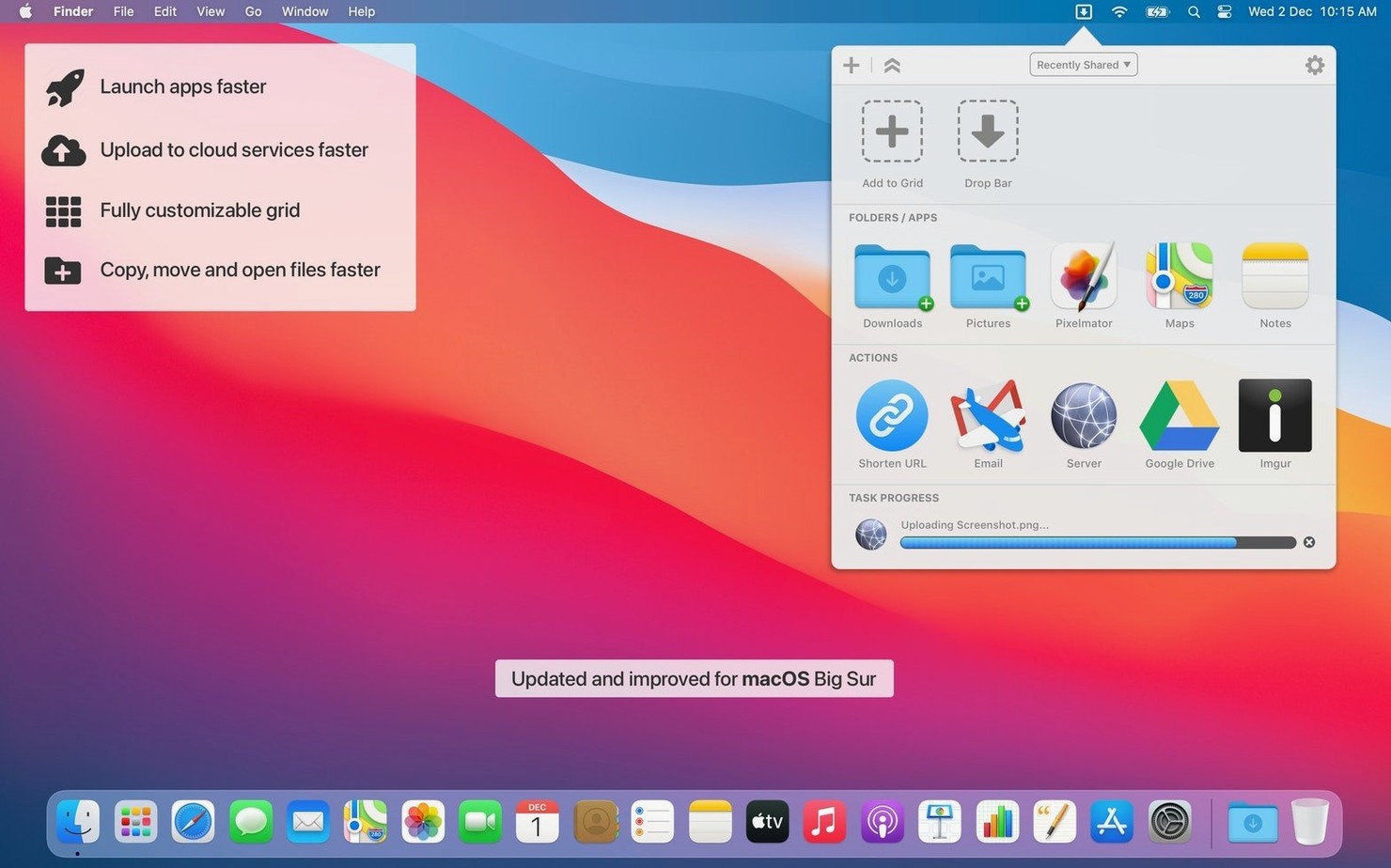
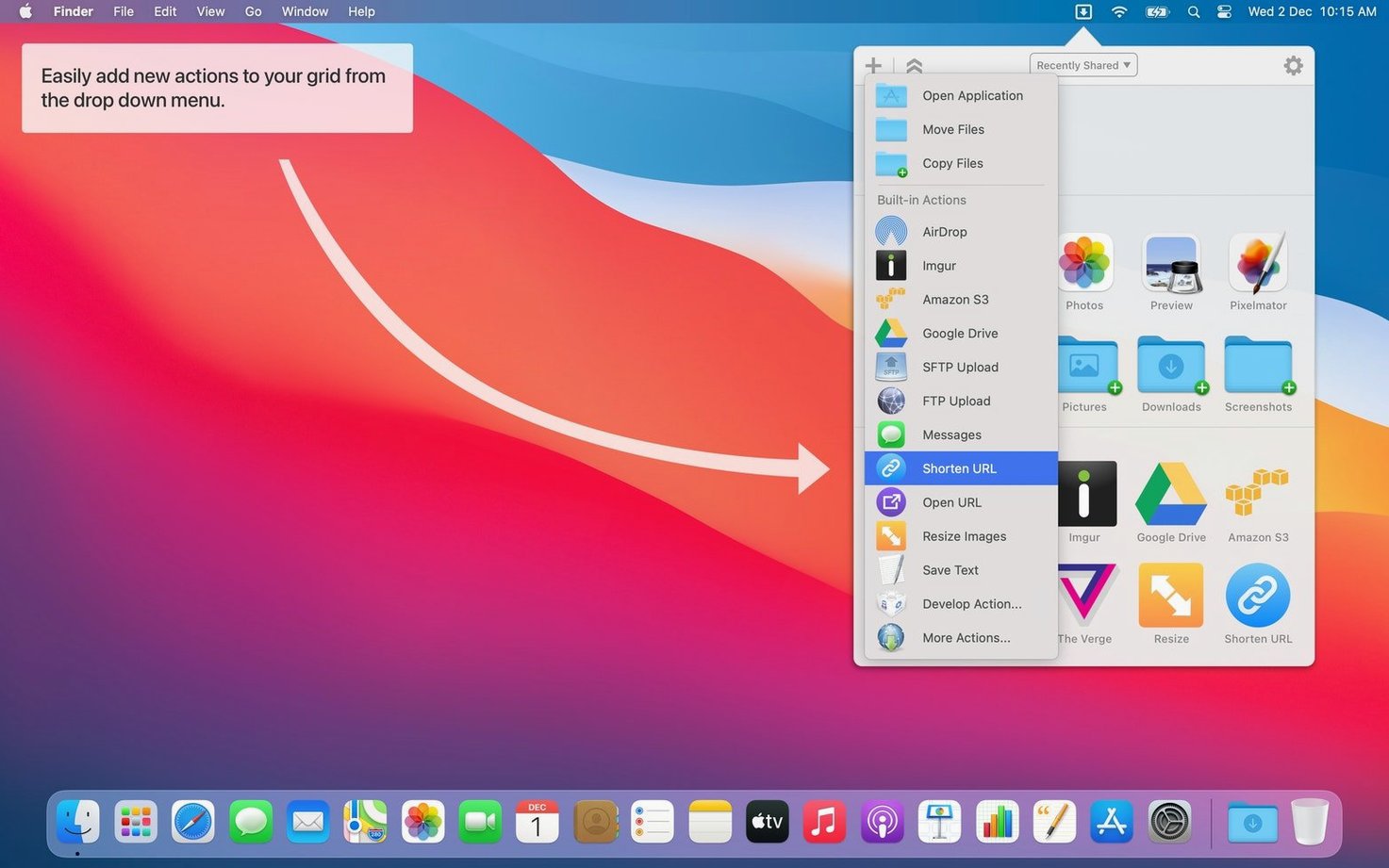
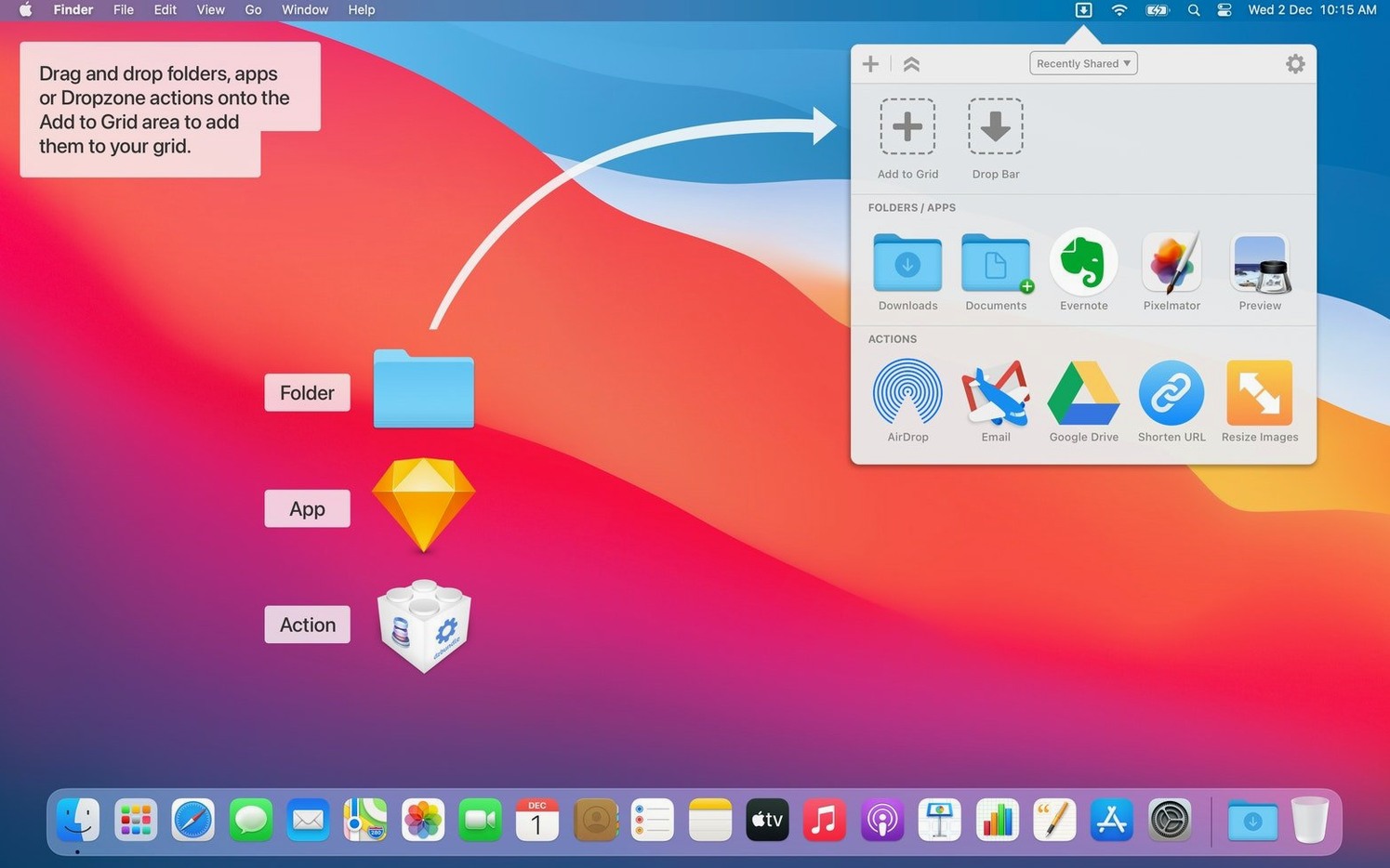
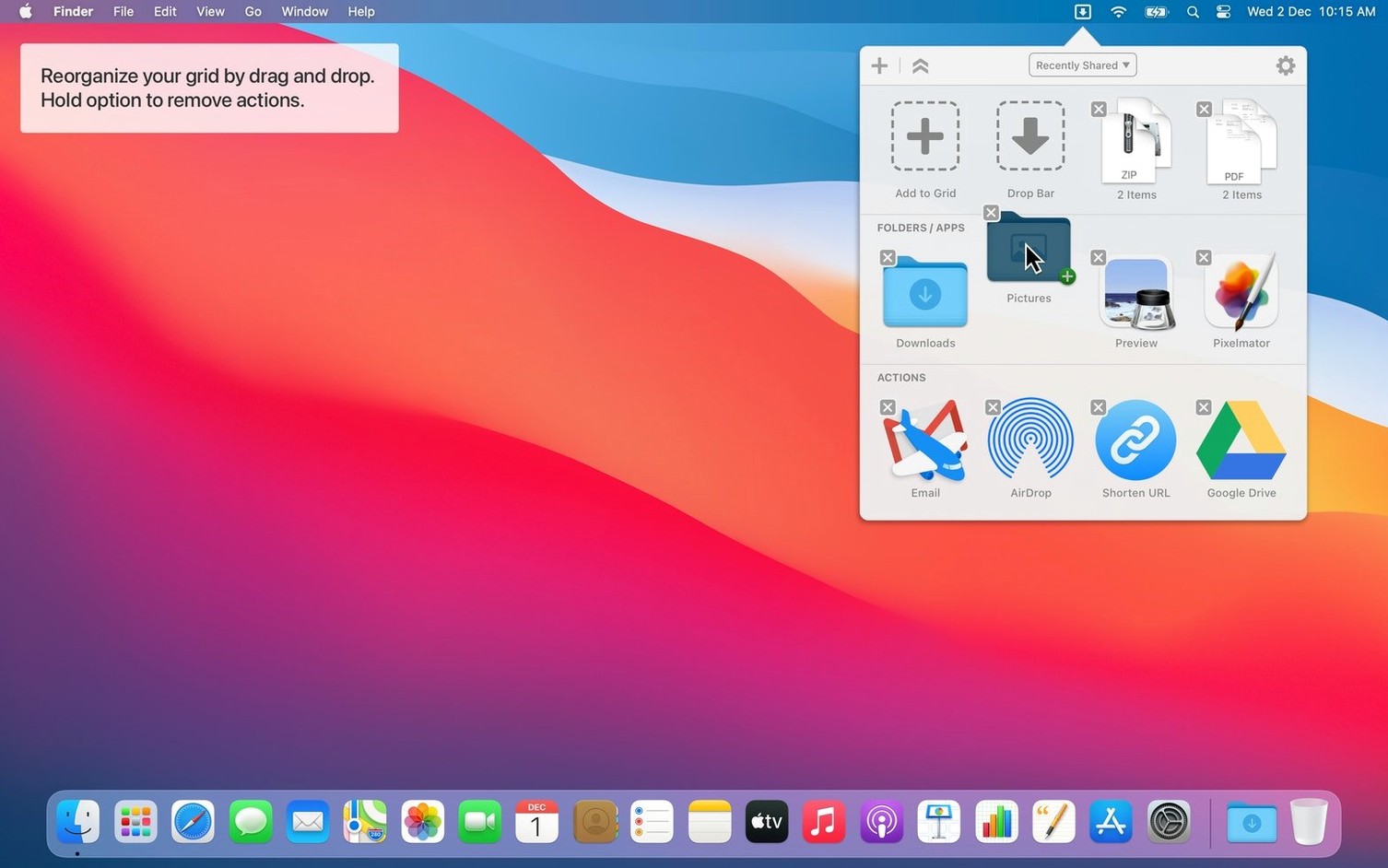
Dropzone 5 is a menu bar utility that turns drag-and-drop into a launchpad for file actions, app shortcuts, and uploads. The latest update refines the grid interface without changing the core workflow that long-time users rely on.
- The grid interface keeps its redesigned look with updated animations.
- Actions can still be reordered freely and assigned custom hotkeys.
- Ruby and Python scripting remains available for creating or modifying actions.
- Amazon S3 uploads, shortened URLs, and YouTube downloads via pasted links all work as before.
- The temporary holding area still holds files between actions.
Two small additions arrive in 5.1.3. The action context menu now includes a Run with Clipboard option, and the Share menu can send text and URLs directly into the app. The grid, the scripting, and the quick-launch behaviour stay exactly where you left them.
Bump the grid to 5×3 or larger
Out of the box, the grid sits in the menu bar with sensible defaults. A few quick tweaks make it fit tighter workflows.
- Increase the grid size. Open Preferences > Grid and bump the layout to 5×3 or larger. More slots mean less scrolling through multiple grids during a busy session.
- Assign a global hotkey for the grid. Under Preferences > General, set a keyboard shortcut to open the grid without reaching for the menu bar.
Control-Option-Dstays out of the way of other apps. - Turn off notifications you don't need. In Preferences > Notifications, uncheck completion alerts for routine copies and moves. Keep them on for uploads and long-running scripts.
- Enable the holding area shortcut. The temporary shelf that parks files between actions works faster with a dedicated hotkey. Set it once and skip the drag entirely when you're in a hurry.
- Limit the number of grids. Two grids cover most use cases: one for frequent actions, another for upload destinations. Disable extras under Preferences > Grids to keep cycling clean.
Workflow: resizing and uploading a batch of images
Here's a real task from start to finish, using a custom scripted action and the holding area together.
- Build the resize action. Create a new Ruby action from the template, name it Resize 1200px, and paste a short script that calls
sipson each dropped file. Set the output to pass resized copies to the next action. - Set up the S3 upload action. Drag the built-in Amazon S3 action onto the grid. Enter bucket details and a folder path. Tick Use clipboard as prefix if filenames need a date stamp later.
- Stack the actions. Right-click the resize action and choose Run with Clipboard. Drop both actions side by side on the grid so they're one drag apart.
- Gather the images. Select twelve photos in Finder. Drag them onto the Dropzone menu bar icon and drop them into the holding area. They sit there, untouched, while you check filenames.
- Run the resize. Drag the files from the holding area onto the resize action. The script processes them in sequence and places the smaller copies back into the holding area automatically.
- Upload the results. Drag the resized set from the holding area onto the S3 action. Progress appears in Notification Center. The originals stay untouched in their original folder.
The whole sequence runs without opening an image editor or a browser tab. Once the actions are saved, repeating the task takes under twenty seconds.
- Fixed several menu item tracking glitches on macOS 27
- Fixed a bug where the menu item wouldn't dim correctly after switching to a secondary display
- Improved the status artwork on menu items
- Improved the mouse-over and mouse-down states on header buttons
- Fixed jumpy grid animations when dragging actions between categories
- Improved the action header text when sharing via a sharing service
- Removed unnecessary grid-switching notifications when switching grids by shortcut while the grid is already open
- macOS 13 or later
- Apple Silicon or Intel 64-bit
Questions the team asks
Yes. You can add apps, folders, or custom actions to the grid, and you can create or modify actions using Ruby or Python scripts.
It stores files temporarily so you can drag multiple items into Dropzone and then move or process them in a single step.





Comments 0
Sign in or create an account to add a comment.
No comments yet. They go up after moderation.