

Folx Pro — Mac download
Download (30 MB) Earlier builds
Ticked
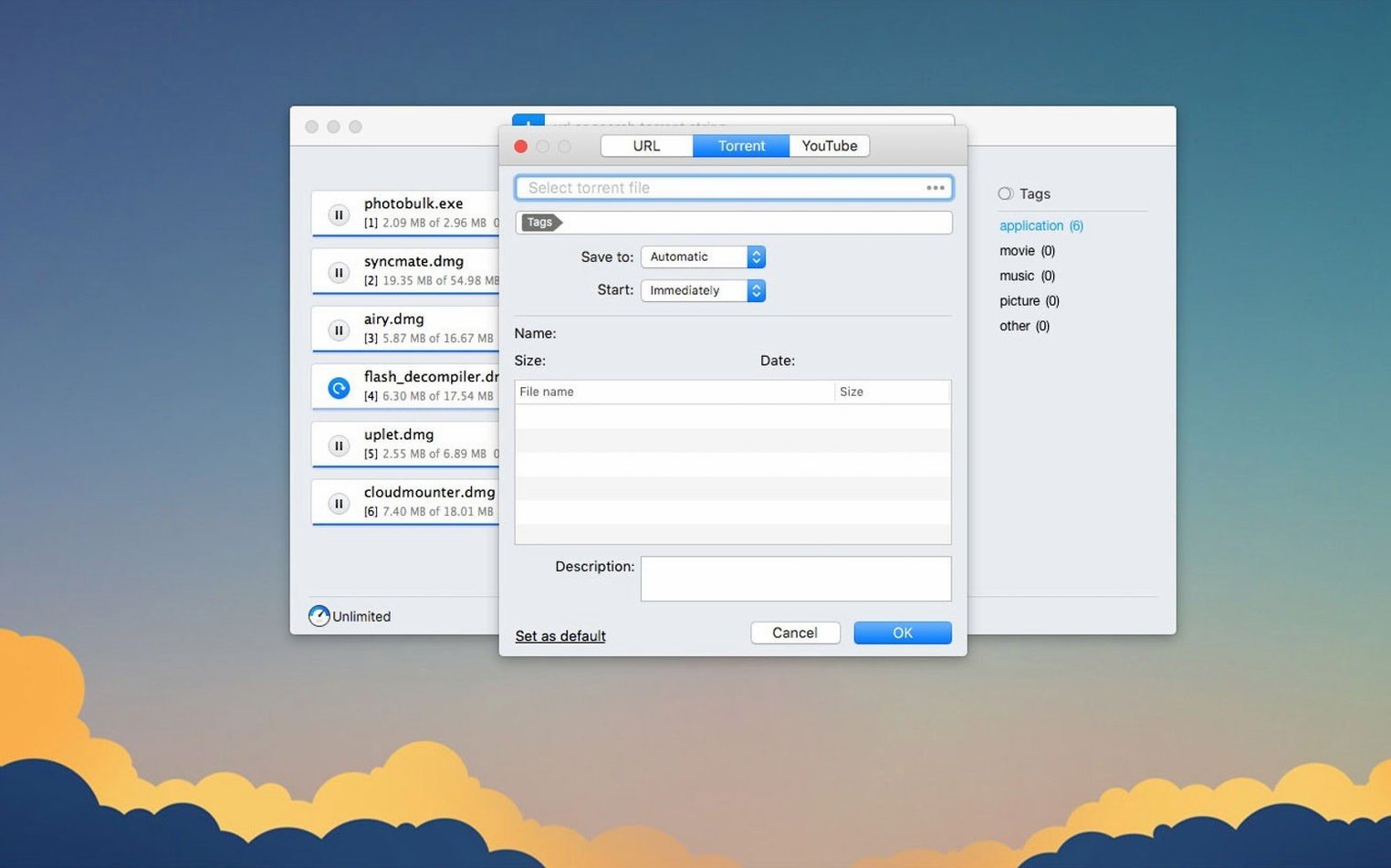
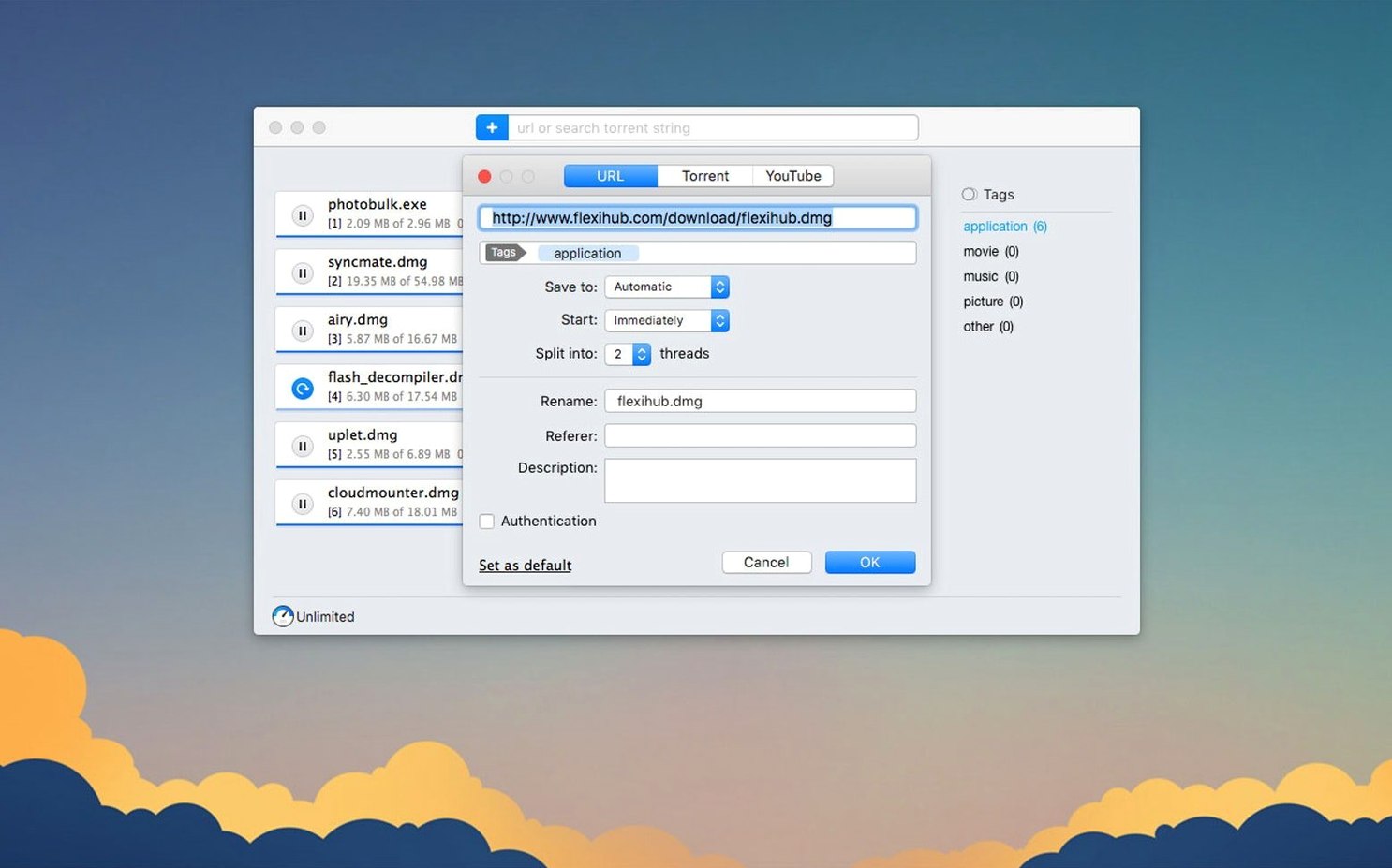
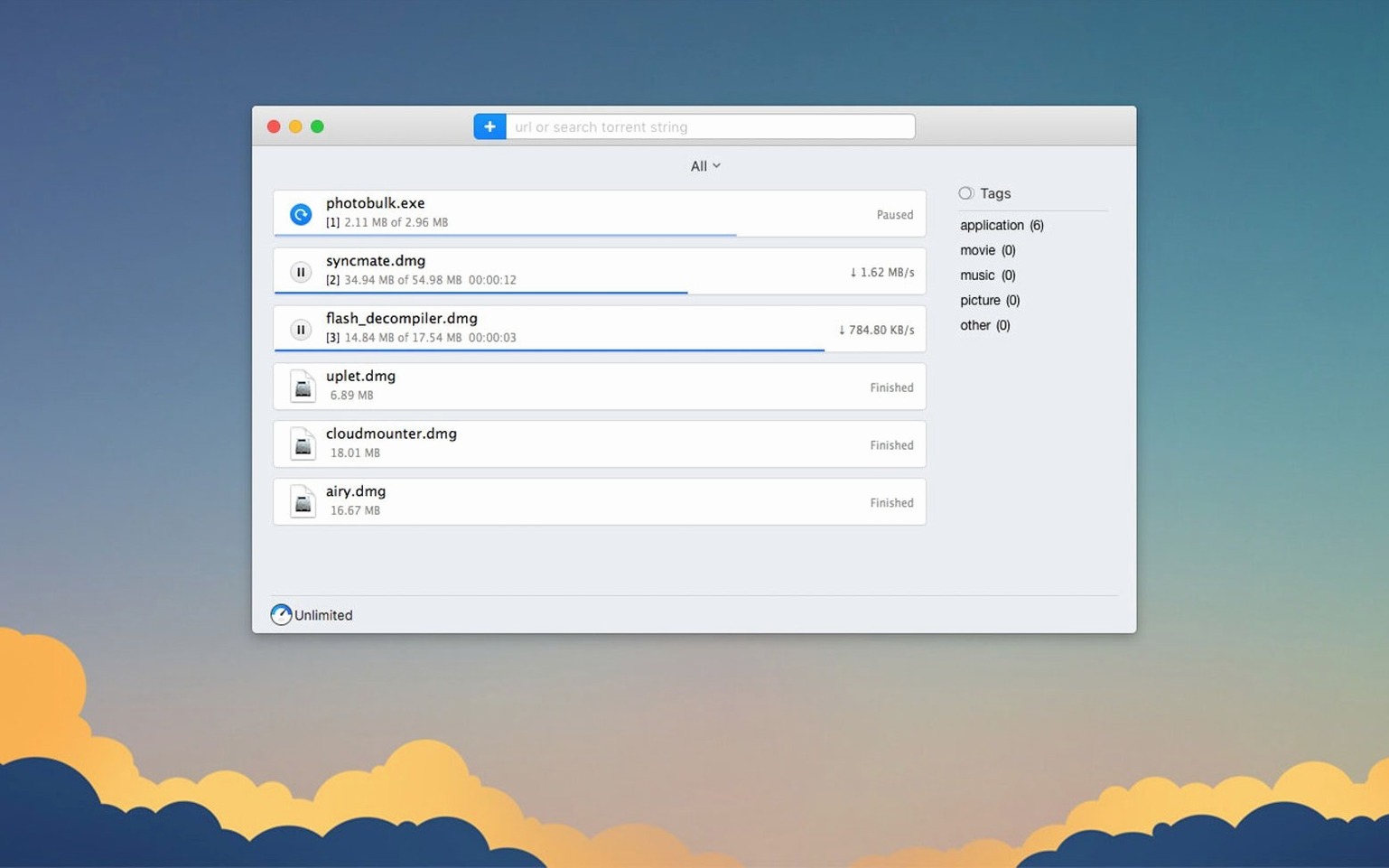
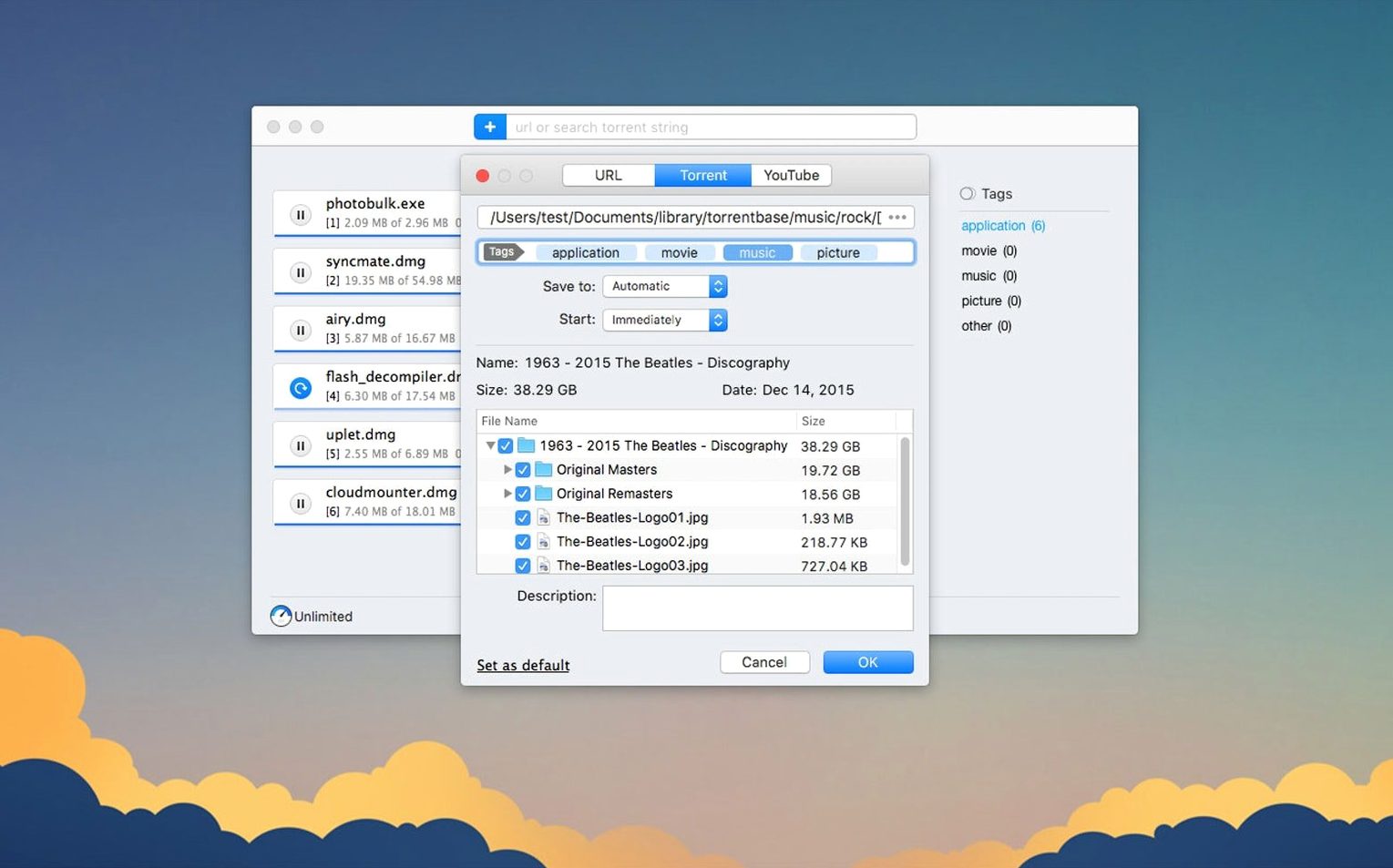
Folx Pro sits next to your browser, catching files that Safari hands off too slowly. It splits downloads into threads, so a large file arrives faster than a single-stream grab would allow. The Pro edition adds a torrent client that sorts search results by seed count, plus a built-in YouTube downloader where you pick the save quality when options exist.
Mixed direct downloads, magnets, and torrent episodes overnight
People who queue up a mix of direct downloads, magnet links, and the occasional video clip. Scheduling lets you set overnight grabs. The torrent side handles selective file downloading within a torrent — grab just one episode, not the whole season. If a magnet link ever causes a crash, version 5.34 fixed that.
Needs macOS 10.13+ and handles queues, not media libraries
Anyone still on macOS 10.12 or older. The minimum is now 10.13. The app is built for legal content, so don't look for workarounds there. Folx Pro is a practical queue manager, not a media library organiser.
Paste a link, auto-tag it, and watch 20-thread splitting
Monday morning, three files to grab.
- Paste a direct link into the Folx Pro window. Tags pop up automatically — label it
client-projectand set the destination folder. - The file splits across 20 threads. Progress ramps up noticeably against a single-thread download in Chrome.
- Next, a magnet link for a Linux ISO. Folx Pro parses it without fuss. Uncheck the readme and source files; tick only the disk image. That selective file pick saves a few hundred megabytes.
- Schedule the third download — a large video archive — for 2 a.m. when the office line is quiet.
- While you work, the torrent search finds a well-seeded option. Sort by seeds, pick the top result, add it to the queue behind the magnet task.
By lunch, two files sit in their folders. The scheduled one runs while you sleep. No tab left open, no browser hogging memory.
Clean torrent storage across restarts, no phantom entries
Version 5.34 tidied up several friction points you'd hit in a real working day.
- Torrent task storage is cleaner. Completed and active torrents now stay organised across restarts. No more phantom entries cluttering the list after a reboot.
- Proxy setups work reliably. If you route traffic through a proxy, the handshake between Folx Pro and the server no longer drops mid-session. Download scheduling and torrent searches both respect the proxy settings without manual re-toggling.
- Selective file downloading within torrents is stable. Previously, unchecking files inside a torrent sometimes ignored your choices. That's fixed. Tick exactly what you need; the rest stays on the swarm.
- Magnet link crashes are patched. Some malformed or oddly-encoded magnet URIs would kill the app on paste. Those now resolve or fail gracefully with an error, not a crash.
- Torrent search is crash-free. The built-in search no longer quits unexpectedly when results take a moment to populate.
The macOS floor moved to 10.13, so High Sierra is the earliest supported release. Intel and Apple Silicon Macs both run it natively.
Researchers tagging PDFs and video assets across sites
Project managers and researchers who collect reference files, PDFs, and video assets across multiple sites. Scheduling and tagging keep downloads from turning into a heap of unnamed files on the desktop.
Torrent users who want one app for everything. If you regularly grab magnet links alongside direct downloads, you avoid switching between a browser-based torrent client and a separate download manager. The seed-sorted search means less time hunting for healthy swarms on a Folx Mac torrent task.
People on metered or shared connections. Scheduling overnight downloads and capping threads per task gives you control when bandwidth matters. The proxy improvements in folx pro 5.32 and later make it usable on managed office networks without dropping connections.
Mac users who watch YouTube offline. The video downloader is a small but sharp tool — pick resolution, rename the output file before it lands, and avoid random strings as filenames. If you've ever searched for a folx pro download specifically for its video grabber, you already know the use case.
- Improved torrent downloading.
- Improved handling and storage of downloaded torrent tasks.
- Improved functionality with enabled proxy.
- Improved selective file downloading within torrents.
- Fixed a crash when adding some magnet links.
- Fixed a crash during torrent search.
- Changed minimum macOS requirement to 10.13 or later.
- macOS 10.13 or later
- Intel and Apple Silicon Macs









Comments 0
Sign in or create an account to add a comment.
No comments yet. They go up after moderation.