

HitPaw Watermark Remover — Mac download
Ticked
Version 2.4.7 handles five image formats on Intel Macs. The terms that follow cover what people actually ask before they run the installer.
Watermark removal modes — smooth filling, edge filling, and texture repair. Each one tackles a different background type, from flat colour to complex patterns.
Video support — the tool removes watermarks from video files, not just still images. One app for both media types.
Image formats — JPEG, JPG, PNG, WebP, and BMP. Drag and drop a file onto the interface to start.
Architecture limit — Intel only. No Apple Silicon build in this release. macOS 10.13 is the minimum.
Interface languages — Russian, English, German, Spanish, Italian, Korean, Portuguese, French, Czech, and Japanese.
Removing a timestamp from a video: step by step
A common task is stripping a timestamp from footage. Here is a workflow I follow.
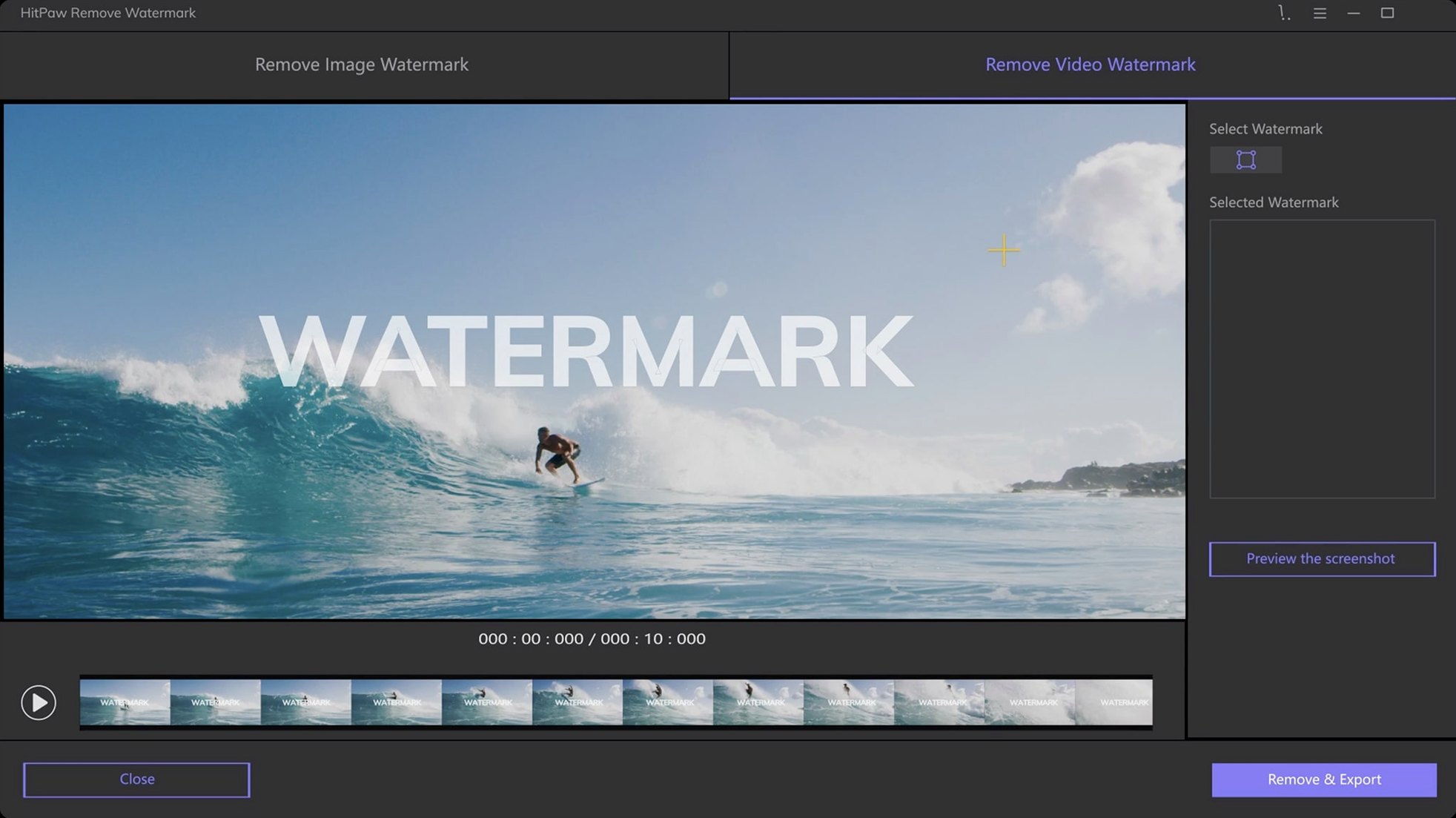
- Open the video — drag the MP4 or MOV straight into the app window. The preview loads in seconds for clips under five minutes.
- Scrub to the watermark — use the timeline bar to reach the frame where the timestamp sits. HitPaw shows the current frame in the main viewer.
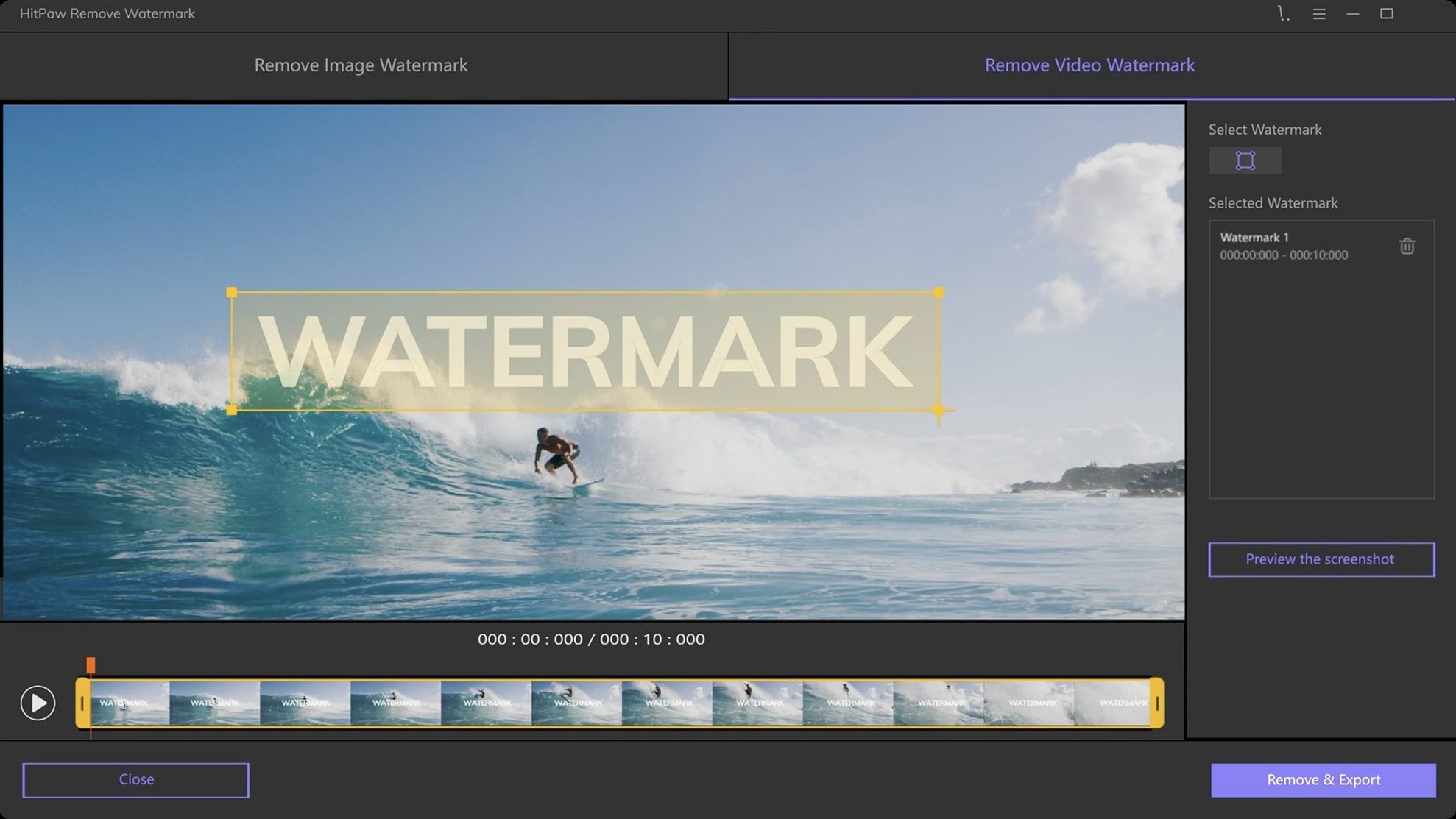
- Choose a selection tool — for a rectangular timestamp I pick the rectangle tool. Draw a box around the digits, leaving a small margin.
- Pick a removal mode — texture repair works best for timestamps over moving backgrounds. If the background is a solid sky, smooth filling is faster.
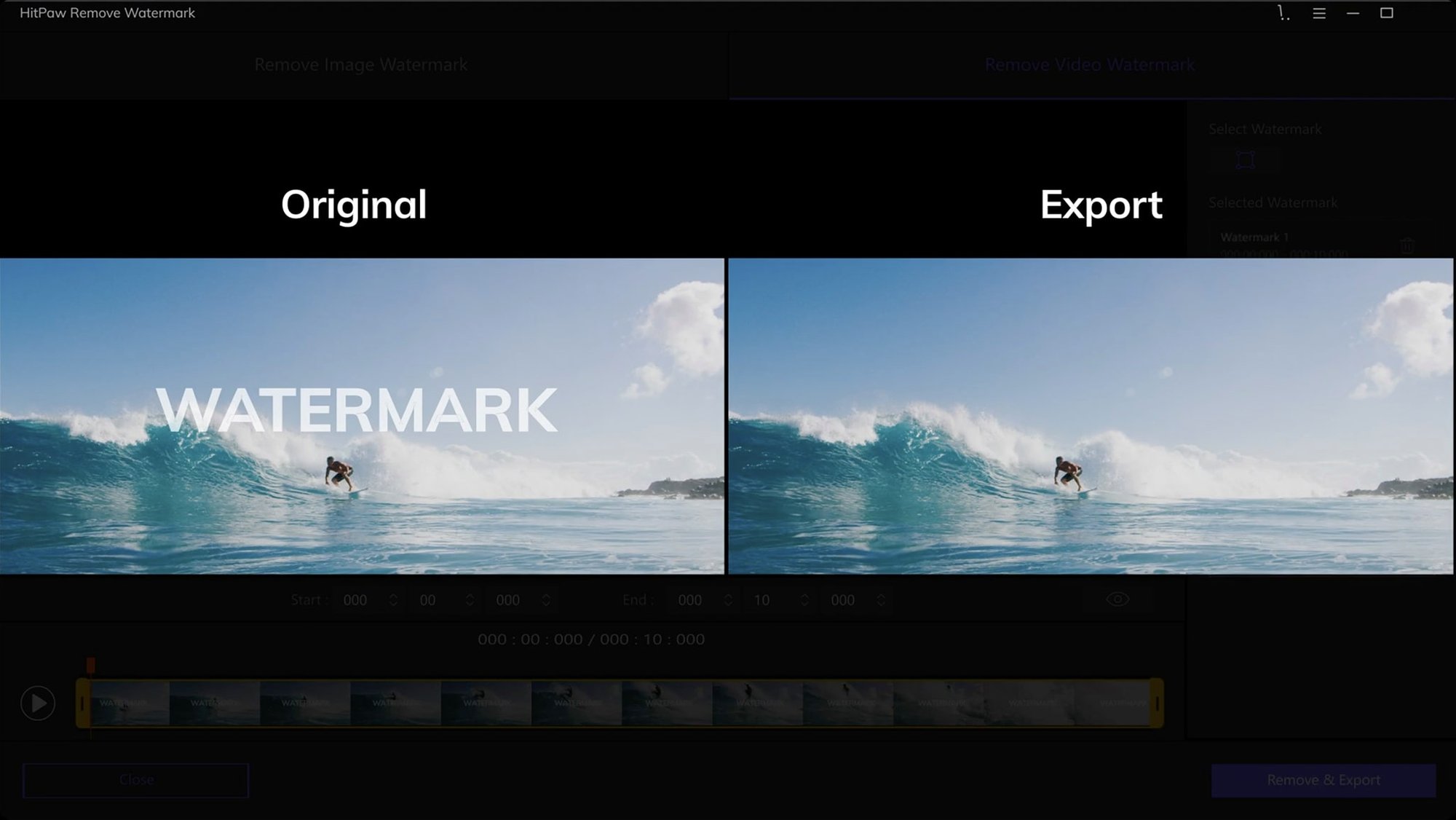
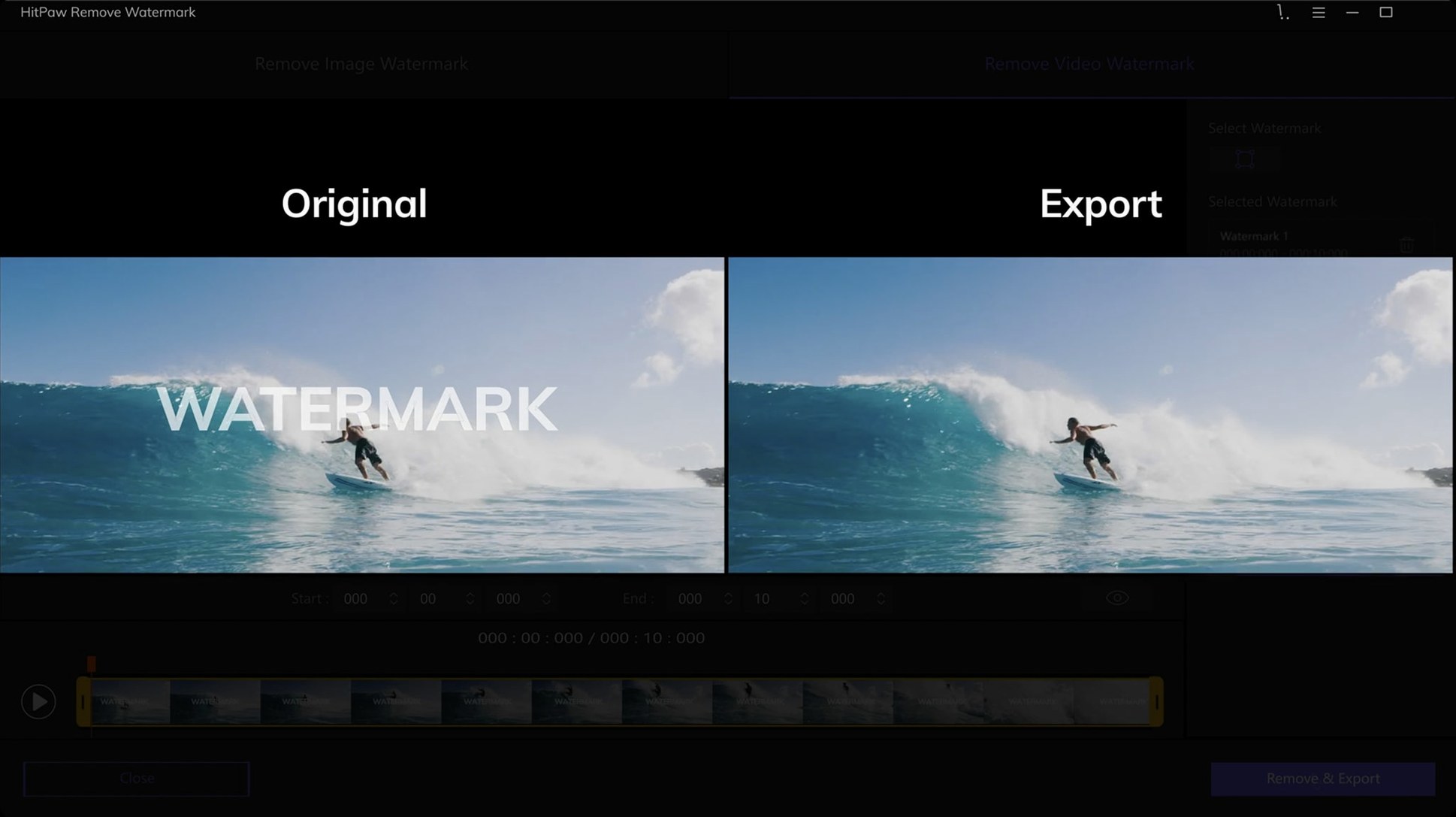
- Preview the result — click the preview button. The app processes a short segment around that frame. Check for ghosting or blur.
- Adjust and re-test — if the edge looks smudged, switch to edge filling and re-preview. Minor tweaks to the selection box often fix it.
- Export the video — once satisfied, hit export. Choose the output folder and let it process. A two-minute clip takes roughly 90 seconds on a 2019 Intel iMac.
For batch image work, the routine is shorter: drop multiple photos, mark each watermark, apply the mode, and export all at once. The interface keeps the last-used mode across files, which speeds things up.
Too-tight selection boxes give the algorithm no room
New users often trip over the same few things. Avoid these and you will get cleaner results from the start.
- Too tight a selection — drawing the box exactly on the watermark edges leaves no room for the algorithm to blend. Leave a few pixels of background around the mark.
- Wrong removal mode for the background — smooth filling on a patterned wall creates a visible blur patch. Texture repair exists for exactly that situation.
- Skipping the preview — processing a full video without checking a single frame first wastes time. Always preview one sample frame.
- Ignoring the timeline — if the watermark moves or changes opacity across the clip, one position will not cover the whole video. Scrub through and check multiple points.
- Expecting magic on semi-transparent marks — watermarks with drop shadows or variable opacity confuse the algorithm. The result may need a second pass with a different mode.
- Using JPEG source for video watermark removal tests — the app handles video and images separately. Do not test video removal skills on a still export.
Memory climbs to 400 MB during video export
On an Intel Mac running macOS Monterey, the app launches in under three seconds. Memory usage sits around 180 MB at idle and climbs to 400 MB during video export. CPU load spikes to roughly 60 percent on a quad-core i5 while processing; the fan becomes audible but the machine remains responsive for light tasks.
Export times scale linearly with clip length. A thirty-second 1080p MP4 exports in about twenty seconds. A five-minute 4K file takes closer to four minutes. The progress bar is accurate and the app has not crashed mid-export across a dozen test runs.
Stability is solid for a single-purpose tool. No kernel panics, no beachballing during selection. The one quirk: switching between removal modes while a preview is rendering occasionally freezes the interface for two to three seconds. Cancelling the preview before switching avoids it.
For batch image work, ten 5 MB JPEGs processed with texture repair complete in under a minute. The app does not bog down with large PNGs, though WebP files take slightly longer — about eight seconds per image. People searching for hitpaw watermark remover for mac often ask about resource drain, and the honest answer is it runs lighter than most video editors while doing one job well.
There is no background service left running after quitting. The uninstall is clean: just trash the app bundle. No launch agents or leftover daemons.
- macOS 10.13 or later
- 64-bit Intel processor









Comments 0
Sign in or create an account to add a comment.
No comments yet. They go up after moderation.