

iDownerGo — Mac download
Download (76 MB) Earlier builds
Ticked
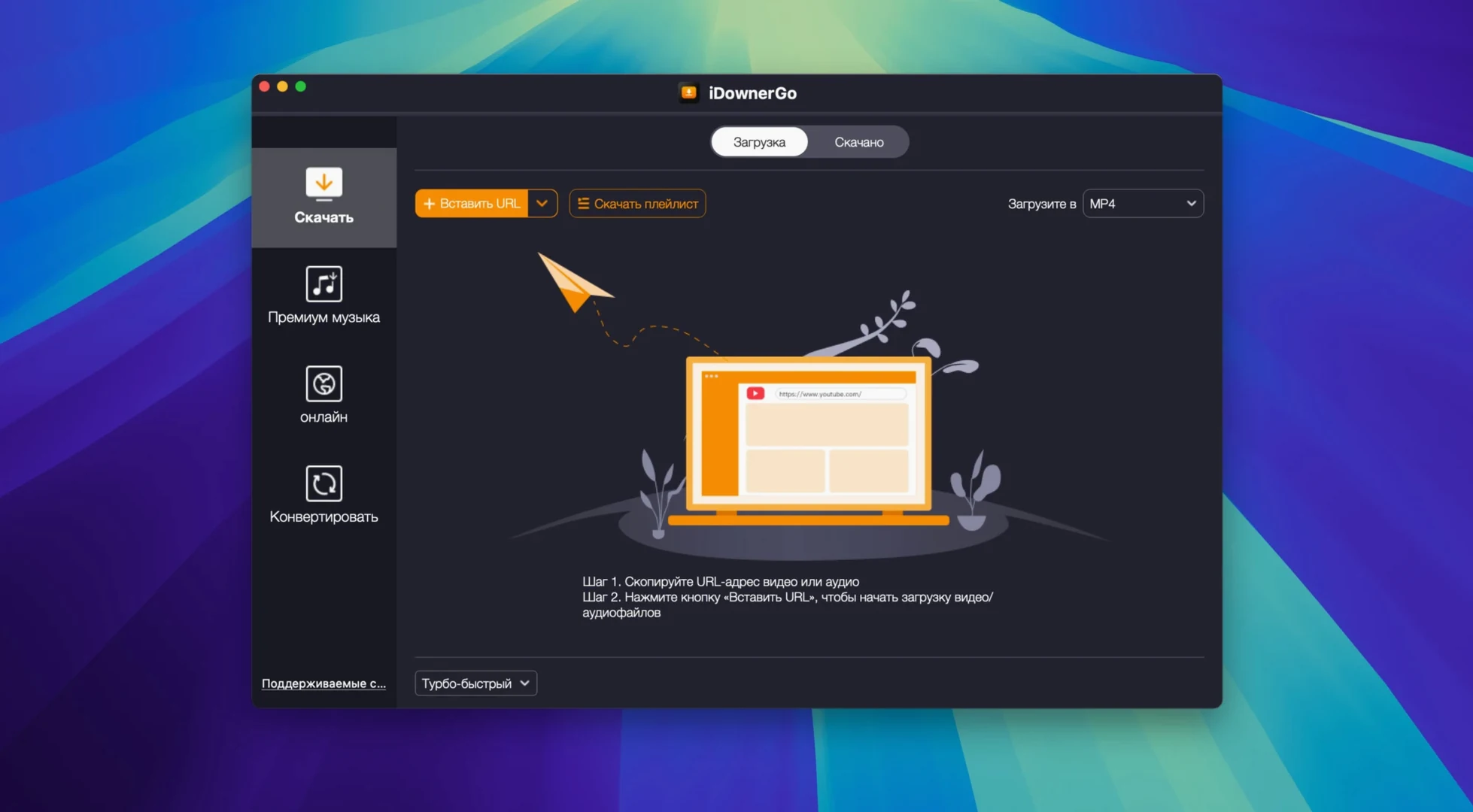
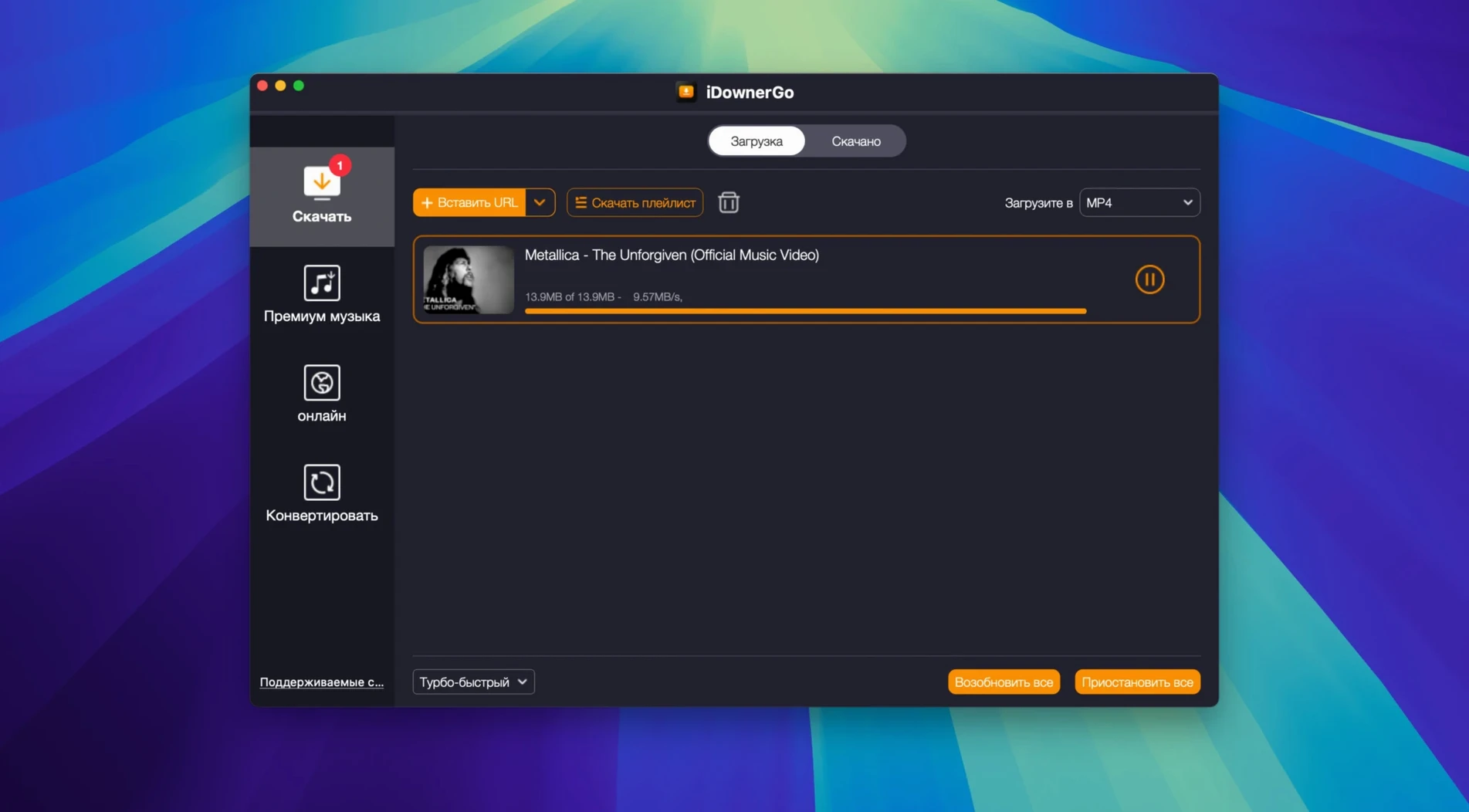
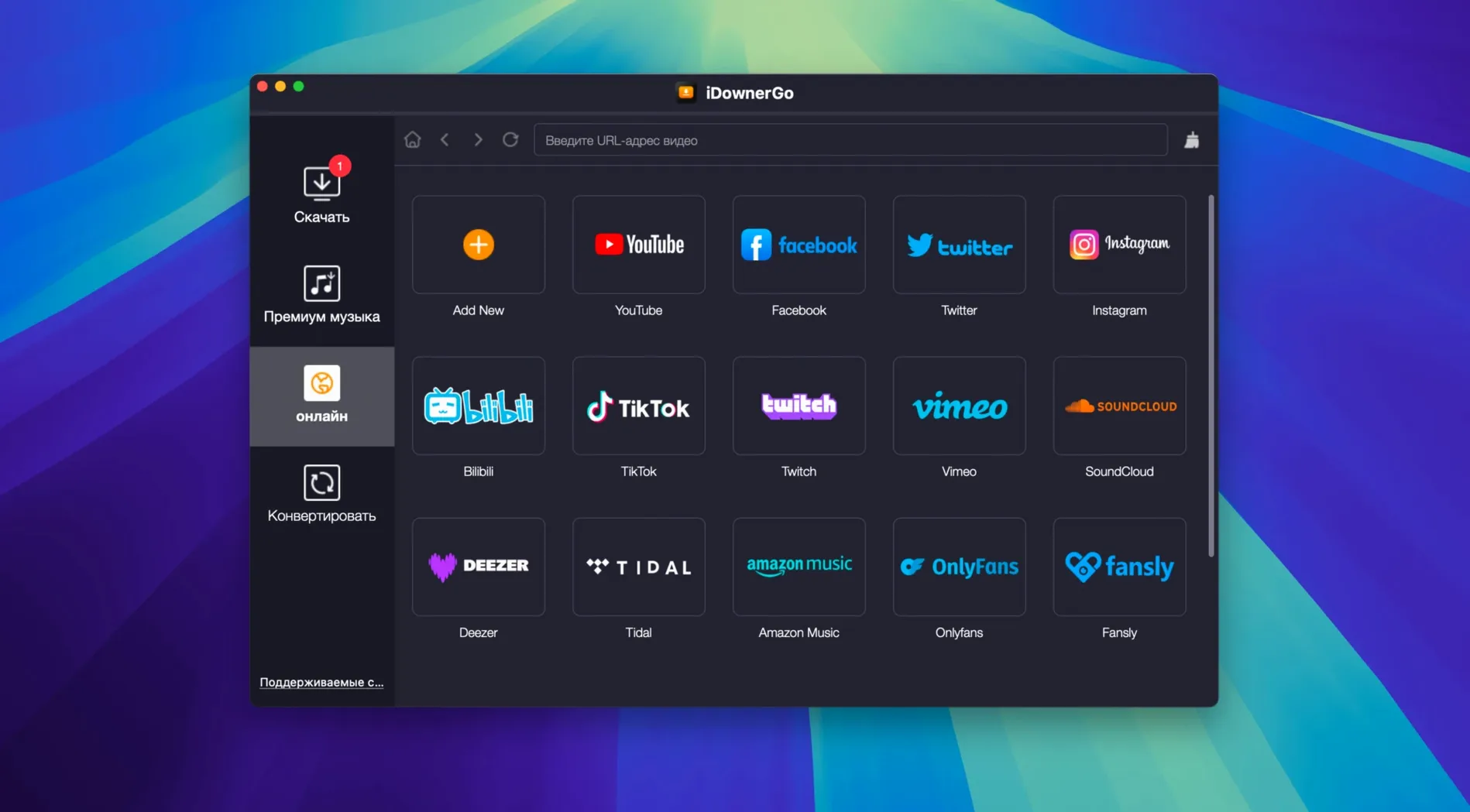
It handles over 10,000 websites out of the box. Here is what that actually means.
Universal video downloader — a single app that saves clips, films, and shows from most platforms you visit. No per-site tools needed.
Music converter — pulls the audio track from any downloaded video and saves it as an MP3. One click, one file.
Real-time streaming — captures live or on-demand streams while they play. The file lands on your drive as you watch.
10,000+ sites — covers major streaming hubs and niche platforms. The list updates quietly in the background.
Pasting the page link instead of the media URL
- Pasting the page URL instead of the media URL. If a video sits inside a playlist or an embedded player, the page link often returns nothing. Open the media in its own tab first, copy that address, then paste it into iDownerGo.
- Choosing the first format in the list. The top result is not always the best one. Check resolution and file size before you click. A 360p MP4 downloads faster, but it is not what you want for archiving.
- Converting to MP3 without checking the source bitrate. A low-quality video produces a low-quality audio file. If the source stream is 96 kbps, the MP3 will not sound better than that.
- Closing the app mid-download. Real-time streaming capture stops when the app stops. Leave iDownerGo running until the progress bar clears.
- Ignoring the Gatekeeper step on first launch. On older Intel Macs, macOS may block the app before it opens. The Terminal step exists for that reason. Skip it, and the app simply will not start.
26 interface languages and an updated site list
Version 10.15.0 is the current release. The interface language set now spans 26 localisations, which matters for teams working across regions. The site list keeps growing with each update, so platforms that failed six months ago often work today without any change on your side.
Download formats now cover HD, 4K Ultra HD, and 8K where the source provides them. The audio extraction pipeline is stable enough for batch work: pull several videos, convert them one after another, and the MP3s land in the same folder without renaming collisions.
Finder-tagged output folders and QuickTime playback
iDownerGo works as a standalone tool, but it slots neatly into a media workflow.
- Finder tags. Set the output folder to a tagged location, and every download appears in that smart folder automatically.
- QuickTime Player. Open downloaded MP4 or MOV files directly for trimming or playback. No conversion needed for local viewing.
- Music or iTunes. Drop extracted MP3s into your library for offline listening. File names carry over, so sorting by artist or album stays simple.
- Automator. A folder action can watch the iDownerGo output directory and move new files to an external drive, a NAS, or a cloud-synced folder.
- Spotlight. Downloaded files are indexed like any other media. Search by title, and the file shows up.
On Intel Macs running OS X 10.10 or later, the app coexists with older system versions where newer downloaders refuse to install. That makes it useful for secondary machines, lab computers, or archive setups still on Yosemite or El Capitan.
It runs on any Intel Mac with OS X 10.10 or later. The interface switches between 26 languages, from Arabic to Vietnamese.
- OS X 10.10 or later
- Intel processor
Questions the team asks
The developer lists Intel support and OS X 10.10 as the minimum. It runs on Apple Silicon via Rosetta 2, but native support is not stated.
The app extracts audio from video and saves it as MP3. Other output formats are not detailed in the current release notes.
The official count is over 10,000 sites, covering streaming services, social platforms, and smaller video hosts.





Comments 0
Sign in or create an account to add a comment.
No comments yet. They go up after moderation.