

iMazing — Mac download
Download (242 MB) Earlier builds
Ticked
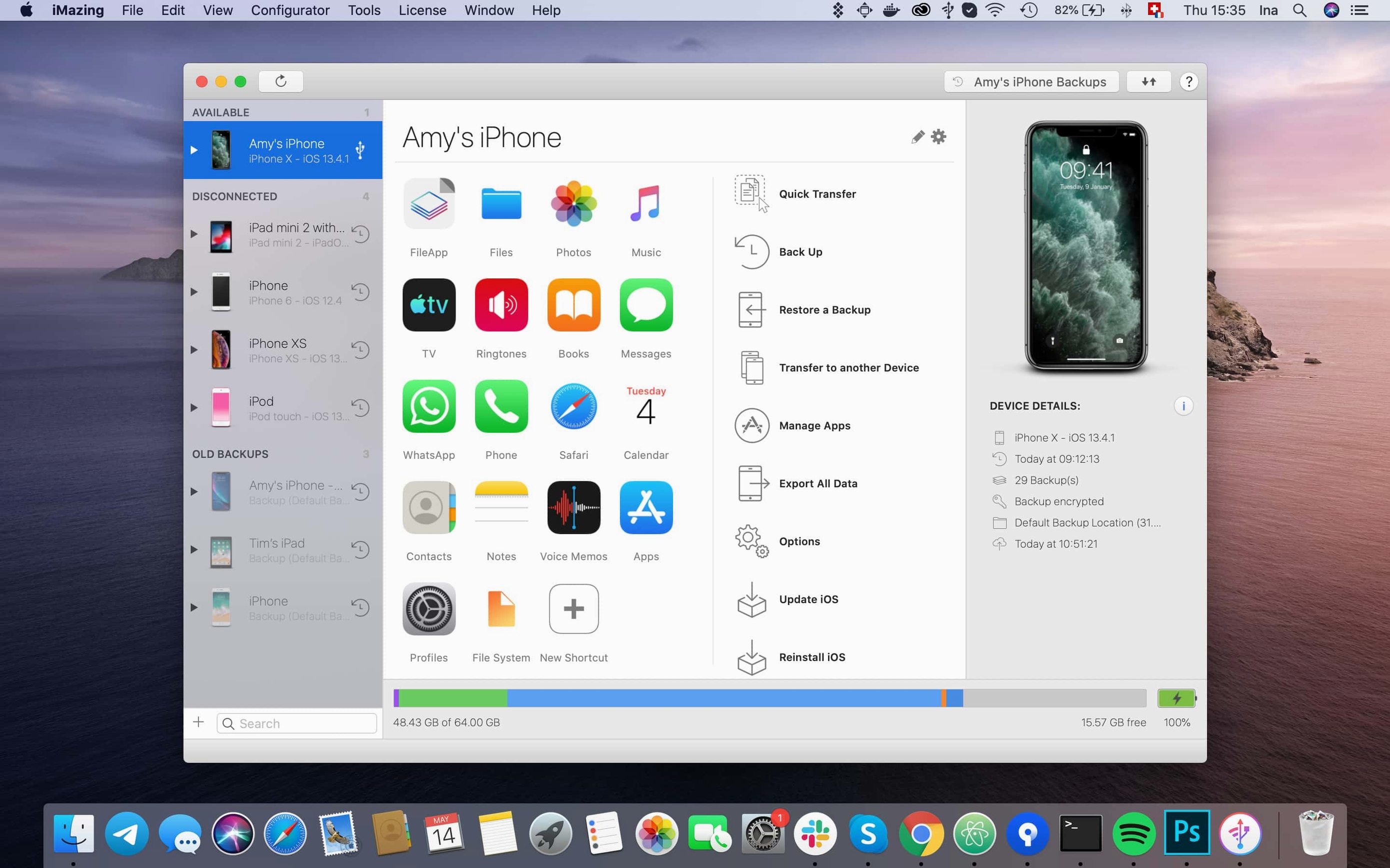
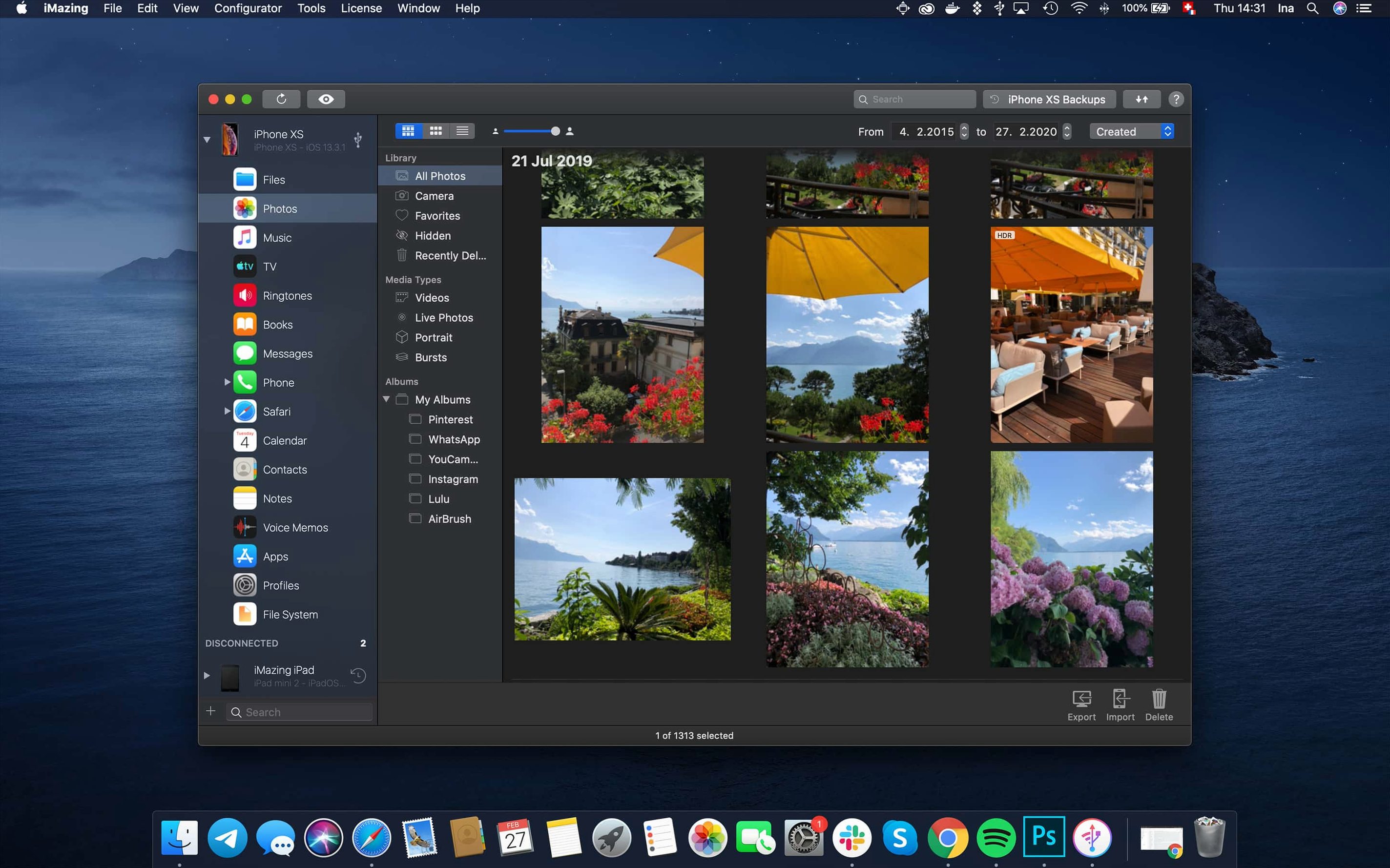
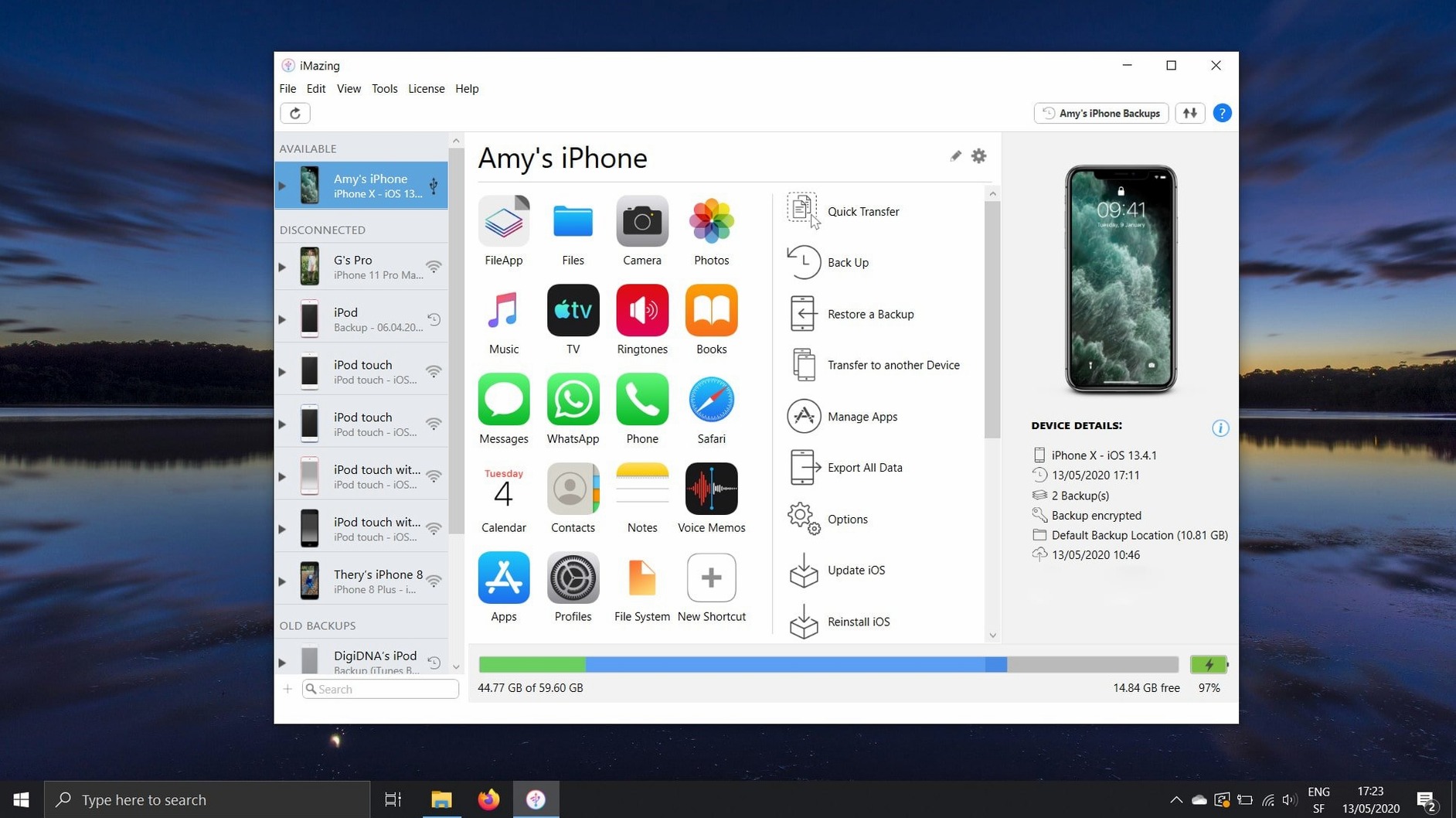
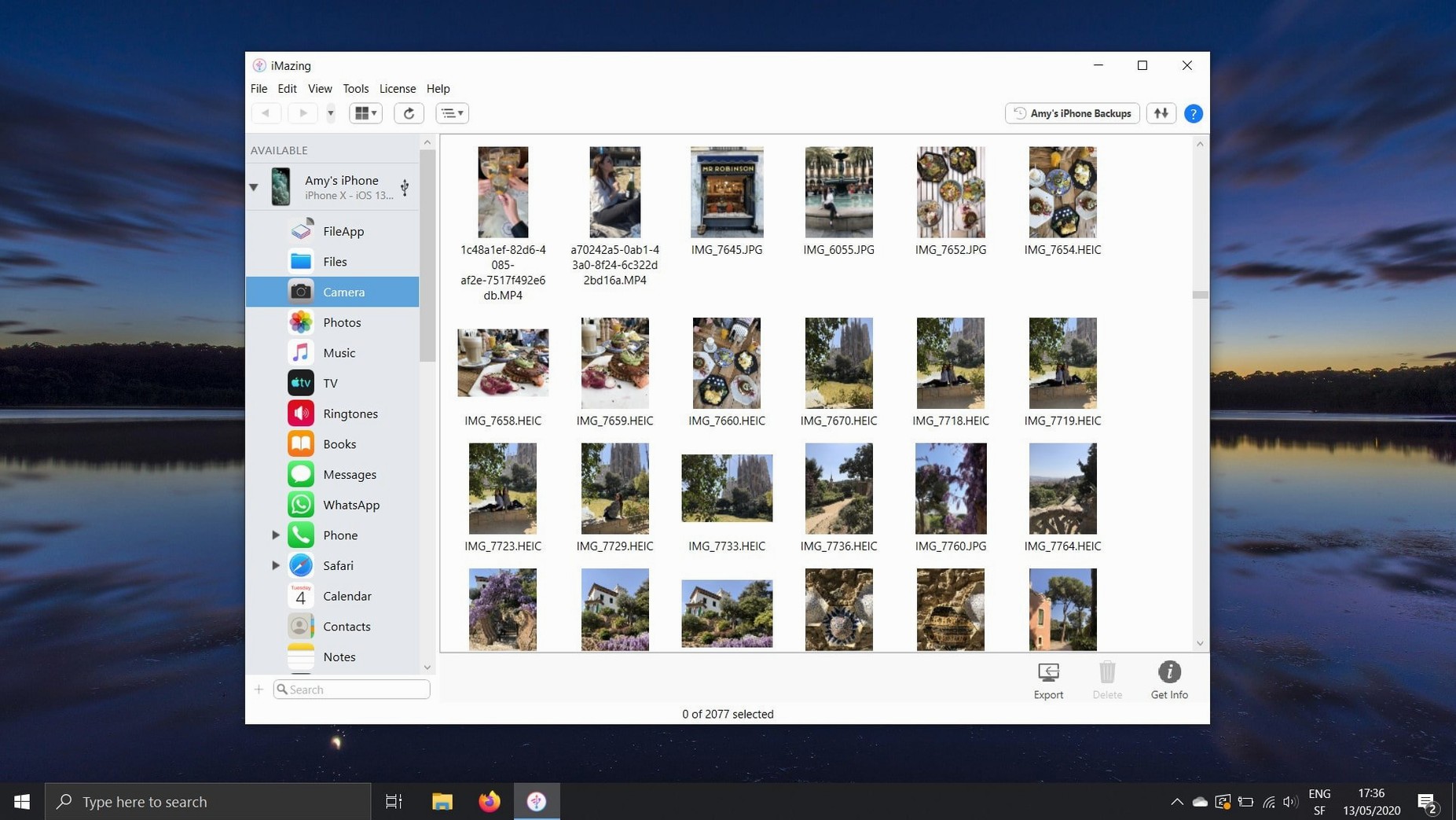
iMazing 3.6.5 recognises the iPhone 18 Pro, iPhone Duo and Apple Watch Ultra 4. It also pulls data out of iOS without forcing you through iCloud first.
Can I move Safari bookmarks from an iPhone to a Mac?
Yes. Select the device in iMazing, open Bookmarks and export them straight to Safari on the Mac. No iCloud sync required.
Does it handle messages and attachments on its own?
It copies SMS, iMessage and their attachments from an iPhone to the computer. You can also transfer conversations onto a new phone while keeping the full history intact.
What happens to voicemail and encrypted backups?
Voicemail messages save as standard audio files. The app restores individual files from encrypted backups too, so you are not forced to restore the whole device just to retrieve one document.
Turn on automatic wireless backup before anything else
A few moves save time early on. Skip them and you end up untangling a mess later.
- Set wireless backup immediately. Connect the iPhone via USB once, enable Wi-Fi backup in the device overview, and iMazing will grab daily snapshots while the phone charges. No cable needed after that first handshake.
- Label your first backup. The default name is a timestamp. Rename it to something useful — “Pre-iOS 26 upgrade” or “Before app cleanup”. Six months from now you will know which one to restore.
- Decide on a file destination. iMazing defaults to your home folder but lets you point backups and exports to an external drive. Do this before the internal SSD fills up with old iPhone archives.
- Check the Backup Archiving setting. By default, each backup overwrites the last. Turn on archiving in Preferences if you want to keep a history of snapshots instead of a single rolling copy.
Unified Logs export lands for cleaner support diagnostics
Version 3.6.5 brought a handful of fixes that affect daily use more than the device-support list suggests.
- Unified Logs export. You can now pull complete log archives straight from the logs view. Support teams often ask for these. Previously you had to dig through Xcode or jump through several export steps.
- Scanned documents beyond page one. iOS 26 multi-page scans now display correctly inside iMazing. Earlier versions showed only the first page, which made document previews useless for anything longer than a receipt.
- Shared app group containers in .imazingapp files. Exported app backups now include data stored in shared containers. This matters for apps that split files across the main sandbox and a group folder — restores are actually complete now.
- App download error 429 fixed. That “too many requests” error when pulling .ipa files from Apple’s servers is gone. Bulk-saving apps no longer stalls halfway through.
- Chatbot link in the toolbar. A small addition. Click it and the chatbot opens in a browser. Useful for quick syntax questions about the CLI tool without leaving the main window.
Shortcuts and conveniences easy to miss
Most people use iMazing by clicking around the device view. A few tucked-away features cut out whole workflows.
- Drag and drop from Photos. You do not need the Export button. Open the Photos section, select images, and drag them straight to a Finder folder. Works for albums too.
- Quick Transfer for music. On slower Macs, the full Music view can lag with large libraries. Right-click a playlist in the sidebar and choose Quick Transfer — it copies tracks without loading the full interface first.
- Space bar preview. Tap the space bar on any photo, video or document inside iMazing and Quick Look opens it. Same shortcut as Finder. Speeds up sorting through screenshots before exporting only the ones you need.
- Hold Option when launching. Opens the device picker directly, skipping the main window. Handy when you manage five test devices and know exactly which one you want.
- Export CSV from any list. Messages, contacts, call logs — any table view has an Export CSV option in the bottom toolbar. Right-click the column headers first to customise which fields appear in the file.
Removing single files from a backup corrupts the whole snapshot
Most problems come from misunderstanding how iMazing handles the phone’s file system, not from bugs.
- Deleting files inside a backup. The file manager lets you browse backups and remove individual items. Doing this breaks the backup’s integrity. iMazing warns you, but plenty of people click through. Restore from a broken backup and iOS may reject it entirely.
- Using the wrong cable. Wireless backup is reliable, but the initial pairing and large transfers need USB. Cheap third-party cables cause disconnections mid-backup. The app retries, but a 200 GB backup over a flaky connection takes all night.
- Forgetting the backup password. Encrypted backups require a password you set once. iMazing stores it in the Keychain on your Mac, but if you move to a new computer and forget the password, the backup is a brick. Write it down.
- Confusing “Export” with “Delete from device”. Exporting photos, messages or voicemail copies the data. It does not remove anything from the iPhone. Beginners sometimes expect the opposite and wonder why storage is still full.
- Restoring a backup onto a newer iOS version without checking compatibility. iMazing can restore data from an older iOS backup to a device running a newer version, but some app containers and system settings do not map cleanly. Test with a small subset first if the backup spans major iOS releases.
- Support added for iPhone 18 Pro, iPhone 18 Pro Max, iPhone Duo, Apple Watch Series 12 and Apple Watch Ultra 4.
- Complete log archives now export straight from the unified logs view.
- A link to iMazing Chatbot appears in the main window toolbar.
- macOS 10.11 or newer
- Intel and Apple Silicon Macs
Questions the team asks
Yes. Once set up, it runs automatic backups over Wi‑Fi from an iPhone or iPad to the Mac — no cable needed.
Correct. Photos and videos transfer directly from the device to the Mac, bypassing both iTunes and iCloud.









Comments 0
Sign in or create an account to add a comment.
No comments yet. They go up after moderation.