

iTubeGo — Mac download
Download (115 MB) Earlier builds
Ticked
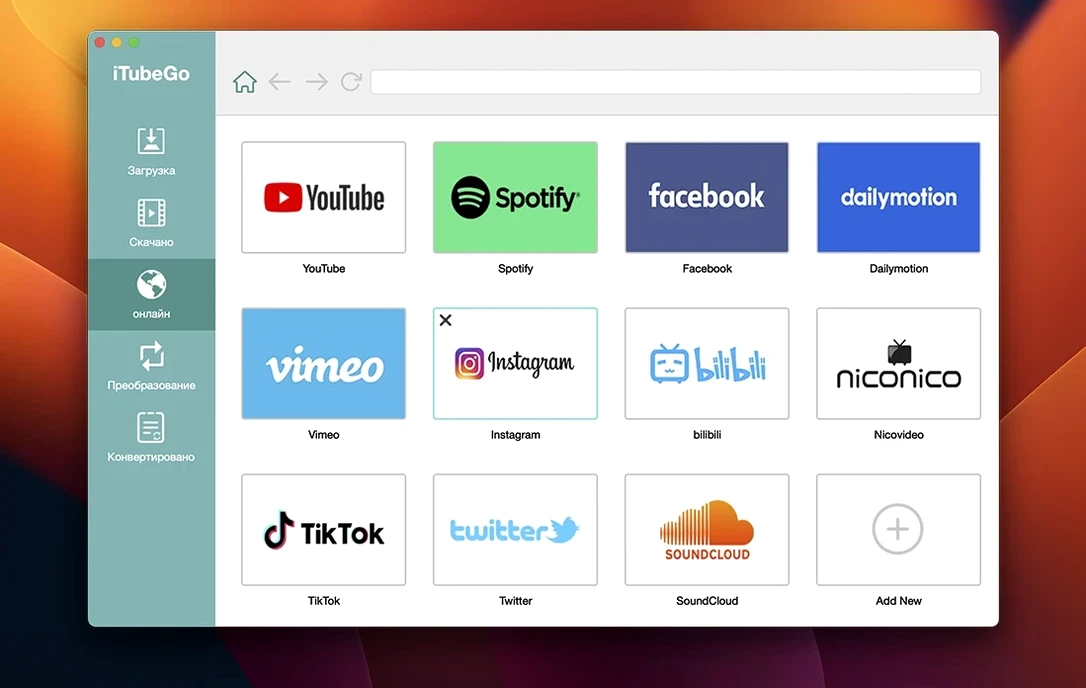
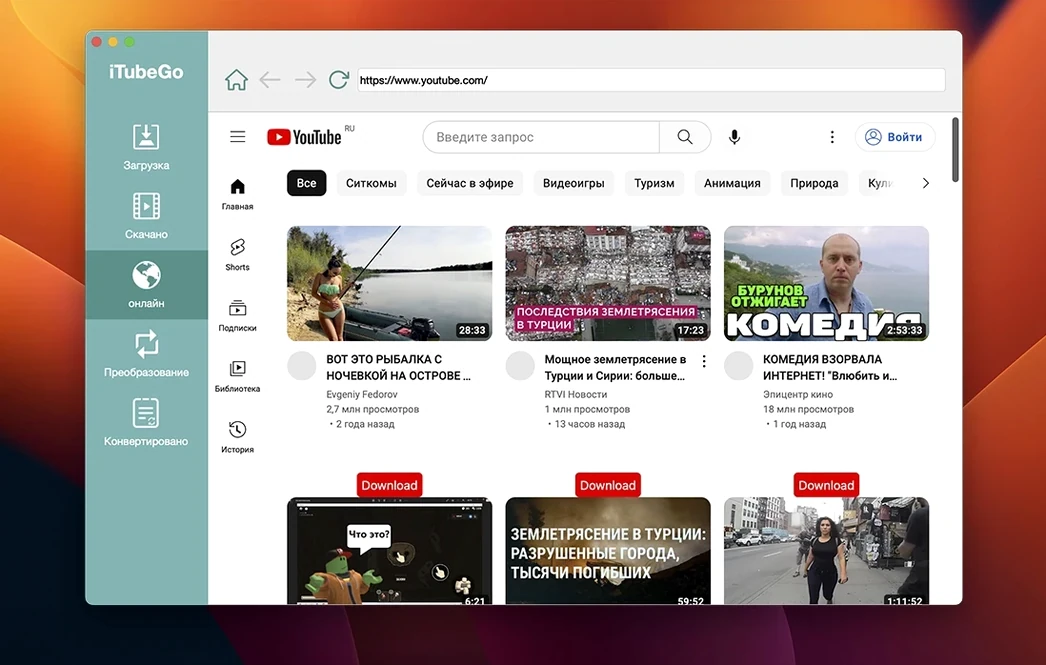
iTubeGo is a downloader that pulls video and audio from the web onto your Mac.
Download source — YouTube plus 10,000 other sites including Vimeo, TikTok, Instagram, Facebook and Dailymotion.
Video quality — everything from 480p through Full HD to 4K and 8K where available.
Audio extraction — pulls the soundtrack and saves it as MP3 at 320 kbps.
Output formats — MP4 for video, MP3 for audio, plus several other common formats.
Built-in converter — changes file format after download without needing a separate tool.
A typical task looks like this: you find a 4K clip on YouTube. You paste the link into iTubeGo, pick 4K MP4 from the quality menu, and hit download. The file lands on your desktop ready to play. If you only need the audio track, switch the output to MP3 before starting — same workflow, different file.
A session with iTubeGo, step by step
You have five tabs open — a video essay on Vimeo, a YouTube playlist of live sets, and a few Instagram clips a colleague sent. Here is how the next ten minutes go.
- Open the built-in browser. No need to copy a single URL yet. Sign into YouTube inside iTubeGo and navigate straight to the playlist.
- Let the detector fire. A small overlay appears on the video page showing available resolutions. You pick 4K for the full set.
- Queue the batch. Six videos line up in the download panel, each labelled with estimated file size. You set output to MP4 across the board.
- Switch one to audio-only. The last video is really a long interview — you flip it to MP3 320 kbps while the others churn through at high speed.
- Move to Instagram. Paste three short links into the main window. iTubeGo grabs them at 1080p and drops the files into the same output folder.
- Check the Vimeo essay. The built-in browser detects a 4K source. You download the MP4 and, as an afterthought, run the built-in converter to create an MP3 version from the same file — no second download needed.
The whole session takes under eight minutes. Bulk speed claims of up to 10x feel about right on a wired connection.
Drag a link straight into the window
- Drag a link anywhere. Copy a URL from Safari, drag it straight into the iTubeGo window — the paste step is optional.
- Format switch on the fly. While a video downloads, you can change the output format of the next queued item without pausing the current one.
- Right-click the dock icon. Pause all downloads, resume all, or jump to the output folder without opening the main window.
- Custom output path per download. Right-click any item in the queue and send it to a different folder. Handy when splitting work and personal files.
- Resume after sleep. If your Mac goes to sleep mid-download, the queue picks up where it stopped — no broken files, no re-adding links.
- Keep the browser logged in. The built-in browser retains your YouTube and Facebook sessions across app restarts. Less re-authentication, more downloading.
Grabbing mixes and remixes from three platforms at once
A DJ packing a USB crate for a weekend set needs fresh material fast. She finds three hour-long DJ mixes on YouTube, a handful of obscure remixes on Dailymotion, and a few high-energy clips from TikTok. The requirement is simple: video for the projector feed, MP3 for the Pioneer decks.
She opens iTubeGo for Mac, signs into YouTube in the built-in browser, and queues the three mixes at 1080p MP4. While those download, she pastes five Dailymotion URLs and sets them to MP3 320 kbps — no video needed. The TikTok clips come last: short, punchy, grabbed at 720p MP4 and dropped into a Visuals folder.
With bulk downloading running, the whole crate lands in under fifteen minutes. She drags the MP3s into rekordbox, drops the MP4s into the VJ folder, and has time left for a sound check. The built-in converter earns its keep when she realises one video mix would work better as a standalone audio file — a quick post-download conversion, no extra software. The iTubeGo YouTube downloader workflow becomes muscle memory by the second gig.
- macOS 10.10 or later
- Intel Mac









Comments 0
Sign in or create an account to add a comment.
No comments yet. They go up after moderation.